KS0110 keyestudio EASY plug Hall Magnetic Sensor
1. Introduction
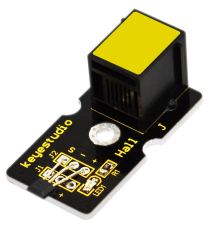
The Hall sensor is based on Hall Effect. It can detect whether there is a magnetic object nearby or not. And it correctly tells you through digital output.
This sensor uses the SFE Reed Switch - Magnetic Field Sensor. It can sense the magnetic materials within a detection range up to 75px.
The detection range and the strength of magnetic field are proportional. It is useful for non-contact/waterproof type switches, position sensors, rotary/shaft encoders. This sensor needs to be used together with EASY plug control board.
Special Note:
The sensor/module is equipped with the RJ11 6P6C interface, compatible with our keyestudio EASY plug Control Board with RJ11 6P6C interface.
If you have the control board of other brands, it is also equipped with the RJ11 6P6C interface but has different internal line sequence, can’t be used compatibly with our sensor/module.
2. Features
Connector: Easy plug
Sensing magnetic materials
Detection range: up to 75px
Output: Digital ON/OFF
Detection range and magnetic field strength are proportional
3. Technical Details
Dimensions: 41mm * 20mm * 18mm
Weight: 4.4g
4. Connect It Up
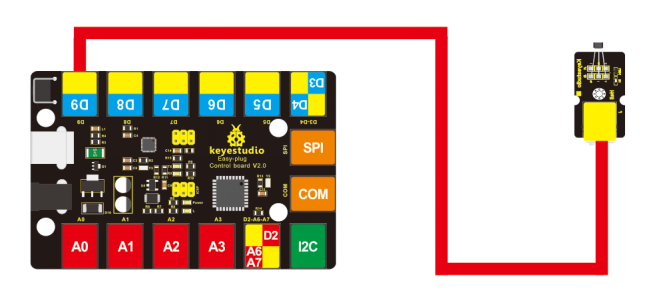
Connect the EASY Plug Hall Magnetic sensor to control board using an RJ11 cable. Then connect the control board to your PC with a USB cable.
5. Upload the Code
Download code: Code
int ledPin = 13;// choose the pin for the LED
int inputPin = 9;// Connect sensor to input pin 9
int val = 0;// variable for reading the pin status

void setup()
{
    pinMode(ledPin, OUTPUT);// declare LED as output
    pinMode(inputPin, INPUT);// declare push button as input
}

void loop()
{
    val = digitalRead(inputPin);// read input value
    if (val == HIGH)  // check if the input is HIGH
    {
    	digitalWrite(ledPin, LOW);// turn LED OFF
    }
    else
    {
    	digitalWrite(ledPin, HIGH);// turn LED ON
    }
}
6. Result
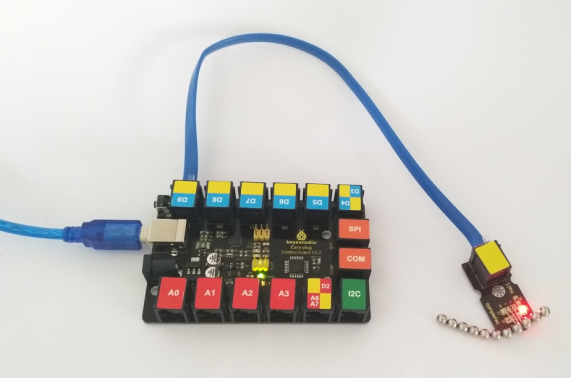
When a magnet is approaching to the sensor, the LED will be turned on. Otherwise, the LED is off.