KS0113 keyestudio EASY plug Capacitive Touch Sensor
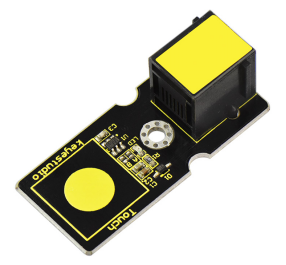
1. Introduction
You can find touch sensors mostly on electronic device. Instead of buttons, upgrade your Arduino project with our new version touch sensor and make it cool!
The EASY Plug digital capacitive touch sensor provides a one-touch style switch on your Arduino project. It uses the most popular capacitive sensing technology which is the same as your mobile phone.
This little sensor can “feel” people and metal touch and feedback a high/low voltage level. Even isolated by some cloth and paper, it can still feel the touch. The sensitivity will decrease as the isolation getting thick.
This module should be used together with EASY plug control board.
Special Note:
The sensor/module is equipped with the RJ11 6P6C interface, compatible with our keyestudio EASY plug Control Board with RJ11 6P6C interface.
If you have the control board of other brands, it is also equipped with the RJ11 6P6C interface but has different internal line sequence, can’t be used compatibly with our sensor/module.
2. Specification
Connector: Easy plug
Supply Voltage: 3.3V to 5V
Sensor type: Digital
Function range: 0℃ to 100℃
3. Technical Dtails
Dimensions: 45mm * 20mm * 18mm
Weight: 4.9g
4. Connect It Up
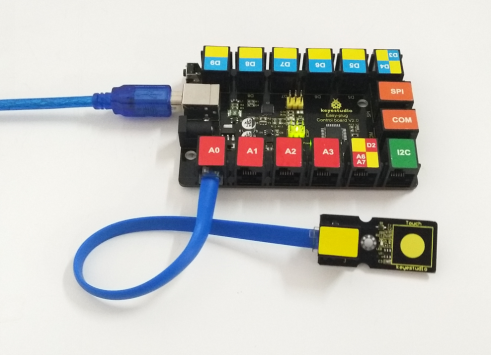
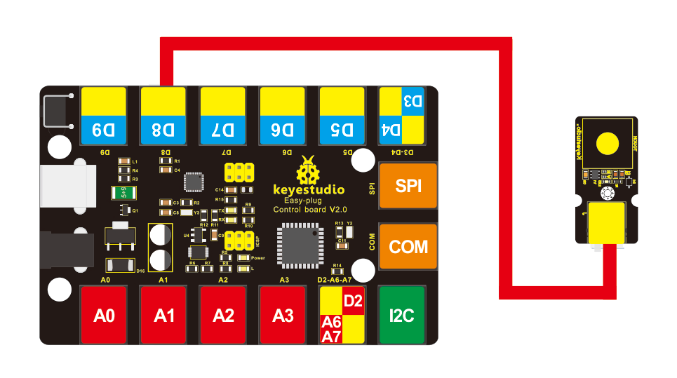
Connect the EASY Plug push button sensor and LED module to control board using RJ11 cables. Then connect the control board to your PC with a USB cable.
5. Upload the Code
Download Code: Code
int ledPin = 13;// Connect LED on pin 13, or use a built-in led.
int KEY = 8;// Connect Touch sensor on Digital Pin 12

void setup()
{
    pinMode(ledPin, OUTPUT);// Set ledPin to output mode
    pinMode(KEY, INPUT);//Set touch sensor pin to input mode
}

void loop()
{
    if(digitalRead(KEY)==HIGH) //Read Touch sensor signal
    {
    	digitalWrite(ledPin, HIGH);// if Touch sensor is HIGH, then turn led on
    }
    else
    {
    	digitalWrite(ledPin, LOW);// if Touch sensor is LOW, then turn led off
    }
}
6. Result
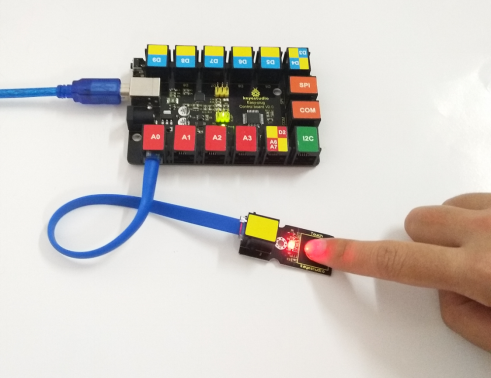
Done uploading the code, when you touch the sensor, the led on the sensor will light up.