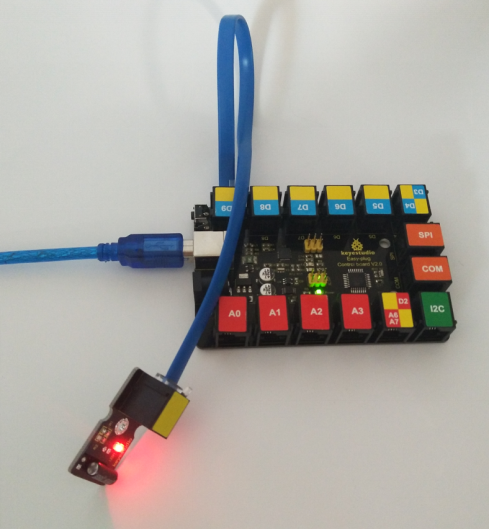
KS0115 keyestudio EASY plug Digital Tilt Sensor Module
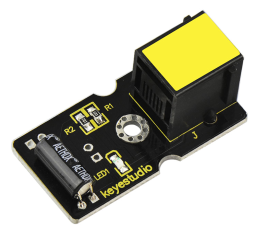
1. Introduction
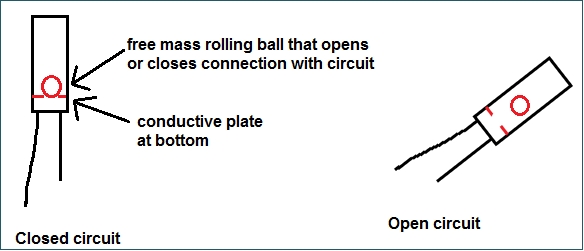
The tilt-switch twig is the equivalent of a button, and is used as a digital input. Inside the tilt switch is a ball that make contact with the pins when the case is upright. Tilt the case over and the balls don’t touch, thus not making a connection.
When the switch is level it is open, and when tilted, the switch closes. It can be used for orientation detection, alarm device or others.
Here is the principle of tilt sensor to illustrate how it works:
Special Note:
The sensor/module is equipped with the RJ11 6P6C interface, compatible with our keyestudio EASY plug Control Board with RJ11 6P6C interface.
If you have the control board of other brands, it is also equipped with the RJ11 6P6C interface but has different internal line sequence, can’t be used compatibly with our sensor/module.
2. Features
Connector: Easy plug
Supply Voltage: 3.3V to 5V
Sensor type: Digital
3. Technical Details
Dimensions: 39mm * 20mm * 18mm
Weight: 4.8g
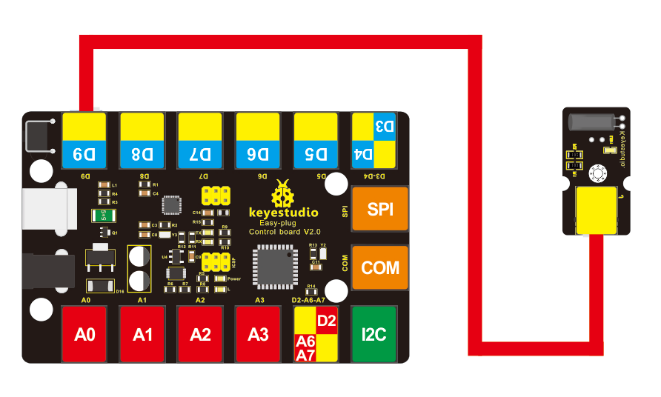
4. Connect It Up
Connect the EASY Plug Tilt sensor and LED module to control board using RJ11 cables. Then connect the control board to your PC with a USB cable.
5. Upload the Code
Download code: Code
int ledPin = 13;// Connect LED to pin 13
int switcher = 9;// Connect Tilt sensor to Pin9

void setup()
{
    pinMode(ledPin, OUTPUT);// Set digital pin 13 to output mode
    pinMode(switcher, INPUT);// Set digital pin 9 to input mode
}

void loop()
{
    if(digitalRead(switcher)==HIGH) //Read sensor value
    {
    	digitalWrite(ledPin, HIGH);// Turn on LED when the sensor is tilted
    }
    else
    {
    	digitalWrite(ledPin, LOW);// Turn off LED when the sensor is not triggered
    }
}
6. Result
Done uploading the code, if tilt the sensor, you should see the led state ON or OFF.