KS0121 keyestudio EASY plug Photo Interrupter Module
1. Introduction
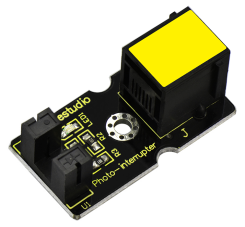
This is a high performance EASY Plug photo interrupter module.
The upright part on the module combines an infrared light emitting diode and shielded infrared detector.
By emitting a beam of infrared light from one end to another end, the sensor can detect an object when it passes through the beam.
Useful for many applications such as optical limit switches, pellet dispensing, general object detection, etc.
This module needs to be used together with EASY plug control board.
Special Note:
The sensor/module is equipped with the RJ11 6P6C interface, compatible with our keyestudio EASY plug Control Board with RJ11 6P6C interface.
If you have the control board of other brands, it is also equipped with the RJ11 6P6C interface but has different internal line sequence, can’t be used compatibly with our sensor/module.
2. Specification
Connector: Easy plug
Supply Voltage: 3.3V to 5V
Interface: Digital
3. Technical Details
Dimensions: 38mm * 20mm * 18mm
Weight: 4.8g
4. Connect It Up
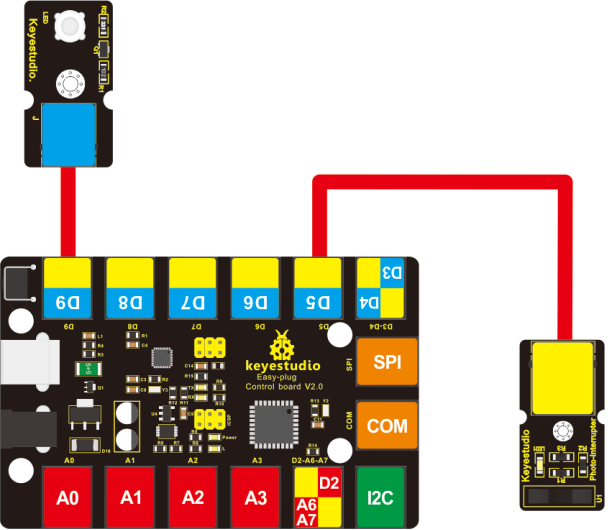
Connect the EASY Plug Photo Interrupter module and LED module to control board using RJ11 cables. Then connect the control board to your PC with a USB cable.
2. Upload the Code
Download code : Code
int Led = 13 ;// define LED Interface
int buttonpin = 6; // define the photo interrupter sensor interface
int val ;// define numeric variables val

void setup ()
{
  pinMode (Led, OUTPUT) ;// define LED as output interface
  pinMode (buttonpin, INPUT) ;// define the photo interrupter sensor output interface
}

void loop ()
{
  val = digitalRead (buttonpin) ;// digital interface will be assigned a value of 3 to read val
  if (val == HIGH) // When the light sensor detects a signal is interrupted, LED flashes
  {
    digitalWrite (Led, HIGH);
  }
  else
  {
    digitalWrite (Led, LOW);
  }
}
3. Result
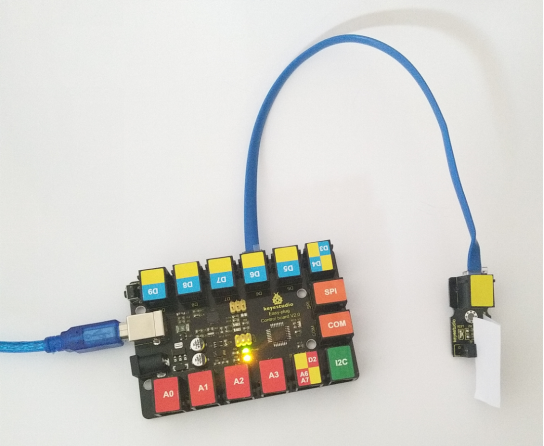
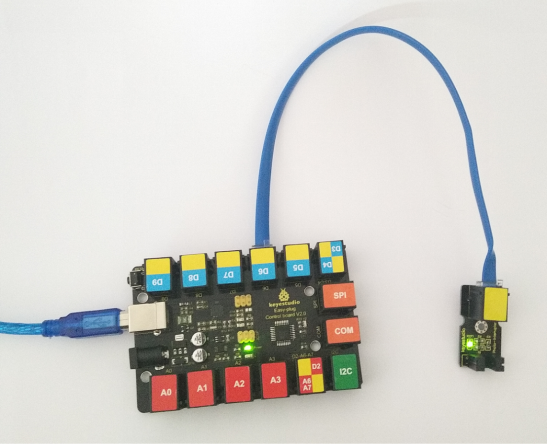
Done uploading the code, powered on, if pick up a piece of paper in the groove part on the module, you should see the indicator LED on the control board is turned on. If move the paper, the LED is turned off.