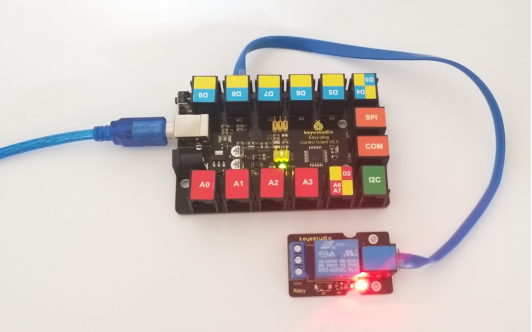
KS0127 keyestudio EASY plug Single Relay Module
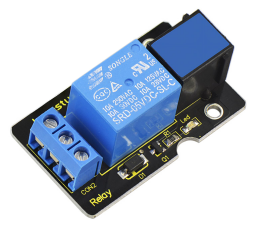
1. Introduction
This EASY Plug relay module integrates a high-quality relay. A relay is basically an electrically controlled mechanical switch.
It is one of the most important controlled elements, which is widely used to control the lighting, communications, remote sensing, electrical and other equipment.
The Relay output state by a light-emitting diode, observing the relay ON and OFF status. It can be controlled through the digital IO port, such as lamps, motors and other high current or high voltage devices.
This module needs to be used together with EASY plug control board.
Special Note:
The sensor/module is equipped with the RJ11 6P6C interface, compatible with our keyestudio EASY plug Control Board with RJ11 6P6C interface.
If you have the control board of other brands, it is also equipped with the RJ11 6P6C interface but has different internal line sequence, can’t be used compatibly with our sensor/module.
2. Specification
Connector: Easy plug
Type: Digital
Rated current: 10A (NO) 5A (NC)
Maximum switching voltage: 150VAC 24VDC
Digital interface
Control signal: TTL level
Rated load: 8A 150VAC (NO) 10A 24VDC (NO); 5A 250VAC (NO/NC) 5A 24VDC (NO/NC)
Maximum switching power: AC1200VA DC240W (NO); AC625VA DC120W (NC)
Contact action time: 10ms
3. Technical Details
Dimensions: 47mm * 28mm * 19mm
Weight: 17.4g
4. Connect It Up
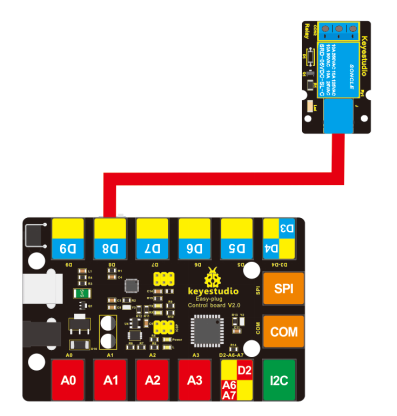
Connect the EASY Plug single relay module to control board using an RJ11 cable. Then connect the control board to your PC with a USB cable.
5. Upload the Code
Download code : Code
int Relay = 8;

void setup()
{
   pinMode(Relay, OUTPUT);     //Set Pin3 as output
}

void loop()
{
   digitalWrite(Relay, HIGH);   //Turn on relay
   delay(1000);
   digitalWrite(Relay, LOW);   //Turn on relay
   delay(1000);
}
6. Result
Done uploading the code, you should be able to hear the relay contacts click. When the relay is off, the COM (common) terminal block will be connected to the NC (Normally Closed) terminal block.
When the relay is on, the COM (common) terminal block will be connected to the NO (Normally Open) terminal block.