KS0135 keyestudio EASY plug Bluetooth Module
1. Introduction
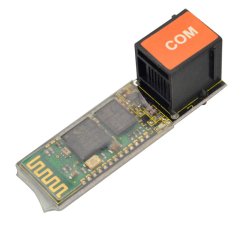
Keyestudio Bluetooth 2.0 module can easily achieve serial wireless data transmission. The operating frequency is among the most popular 2.4GHz ISM frequency band (i.e. Industrial, scientific and medical).
It adopts Bluetooth 2.1+EDR standard. In Bluetooth 2.1, signal transmit time of different devices stands at a 0.5 seconds interval, so that the workload of Bluetooth chip can be reduced substantially and more sleeping time can be saved for Bluetooth.
It has build-in on-board antenna which provides high quality signals. This module should be used together with EASY plug control board.
Special Note:
The sensor/module is equipped with the RJ11 6P6C interface, compatible with our keyestudio EASY plug Control Board with RJ11 6P6C interface.
If you have the control board of other brands, it is also equipped with the RJ11 6P6C interface but has different internal line sequence, can’t be used compatibly with our sensor/module.
2. Specification
Bluetooth protocol: Bluetooth 2.1+ EDR standard
USB protocol: USB v1.1/2.0
Operating frequency: 2.4GHz ISM frequency band
Modulation mode: GFSK (Gauss Frequency Shift Keying)
Transmit power: ≤ 4dBm, class 2
Sensitivity: ≤-84dBm at 0.1% Bit Error Rate
Transfer rate: Asynchronous: 2.1Mbps(Max)/160kbps ; Synchronous: 1Mbps/1Mbps
Safety feature: Authentication and encryption
Supported configuration: Bluetooth serial port
Supply Voltage: 5V DC /50mA
Operating temperature: -20℃ to +55℃
3. Technical Details
Dimensions: 52mm * 16mm * 18mm
Weight: 5.3g
4. Connect It Up
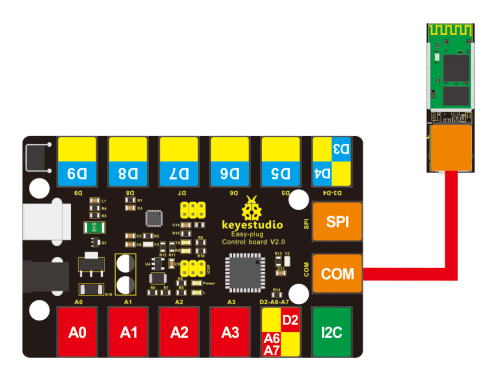
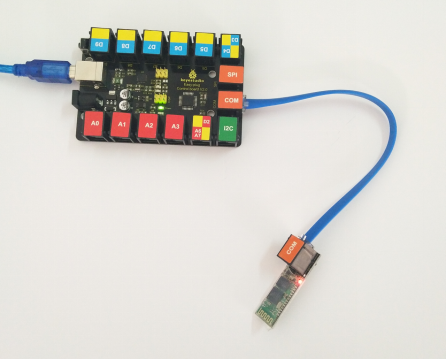
Connect the EASY Plug Bluetooth module to control board using an RJ11 cable. Then connect the control board to your PC with a USB cable.
5. Upload the Code
Download code and APP: Resource
int val;
int ledpin=13;

void setup()
{
    Serial.begin(9600);
    pinMode(ledpin,OUTPUT);
}

void loop()
{
    val=Serial.read();
    if(val=='a')
    {
        digitalWrite(ledpin,HIGH);
        delay(250);
        digitalWrite(ledpin,LOW);
        delay(250);
        Serial.println("keyestudio");
    }
}
6. Result
Done uploading the test code, powered on, power indicator is turned on, and LED on Bluetooth module is blinking.
Then open Bluetooth on your mobile phone, pair Bluetooth device, input 1234, and you should see the paired device.
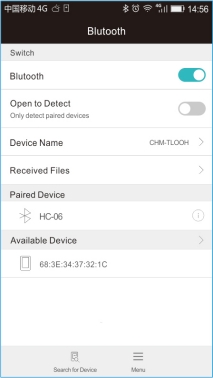
After that, open an Bluetooth serial communication assistant - BTClient. Search for device, then select your Bluetooth device.
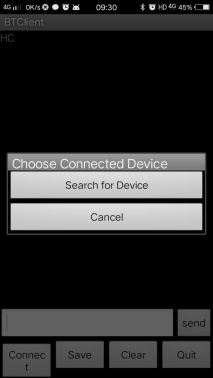
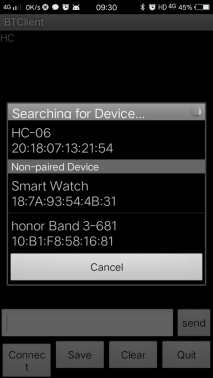
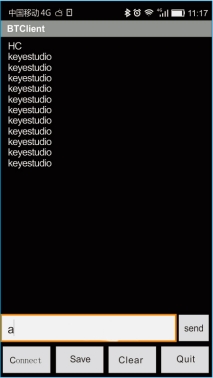
Done connected, when send an “a” , it will display “keyesdudio”.