KS0136 keyestudio EASY plug OLED Module
1. Introduction
OLED is short for organic light emitting diode. On the microscopic level, an OLED display is a matrix of organic LEDs that light up when they emit energy.
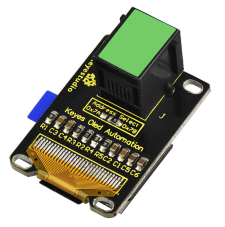
Our EASY Plug OLED displays are perfect when you need a small display with vivid, high-contrast color. The visible portion of the OLED measures 0.96” diagonal and contains 128 x 64 pixels.
An OLED display works without a backlight. Thus, it can display deep black levels and can be thinner and lighter than a liquid crystal display (LCD).
In low ambient light conditions such as a dark room an OLED screen can achieve a higher contrast ratio than an LCD.
OLED technology is used in commercial applications such as displays for mobile phones and portable digital media players, car radios and digital cameras among others. This module should be used together with EASY plug control board.
Special Note:
The sensor/module is equipped with the RJ11 6P6C interface, compatible with our keyestudio EASY plug Control Board with RJ11 6P6C interface.
If you have the control board of other brands, it is also equipped with the RJ11 6P6C interface but has different internal line sequence, can’t be used compatibly with our sensor/module.
2. Specification
0.96” diagonal OLED
Pixels: 128 × 64
Color Depth: Monochrome (White)
5V power
Brightness (cd/m2): 100 (Typ)
3. Technical Details
Dimensions: 39mm * 27mm * 18mm
Weight: 7g
4. Connect It Up
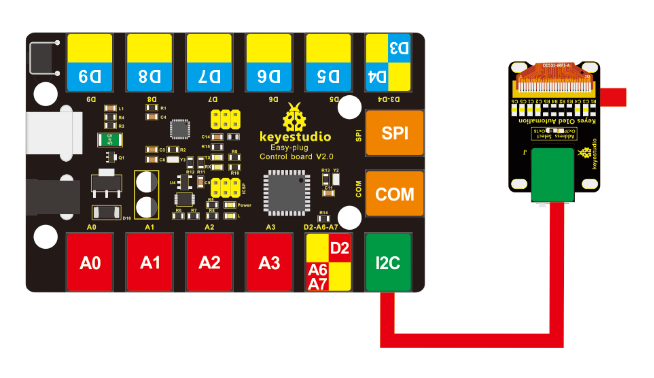
Connect the EASY Plug OLED module to control board using an RJ11 cable. Then connect the control board to your PC with a USB cable.
5. Upload the Code
Download Resource : Resource
Note: before uploading the code, you need to import the library files; otherwise, the code upload will fail.
#include <SPI.h>
#include <Wire.h>
#include <Adafruit_GFX.h>
#include <Adafruit_SSD1306.h>

#define OLED_RESET 4
Adafruit_SSD1306 display(OLED_RESET);

void setup()
{
    // by default, we'll generate the high voltage from the 3.3v line internally! (neat!)
    display.begin(SSD1306_SWITCHCAPVCC, 0x3C); // initialize with the I2C addr 0x3D (for the 128x64)
    // init done
    // Show image buffer on the display hardware.
    // Since the buffer is intialized with an Adafruit splashscreen
    // internally, this will display the splashscreen.
    display.display();
    delay(2000);
    // Clear the buffer.
    display.clearDisplay();
}

void loop()
{
    display.clearDisplay();
    display.setTextSize(1);
    display.setTextColor(WHITE);
    display.setCursor(0,0);
    display.println("Hello,world!");
    display.println("Hello,keyestudio!");
    display.setTextSize(2);
    display.println("Hello!");
    display.println("keyes!");
    display.println("keyestudio");
    display.display();
    delay(250);
}
6. Result
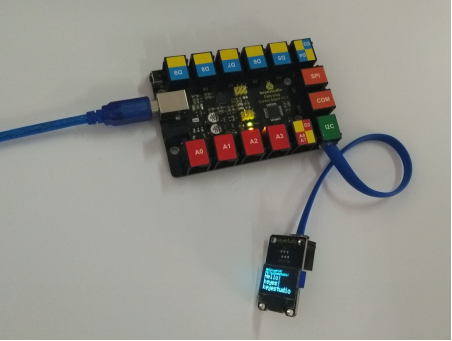
Done uploading the code, you should be able to see the text display on the OLED screen.