KS0171 keyestudio XD-58C Pulse Sensor Module
1. Introduction
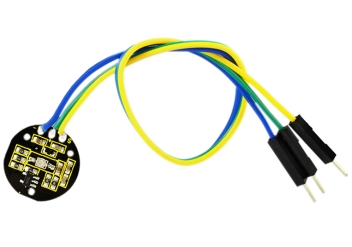
keyestudio XD-58C pulse sensor module is used to measure heart rates.
It’s widely applied for students, artists, athletes, inventors, games or mobile terminal developers to develop heart rate related interactive works.
You can wear the sensor on your finger or earlobe and connect it to Arduino. It also has an open source APP program that can display your heart rate real-time in graph. It’s in short, a heart rate sensor integrated with optical amplifier and noise elimination circuit.
2. Specification
LED peak wavelength: 515nm
Power supply: 3.3V/5V
Output type: analog
Output signal: 0~3.3 (at 3.3V power supply) / 0~5V (at 5V power supply)
3. Circuit Connection
4. Program Upload
5. User Instruction
Download Resource : Resource
Download processing-2.2.1:processing-2.2.1
**1.**install “processing software” from the downloaded file.
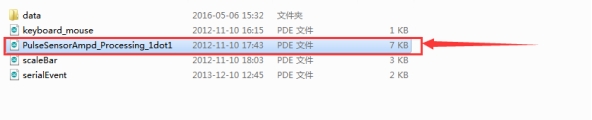
**2.**Open “processing”, click menu “file”- “open”, find the folder named “PulseSensorAmpd_Processing_1dot1”, select the file.
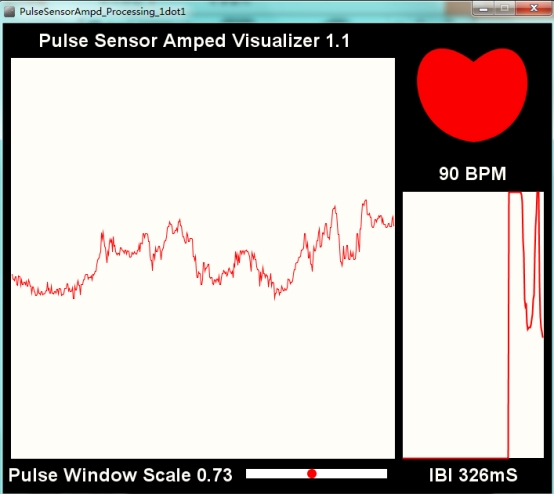
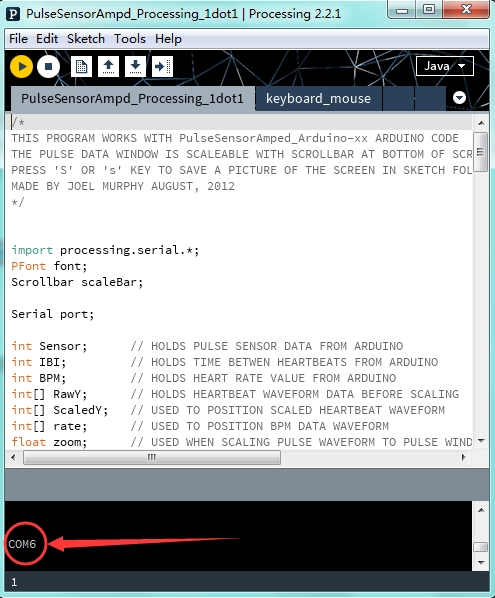
**3.**When only 1 COM port of the computer is connected, click “run”. The software will self-identify the COM port and display as below picture shown.
**4.**If multiple COM port is connected to the computer, click “run”. The software will self-identify the COM port and display as below picture shown.
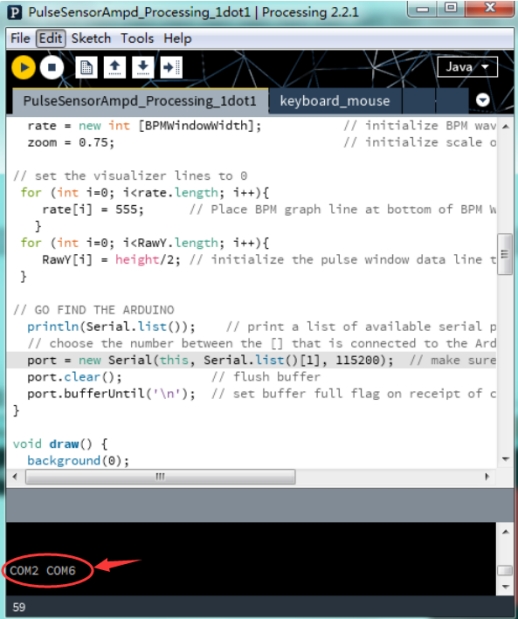
We change the serial port No. In the code correspondingly.
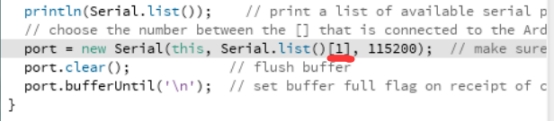
Here, 0 in “Serial.list()[0]” stands for the first one COM2, 1 in Serial.list()[1] stands for the second one COM6.
5. Place the sensor on your finger or your earlobe, you can measure your pulse rate as below picture shown.