KS0174 keyestudio HM-10 Bluetooth-4.0 V2
1. Introduction
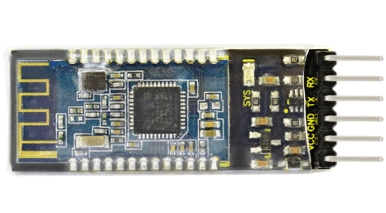
keyestudio HM-10 Bluetooth-4.0 V2 adopts TI CC2541 chip, configuration space of 256Kb. It supports AT command. Users can modify working mode (master/slave), baud rate, device name, paring password, etc.
2. Specification
Bluetooth protocol: Bluetooth Specification V4.0 BLE
No byte limit in serial port Transceiving
In open environment, realize 100m ultra-distance communication with iphone4s
USB protocol: USB V2.0
Working frequency: 2.4GHz ISM band
Modulation method: GFSK(Gaussian Frequency Shift Keying)
Transmission power: -23dbm, -6dbm, 0dbm, 6dbm, can be modified by AT command.
Sensitivity: ≤-84dBm at 0.1% BER
Transmission rate: Asynchronous: 6K bytes ; Synchronous: 6k Bytes
Security feature: Authentication and encryption
Supporting service: Central & Peripheral UUID FFE0, FFE1
Power consumption: Auto sleep mode, stand by current 400uA~800uA, 8.5mA during transmission.
Power supply: 5V DC
Working temperature: –5 to +65 Centigrade
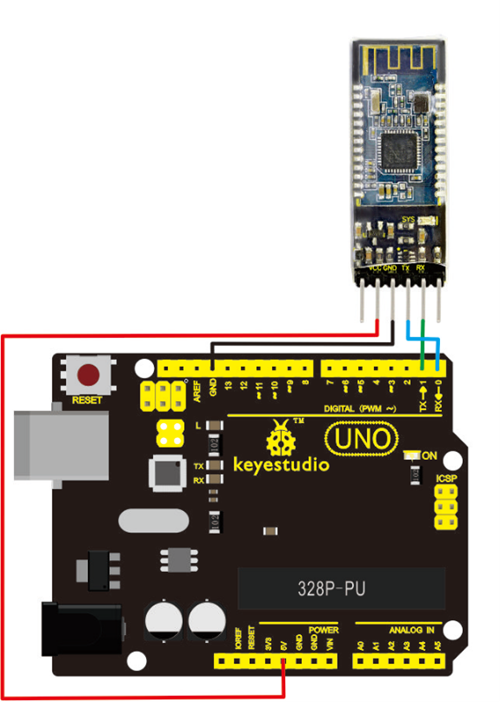
3. Circuit Connection
4. Sample Code
Download Resource : Resource
int val;
int ledpin=13;

void setup()
{
  Serial.begin(9600);
  pinMode(ledpin,OUTPUT);
}

void loop()
{
    val=Serial.read();
    if(val=='a')
    {
        digitalWrite(ledpin,HIGH);
        delay(250);
        digitalWrite(ledpin,LOW);
        delay(250);
        Serial.println("keyestudio");
    }
}
5. Result
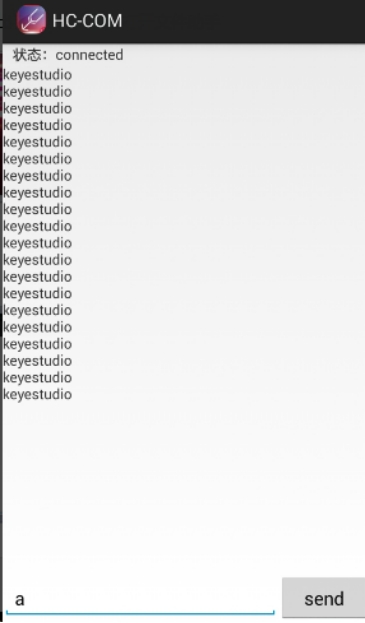
Open APP HC-COM, click search device, select the device, device is connected; the LED on the Bluetooth module is on.
Enter “a” in HC-COM, click send, Bluetooth APP will display keyestudio. Every time HC-COM sends an “a”, the Pin13 LED on the main board blinks once.
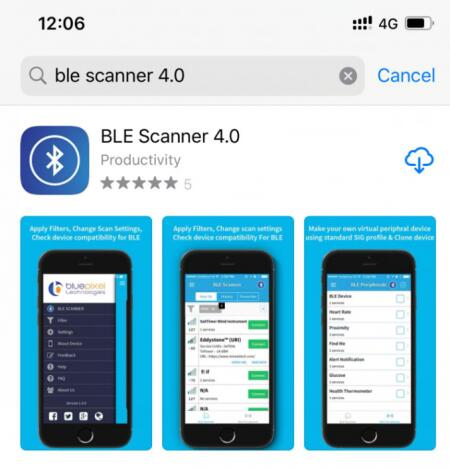
Note: The above used APP is only compatible with Android system. You need to search BLE Scanner 4.0 to download app in APP store if your use iphone.