KS0278 keyestudio BH1750FVI Digital Light Intensity Module
1. Introduction
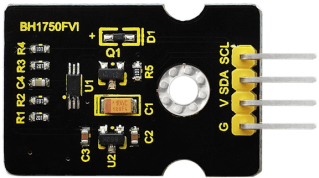
Keyestudio BH1750FVI digital light intensity module is a digital light intensity sensor integrated circuit used for two-wire serial bus interface.
It uses the light intensity data collected by module to adjust the brightness of LCD and keyboard backlight. The module resolution can detect a wide range of light intensity changes.
2. Specification
Diameter 26mm, large diameter 28.5mm, high 26mm (plus light ball)
Working voltage: DC 5V
Communication interface: IIC
Input light range: 1-65535lx
Spectral sensitivity: typical value of peak sensitivity wavelength: 560nm
Weak dependency on light source: incandescent, fluorescent, halogen, white LED and fluorescent is available.
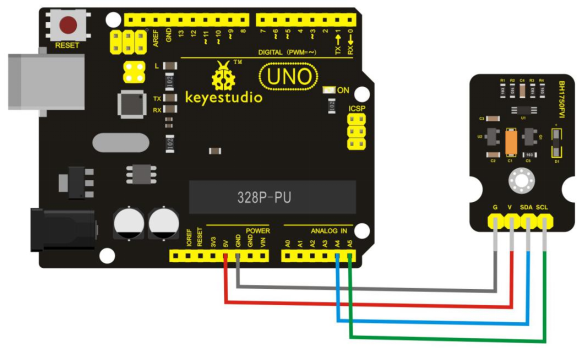
3. Connection Diagram
4. Sample Code
Download Resources : Resources
Note: before uploading the code, you need to import the library files; otherwise, the code upload will fail.
/*
Measurement of illuminance using the BH1750FVI sensor module
Connection:
Module      UNO
G <----->   GND
V  <----->  5V
SDA  <----->  A4
SCL  <----->  A5
*/

#include <Wire.h>
#define ADDRESS_BH1750FVI 0x23    //ADDR="L" for this module
#define ONE_TIME_H_RESOLUTION_MODE 0x20
//One Time H-Resolution Mode:
//Resolution = 1 lux
//Measurement time (max.) = 180ms
//Power down after each measurement
byte highByte = 0;
byte lowByte = 0;
unsigned int sensorOut = 0;
unsigned int illuminance = 0;

void setup()
{
     Wire.begin();
     Serial.begin(115200);
}

void loop()
{
     Wire.beginTransmission(ADDRESS_BH1750FVI); //"notify" the matching device
     Wire.write(ONE_TIME_H_RESOLUTION_MODE);     //set operation mode
     Wire.endTransmission();
     delay(180);
     Wire.requestFrom(ADDRESS_BH1750FVI, 2); //ask Arduino to read back 2 bytes from the sensor
     highByte = Wire.read();  // get the high byte
     lowByte = Wire.read(); // get the low byte
     sensorOut = (highByte<<8)|lowByte;
     illuminance = sensorOut/1.2;
     Serial.print(illuminance);    Serial.println(" lux");
     delay(1000);
 }
5. Test Result
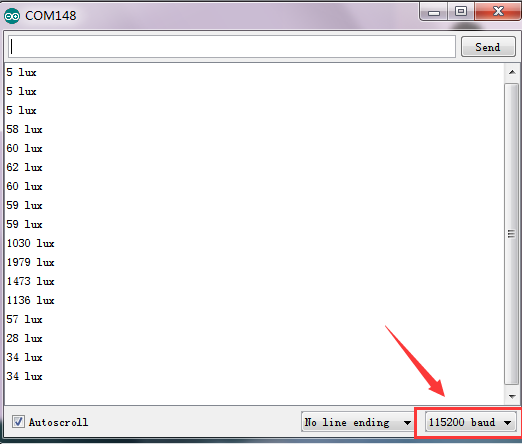
Open the serial monitor and set the baud rate to 115200.
For the light intensity, the value will make a corresponding change. The stronger the light is, the larger the value is. As the figure shown below: