KS0310 Keyestudio Traffic Light Module (Black and Eco-friendly)

1. Introduction
When learning the microcontroller, you may usually use three separate LEDs, namely red, green and yellow light, to simulate the traffic light blinking via external connection.
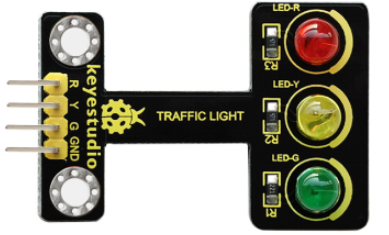
Convenient for wiring, we specially design this traffic light module. On the module, it has integrated three LEDs, like LED-R, LED-Y, LED-G.
This module is able to make some light-interactive works, fully compatible with Arduino microcontroller and raspberry pi system.
2.Specification
Working Voltage: 3.3-5v
Interface Type: Digital
3. Connection Diagram
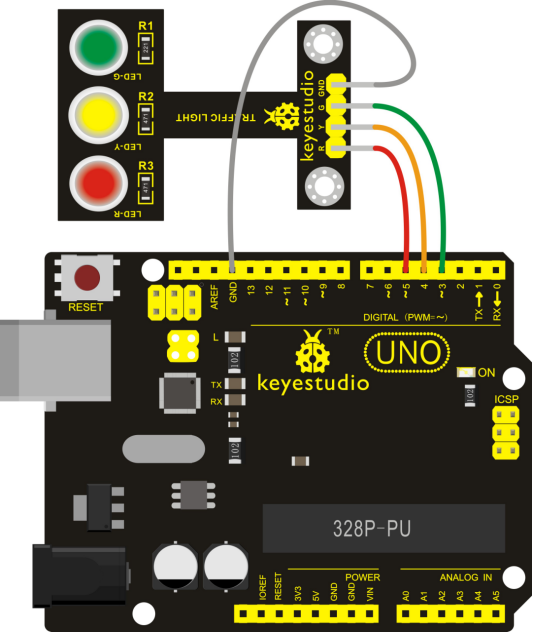
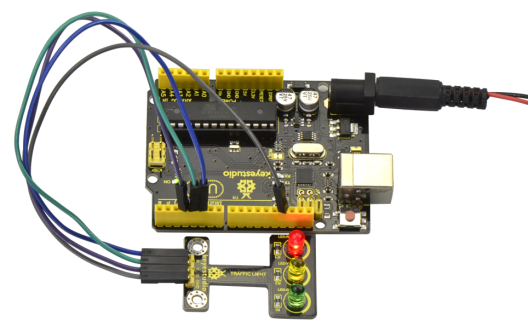
Here’s a wiring diagram combining the traffic light module, four jumper wires and keyestudio UNO board Connect the traffic light module to UNO board, R pin to Digital 5, Y pin to Digital 4, G pin to Digital 3, GND to GND.
4. Sample Code
Download code : Code
int redled =5; // initialize digital pin 5.
int yellowled =4; // initialize digital pin 4.
int greenled =3; // initialize digital pin 3.

void setup()
{
    pinMode(redled, OUTPUT);// set the pin with red LED as “output”
    pinMode(yellowled, OUTPUT); // set the pin with yellow LED as “output”
    pinMode(greenled, OUTPUT); // set the pin with green LED as “output”
}

void loop()
{
    digitalWrite(greenled, HIGH);//// turn on green LED
    delay(5000);// wait 5 seconds
    digitalWrite(greenled, LOW); // turn off green LED
    for(int i=0;i<3;i++)// blinks for 3 times
    {
        delay(500);// wait 0.5 seconds
        digitalWrite(yellowled, HIGH);// turn on yellow LED
        delay(500);// wait 0.5 seconds
        digitalWrite(yellowled, LOW);// turn off yellow LED
    }
    delay(500);// wait 0.5 seconds
    digitalWrite(redled, HIGH);// turn on red LED
    delay(5000);// wait 5 seconds
    digitalWrite(redled, LOW);// turn off red LED
}
5. Test Result
Powered up and done uploading the code to the board, red, green and yellow LEDs on the module will automatically simulate the traffic light on and off.

6. Other Experiments
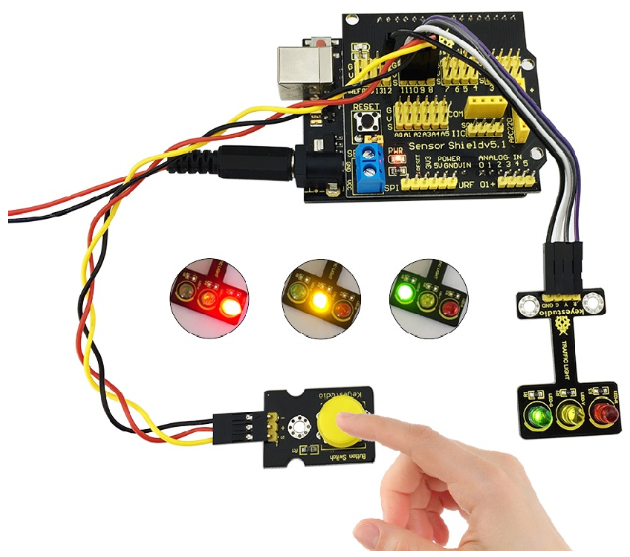
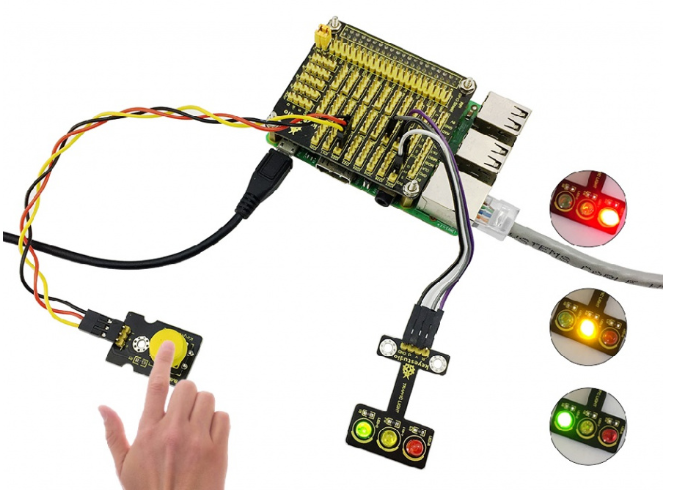
For further study, you can connect it to UNO sensor shield or your PI. As below figure shown.