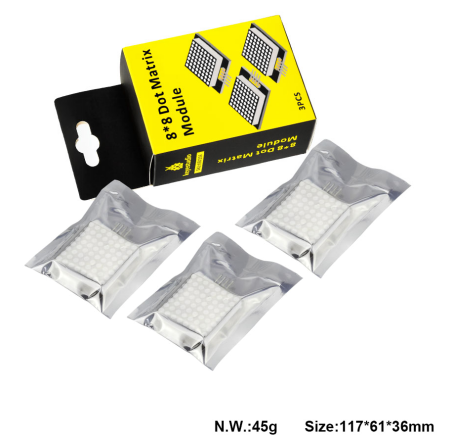
KS0336 Keyestudio 8*8 Dot Matrix Module 3PCS
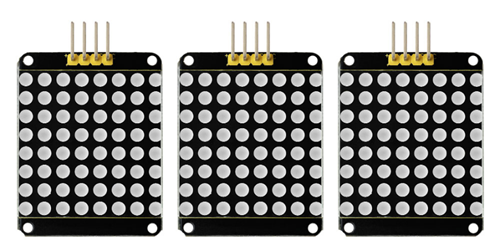
1. Introduction
A fun way to make a small display is to use an 8x8 matrix or a 4-digit 7-segment display. Matrices like these are ‘multiplexed’ - to control 64 LEDs you need 16 pins. That’s a lot of pins, and there are driver chips like the MAX7219 that can control a matrix for you, but there’s a lot of wiring to set up and they take up a ton of space. After all, wouldn’t it be awesome if you could control a matrix without tons of wiring? That’s where these lovely LED matrix backpacks come in.
The matrices use the constant-current drivers for ultra-bright, consistent color, 1/16 step display dimming, all via a simple I2C interface.
2. Features
8 rows and 8 cols LED matrix
Driven by HT16K33 chip
Access to I2C communication pins
Occupy less IO ports of microcontrollers
Easy connection and available for more experiment extensions
3. Parameters
Input voltage: 5V
Rated input frequency: 400KHZ
Input power: 2.5W
Input current: 500mA
4. Pinout
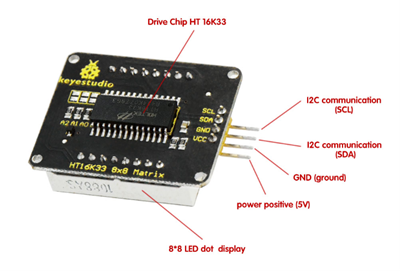
5. Wire it Up
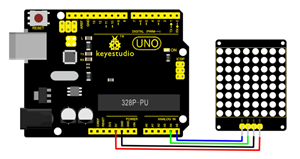
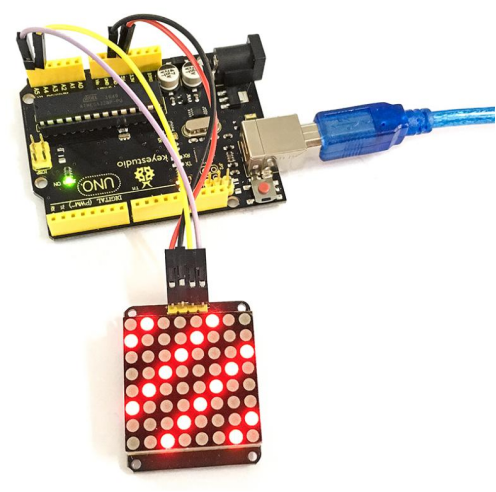
Connect the SCL pin to Analog A5, SDA pin to Analog A4 port; Connect VCC pin to 5V port, GND pin to GND.
6. Sample Code
Download Resource : Resource
Note: before uploading the code, you need to import the library files; otherwise, the code upload will fail.
#include <Wire.h>
#include "Adafruit_LEDBackpack.h"
#include "Adafruit_GFX.h"
#ifndef _BV
#define _BV(bit) (1<<(bit))
#endif
Adafruit_LEDBackpack matrix = Adafruit_LEDBackpack();
uint8_t counter = 0;

void setup()
{
  Serial.begin(9600);
  Serial.println("HT16K33 test");
  matrix.begin(0x70);  // pass in the address
}

void loop()
{
  // paint one LED per row. The HT16K33 internal memory looks like
  // a 8x16 bit matrix (8 rows, 16 columns)
  for (uint8_t i=0; i<8; i++)
  {
    // draw a diagonal row of pixels
    matrix.displaybuffer[i] = _BV((counter+i) % 16) | _BV((counter+i+8) % 16)  ;
  }
  // write the changes we just made to the display
  matrix.writeDisplay();
  delay(100);
  counter++;
  if (counter >= 16) counter = 0;
}
7. Example Result
Done wiring and powered up, upload well the code to UNO board, you will see the dot matrix display the image shown below.
8. Packaging Included
Keyestudio 8x8 Dot Matrix Module * 3PCS