KS0369 EASY plug 4-Digit LED Display
1. Introduction
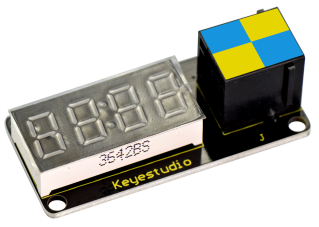
This is a 4-digit 0.36’’ Common Anode LED display module, a 12-pin display module with score points.
The driver chip used in the matrices is TM1637, using only two signal cables to make the microcontroller control the 4-digit LED display.
The four pins of LED display are GND、VCC、DIO、CLK. (GND is ground, VCC is for power supply, DIO is data IO pin, CLK is clock signal pin.)
The module pins are extended into Registered jack, so you can easily connect it to EASY Plug control board using a RJ11 cable.
This module should be used together with EASY plug control board.
Special Note:
The sensor/module is equipped with the RJ11 6P6C interface, compatible with our keyestudio EASY plug Control Board with RJ11 6P6C interface.
If you have the control board of other brands, it is also equipped with the RJ11 6P6C interface but has different internal line sequence, can’t be used compatibly with our sensor/module.
2. Parameters
Operating Voltage: DC5V
Operating Temperature Range: -40~+85℃
Property: ROHS
3. Technical Details
Dimensions: 50mm * 23mm * 18mm
Weight: 9g
4. Connect It Up
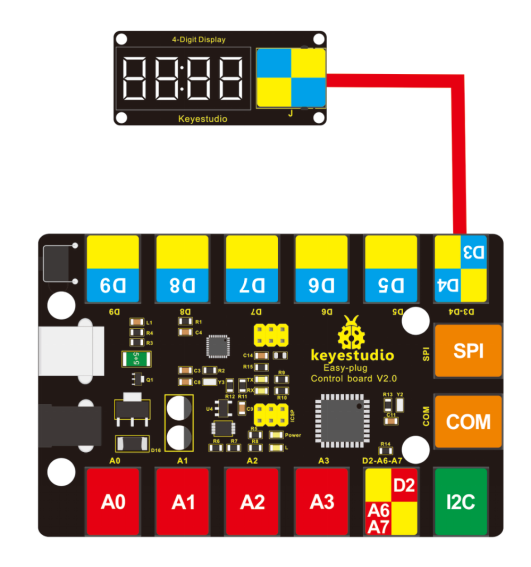
Connect the EASY Plug 4-Digit LED display to control board using an RJ11 cable. Then connect the control board to your PC with a USB cable.
5. Upload the Code
Download Resources : Resources
Note: before uploading the code, you need to import the library files; otherwise, the code upload will fail.
#include "TM1637.h"
#define CLK 4//pins definitions for TM1637 and can be changed to other ports
#define DIO 3
TM1637 tm1637(CLK,DIO);

void setup()
{
  tm1637.init();
  tm1637.set(BRIGHT_TYPICAL);//BRIGHT_TYPICAL = 2,BRIGHT_DARKEST = 0,BRIGHTEST = 7;
}

void loop()
{
  //int8_t NumTab[] = {0,1,2,3,4,5,6,7,8,9,10,11,12,13,14,15};//0~9,A,b,C,d,E,F
  int8_t NumTab[] = {0,1,2,3,4,5,6,7,8,9};//0~9,A,b,C,d,E,F
  int8_t ListDisp[4];
  unsigned char i = 0;
  unsigned char count = 0;
  delay(150);
  while(1)
  {
    i = count;
    count ++;
    if(count == sizeof(NumTab)) count = 0;
    for(unsigned char BitSelect = 0;BitSelect < 4;BitSelect ++)
    {
      ListDisp[BitSelect] = NumTab[i];
      i ++;
      if(i == sizeof(NumTab))
      	i = 0;
      tm1637.display(0,ListDisp[0]);
      tm1637.display(1,ListDisp[0]);
      tm1637.display(2,ListDisp[0]);
      tm1637.display(3,ListDisp[0]);
      tm1637.point(POINT_ON);
      delay(100);
    }
  }
}
6. Result
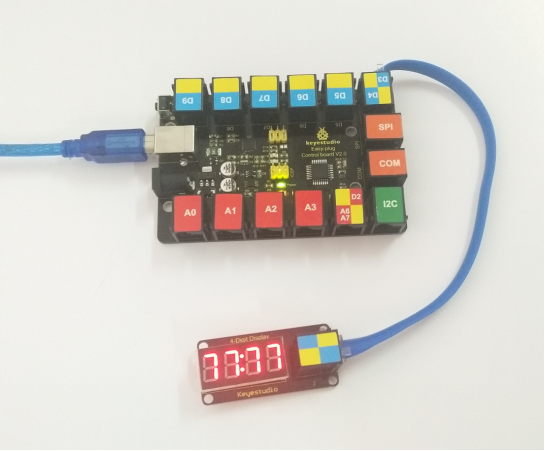
After uploading the code, you should see the 4-digit LED display jump the number from 0 to 9.