Thank you for choosing keyestudio!
We will endeavor to provide you with better products and services!
About keyestudio
Keyestudio is the best-selling brand owned by KEYES Corporation. Our product contains Arduino development and expansion boards, sensors and modules, Raspberry Pi, micro:bit expansion boards as well as smart cars and learning kits, which can help customers at any level to learn about Arduino.
Notably, all of our products are in line with international quality standards and are greatly appreciated in a broad menu of different markets across the world.
Welcome to check out more contents from our official website:
Obtain Information and After-sales Service
Code Download:
If something is found missing or broken, or you have some difficulty learning the kit, please feel free to contact us. Welcome to send email to us:
We will endeavor to update projects and products continuously from your sincere advice!
Warning
This product contains tiny pin headers, so please keep out of reach of children under 7 to prevent from lacerations.
This product also contains conductive parts(control board and electronic modules). Please operate according to the requirements of tutorials. Otherwise, improper operation may damage parts due to overheating. In this case, do not touch it and immediately disconnect the circuit power.
Copyright
The Keyestudio trademark and logo are the copyright of KEYES DIY ROBOT co.,LTD. All products under Keyestudio brand can’t be copied, sold or resold without authorization by anyone or any company.
If you are interested in our products, please contact to our sales representatives:fennie@keyestudio.com
STEM Programming DIY Distance Detection Robot Kit

Kit List
# |
PIC |
NAME |
QTY |
|---|---|---|---|
1 |
|
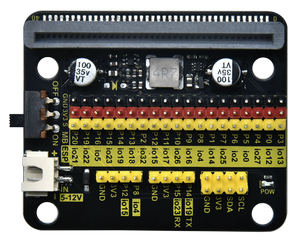
Expansion Board |
1 |
2 |
|
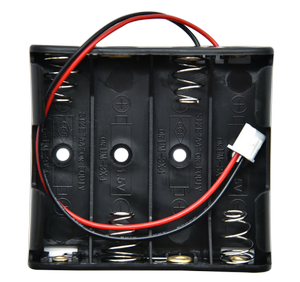
Battery Holder |
1 |
3 |
|
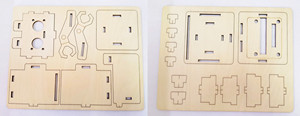
Basswood Board |
1 |
4 |
|
M3*8mm Screw |
4 |
5 |
|
M4*8mm Screw |
4 |
6 |
|
M3 Nut |
4 |
7 |
|
M4 Nut |
4 |
8 |
|
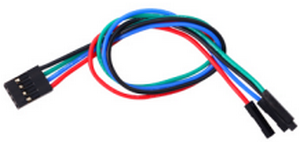
4PIN DuPont Wire |
1 |
9 |
|
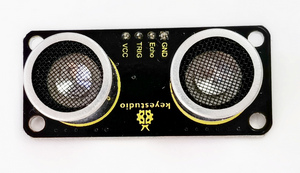
Ultrasonic Sensor |
1 |
10 |
|
Screwdriver |
1 |


Description
In this product, we seek to use basswood boards to make a distance detection robot kit.
The kit uses an ultrasonic sensor that is compatible with the micro:bit board and the ESP32 Easy Coding Board, which can detect the distance to the object. You can use programming software such as Makcode and KidsBlock to write unique codes to achieve more creative and interesting functions.
With this kit, you can master basic sensor knowledge and learn programming. Moreover, it is a good way for you to stimulate your creativity and talent to create robots with multiple functions.
Features
Easy assembly: The assembly process is very easy.
Intelligent distance detection: The robot is equipped with an ultrasonic distance detection module that can sense obstacles and distance changes in the surrounding environment in real time.
Modular design: The robot adopts a modular design, so users can freely combine and replace different modules according to their needs to achieve personalized customization.
Multiple programming methods: It boasts Makcode and KidsBlock programming methods, which significantly meet diversified programming needs.
Assembly
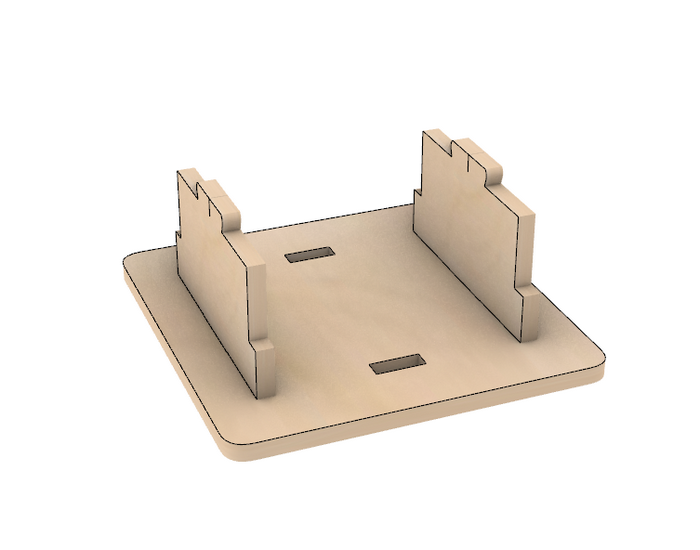
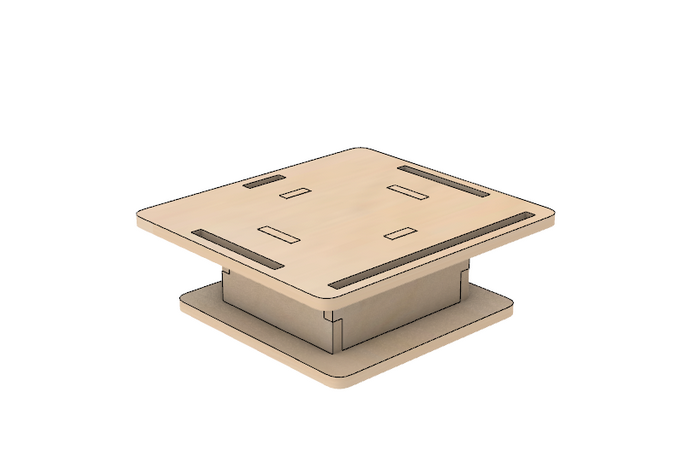
step1




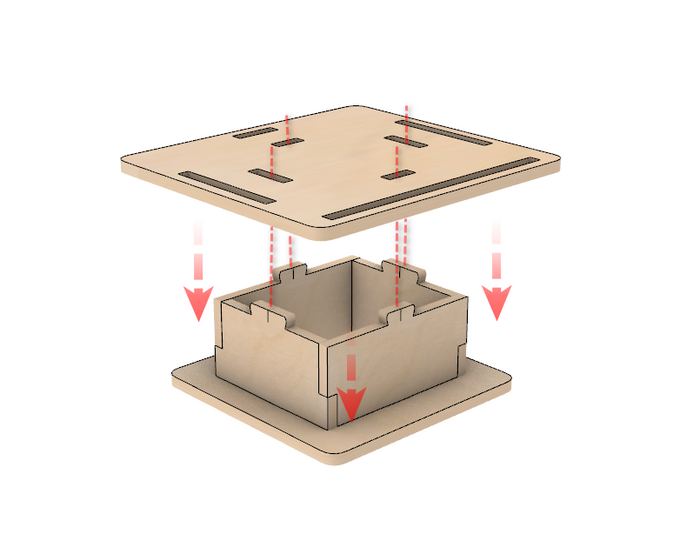

step2
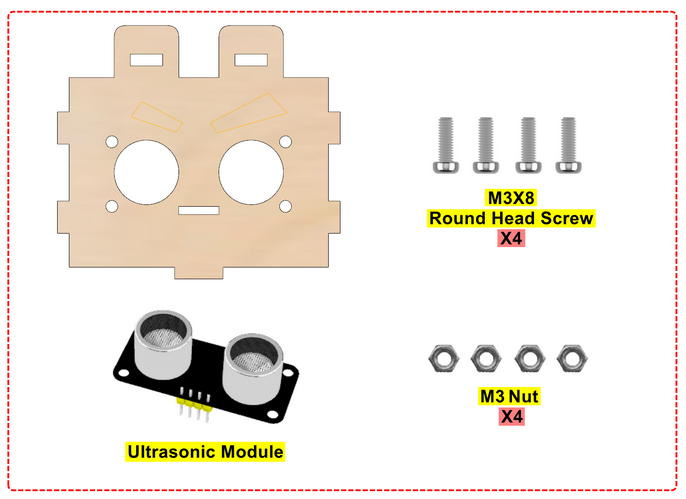


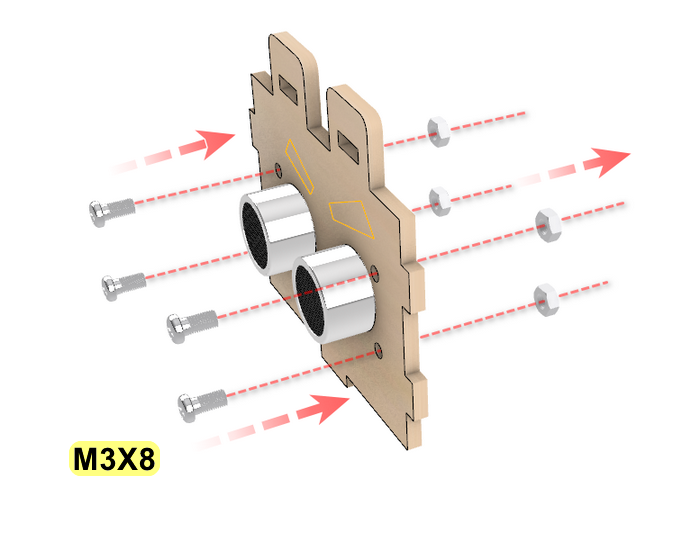
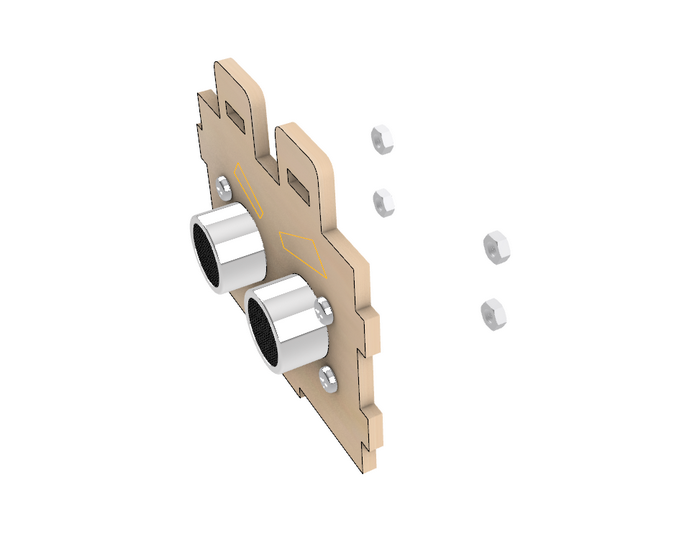


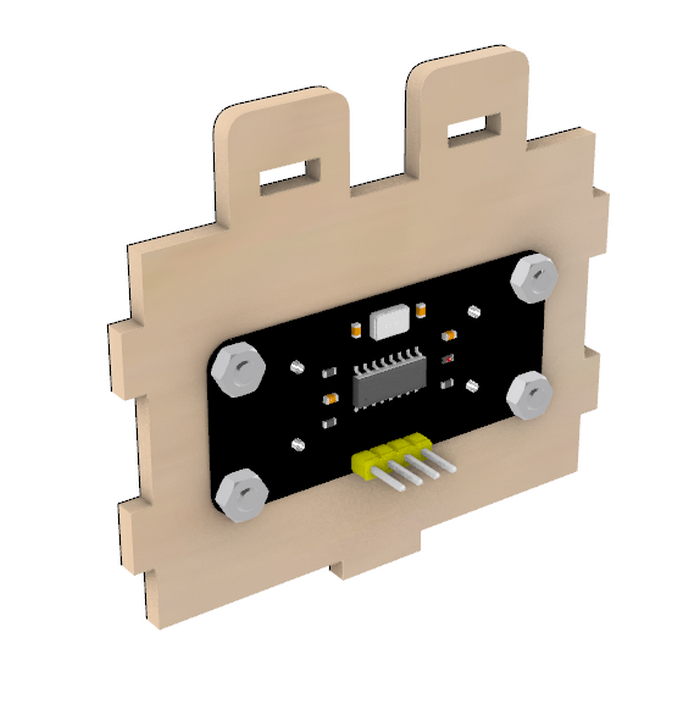
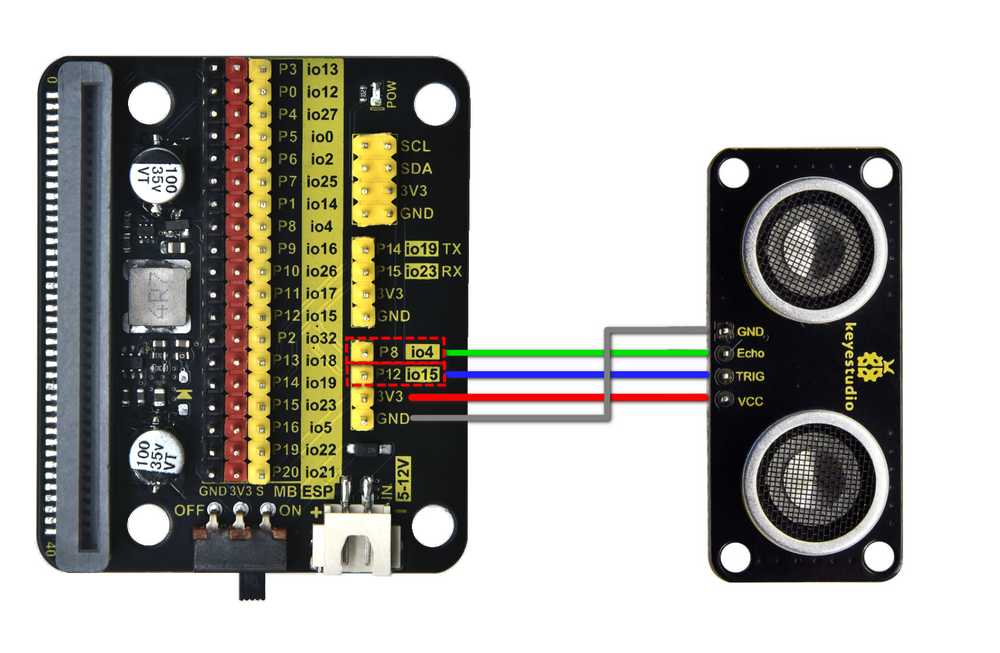
Wiring Diagram

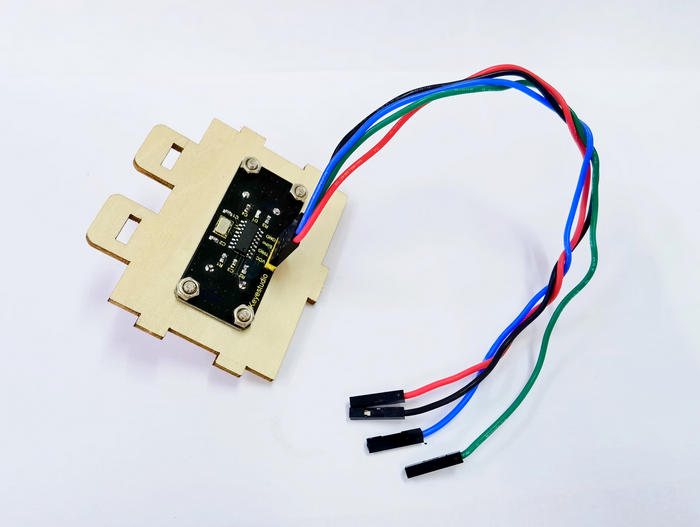
step3
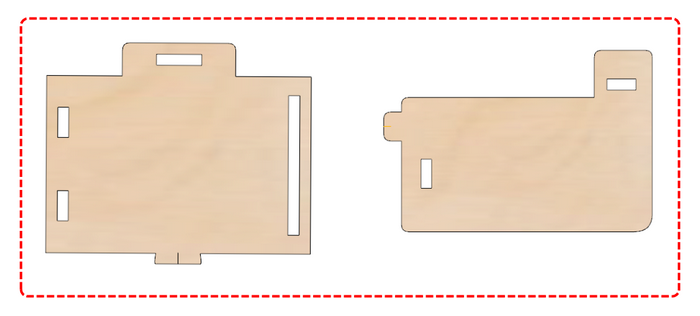

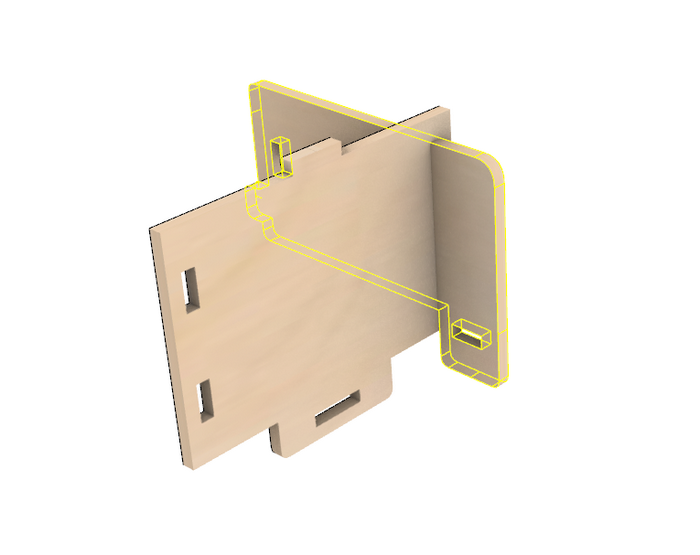

step4
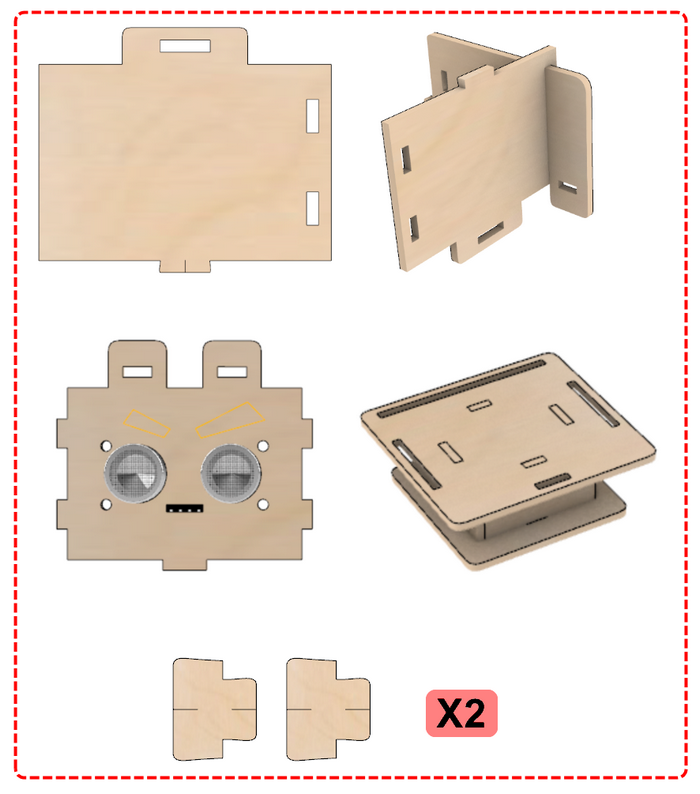
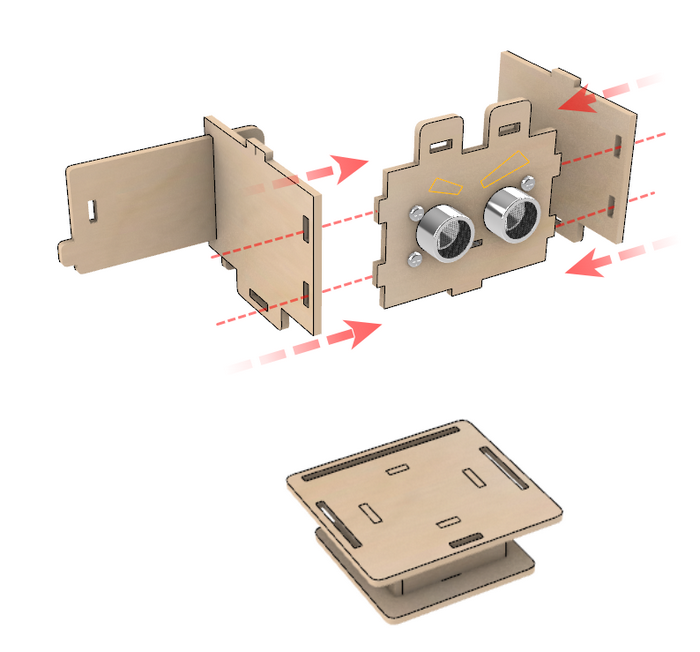

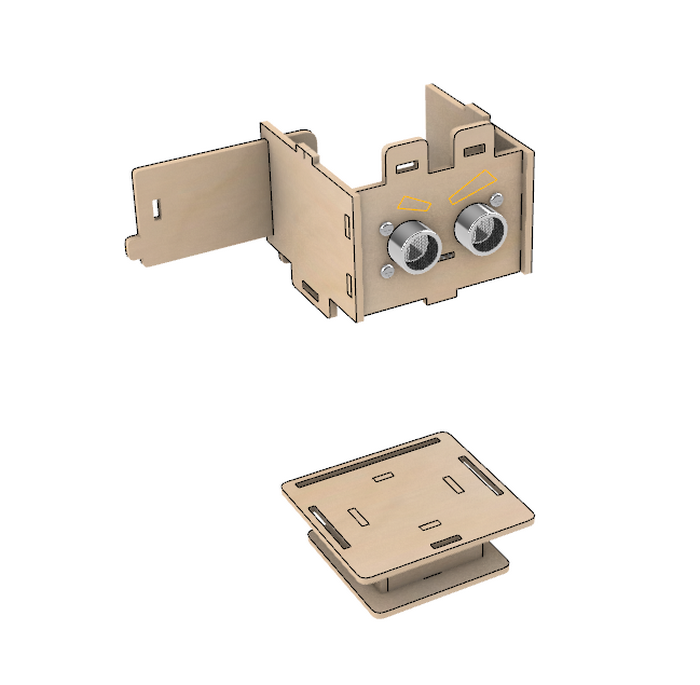


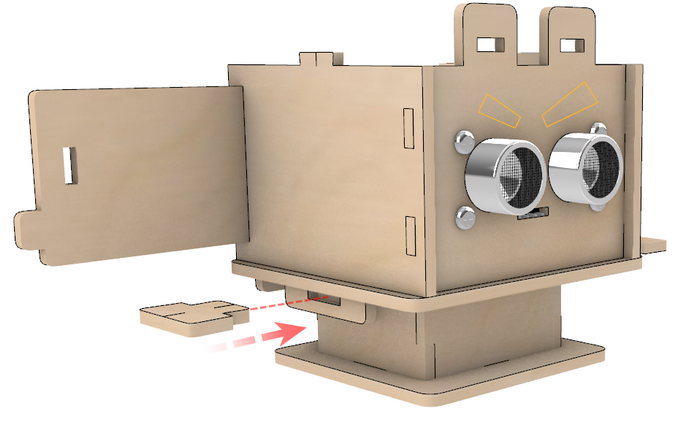
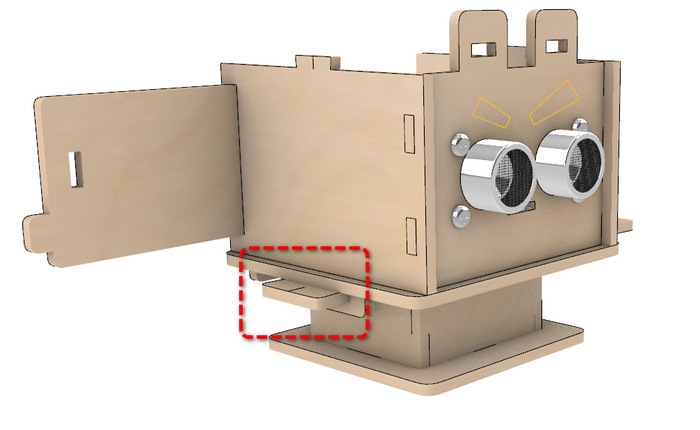


step5
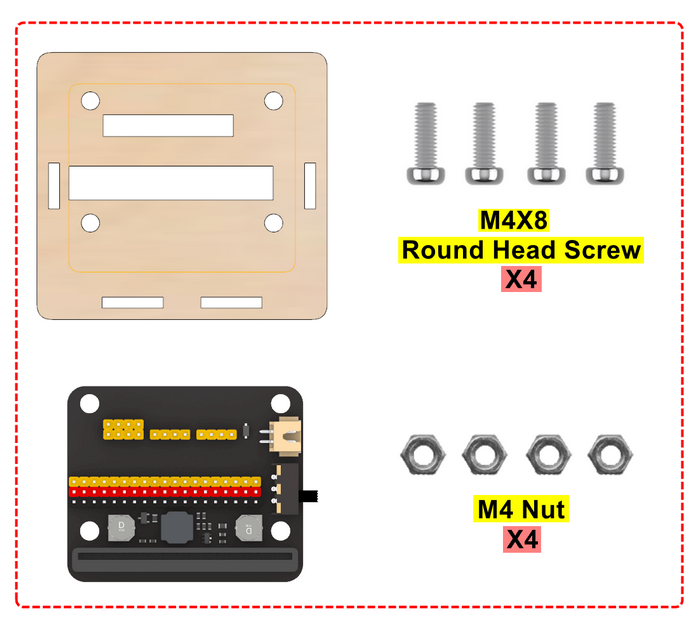
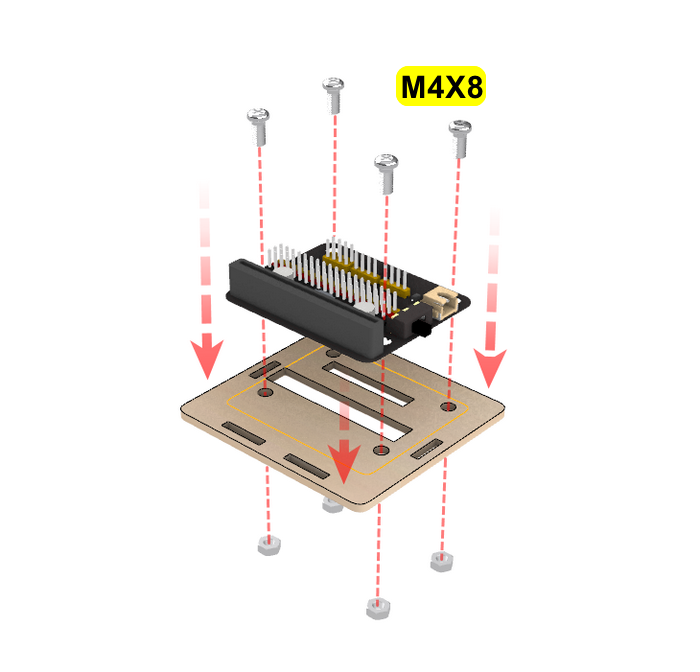

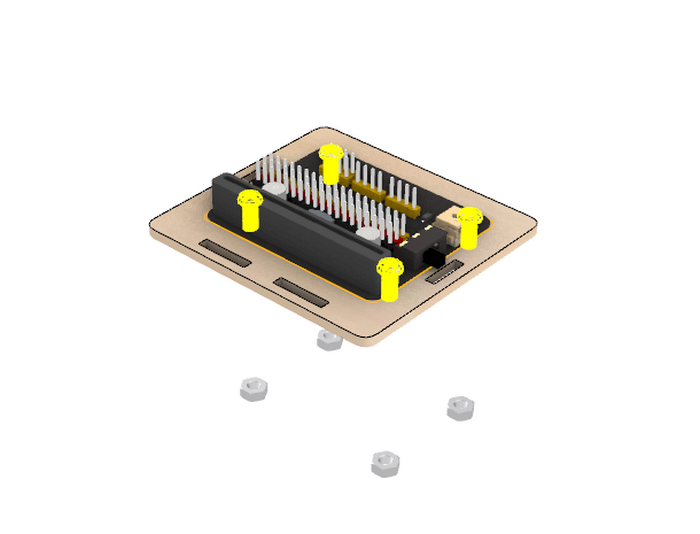

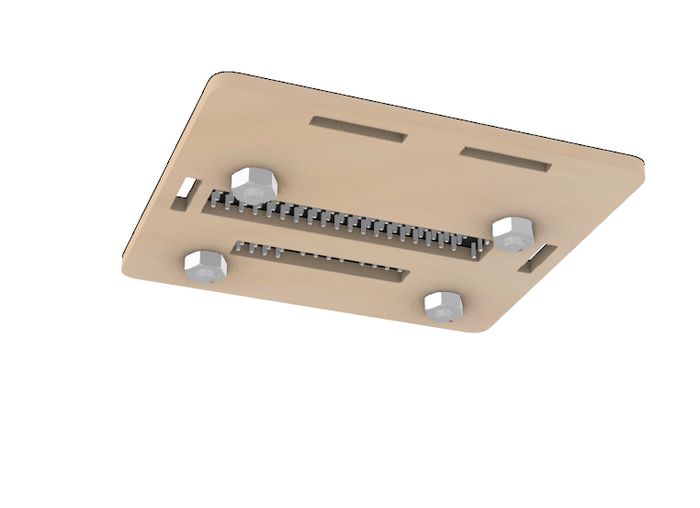
step6


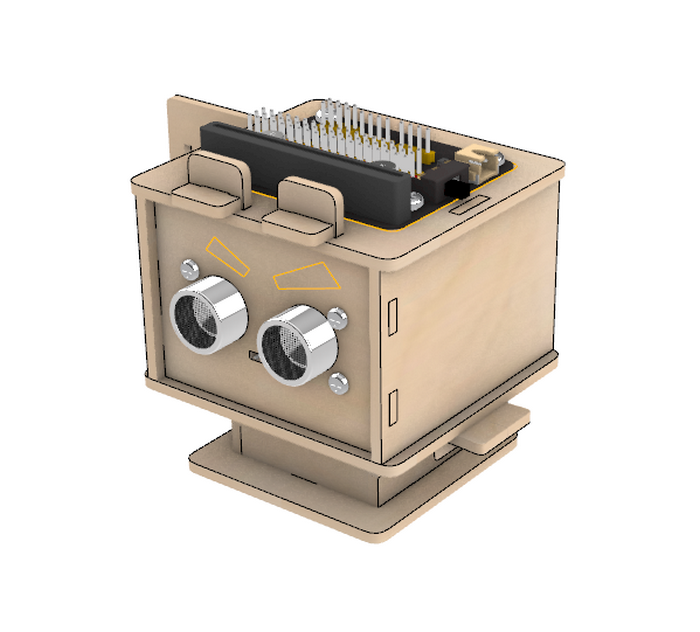
step7
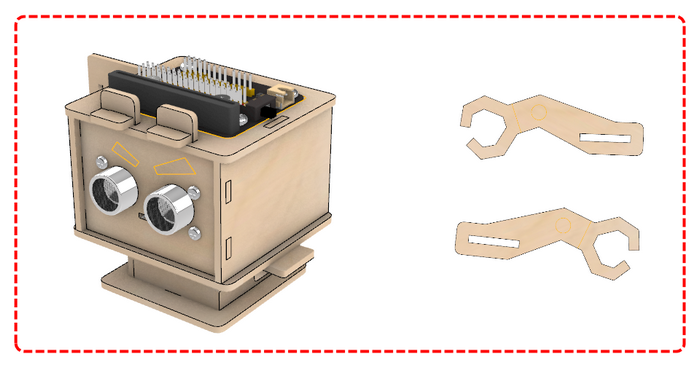
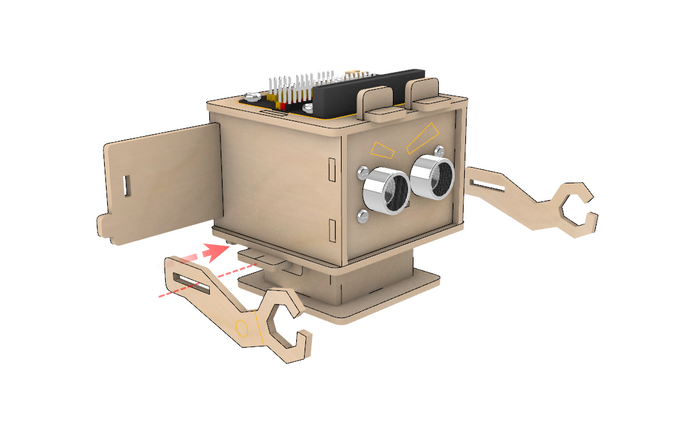


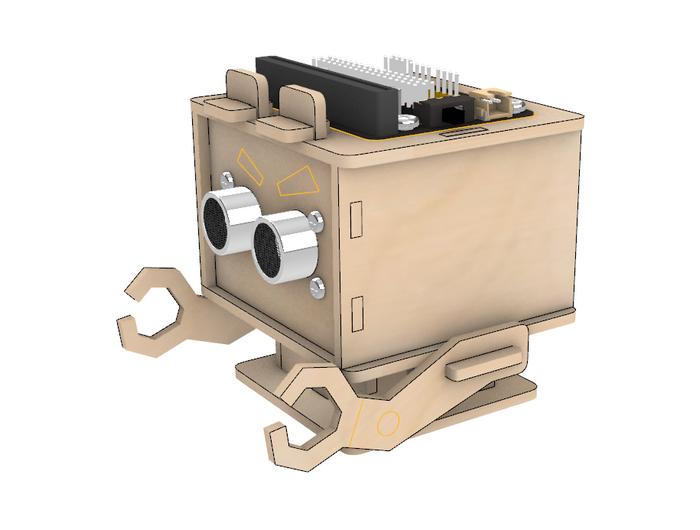
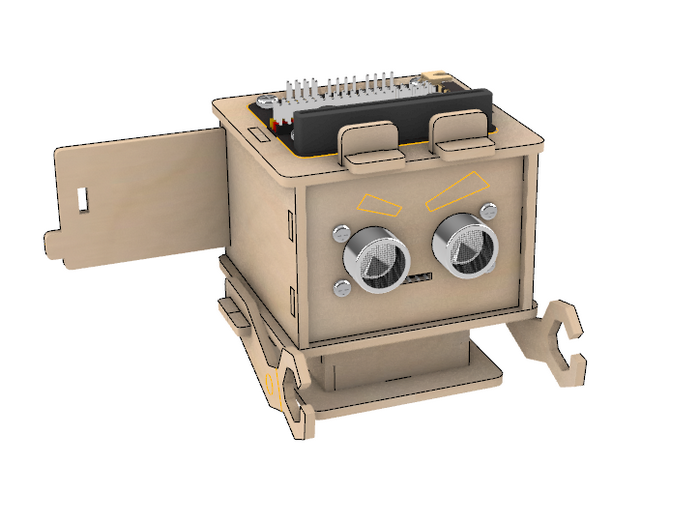
step8
Wiring
Expansion Board |
Module |
|---|---|
P8/io4 |
ECHO |
P12/io15 |
TRIG |
3V3 |
VCC |
GND |
GND |

step9
Assemble Battery (4 AAA batteries need to be purchased separately)
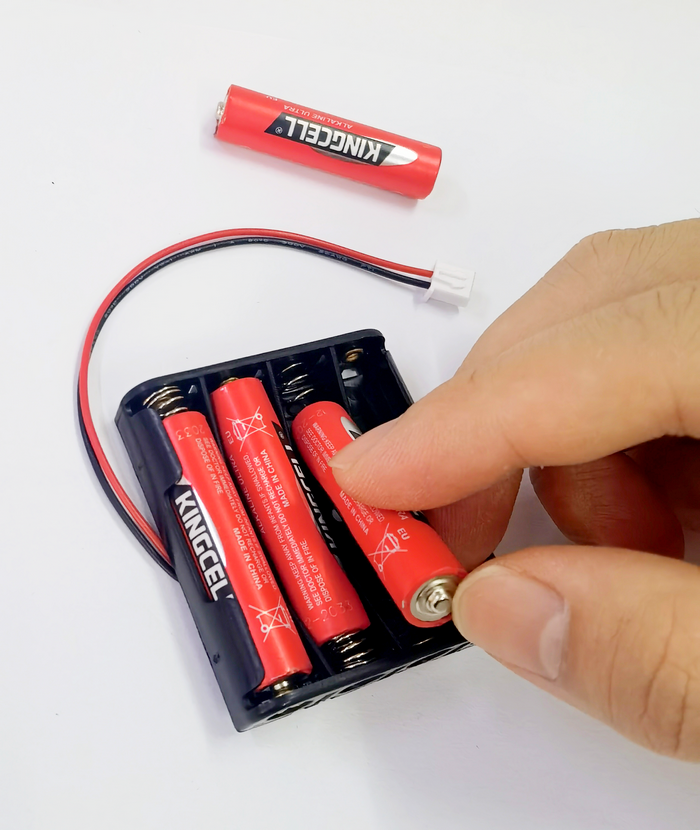
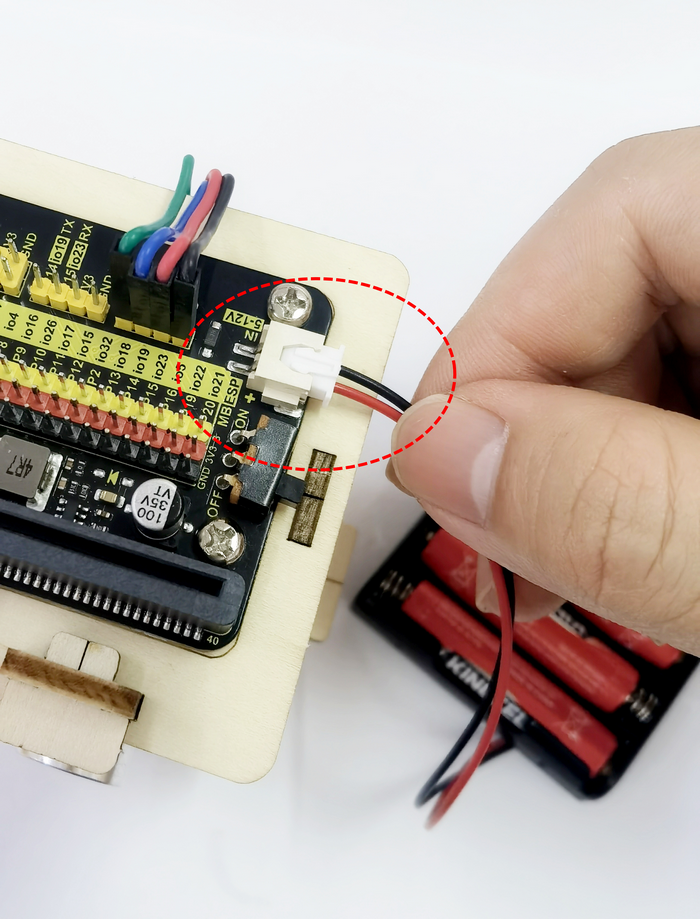
Insert it into the expansion board


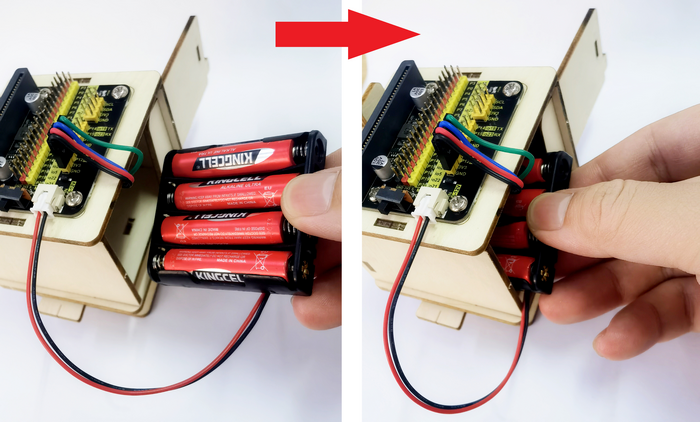
Put the battery holder into the robot body
Close the robot hatch
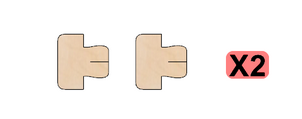

Insert latch
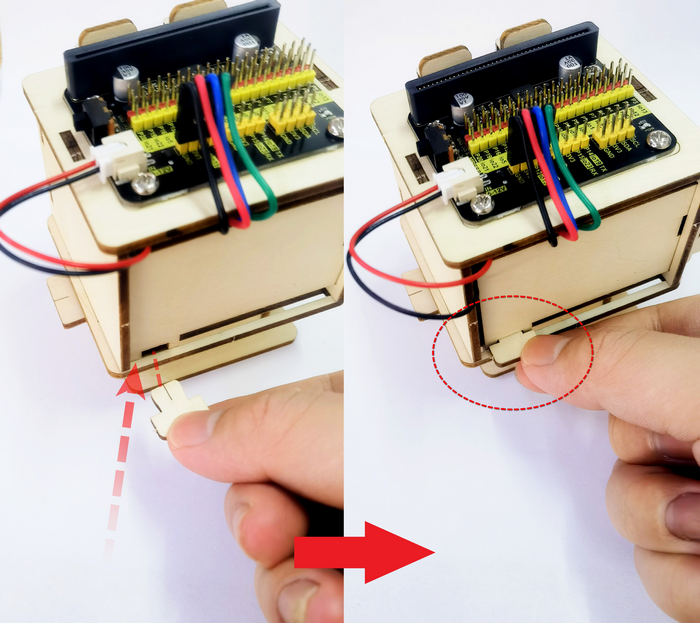

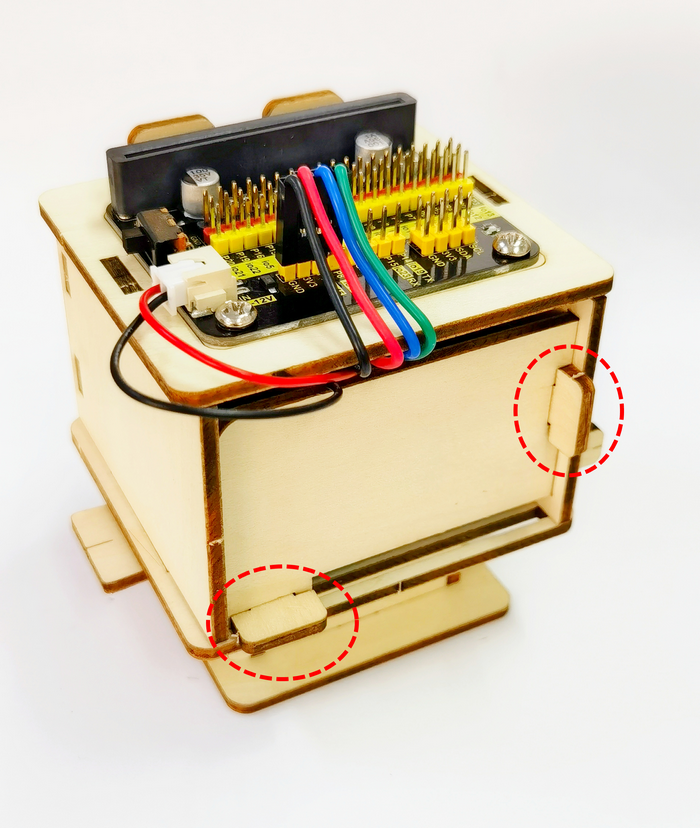
step10
Assembly of Development Board
ESP32

Microbit

Resources
https://wiki.keyestudio.com/Main_Page
Tutorials
Code Download:
1.Basic Projects
The basic tutorial includes an introduction to the development board, how to use programming software, how to burn code, and how to use onboard sensors and modules.
Note:If you are a novice, learn the basic tutorial for the corresponding development board (Micro:bit / ESP32 Easy Coding Board) first, so that you will learn how to use programming software and upload code.
2.Distance Detection Robot Projects
Do operations according to the tutorials of the two development boards.
2.1 Microbit Tutorial
2.2 ESP32 Easy Coding Board Tutorial