Project 28:Ultrasonic Ranger
1. Introduction
The HC-SR04 ultrasonic sensor is a very affordable distance sensor, mainly used for obstacle avoidance in various robotic projects. It is also used for water level sensing and even as a parking sensor. We treat the ultrasonic sensors as bat’s eyes. In the dark, bats can still identify objects in front of them and directions through ultrasound. In this project, we will use a Raspberry Pi Pico to control the ultrasonic sensor and an LED analog ultrasonic ranger.
2. Components Required
 |
 |
 |
 |
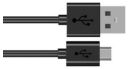 |
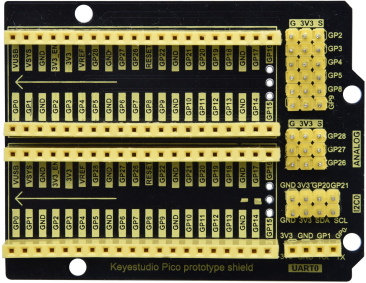
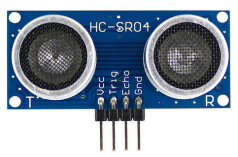
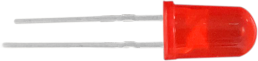
| Raspberry Pi Pico*1 | Raspberry Pi Pico Expansion Board*1 | Ultrasonic Sensor*1 | Red LED*4 | USB Cable*1 |
 |
 |
 |
 |
|
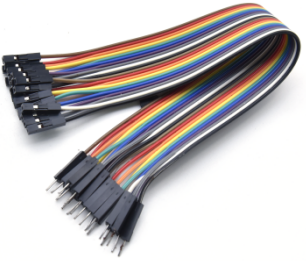
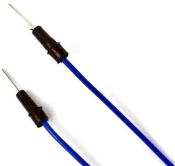
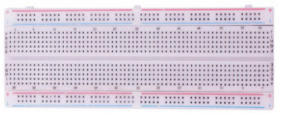
| M-F Dupont Wires | 220ΩResistor*4 | Jumper Wires | Breadboard*1 |
3. Component Knowledge
HC-SR04 Ultrasonic Sensor: Like bats, sonar is used to determine the distance to an object. It provides accurate non-contact range detection, high-precision and stable readings. Its operation is not affected by sunlight or black materials, just like a precision camera (acoustically softer materials like cloth are difficult to detect). It has an ultrasonic transmitter and receiver.
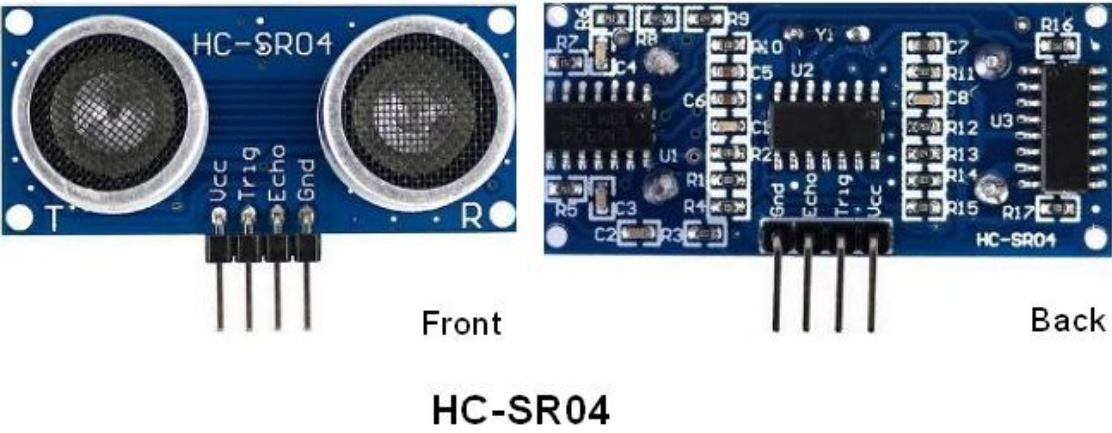
In front of the ultrasonic sensor are two metal cylinders, these are the converters. The converters convert the mechanical energy into an electrical signal. In the ultrasonic sensor, there are transmitting converters and receiving converters. The transmitting converter converts the electric signal into an ultrasonic pulse, and the receiving converter converts the reflected ultrasonic pulse back to an electric signal. If you look at the back of the ultrasonic sensor, you will see an IC behind the transmitting converter, which controls the transmitting converter. There is also an IC behind the receiving converter, which is a quad operational amplifier that amplifies the signal generated by the receiving converter into a signal large enough to be transmitted to the Raspberry Pi Pico.
Sequence diagrams:
The figure shows the sequence diagram of the HC-SR04. To start the measurement, the Trig of SR04 must receive at least 10us high pulse(5V), which will activate the sensor to emit 8 cycles of 40kHz ultrasonic pulses, and wait for the reflected ultrasonic pulses. When the sensor detects ultrasound from the receiver, it sets the Echo pin to high (5V) and delays it by one cycle (width), proportional to the distance. To get the distance, measure the width of the Echo pin.
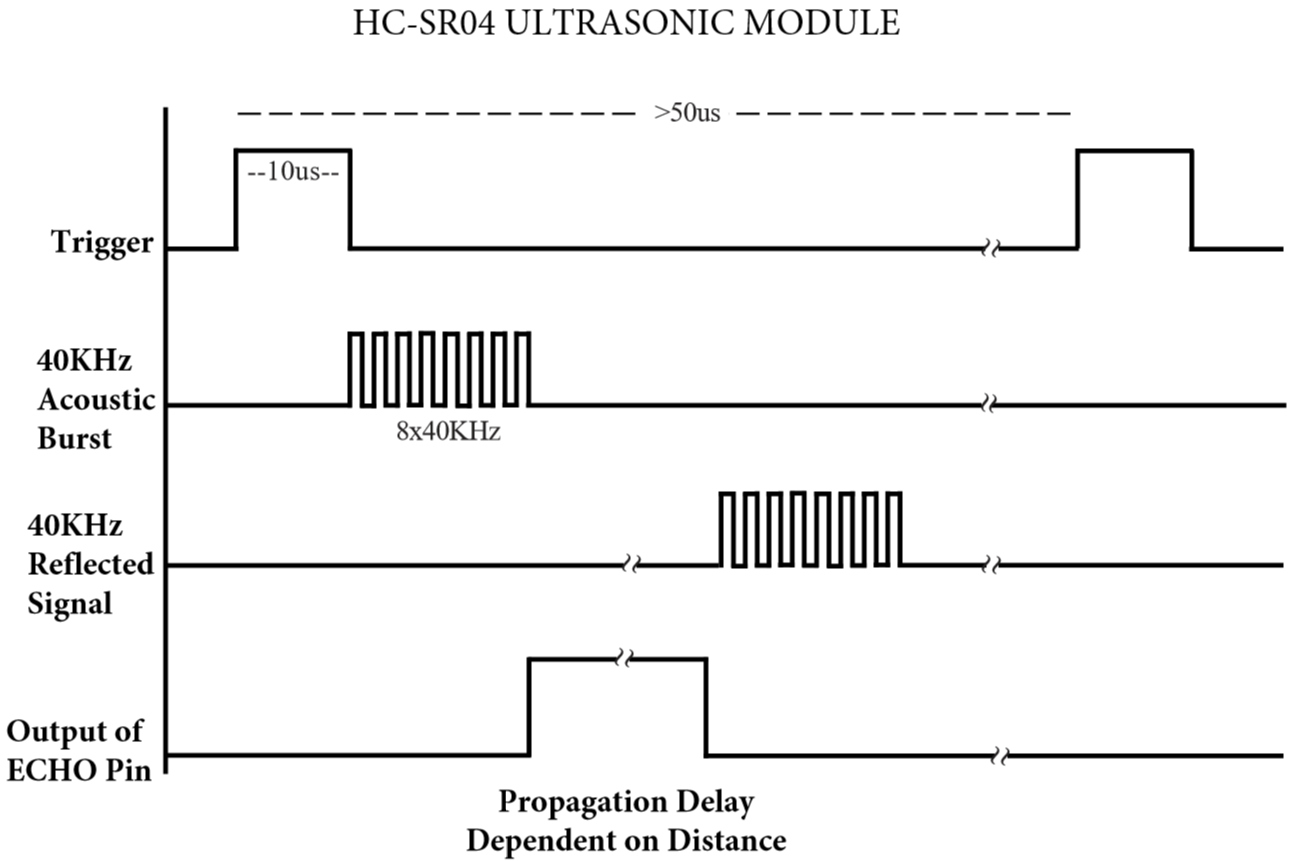
Time = Echo pulse width, its unit is “us” (microseconds)
Distance in centimeters = time / 58
Distance in inches = time / 148
4. Read the Distance Value
We will start with a simple ultrasonic distance measurement and print the measured distance on the serial monitor.
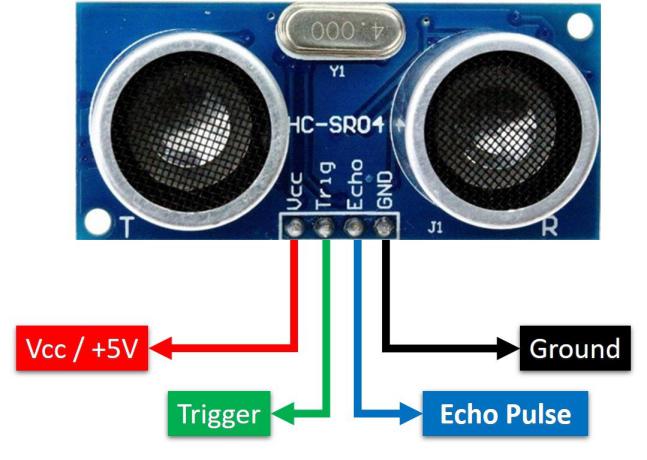
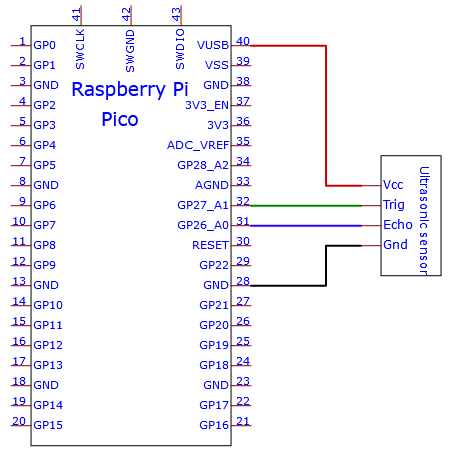
The HC-SR04 ultrasonic sensor has four pins, they are Vcc, Trig, Echo and GND. The Vcc pin provides the power source for generating ultrasonic pulses and is connected to Vcc (+5V). The GND pin is grounded. The Trig pin is where the Arduino sends a signal to start the ultrasonic pulse. The Echo pin is where the ultrasonic sensor sends information about the duration of the ultrasonic pulse to the Plus control board. Wiring as shown below.
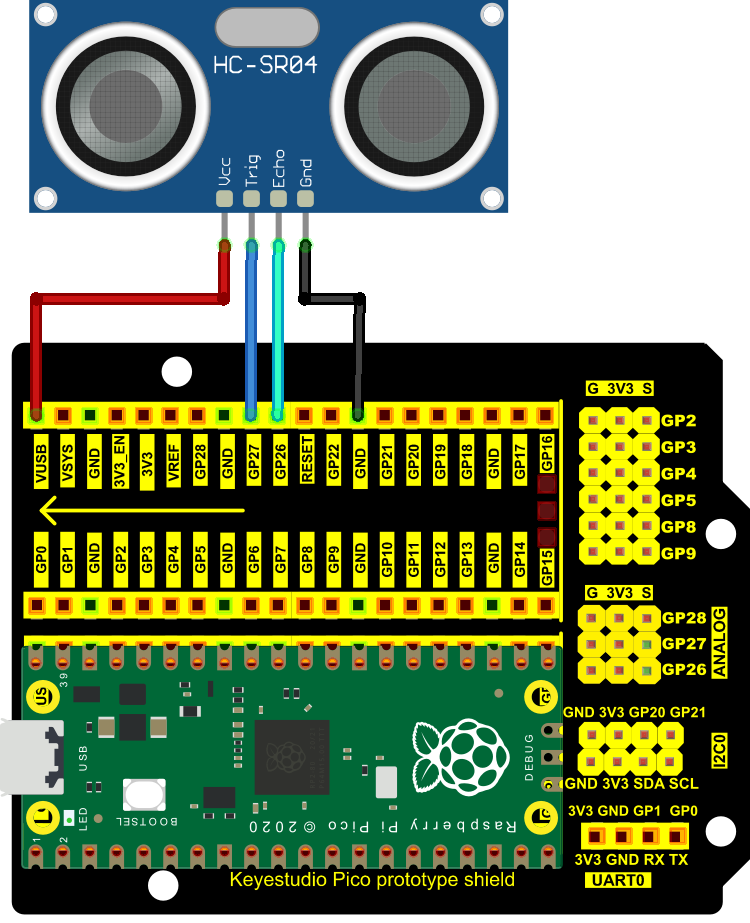
You can move the code anywhere. We save the code to the pi folder of the Raspberry Pi system. The path: home/pi/Python_Codes.

Open“Thonny”, click“This computer”→“home”→“pi”→“Python_Codes”→“Project 28:Ultrasonic Ranger”. And double left-click the“Project 28.1_Ultrasonic_Ranging.py”.
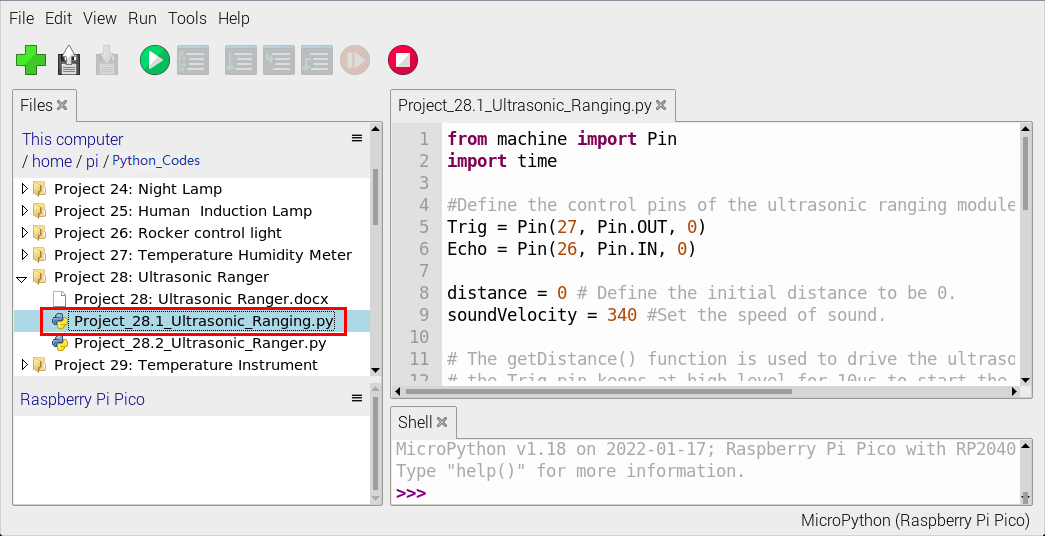
from machine import Pin
import time

#Define the control pins of the ultrasonic ranging module.
Trig = Pin(27, Pin.OUT, 0)
Echo = Pin(26, Pin.IN, 0)

distance = 0 # Define the initial distance to be 0.
soundVelocity = 340 #Set the speed of sound.

# The getDistance() function is used to drive the ultrasonic module to measure distance,
# the Trig pin keeps at high level for 10us to start the ultrasonic module.
# Echo.value() is used to read the status of ultrasonic module’s Echo pin,
# and then use timestamp function of the time module to calculate the duration of Echo
# pin’s high level,calculate the measured distance based on time and return the value.
def getDistance():
    Trig.value(1)
    time.sleep_us(10)
    Trig.value(0)
    while not Echo.value():
        pass
    pingStart = time.ticks_us()
    while Echo.value():
        pass
    pingStop = time.ticks_us()
    distanceTime = time.ticks_diff(pingStop, pingStart) // 2
    distance = int(soundVelocity * distanceTime // 10000)
    return distance

# Delay for 2 seconds and wait for the ultrasonic module to stabilize,
# Print data obtained from ultrasonic module every 500 milliseconds.
time.sleep(2)
while True:
    time.sleep_ms(500)
    distance = getDistance()
    print("Distance: ", distance, "cm")
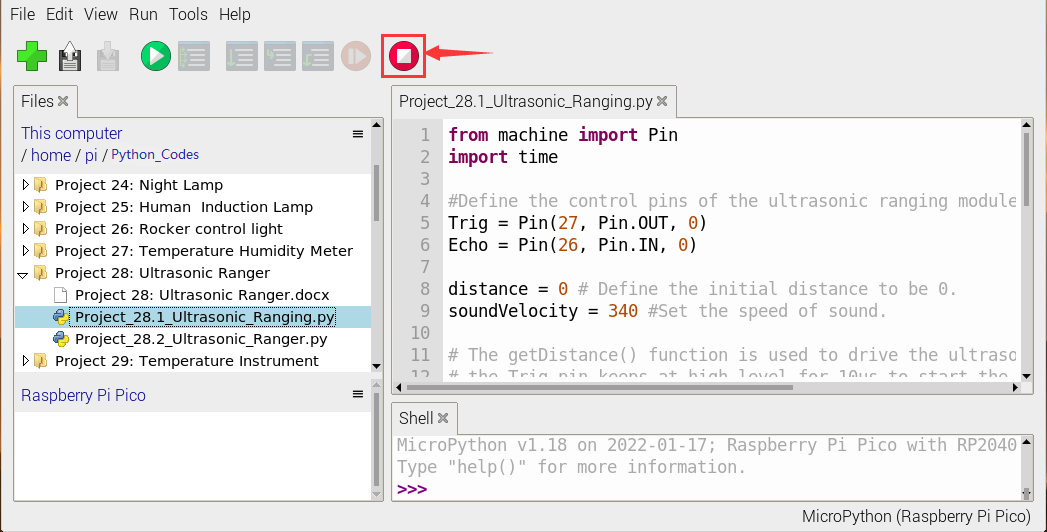
Ensure that the Raspberry Pi Pico is connected to the computer,click“ Stop/Restart backend”.
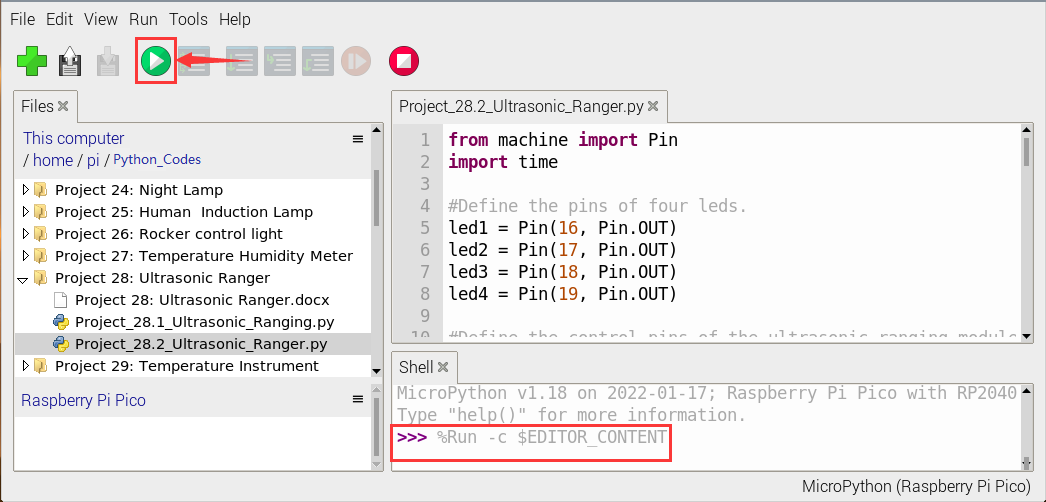
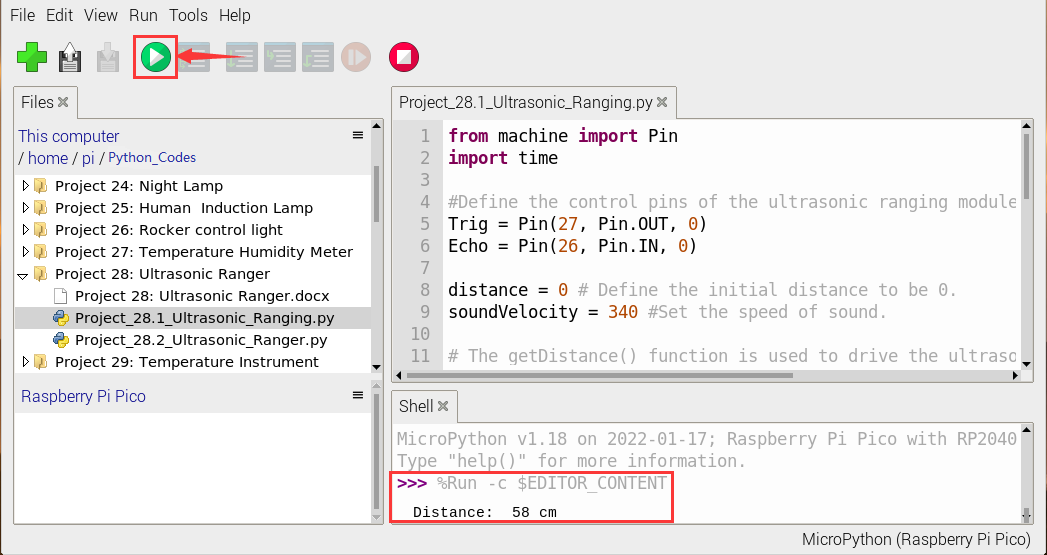
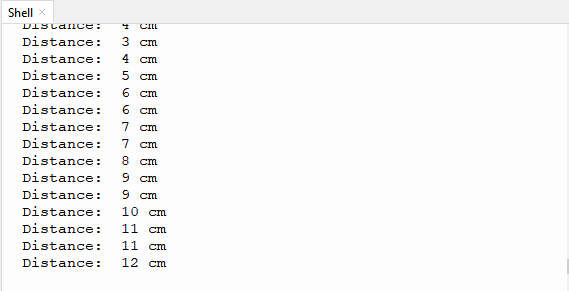
Click“ Run current script”, the code starts executing, we will see that the “Shell” window of Thonny IDE will print the distance value between the ultrasonic sensor and the object.
Press“Ctrl+C”or click“Stop/Restart backend”to exit the program.
Run current script”, the code starts executing, we will see that the “Shell” window of Thonny IDE will print the distance value between the ultrasonic sensor and the object.
Press“Ctrl+C”or click“Stop/Restart backend”to exit the program.
5. Circuit Diagram and Wiring Diagram
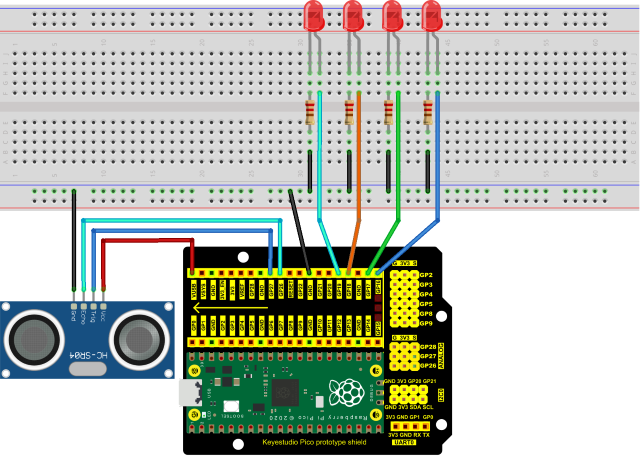
Next, we will make a simple ultrasonic ranger using a Raspberry Pi Pico to control an ultrasonic sensor and 4 LED lights. Connect the wires as shown below.

6. Test Code
You can move the code anywhere. We save the code to the pi folder of the Raspberry Pi system. The path: home/pi/Python_Codes.
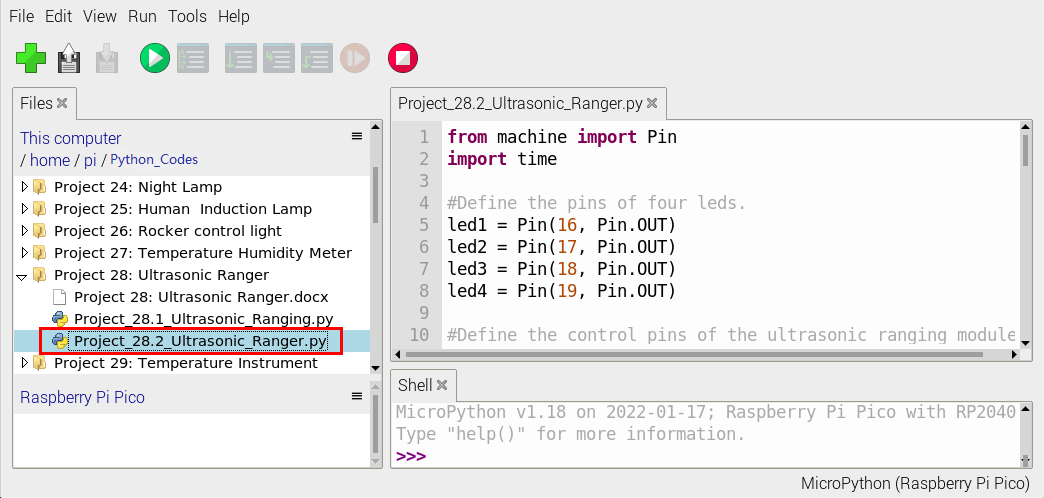
Open“Thonny”, click“This computer”→“home”→“pi”→“Python_Codes”→Project28:Ultrasonic Ranger”. And double left-click the“Project28:Ultrasonic Ranger”.
from machine import Pin
import time

#Define the pins of four leds.
led1 = Pin(16, Pin.OUT)
led2 = Pin(17, Pin.OUT)
led3 = Pin(18, Pin.OUT)
led4 = Pin(19, Pin.OUT)

#Define the control pins of the ultrasonic ranging module.
Trig = Pin(27, Pin.OUT, 0)
Echo = Pin(26, Pin.IN, 0)

distance = 0 # Define the initial distance to be 0.
soundVelocity = 340 #Set the speed of sound.

# The getDistance() function is used to drive the ultrasonic module to measure distance,
# the Trig pin keeps at high level for 10us to start the ultrasonic module.
# Echo.value() is used to read the status of ultrasonic module’s Echo pin,
# and then use timestamp function of the time module to calculate the duration of Echo
# pin’s high level,calculate the measured distance based on time and return the value.
def getDistance():
    Trig.value(1)
    time.sleep_us(10)
    Trig.value(0)
    while not Echo.value():
        pass
    pingStart = time.ticks_us()
    while Echo.value():
        pass
    pingStop = time.ticks_us()
    distanceTime = time.ticks_diff(pingStop, pingStart) // 2
    distance = int(soundVelocity * distanceTime // 10000)
    return distance

# Delay for 2 seconds and wait for the ultrasonic module to stabilize,
# Print data obtained from ultrasonic module every 500 milliseconds.
time.sleep(2)
while True:
    time.sleep_ms(500)
    distance = getDistance()
    print("Distance: ", distance, "cm")
    if distance <= 5:
       led1.value(1)
    else:
       led1.value(0)
    if distance <= 10:
       led2.value(1)
    else:
       led2.value(0)
    if distance <= 15:
       led3.value(1)
    else:
       led3.value(0)
    if distance <= 20:
       led4.value(1)
    else:
       led4.value(0)
7. Test Result
Ensure that the Raspberry Pi Pico is connected to the computer,click“Stop/Restart backend”.

Click “Run current script”, the code starts executing, we will see that the “Shell” window of Thonny IDE will print the distance between the ultrasonic sensor and the object, and the corresponding LED will light up when we move our hand in front of the ultrasonic sensor.
Press“Ctrl+C”or click“Stop/Restart backend”to exit the program.