Project 2 Read the Joystick Value
Description:
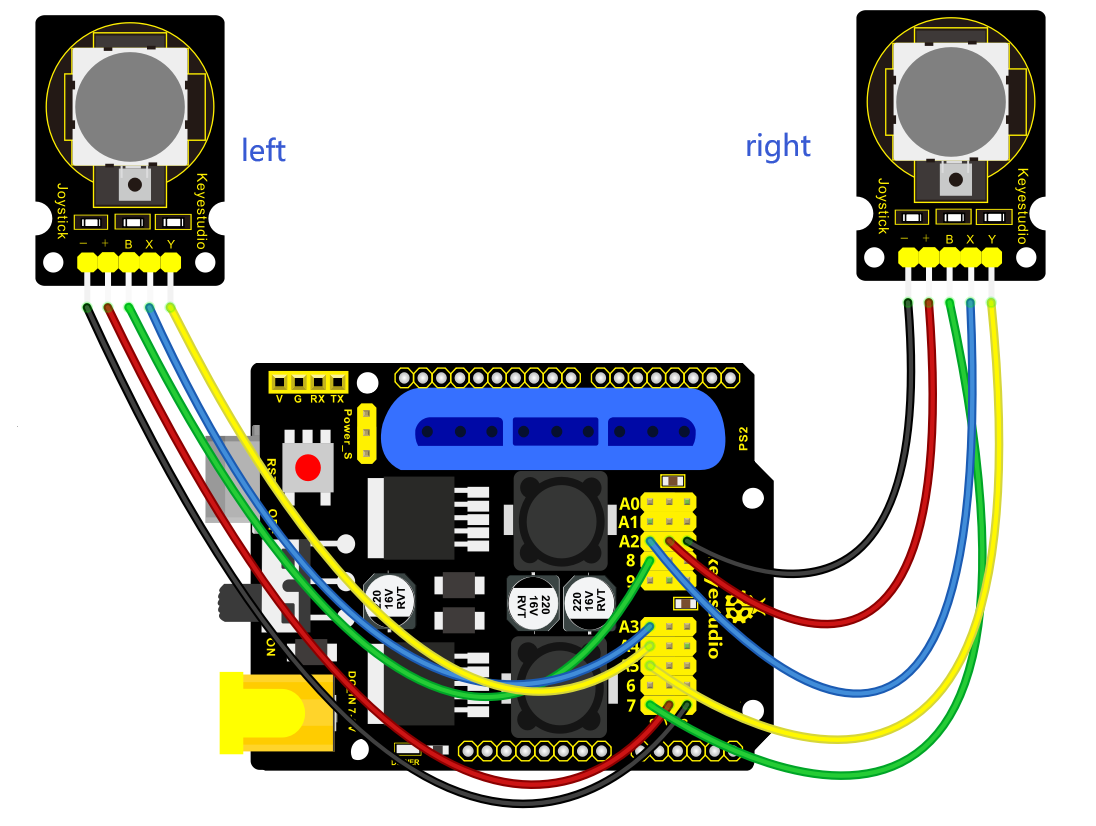
The sensor’s pin X, Y are for analog sensor, so directly read the measured analog value. Pin Z is a digital button, first should set the pin to Input status and then read the measured value 1 (pressed down) or 0 (not press). Check out the value printed on the serial monitor.
Connection Diagram:
Test Code
const int right_X = A2; // define the right X pin to A2
const int right_Y = A5; // define the right Y pin to A5
const int right_key = 7; //define the right key pin to 7(that is the value Z)
const int left_X = A3; //define the left X pin to A3
const int left_Y = A4; // define the left Y pin to A4
const int left_key = 8; //define the left key pin to 8(that is the value Z)

void setup()
{
    pinMode(right_key, INPUT); // set the right/left key to INPUT
    pinMode(left_key, INPUT);
    Serial.begin(9600); // set the baud rate to 9600
}

void loop()
{
    int x1,y1,z1; // define the variable, used to save the joystick value it reads
    int x2,y2,z2;
    x1 = analogRead(right_X); // read the value of right X
    y1 = analogRead(right_Y); // read the value of right Y
    z1 = digitalRead(right_key); //// read the value of right Z
    x2 = analogRead(left_X); // read the value of left X
    y2 = analogRead(left_Y); // read the value of left Y
    z2 = digitalRead(left_key); // read the value of left Z
    Serial.print("right_X = "); // on the serial monitor, print out right_X =
    Serial.println(x1 ,DEC); // print out the value of right X and line wrap
    Serial.print("right_Y = ");
    Serial.println(y1 ,DEC);
    //Serial.print("right_key = ");
    //Serial.println(z1 ,DEC);
    // Serial.println("**********right**********");
    /*Serial.print("left_X = ");
    Serial.println(x2 ,DEC);
    Serial.print("left_Y = ");
    Serial.println(y2 ,DEC);
    Serial.print("left_key = ");
    Serial.println(z2 ,DEC);
    Serial.println("*********left***********");*/
    delay(200);
}
Test Result:
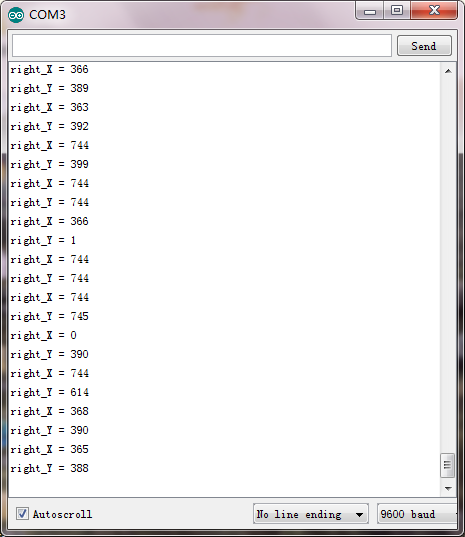
Hook it up and upload well the code. Connect the V4.0 to computer using a USB cable, then open the serial monitor and set the baud rate to 9600, you should see the analog value of the right Joystick pin X,Y.