Project 5 Traffic light
1.Project instruction
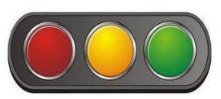
In the previous program, we have done the LED blinking experiment with one LED. Now, it’s time to up the stakes to do a bit more complicated experiment-traffic light. Actually, these two experiments are similar. While in this traffic light experiment, we use three LEDs with different colors rather than an LED.

2.Project Principle
Max board imitates traffic light by controlling flashing time of LED through program.
3.Project circuit

4.Project code
/*
keyestudio Max Development Board
Project 5
Traffic light
http://www.keyestudio.com
*/

int redled =8; // initialize digital pin 8.
int greenled =10; // initialize digital pin 10.
int yellowled =13; // initialize digital pin 13.

void setup()
{
    pinMode(redled, OUTPUT);// set the pin with red LED as“output”
    pinMode(yellowled, OUTPUT); // set the pin with yellow LED as“output”
    pinMode(greenled, OUTPUT); // set the pin with green LED as“output”
}

void loop()
{
    digitalWrite(greenled, HIGH);//// turn on green LED
    delay(5000);// wait 5 seconds
    digitalWrite(greenled, LOW); // turn off green LED
    for(int i=0;i<3;i++)// blinks for 3 times
    {
        delay(500);// wait 0.5 second
        digitalWrite(yellowled, HIGH);// turn on yellow LED
        delay(500);// wait 0.5 second
        digitalWrite(yellowled, LOW);// turn off yellow LED
    }
    delay(500);// wait 0.5 second
    digitalWrite(redled, HIGH);// turn on red LED
    delay(5000);// wait 5 second
    digitalWrite(redled, LOW);// turn off red LED
}
5.Project results
After downloading code, R, Y and G on control board correspond traffic lights. Green LED is turned on for 5s, then yellow LED flashes three times and red LED is turned on 5s and off.