KS0606 Keyestudio 1.54-inch TFT Display
1. Introduction
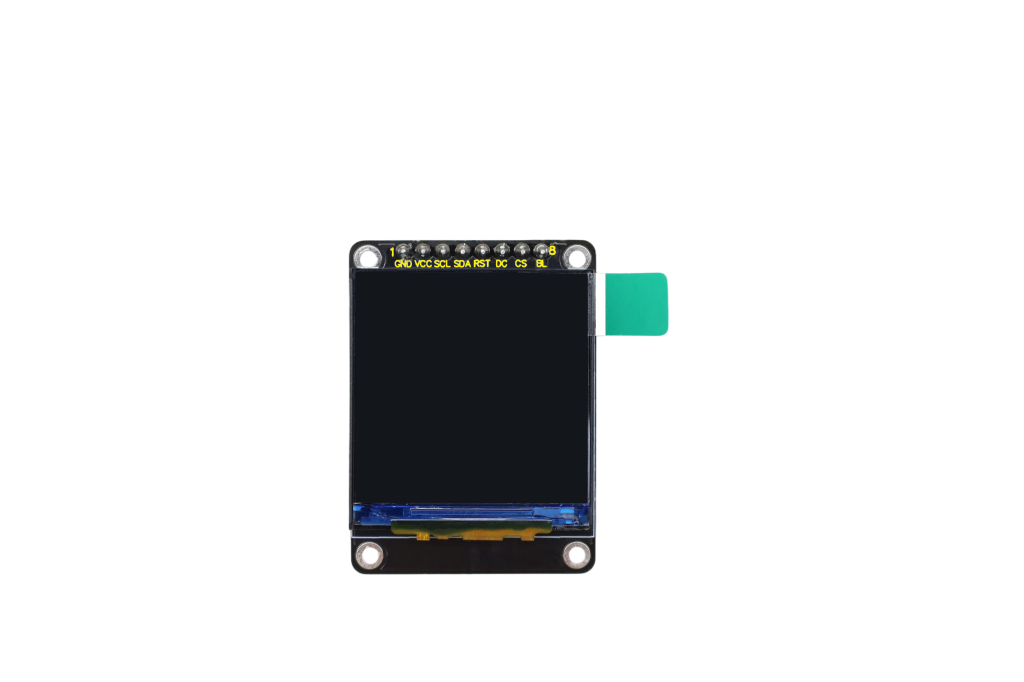
This is a 1.54-inch TFT liquid crystal display which is driven by ST7789, with a resolution of 240*240. It supports 65K color depth display and features IPS full-view technology, ensuring a clear and detailed picture from all viewing angles.
2. Parameters
Operating voltage: DC5V Operating temperature: -25℃ - +55℃ Dimensions: 32mm * 43.7mm Pin spacing: 2.54mm Screen size: 1.54 inches Driver chip: ST7789 Resolution: 240*240 Communication protocol: SPI
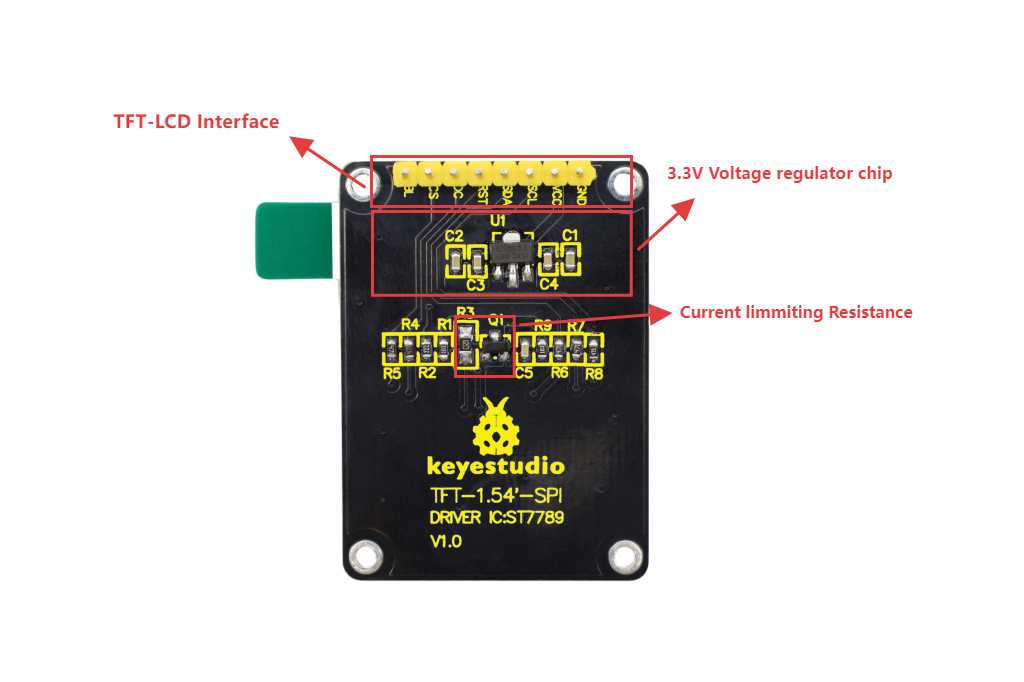
4. Pin-out
5. Arduino
Arduino IDE download (including CH340 driver installation): Arduino IDE ESP32 chip package: ESP32 Please read the above reference links carefully.
6. Test
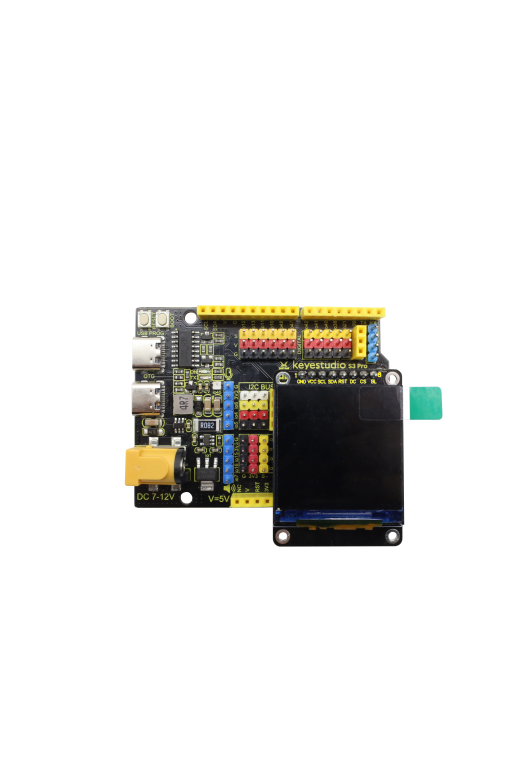
Wiring
S3 Pro(KS5034) |
TFT |
|---|---|
G |
GND |
V |
VCC |
io20 |
SCL |
io21 |
SDA |
io38 |
RST |
io40 |
DC |
io41 |
CS |
io42 |
BL |
Library: GFX_Library_for_Arduino
#include <Arduino_GFX_Library.h>

#define GFX_BL DF_GFX_BL // default backlight pin, you may replace DF_GFX_BL to actual backlight pin

/* More dev device declaration: https://github.com/moononournation/Arduino_GFX/wiki/Dev-Device-Declaration */
#if defined(DISPLAY_DEV_KIT)
Arduino_GFX *gfx = create_default_Arduino_GFX();
#else /* !defined(DISPLAY_DEV_KIT) */

/* More data bus class: https://github.com/moononournation/Arduino_GFX/wiki/Data-Bus-Class */
Arduino_DataBus *bus = create_default_Arduino_DataBus();

/* More display class: https://github.com/moononournation/Arduino_GFX/wiki/Display-Class */
Arduino_GFX *gfx = new Arduino_ILI9341(bus, DF_GFX_RST, 0 /* rotation */, false /* IPS */);

#endif /* !defined(DISPLAY_DEV_KIT) */
/*******************************************************************************
 * End of Arduino_GFX setting
 ******************************************************************************/

static uint8_t conv2d(const char *p)
{
  uint8_t v = 0;
  return (10 * (*p - '0')) + (*++p - '0');
}

static int16_t hh, mm, ss;
static unsigned long targetTime; // next action time

void setup(void)
{
#ifdef DEV_DEVICE_INIT
  DEV_DEVICE_INIT();
#endif

  Serial.begin(115200);
  // Serial.setDebugOutput(true);
  // while(!Serial);
  Serial.println("Arduino_GFX Clock example");

  // Init Display
  if (!gfx->begin())
  {
    Serial.println("gfx->begin() failed!");
  }
  gfx->fillScreen(RGB565_BLACK);

#ifdef GFX_BL
  pinMode(GFX_BL, OUTPUT);
  digitalWrite(GFX_BL, HIGH);
#endif

  // init LCD constant
  hh = conv2d(__TIME__);
  mm = conv2d(__TIME__ + 3);
  ss = conv2d(__TIME__ + 6);

  targetTime = ((millis() / 1000) + 1) * 1000;

  int textSize = gfx->width() / 8 / 6;

  gfx->setTextColor(RGB565_WHITE, RGB565_BLACK);
  gfx->setTextSize(textSize, textSize, 2 /* pixel_margin */);
}

void loop()
{
  unsigned long cur_millis = millis();
  if (cur_millis >= targetTime)
  {
    targetTime += 1000;
    ss++; // Advance second
    if (ss == 60)
    {
      ss = 0;
      mm++; // Advance minute
      if (mm > 59)
      {
        mm = 0;
        hh++; // Advance hour
        if (hh > 23)
        {
          hh = 0;
        }
      }
    }

    // draw time
    gfx->setCursor(0, 0);
    if (hh < 10) {
      gfx->print('0');
    }
    gfx->print(hh);
    gfx->print(':');
    if (mm < 10) {
      gfx->print('0');
    }
    gfx->print(mm);
    gfx->print(':');
    if (ss < 10) {
      gfx->print('0');
    }
    gfx->print(ss);
  }

  delay(1);
}
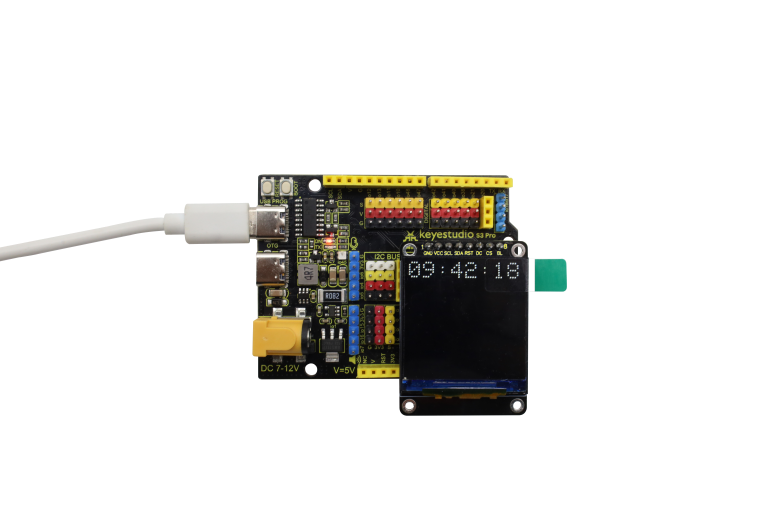
Test Result
6. Note
1.The time refers to the program compilation time, where there is a certain margin of error compared to the actual time.