6.1 Resource compression package
The resource package contains code,libraries,firmware and Thonny software. You must have this resource to continue learning.
6.2 get starter with Thonny
6.2.1 Open the Thonny Package
Please refer to the folder shown below:

6.2.2 Thonny Interface
Open the Thonny

Main interface functions:


6.2.3 Select ESP32 Development Environment
Click Python.exe,then select Configure interpreter

Select MicroPython(ESP32) from the Interpreter interface

6.2.4 Installing Firmware
Download link:\ https://micropython.org/download/esp32/
Choose to download version V1.17

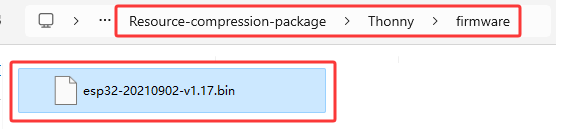
Of course, we also provide the downloaded firmware, as shown below.
Burn MicroPython firmware
Connect the smart home to your computer with a USB.
Click Install or update firmware

Select Port

Click Browser to find the downloaded version V1.17 firmware


Click install

Choose Port or WebREPL as the driver of ESP32 mainboard CH340(COM)


The ESP32 environment has been installed.
Thonny interface
