4.1 Color Recognition
4.1.1 Algorithm
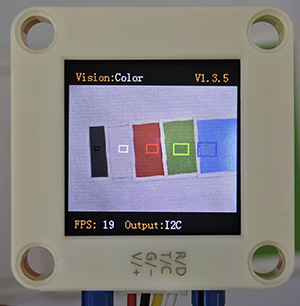
It will specify one or more recognition areas, whose positions and sizes can be set as needed, and then it will return the color label of this area as well as the red component value R, green component value G and blue component value B.
4.1.2 Color Label
Sengo2 defines 7 colors of labels:
Label value |
Meaning |
Label value |
Meaning |
|---|---|---|---|
1 |
Black |
2 |
White |
3 |
Red |
4 |
Green |
5 |
Blue |
6 |
Yellow |
0 |
Unknown |
Note: Common colors not listed in the table, such as purple, cyan(blue-green), orange, and gray, have relatively low color discrimination and are easily misidentified as the colors in the table. Therefore, they are classified as unknown ones. If you need to recognize the above colors, you can make your own judgment based on the returned RGB values.
Sample 1:
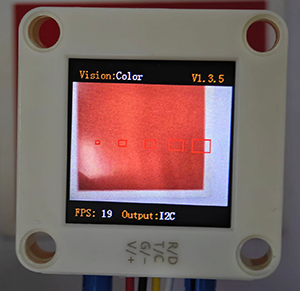
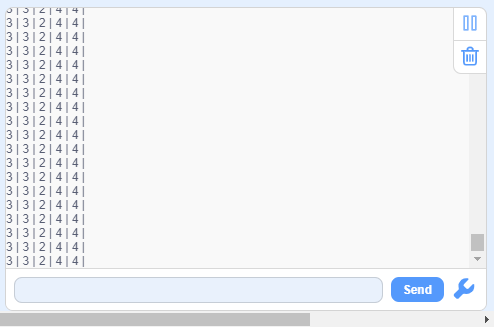
The serial port outputs the label values: (5 recognition boxes all output 3, corresponding to the label values in the table.)
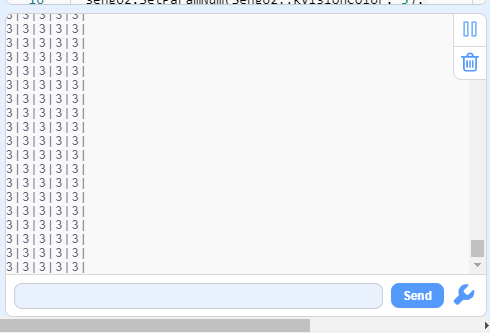
Sample 2:
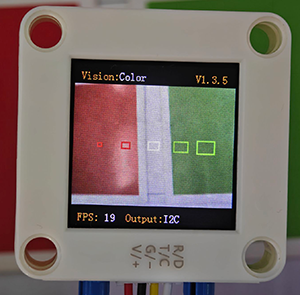
The serial port outputs the label values: (The first two boxes recognize red, the middle one is white, and the last two are green, which all correspond to the color label table.)
4.1.3 Code Blocks
 sets the communication mode of Sengo2. Click
 portto selectI2C,Serial,Serial2. sets the function code for running the AI vision module. Click
 algoto select the desired function:Color,Blob,AprilTag,Line,Learning,Card,Face,20Class,QrCode,Motion. sets the parameter group in the
 ColorandBlobfunction modes (for example, if you want to identify two different colors, you need to set the parameter group to 2). sets the coordinates of the recognition area and the size of the recognition box. If no new parameters are specified, it will run with the default values as follows:
Parameter |
Definition |
Default |
|---|---|---|
x-coord |
Central coordinate x of the recognition area |
50 |
y-coord |
Central coordinate y of the recognition area |
50 |
width |
Width w of the recognition area |
3 |
height |
Height h of the recognition area |
4 |
paramset |
Used to distinguish multiple recognition areas for annotation (1-5) |
1 |
 returns the number of results recognized by the AI vision module in each functional mode
 returns the recognized color label values (corresponding to the table in
 4.1.2 Color Label), and when there are multiple labels,resultneeds to be used for distinction. determines whether the set color is detected. If it is, it returns 1; if not, it returns 0.
4.1.5 Tips of Color Recognition Algorithm
When the recognition area is relatively small, such as 2x2, although the recognition speed is fast, there will be an impact on results due to the small number of pixels, thus with low credibility. It is only suitable for scenarios with a single controllable background.
When the recognition area is large, such as 20x20 with the large number of pixels, the interference of variegated colors will be filtered out, resulting in a relatively high credibility, but the recognition speed is slow.
Within the recognition area, when the areas occupied by different colors are approximately the same, the results may repeatedly change.
4.1.6 Test Code
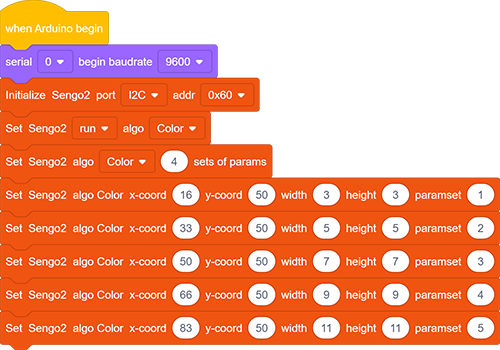
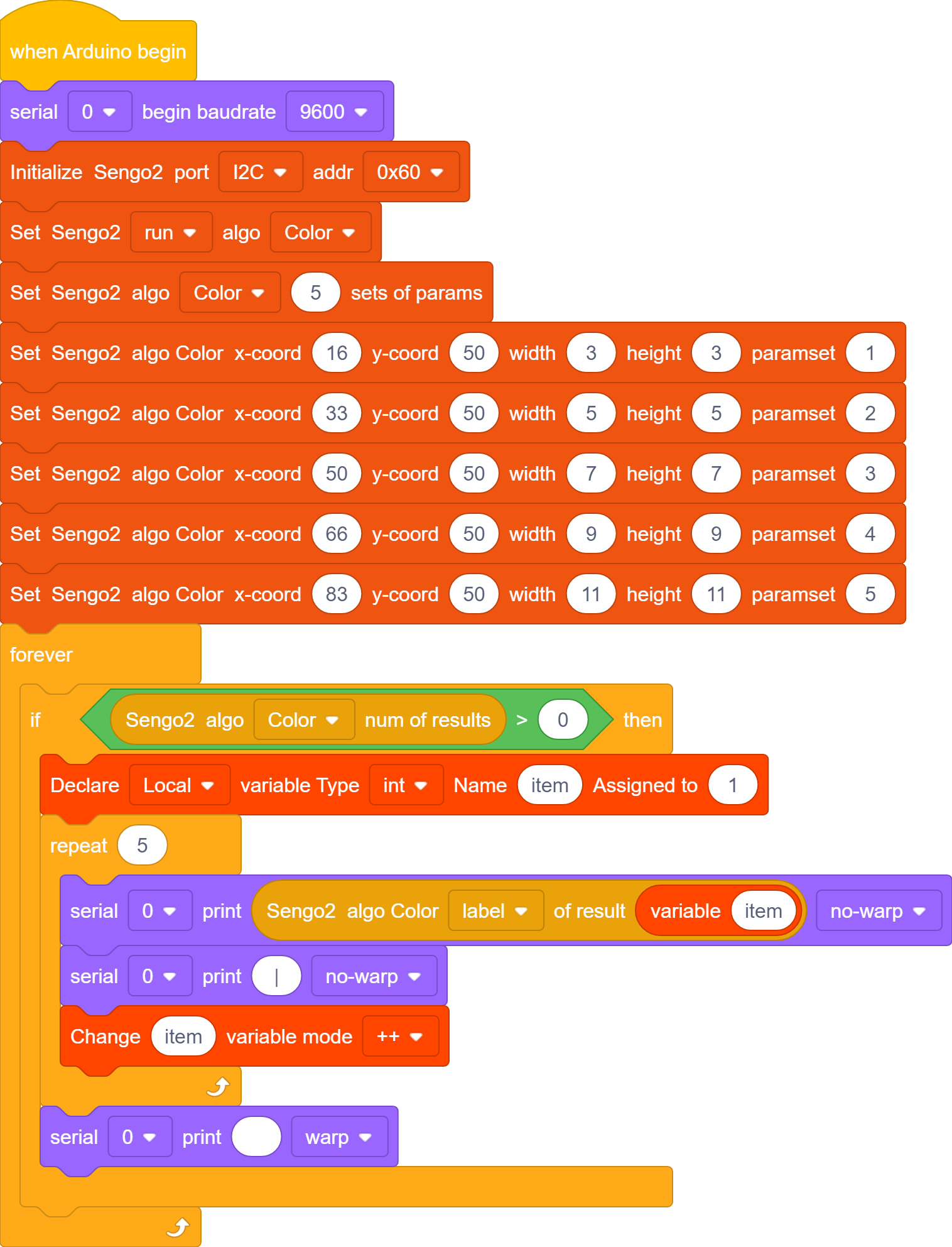
In the code start-up, set the serial port baud rate to
9600, and then set the communication mode of the AI vision module toI2C, and finally set it to run inColormode.

Set the recognition parameter group for module to 5 (that is, 5 recognition areas were set), and then set their position, size and parameters. Here, arrange them in a row and set their sizes to gradually increase from the left (note that the parameter group values behind range from 1 to 5).
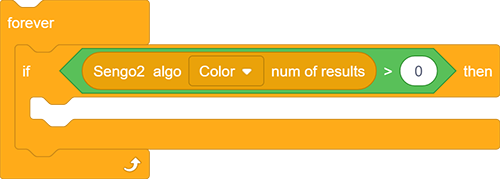
The if block judges the number of detections and only outputs the color label value when the number is greater than 0.
Define a local variable named
itemand set its initial value to 1. There are 5 boxes, so we perform 5 loops. Within the loop, the serial port prints the returned label value without line breaks. After each print,itemadds by 1. After the loop ends, print the next group of values on a new line.
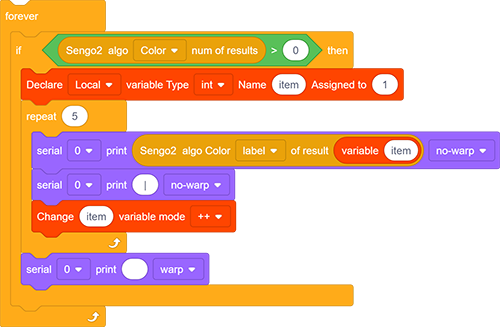
Complete code:
4.1.7 Test Result
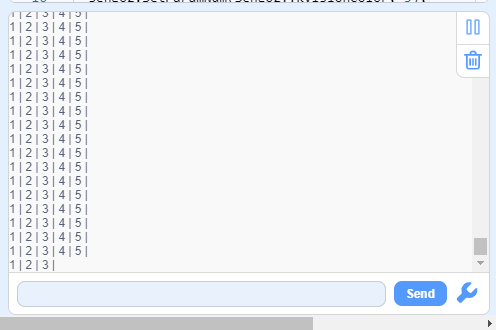
After uploading the code, 5 recognition boxes of different sizes will appear on the AI vision module. Each box will match a color, and then their corresponding label values will be printed on the serial monitor.
4.1.8 Extension Gameplay
Color Password Lock
Game rule: Set a color sequence as the “password”(e.g., red - blue - green). Only when the colors are displayed to the camera in the correct order can the success signal (such as rotating servo or the lighting on) be triggered.
Practice: Program to record the color sequence recognized within a short period of time. Only when the sequence exactly matches the preset “password” will it be unlocked. This can be used to simply open a box or start a device.