4. Arduino Tutorial
4.1 Data download
Arduino information contains library files and project code ,please click to download for follow-up study.
Data download: Arduino
4.2 Software Download
Open the browser and search: https://www.arduino.cc/en/software, we will take WINDOWS system as an example to show you how to download and install.
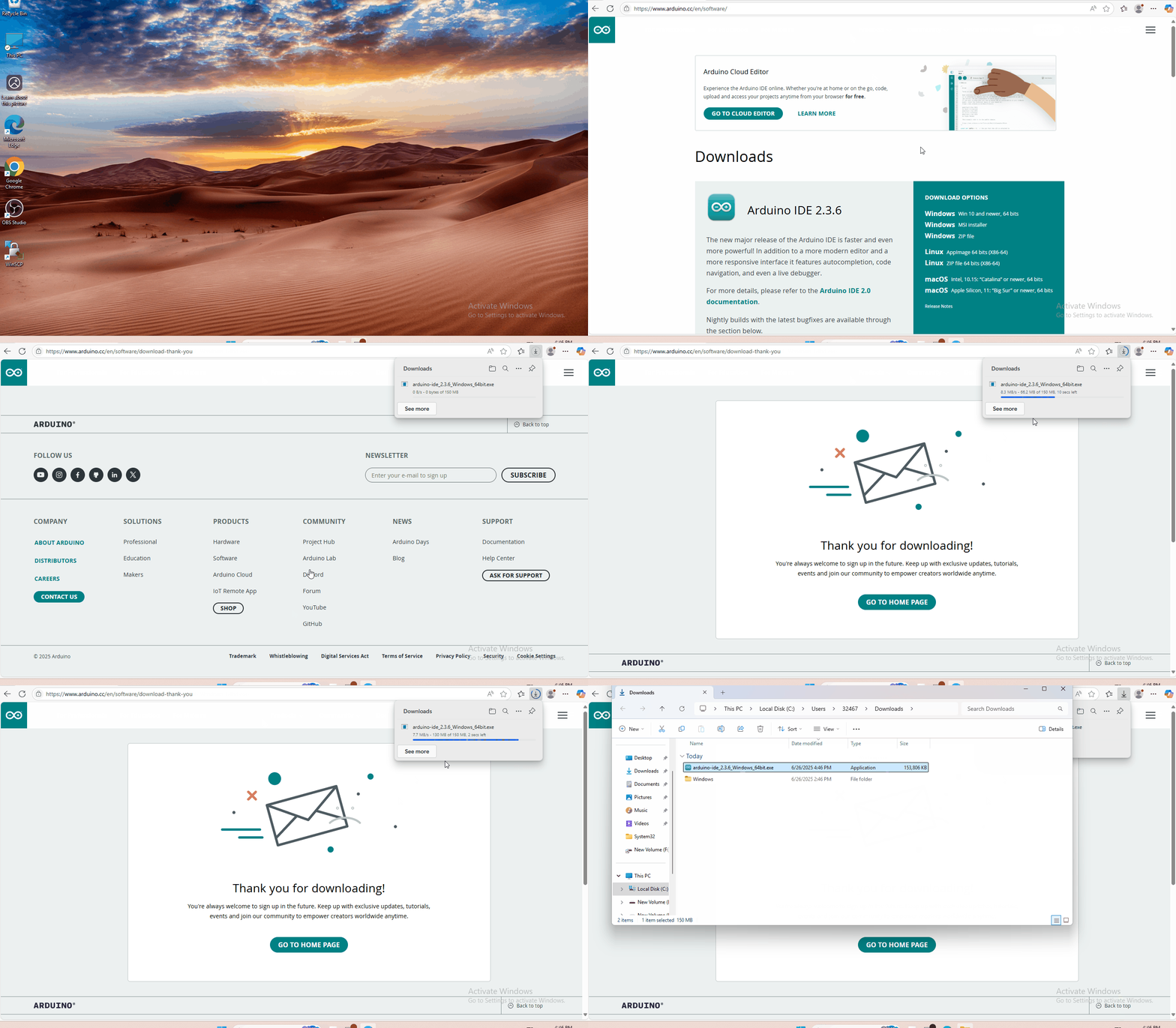
You just need to click JUSTDOWNLOAD,then click the downloaded file to install it.And when the ZIP file is downloaded,you can directly unzip and start it.
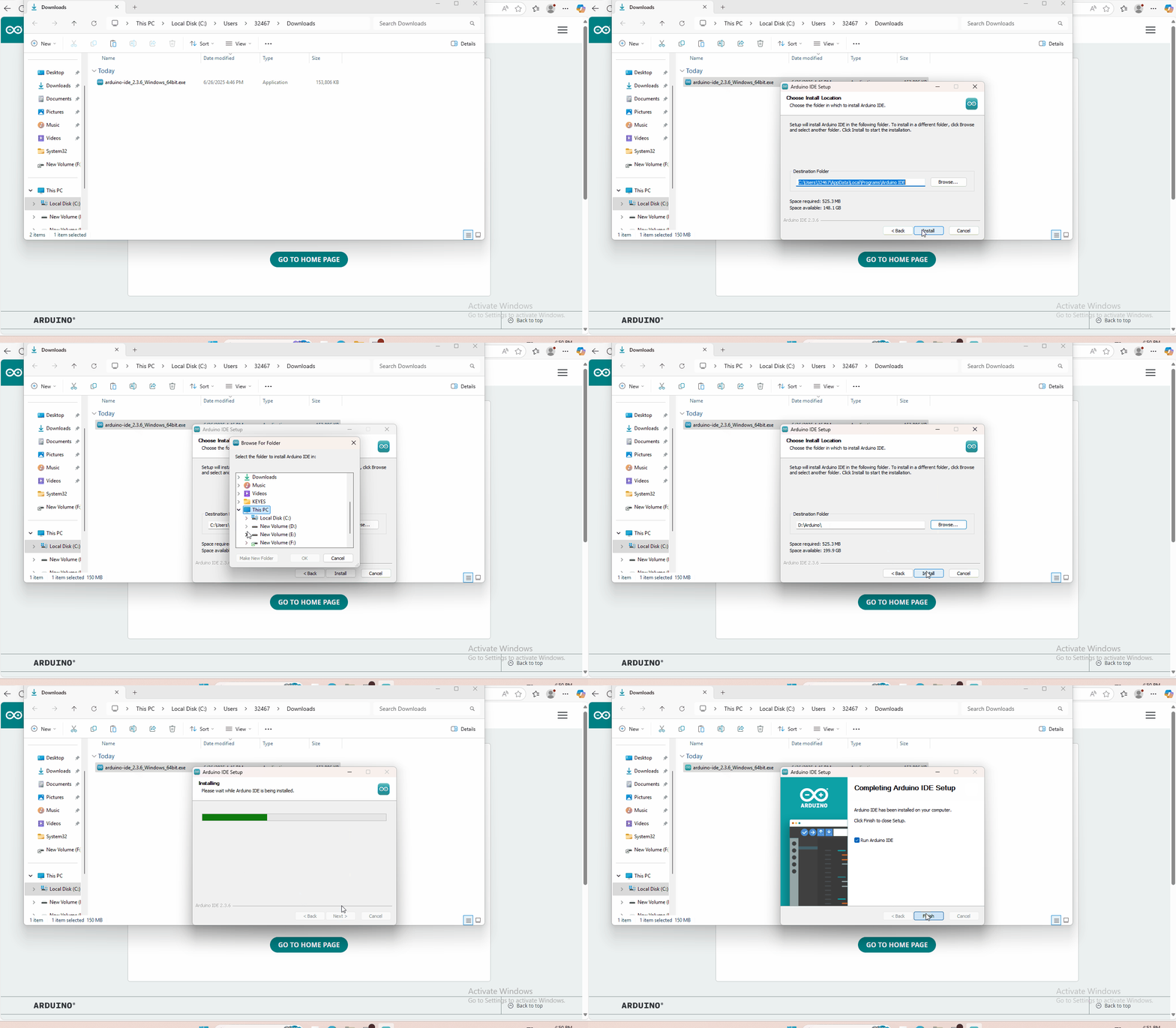
4.3 Set Arduino IDE
Connecting the board to the computer.

4.4 Add Library
What are Libraries ?
Libraries are a collection of code that makes it easy for you to connect to a sensor,display, module, etc.
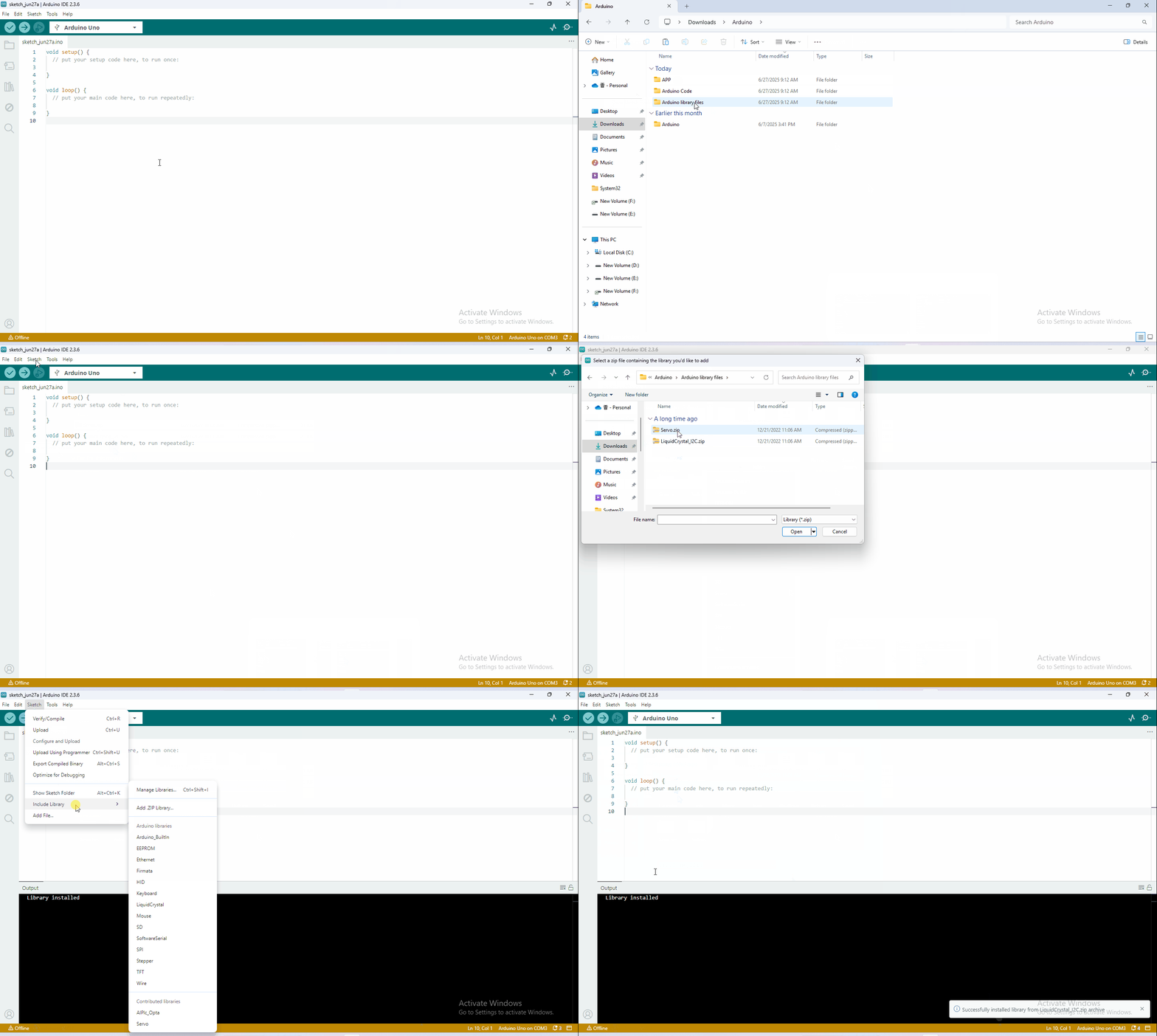
There are hundreds of additional libraries available on the Internet for download. We will introduce the most simple way for you to add libraries
4.5 Project

Alright, let’s get straight to our projects. In this kit, there are 14 sensors and modules. We will make you know the smart home deeply from the simple sensor.
However, if you are professional with Arduino. You can skip theses steps and assemble the smart home kit directly(there is assembly video in the folder).
Note: In this course, the interface of each sensor / module marked with(G,-, GND) indicates the negative pole, G is connected to G, - or GND of sensor shield or control board; “V” is positive pole and connected with V, VCC or 5V.
- Project 1: LED Blink
- Project 2:Breathing Light
- Project 3:Passive Buzzer
- Project 4:Button module
- Project 5:1-channel Relay Module
- Project 6:Photocell Sensor
- Project 7:Adjusting Servo Angle
- Project 8:Fan Module
- Project 9: Steam Sensor
- Project 10: PIR Motion Sensor
- Project 11: Analog Gas Sensor
- Project 12: 1602 LCD Display
- Project 13:Soil Humidity Sensor
- Project 14: Bluetooth Test
- Project 15:Multi-purpose Smart Home