keyestudio WiKi

KS0558 Keyestudio Smart Turtle Car V3.0

  • 1. Product Introduction
  • 2. Driver Installation
  • 3. Smart Little Turtle Robot Installation
  • 4. Arduino
  • 5. KidsBlock(Scratch)
    • 5.1 KidsBlock(Scratch)Resources Download
    • 5.2 KidsBlock Development Environment Configuration
    • 5.3 Project Tutorial
      • 4.3.1 LED Blink
        • 4.3.1.1 Introduction
        • 4.3.1.2 Component Knowledge
        • 4.3.1.3 Components
        • 4.3.1.4 Wiring Diagrame
        • 4.3.1.5 Test Code
        • 4.3.1.6 Test Result
        • 4.3.1.7 Code Explanation
      • 4.3.2 Adjust LED Brightness
      • 4.3.3 Line Tracking Sensor
      • 4.3.4 Servo Control
      • 4.3.5 Ultrasonic Sensor
      • 4.3.6 IR Reception
      • 4.3.7 Bluetooth Remote Control
      • 4.3.8 Motor Driving and Speed Control
      • 4.3.9 8*8 Dot Matrix
      • 4.3.10 Move-in-Confined-Space car
      • 4.3.11 Line Tracking Robot
      • 4.3.12 Ultrasonic Follow Robot
      • 4.3.13 Ultrasonic Avoiding Robot
      • 4.3.14 IR Remote Control Robot
      • 4.3.15 Bluetooth Control Tank
      • 4.3.16 Multi-purpose Bluetooth Robot
  • 6.Troubleshooting
keyestudio WiKi
  • 5. KidsBlock(Scratch)
  • 4.3.1 LED Blink
  • View page source

4.3.1 LED Blink

4.3.1.1 Introduction

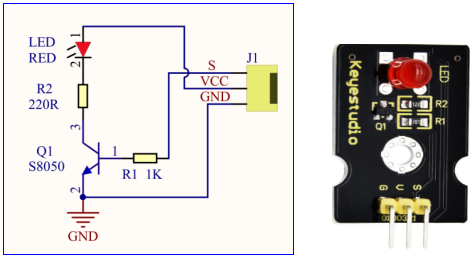
For starters and enthusiasts, LED Blink is a fundamental program. LED, the abbreviation of light emitting diodes, consists of Ga, As, P, N chemical compounds and so on. The LED can flash in diverse color by altering the delay time in the test code. When in control, power on GND and VCC, the LED will be on if S end is in high level; nevertheless, it will go off.

4.3.1.2 Component Knowledge

Img

Parameters:

  • Control interface: digital port

  • Working voltage: DC 3.3-5V

  • Pin spacing: 2.54mm

  • LED display color: red

4.3.1.3 Components

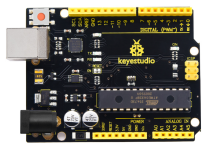
Keyestudio 4.0 development board *1

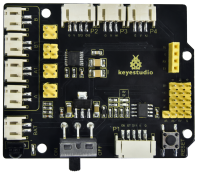
Keyestudio 8833 motor driver expansion board *1

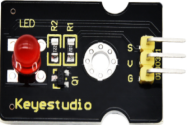
Red LED Module*1

Img

Img

Img

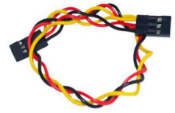
3P F-F Dupont Wire*1

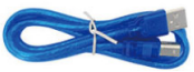
USB cable*1

Img

Img

4.3.1.4 Wiring Diagrame

G, V and S of the LED module are connected to G, 5V and D9

⚠️ Attention: You do not need to disassemble the Smart Little Turtle Robot and re-connect the module. Here this disgram will be convenient for you to program and write code.
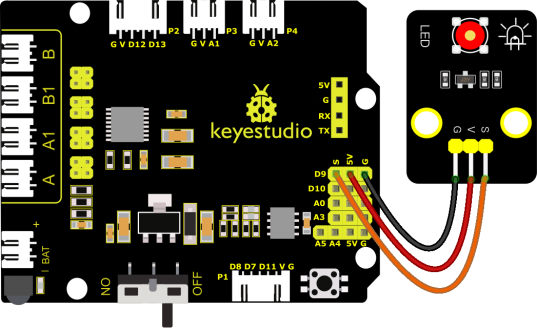
Img

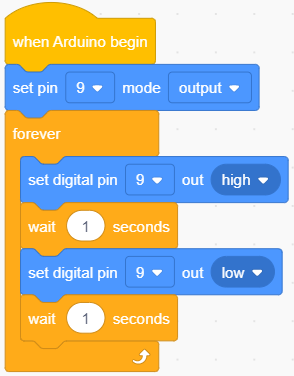
4.3.1.5 Test Code

Img

4.3.1.6 Test Result

Upload the code and power up. The LED connected to D9 will blink

4.3.1.7 Code Explanation

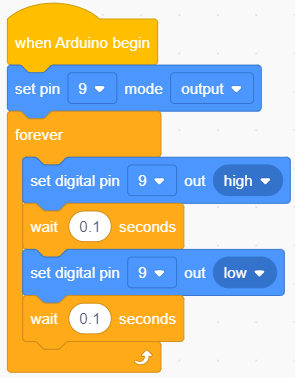
We have succeeded in blinking LED. Next, let’s observe what will happen to the LED if we modify pins and delay time.
Img

The test result shows that the LED flashes faster. Therefore, pins and time delaying affect flash frequency.

Previous Next

© Copyright Shenzhen keyestudio Technology Co., Ltd.

Built with Sphinx using a theme provided by Read the Docs.