4. Kidsblock Tutorial
4.1 Data download
Scratch information contains project ,please click to download for follow-up study.
Data download: Data download
APP download:
Android: https://xiazai.keyesrobot.cn/APP/Mecanum%20Robot.apk
Google: https://play.google.com/store/apps/details?id=com.keyestudio.mecanum_robot
Apple Store: https://apps.apple.com/cn/app/mecanum-robot/id1582947578
4.2 Software installation of Windows System
Download kidsblock: https://xiazai.keyesrobot.cn/KidsBlock.exe
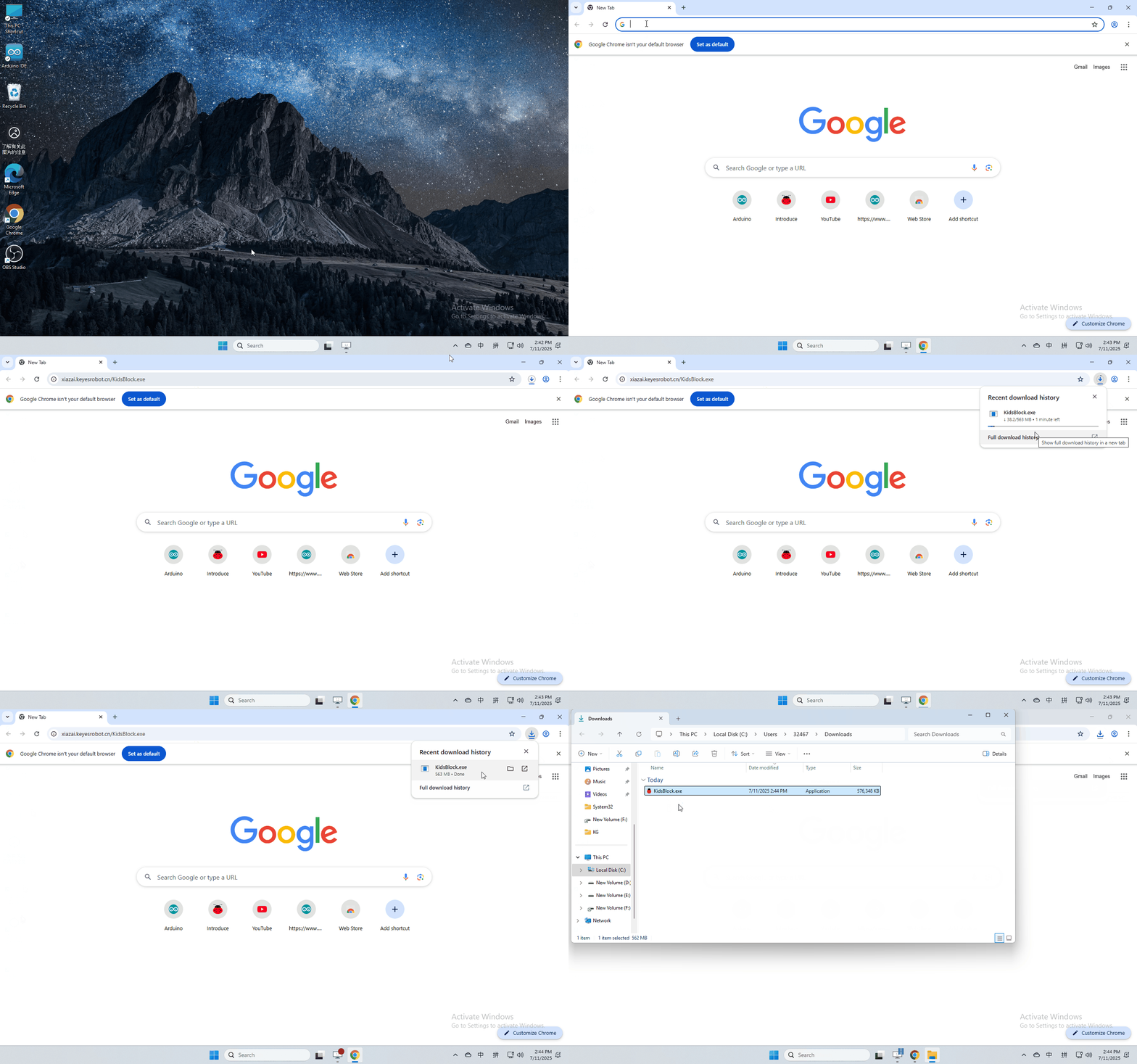
software installation
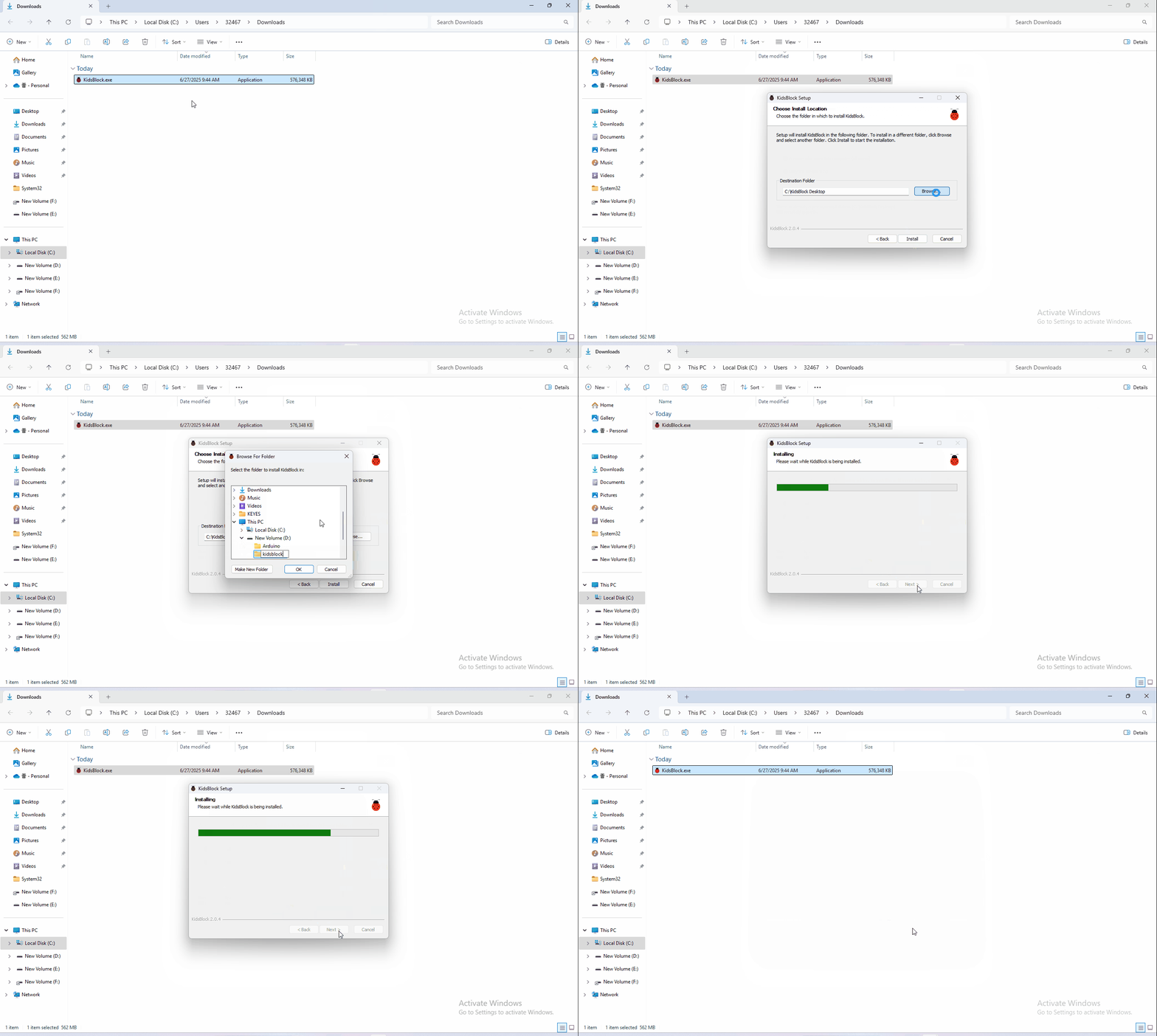
4.3 Software installation of Mac System
Download kidsblock: https://xiazai.keyesrobot.cn/KidsBlock.dmg
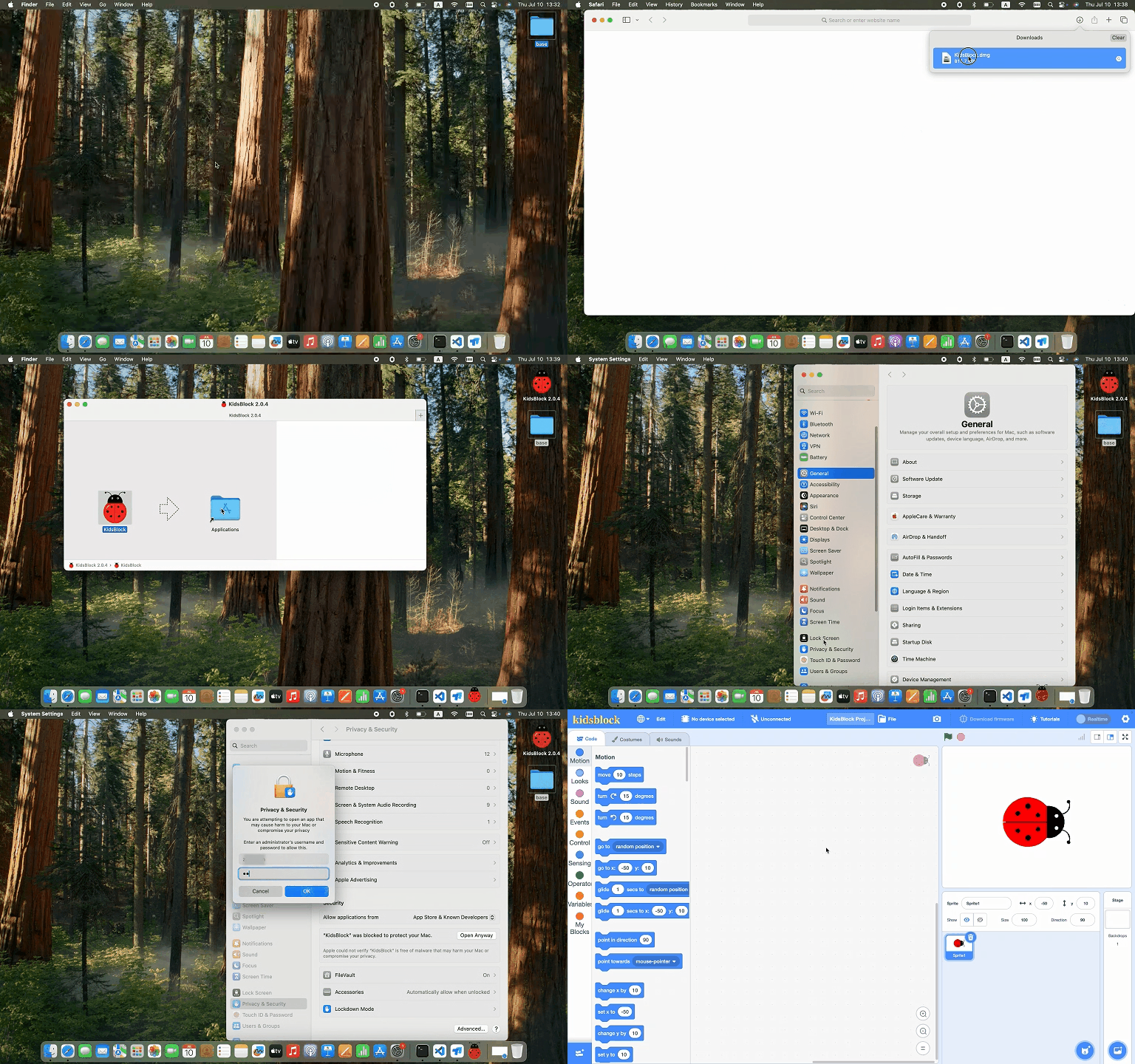
4.4 Use KidsBlock
1、operating software
First connect the development board to the computer
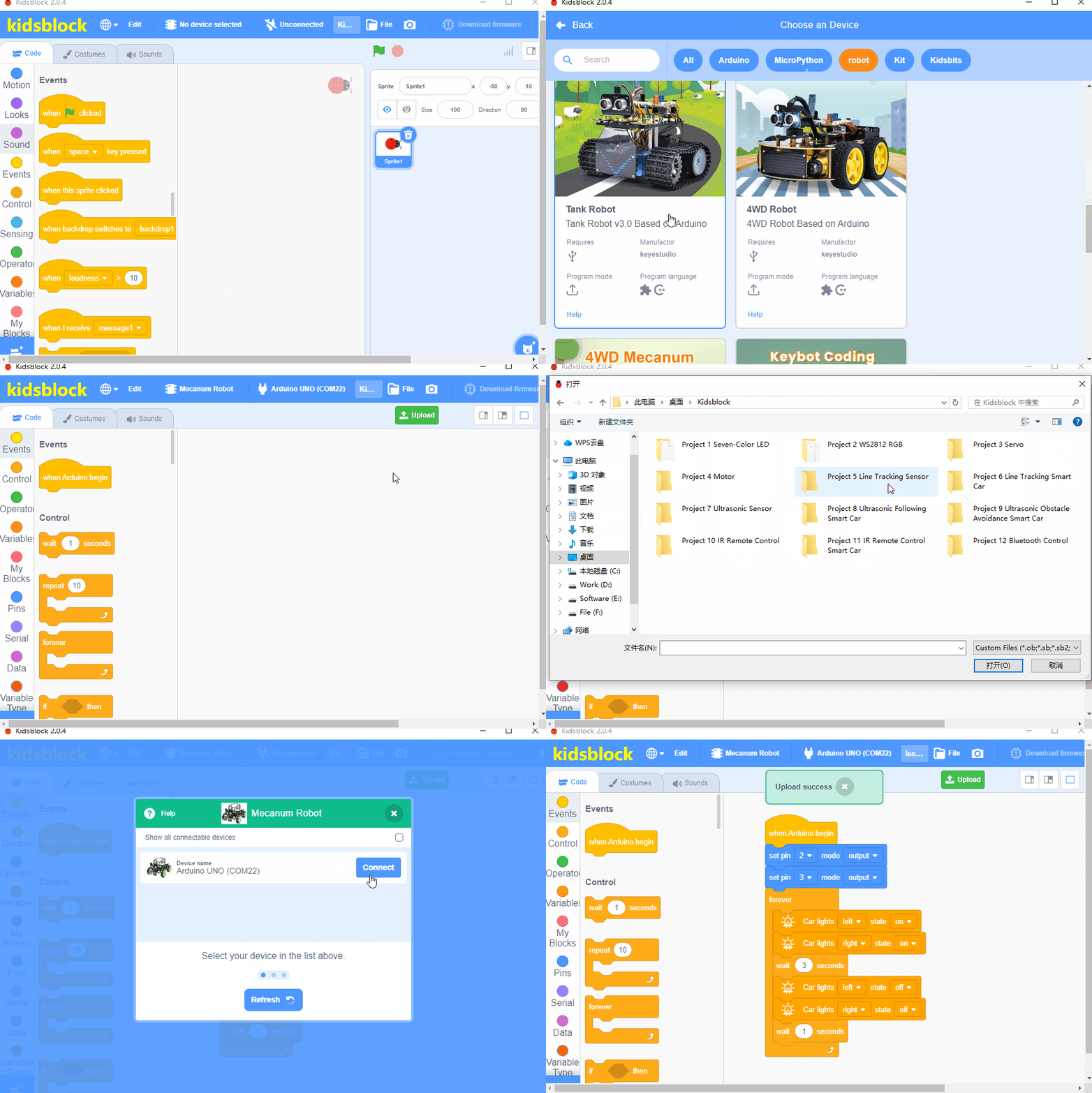
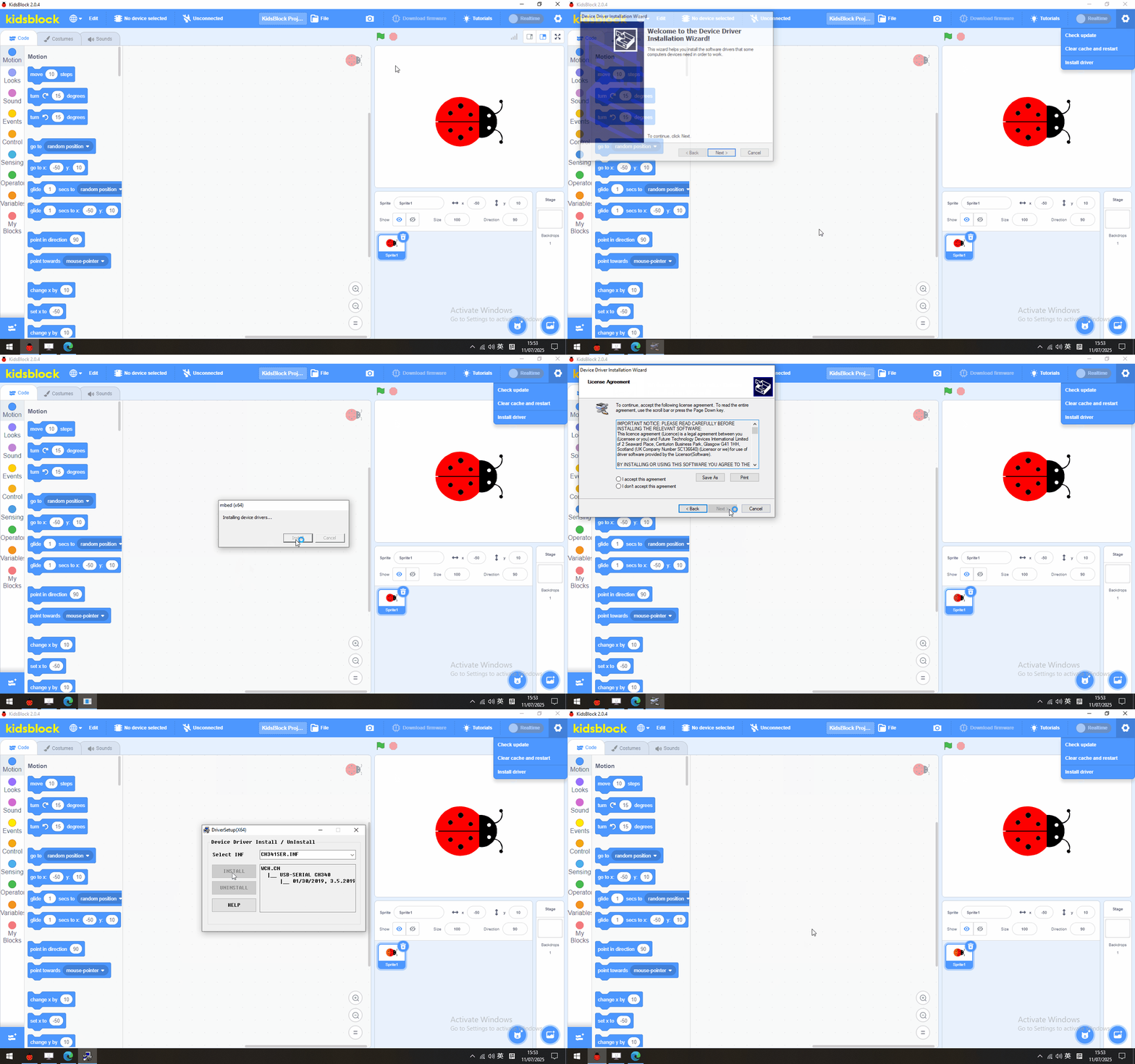
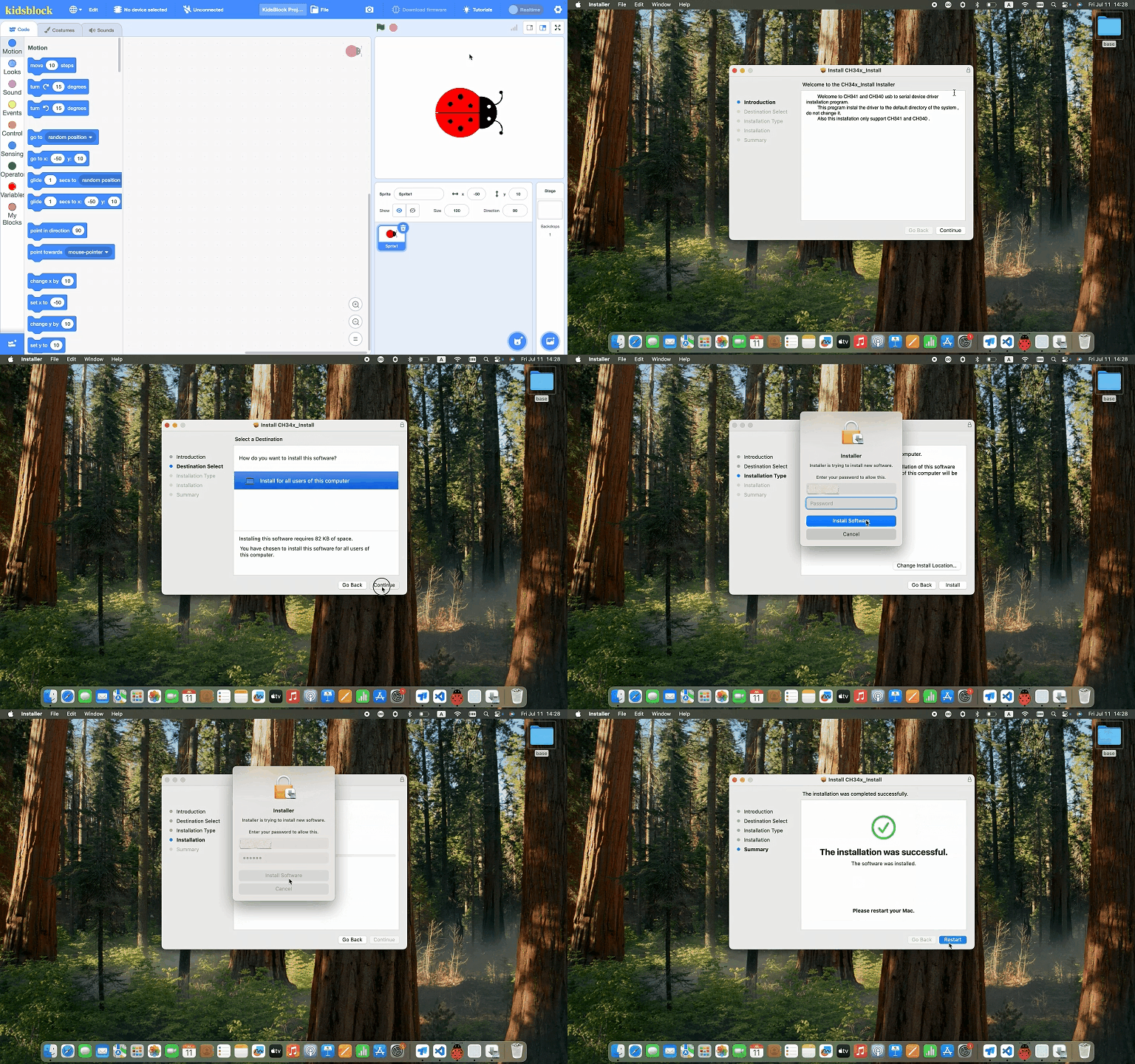
2、If you are unable to upload the code, please refer to the following tutorial to install the driver (optional reading)
Install driver(Windows)
Install driver(MAC)
Note: If your development board is not the driver of CH340, there will be a prompt of CH340 failure as shown in the picture, please close the interface directly and upload the code.
4.5 Project
- Project 1 Seven-Color LED
- Project 2 WS2812 RGB
- Project 3 Servo
- Project 4 Reduction Motor
- Project 5 Line Tracking Sensor
- Project 6 Line Tracking Smart Car
- Project 7 Ultrasonic Sensor
- Project 8 Ultrasonic Following Smart Car
- Project 9 Ultrasonic Obstacle Avoidance Smart Car
- Project 10 IR Remote Control
- Project 11 IR Remote Control Smart Car
- Project 12 Bluetooth Control Smart Car