4.5 Card Recognition
4.5.1 Algorithm
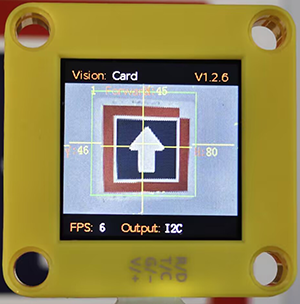
It can identify whether there are corresponding traffic cards in the image. If yes, it will return information including the coordinates, size, and label values of the cards.
4.5.2 Classification Label
Label |
Definition |
Pic |
|---|---|---|
1 |
go forward |
|
2 |
turn left |
|
3 |
turn right |
|
4 |
turn around |
|
5 |
stop |
|


Note: The algorithm can only recognize one card at a time. The card can still be recognized within a certain rotation, deflection and pitch angle. When using, please make the card face the camera as directly as possible for better recognition.
4.5.3 Test Code
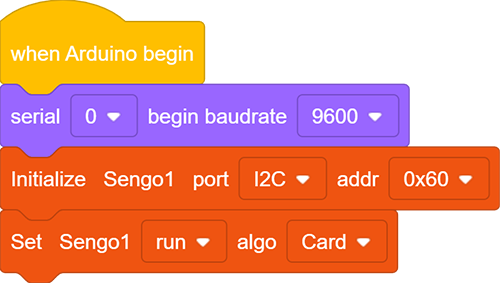
In the code start-up, set the serial port baud rate to
9600, and then set the communication mode of the AI vision module toI2C, and finally set it to run inCardmode.
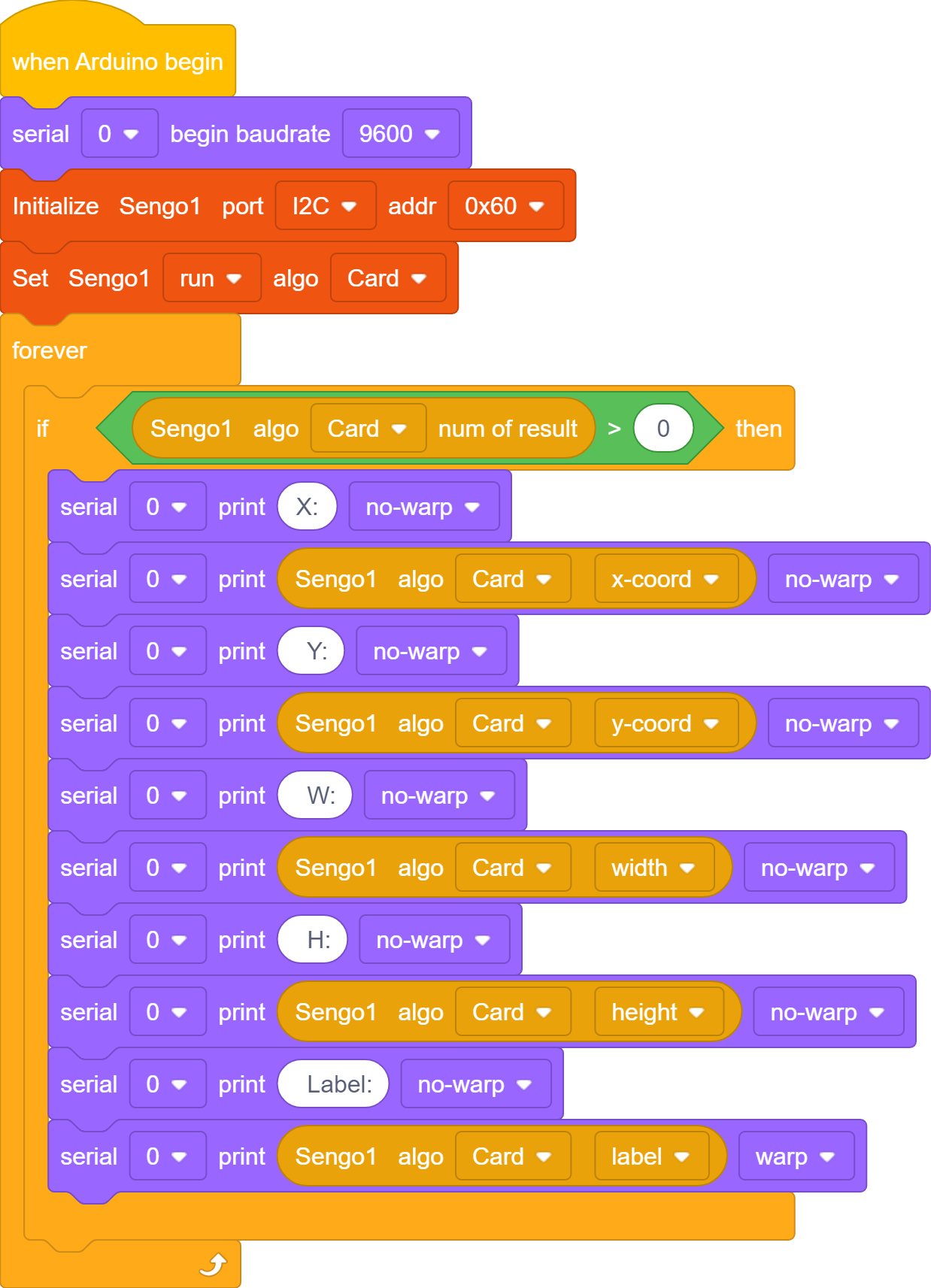
The if block determines the number of detections. Only when the number of detections is greater than 0 will the data be output. Note to choose
Card.The serial port prints the recognized card data.
Complete code:
4.5.4 Test Result
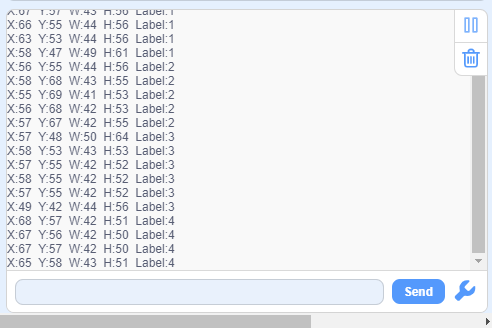
After uploading the code, the AI vision module will scan the area captured by the camera. If there is a card, it will be recognized and its coordinate(x, y), width(w), height(h) and label value will be printed in the serial monitor.