4. Arduino
4.1 Data download
Arduino information contains library files and project code ,please click to download for follow-up study.
Data download: Arduino Data
APP download:
Tank Car Android download: Tank Car
HC_BLE download: APP
4.2 Software Download
When we get control board, we need to download Arduino IDE and driver firstly.
You could download Arduino IDE from the official website: https://www.arduino.cc/en/software.
There are various versions for Arduino,just download a suitable version for your system,we will take WINDOWS system as an example to show you how to download and install.
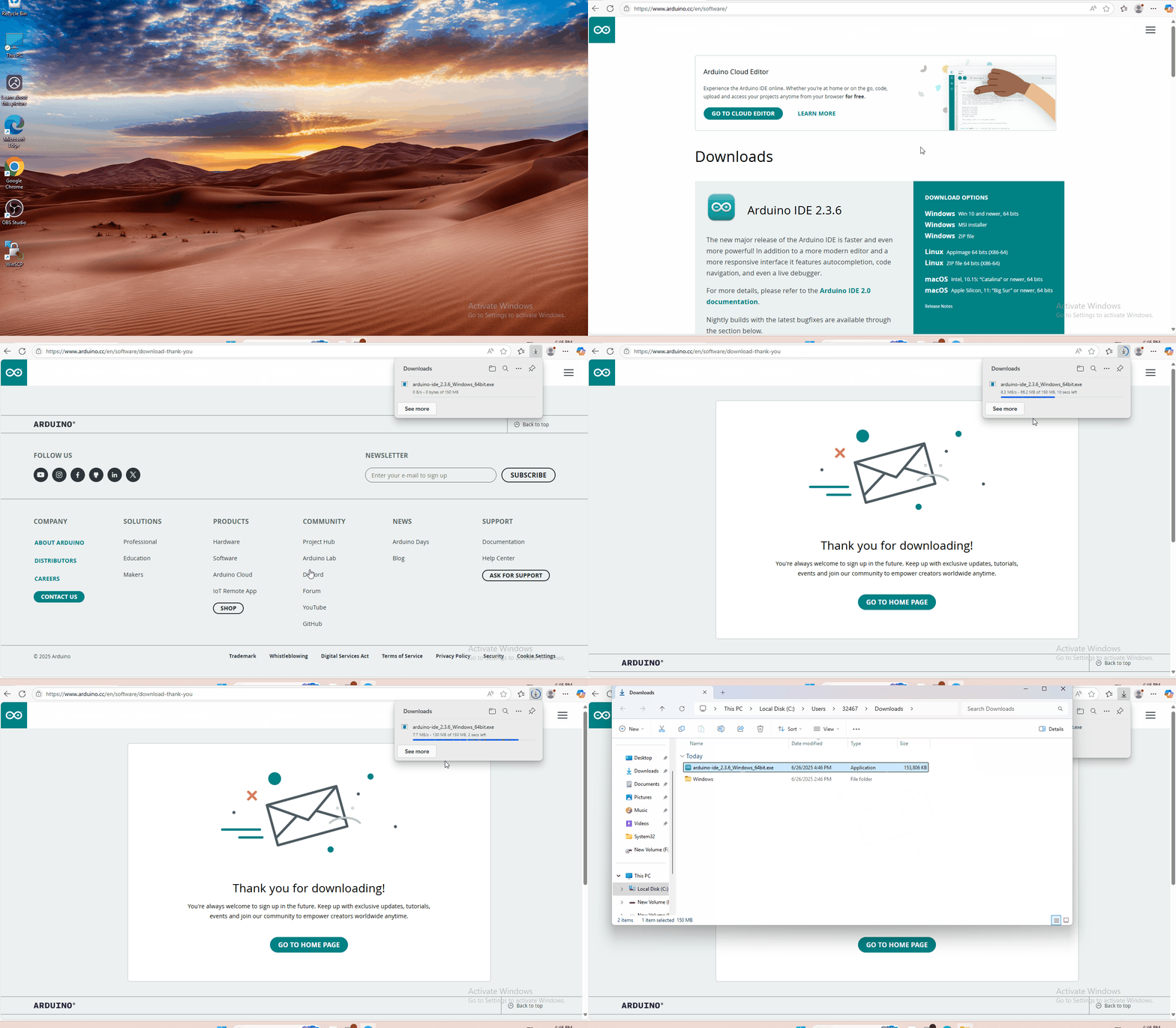
You just need to click JUSTDOWNLOAD,then click the downloaded file to install it.
And when the ZIP file is downloaded,you can directly unzip and start it.
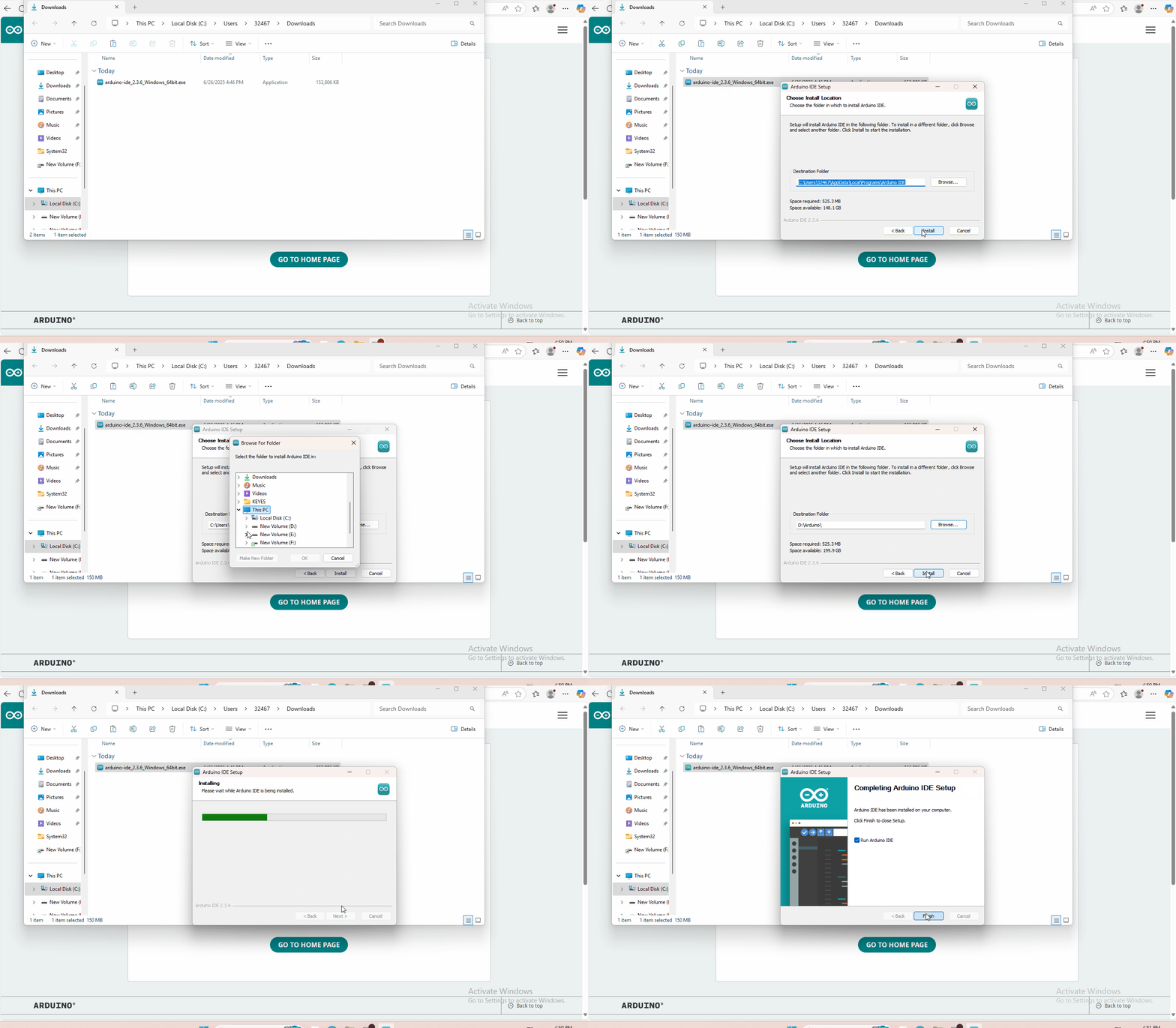
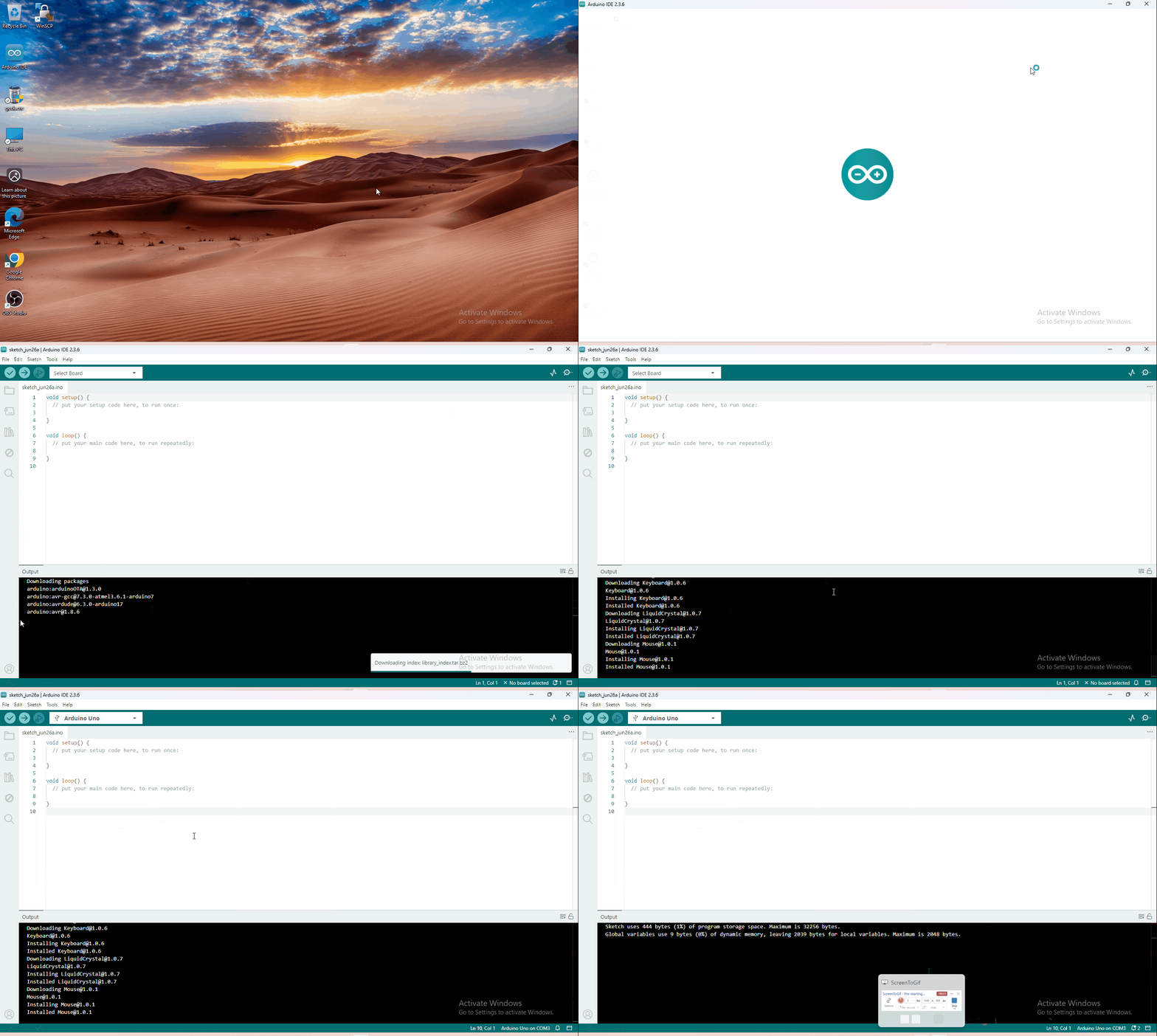
4.3 Set Arduino IDE
Connecting the board to the computer.
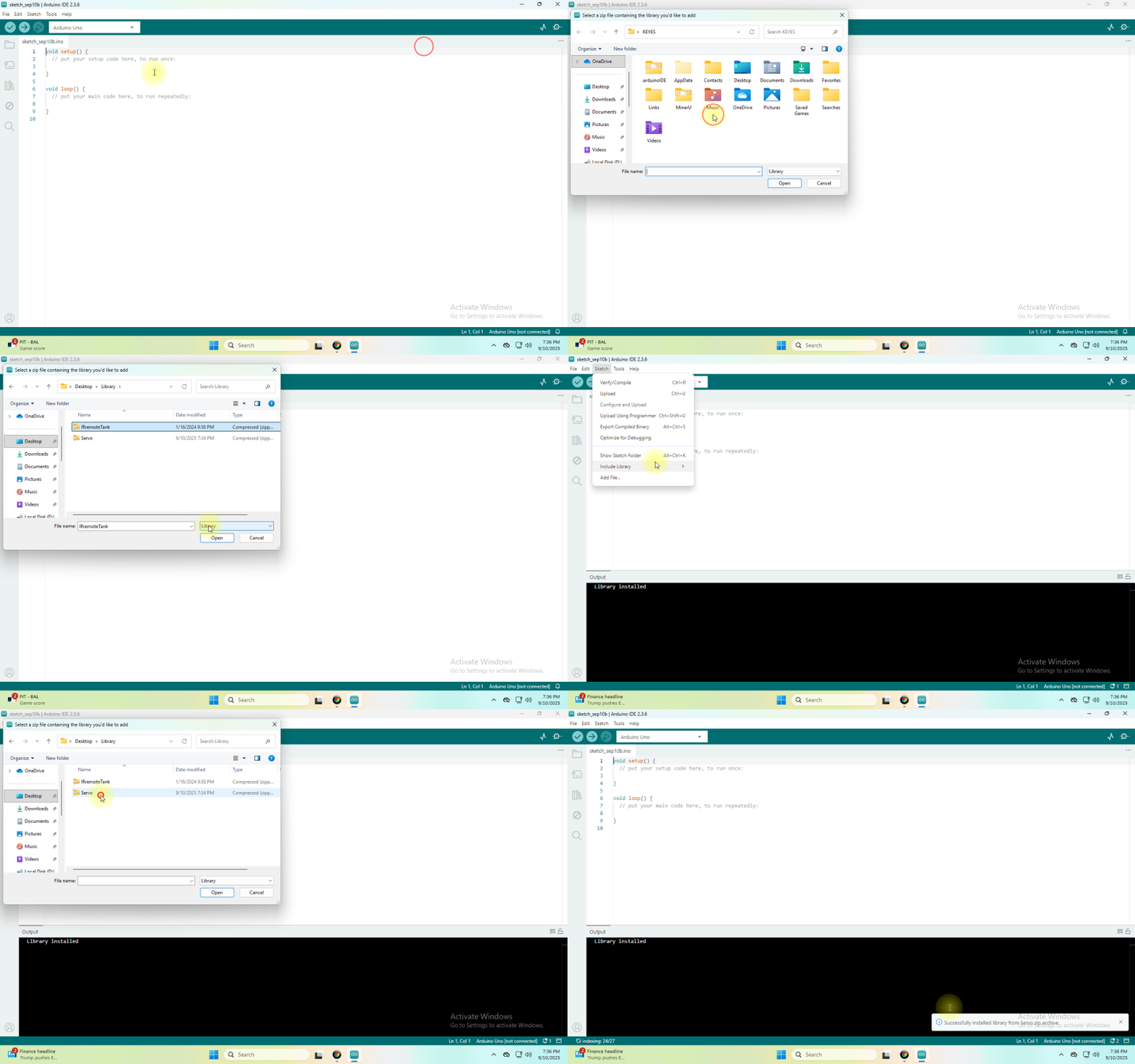
4.4 Add Library
What are Libraries ?
Libraries are a collection of code that makes it easy for you to connect to a sensor,display, module, etc.
There are hundreds of additional libraries available on the Internet for download.
We will introduce the most simple way for you to add libraries .
4.5 Project
- Project 1 LED Blinks
- Project 2 Adjust LED Brightness
- Project 3 Photoresistor Sensor
- Project 4 Servo Control
- Project 5 Ultrasonic Sensor
- Project 6 IR Reception
- Project 7 Bluetooth Remote Control
- Project 8 Motor Driving and Speed Control
- Project 9 8*16 LED Board
- Project 10 Light Following Robot
- Project 11 Ultrasonic Avoiding Tank
- Project 12 Ultrasonic Following Tank
- Project 13 IR Remote Robot Tank
- Project 14 Bluetooth Control Robot
- Project 15 final fully functional project