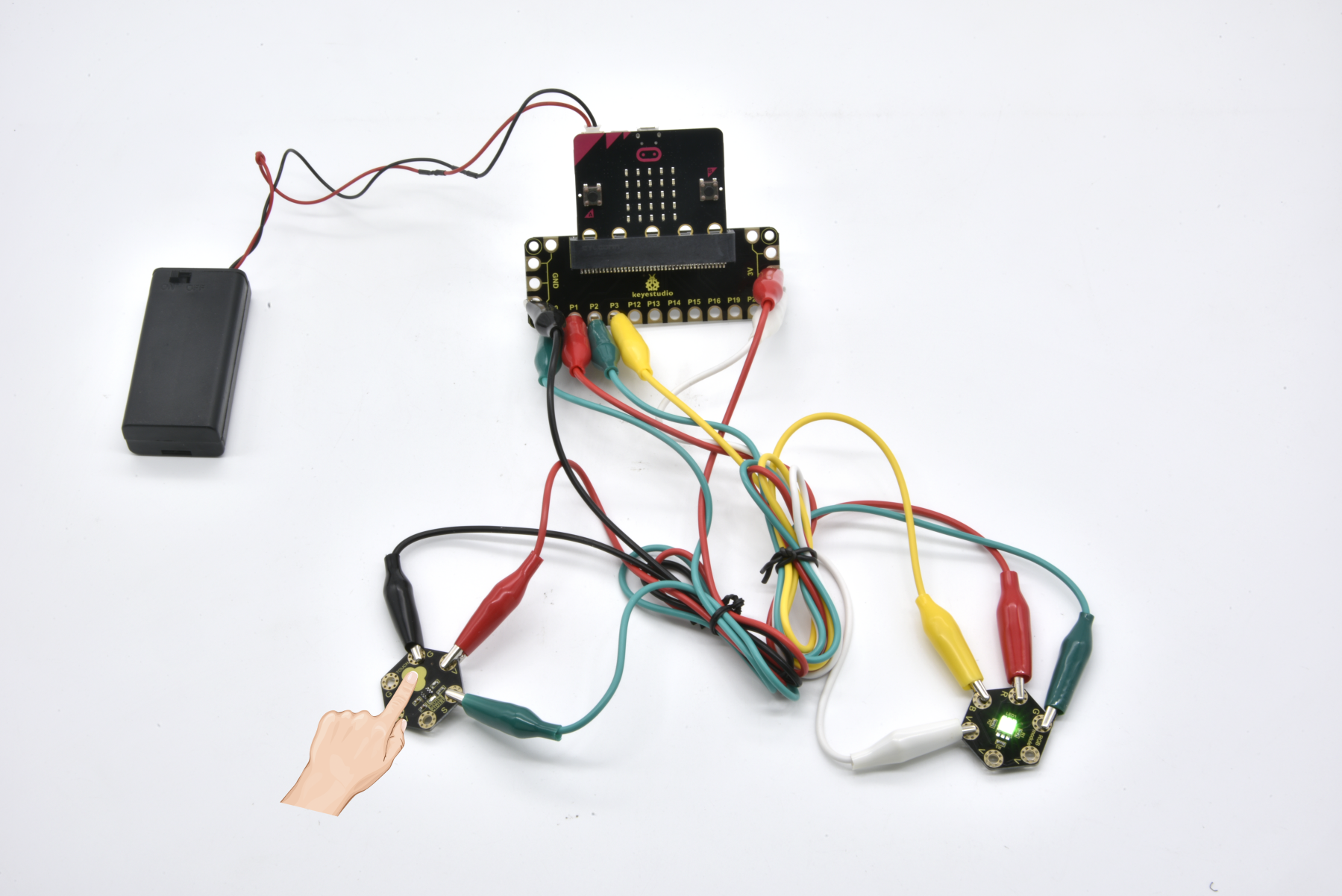
Project 23 RGB Colors
In the above projects, we’ve introduced each sensor module. We now combine those sensor modules to make interactive projects.
In this project, we are going to turn RGB LED alternately on red, green and blue via capacitive touch control.
2.Components Required
Micro:bit main board *1
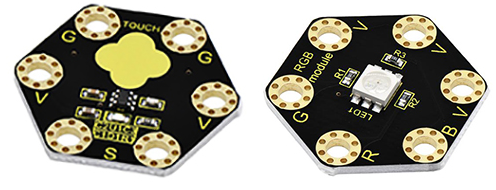
Keyestudio Capacitive Touch Module for micro:bit *1
keyestudio 5050 RGB Module for micro:bit *1
Alligator clip cable *7
USB cable *1
3.Connection Diagram
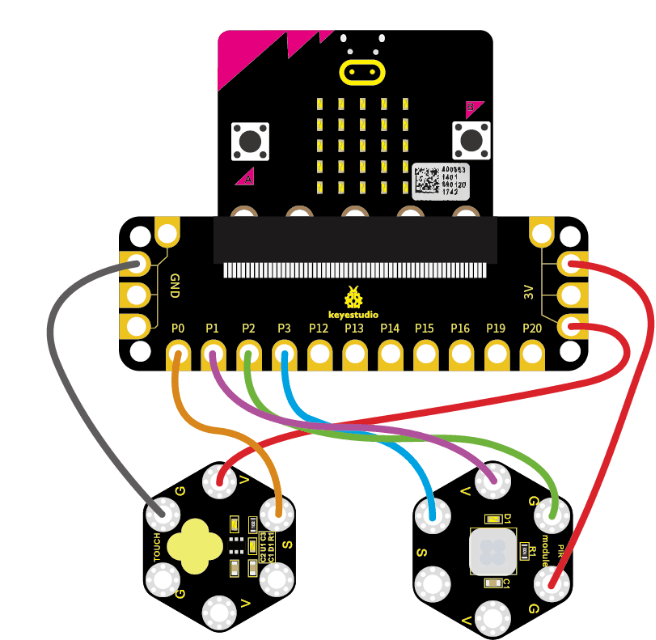
Insert firmly the micro:bit main board into keyestudio Edge Connector IO Breakout Board. Then connect the sensor module to micro:bit main board with alligator clip lines.
For keyestudio Capacitive Touch Module, connect Ring S to P0, V to 3V, G to GND.
For keyestudio RGB LED Module, connect Ring R to P1, G to P2, B to P3, V to 3V.
Connect the micro:bit to your computer with a micro USB cable.
4.Test Code
Open the https://makecode.micro:bit.org/#editor to write your code. Or can direct download and send the micro:bit.hex file to your micro:bit.
5.Code Explanation
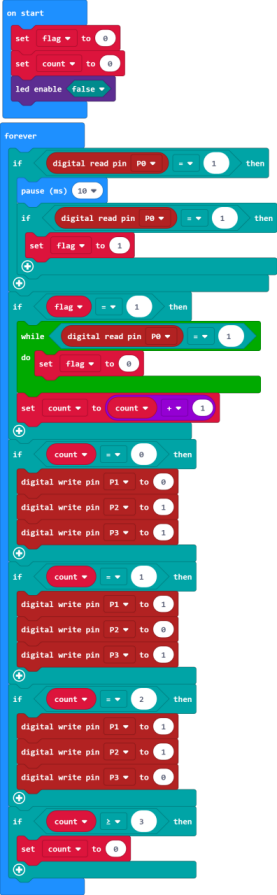
Look back at the connection diagram, we have connected the touch module to P0; Red, Green, Blue LED to P1, P2, P3.
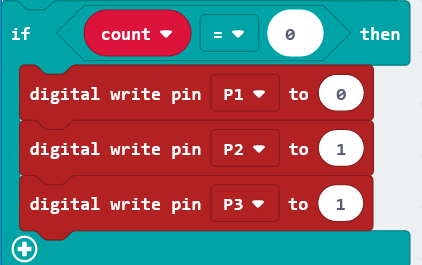
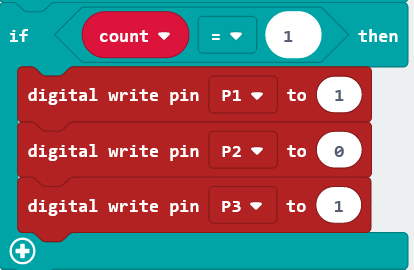
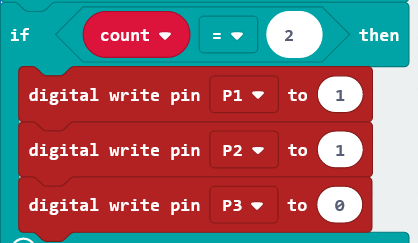
The RGB pins are active at LOW (record 0), which means set to 0 to turn on; so we can set the RGB pins to HIGH (record 1) to turn off.
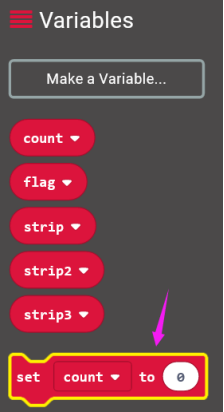
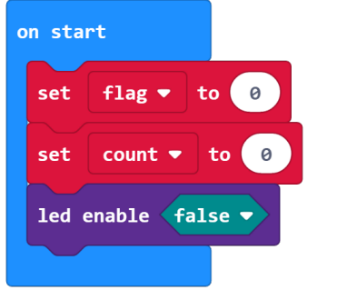
On start block, we initially set the variables flag and count block to 0;
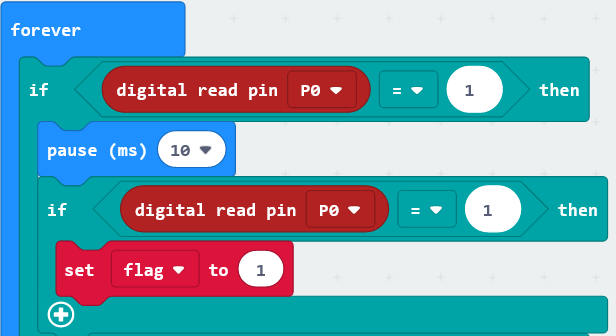
For the forever block, when detects the touch signal, we set the flag to 1, and add 10ms block for delay;
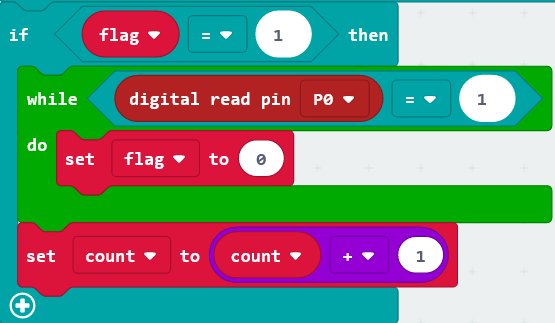
If flag equals to 1, run the flag to 0, set count plus 1;
If count equals to 0, run the action that RGB light turns on red;
If count equals to 1, run the action that RGB light turns on green;
If count equals to 2, run the action that RGB light turns on blue;
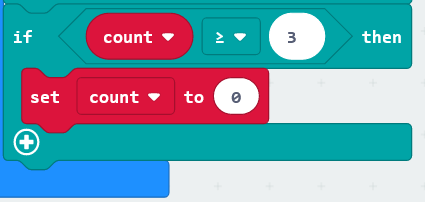
If count is greater than and equals to 3, then set the count to 0, run the action that RGB light turns on red;
6.Result
Connect the micro:bit to your computer with a micro USB cable. You can right-click the microbit HEX file to send to your micro:bit main board.

Done uploading the code, the RGB module will turn on red;
Tap the capacitive touch module with your finger, RGB will turn green; tap the touch area, turn on blue; tap again, turn on red. It will form a loop.