Project 27 Use Button to Control Buzzer
1.Overview
In the above projects, we’ve introduced each sensor module. We now combine those sensor modules to make interactive projects.
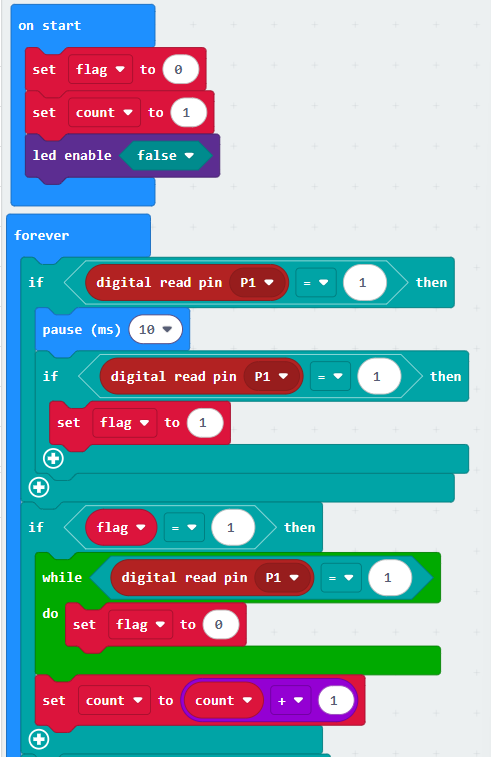
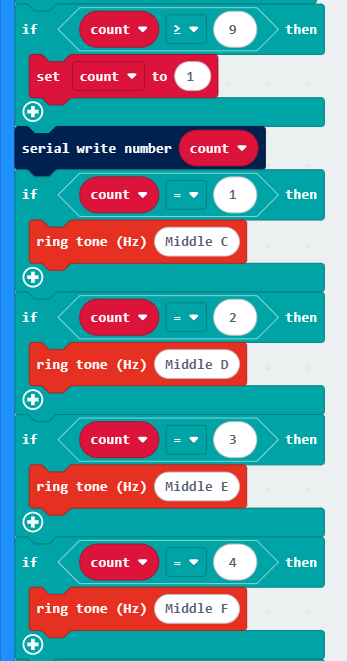
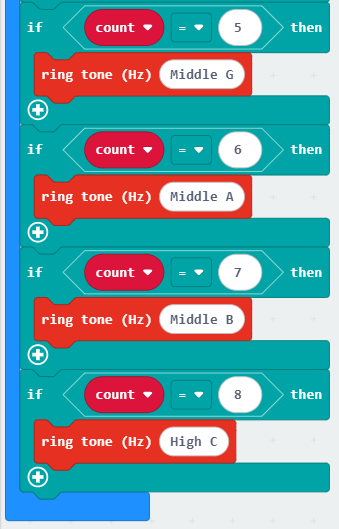
In this project, you will learn how to make a buzzer play different tones with a tactile button.
2.Components Required:
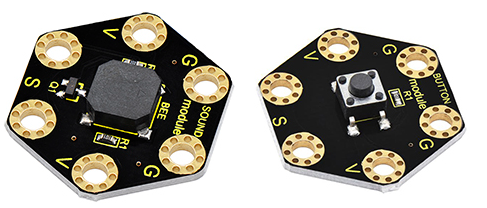
Micro:bit main board *1
Keyestudio Passive Buzzer Module for micro:bit *1
Keyestudio Tactile Button Module for micro:bit *1
Alligator clip cable *6
USB cable *1
3.Connection Diagram
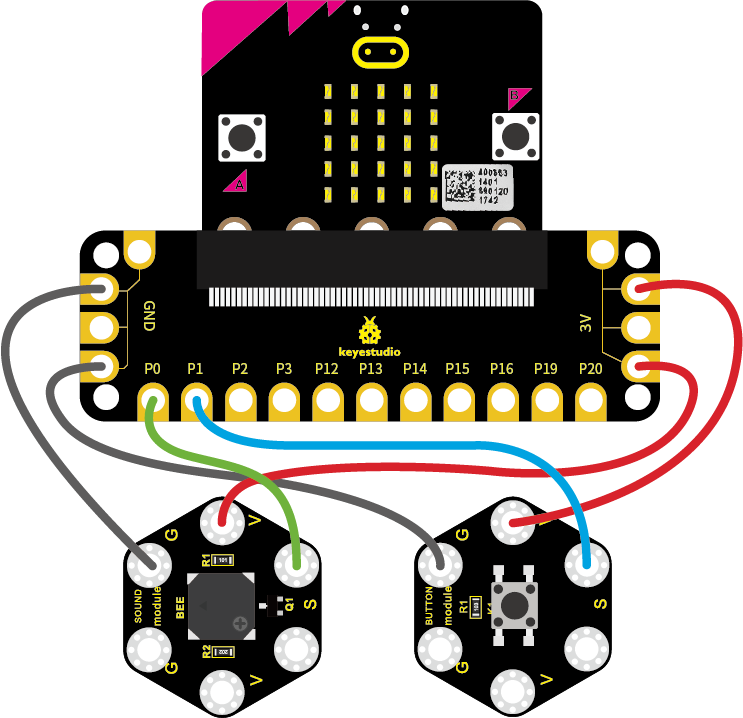
Insert firmly the micro:bit main board into keyestudio Edge Connector IO Breakout Board. Then connect the sensor module to micro:bit main board with alligator clip lines.
For keyestudio Passive Buzzer Module, connect Ring S to P0, V to 3V, G to GND.
For keyestudio Tactile Button Module, connect Ring S to P1, V to 3V, G to GND.
Connect the micro:bit to your computer with a micro USB cable.
4.Test Code: