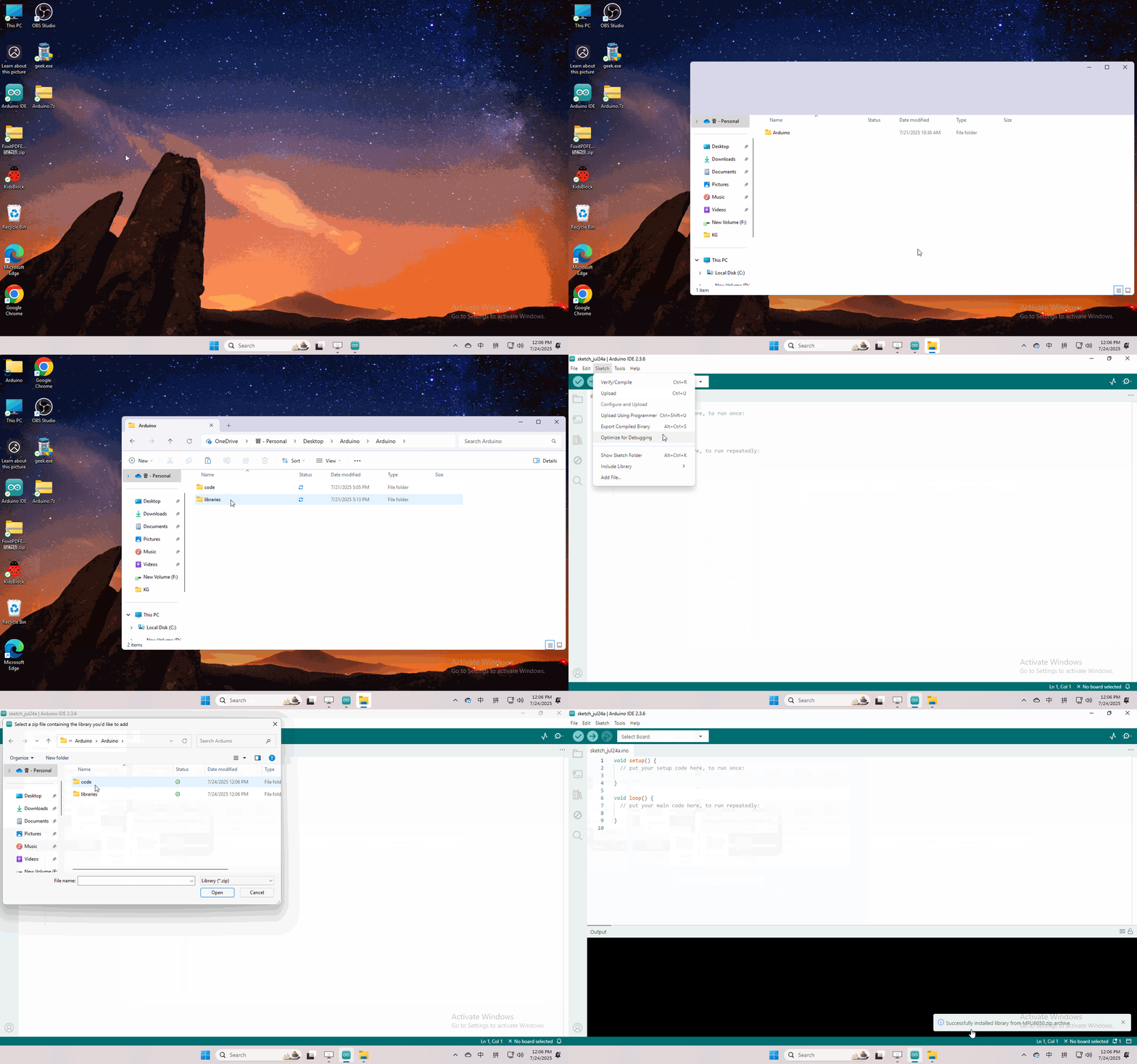
4. Arduino Tutorial
4.1 Data download
Arduino information contains library files and project code ,please click to download for follow-up study.
Data download: Arduino
4.2 Software Download
When we get control board, we need to download Arduino IDE and driver firstly.
You could download Arduino IDE from the official website:<https://www.arduino.cc/en/software>.
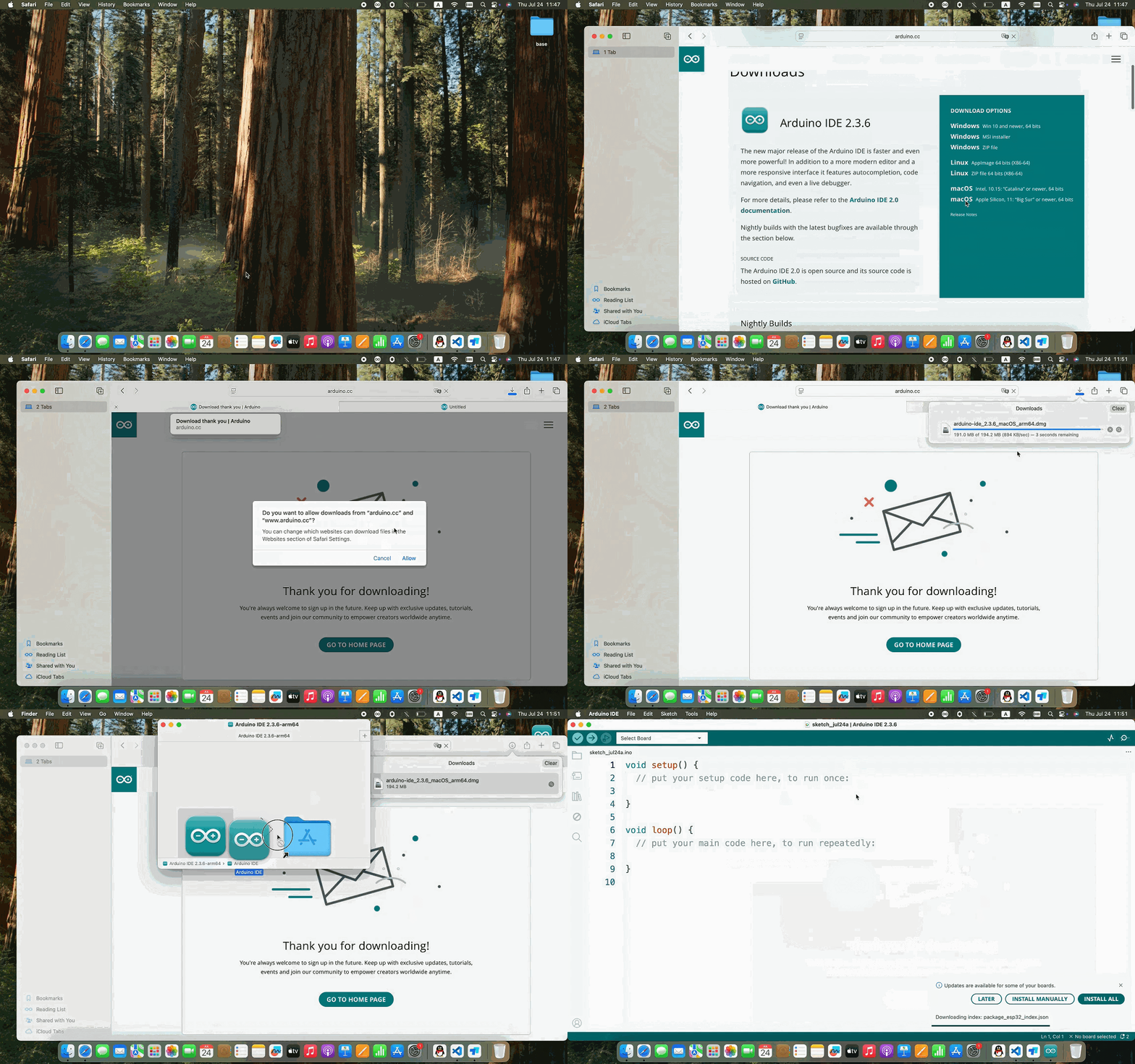
There are various versions for Arduino,just download a suitable version for your system.
Windows:

You just need to click JUSTDOWNLOAD,then click the downloaded file to install it.And when the ZIP file is downloaded,you can directly unzip and start it.

Mac:
4.3 Set Arduino IDE
Connecting the board to the computer.

4.4 Add Library
What are Libraries ?
Libraries are a collection of code that makes it easy for you to connect to a sensor,display, module, etc.
There are hundreds of additional libraries available on the Internet for download. We will introduce the most simple way for you to add libraries