Project 07: Environment Monitoring
1. Overview
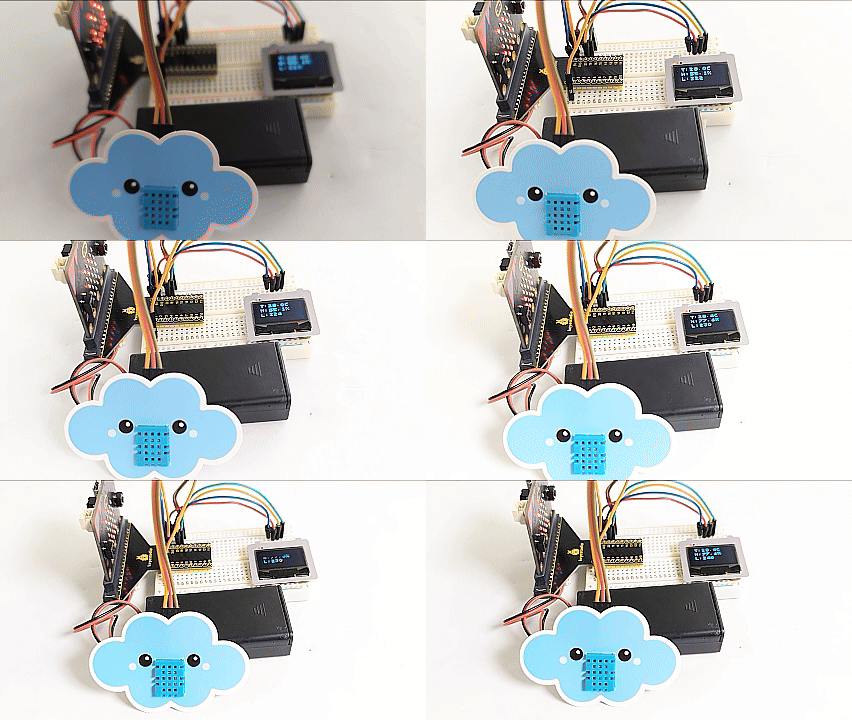
On the OLED, the smart environment monitoring system displays the temperature and humidity values detected by the DHT11 sensor in real time, as well as the brightness level value of ambient light detected by the on-board light sensor.
2. Components
|
|
|
|---|---|---|
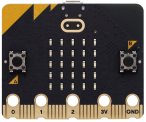
micro:bit board *1 |
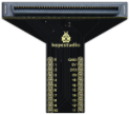
micro:bit T-type expansion board *1 |
micro USB cable *1 |
|
|
|
XHT11 temperature and humidity sensor *1 |
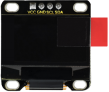
OLED module *1 |
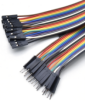
DuPont wires |
|
|
|
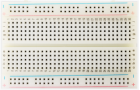
breadboard *1 |
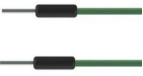
jump wires |
battery holder *1 |
|
|
|
cloud card *1 |
OLED card *1 |


3. Component Knowledge
XHT11 temperature and humidity sensor
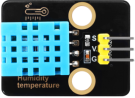
XHT11 temperature and humidity sensor is a composite sensor with calibrated digital signal output, which can detect the humidity and temperature in the air.
Accuracy: humidity ±5%RH, temperature ±2℃
Detection range: humidity 5%RH ~ 95%RH, temperature -25℃ ~ +60℃
The sensor uses special digital module acquisition and temperature and humidity sensing technology to ensure extremely high reliability and excellent long-term stability. It includes a resistive humidity sensing element and an NTC temperature sensing element, which is very suitable for measurement with relatively low accuracy and real-time requirements.
XHT11 communication mode:
Single bus communication is adopted. It means that there is only one data line for data exchange and control in the system.
Definition of data bits transmitted by single bus:
Single bus data format: 40 bits of data are transmitted at a time, with the high bit coming first.
8bit humidity integer + 8bit humidity decimal + 8bit temperature integer + 8bit temperature decimal + 8bit parity bit (The decimal part of the humidity is 0)
Definition of parity bit:
8bit humidity integer + 8bit humidity decimal + 8bit temperature integer + 8bit temperature decimal. 8bit parity bit = the last 8 bits of the obtained result
Data timeline:
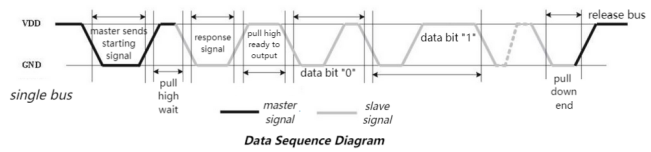
After the user host (MCU) sends a starting signal, the XHT11 switches from low power mode to high speed mode. After the starting signal, XHT11 sends a response signal and 40bit data, and triggers a signal acquisition.
The signal transmission is shown in the figure:
Parameters
Operating voltage: DC 3.3V to 5V
Operating current: 2.1mA
Maximum power: 0.0105W
Temperature range: -25℃ ~ +60℃ (± 2℃)
Humidity range: 5%RH ~ 95%RH (accuracy ±5%RH under around 25 ° C)
Microbit Light Sensor
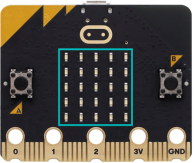
A light sensor is an input device that measures the brightness of external light. The micro:bit board does not include a built-in light sensor. It detects and senses ambient brightness by an LED matrix that repeatedly convert the light intensity into a value input, and then the voltage attenuation time is sampled. In this way, the detected brightness level is a relative value.
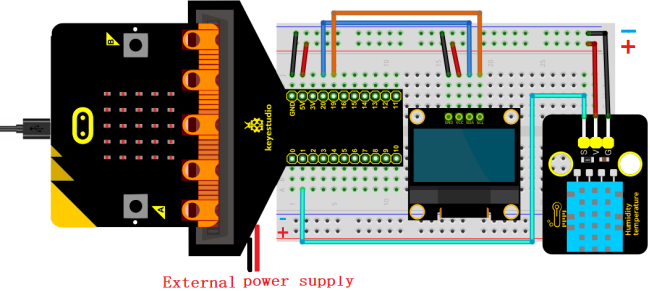
4. Wiring Diagram
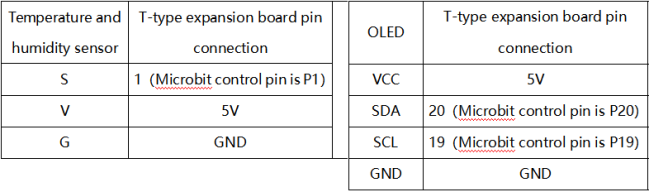
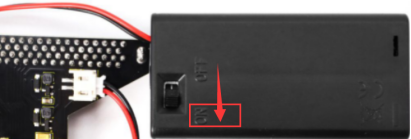
When using the OLED display, we must connect an external power supply and turn the DIP switch to ON.
5. Import Library
If you haven’t added the required library files yet (DHT11 and oled_ssd1306), please import it referring to How Mu Import Library to Micro:bit.
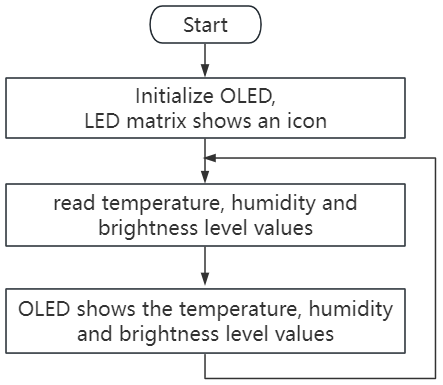
6. Code Flow
7. Test Code
The code file is provided in folder Project 07:Environment Monitoring中找文件Project-07-Environment-Monitoring.py.

Complete code:
'''
Function: OLED displays temperature and humidity values and brightness level values in real time to simulate intelligent environment detection
Compiling IDE: MU 1.2.0
Author: https://docs.keyestudio.com
'''
# import related libraries
import oled_ssd1306 as oled
from microbit import *
from DHT11 import *

val = Image("90900:""09090:""90009:""90009:""99999")  # Set pattern
display.show(val)   # LED matrix displays the set pattern

#initialize and clear oled
oled.initialize()
oled.clear_oled()

sensor = DHT11(pin1)  # set temperature and humidity pins

while True:
    oled.clear_oled() # clear oled
    sensor.read()     # read the temperature and humidity values
    T = sensor.temp   # store the temperature values in T
    H = sensor.humid  # store the humidity values in H
    L = display.read_light_level()  # read the brightness level value of the light and store it in L
    oled.add_text(1, 0, 'T:' + str(T) + 'C')   # Display the temperature value at the corresponding position of the OLED
    oled.add_text(1, 1, 'H:' + str(H) + '%')   # Display the humidity value at the corresponding position of the OLED
    oled.add_text(1, 2, 'L:' + str(L))         # Display the brightness level value at the corresponding position of the OLED
    sleep(2000)
8. Test Result
Click “Flash” to load the code to the micro:bit board.
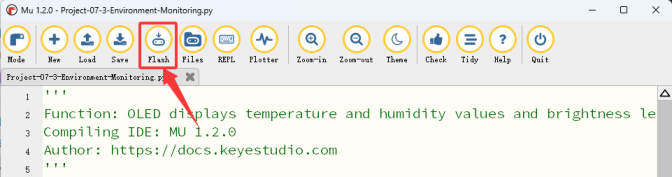
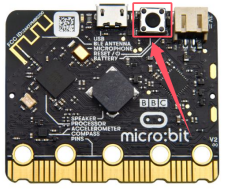
After downloading the code to the board, power on via micro USB cable or external power supply(turn the DIP switch to ON), and press the reset button on the board.
The OLED displays the temperature and humidity values and the light brightness level in real time.
ATTENTION: If the wiring is correct but you cannot see the results, press the reset button on the back of the board.