5.2.7 Guess Number
5.2.7.1 Overview

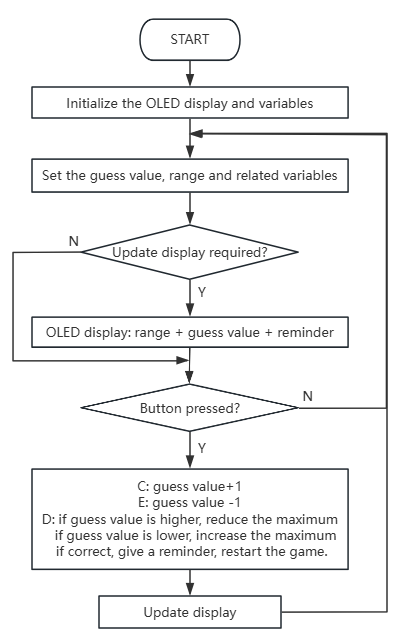
In this project, we play a game of guessing number by a Micro:bit board, a gamepad control board, and an OLED display. When the correct number is guessed, the OLED displays “Great!!!”; if the guess is too high or too low, it shows “To High!”/“To Low!” respectively, along with the corresponding range of possible numbers.

5.2.7.2 Required Parts
|
|
|
|---|---|---|
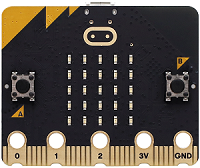
micro:bit V2 board (self-provided) ×1 |
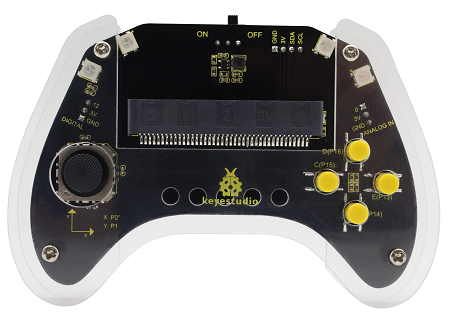
micro:bit Smart Gamepad (assembled) ×1 |
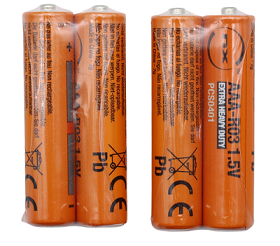
AAA battery (self-provided) ×4 |
|
|
|
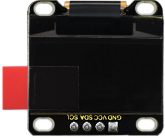
OLED display (self-provided)×1 |
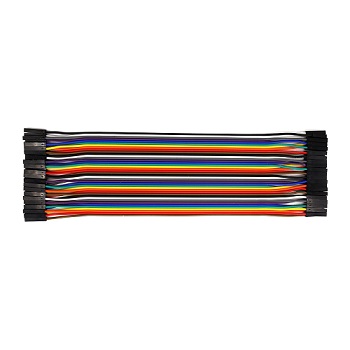
F-F DuPont wire(self-provided) x4 |
5.2.7.3 Wiring Diagram
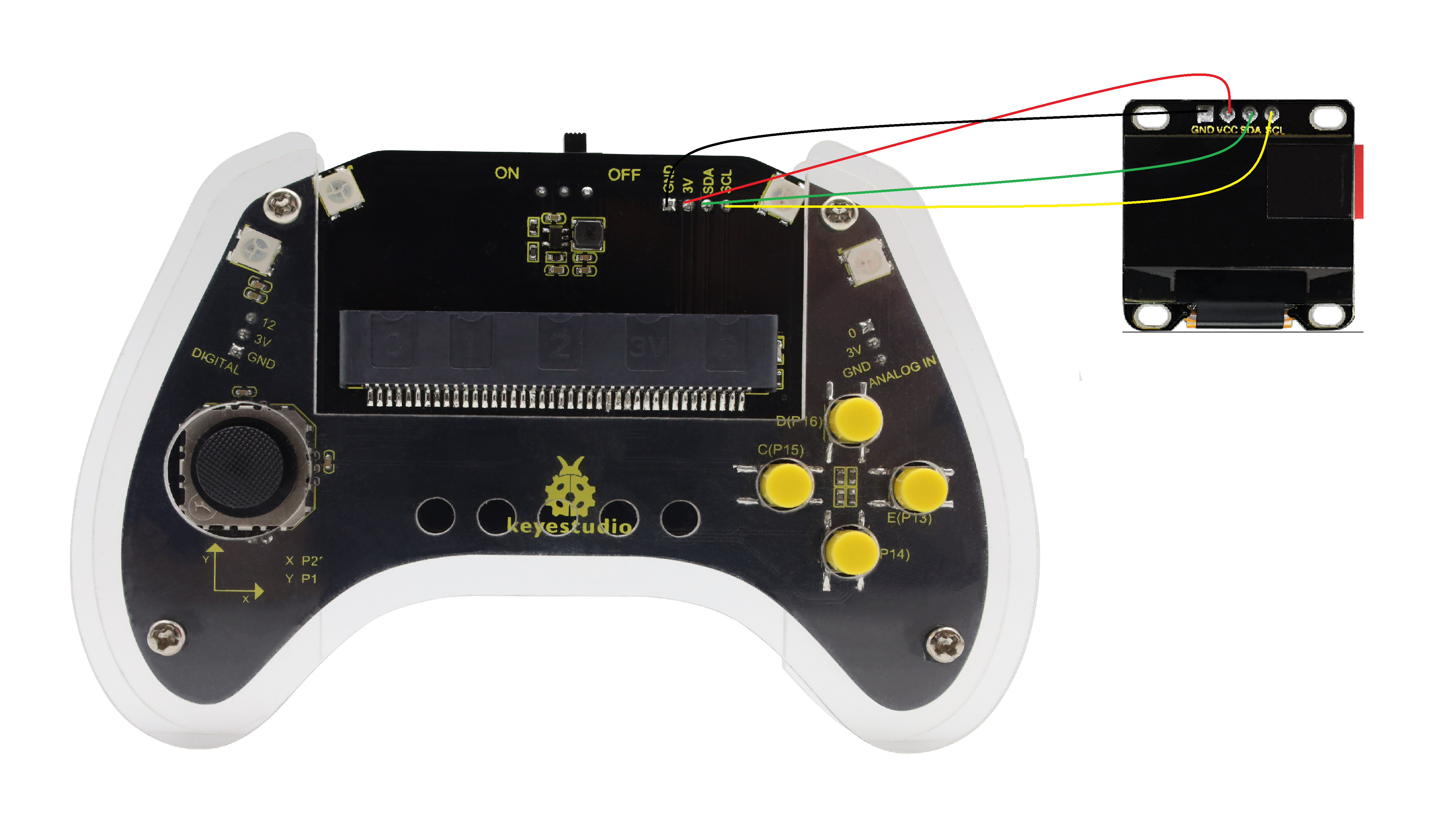
After wiring up as shown above, insert the micro:bit into the slot on the gamepad control board.
OLED display |
micro:bit gamepad control board |
micro:bit board pin |
|---|---|---|
GND |
GND |
GND |
VCC |
3V |
3V |
SDA |
SDA |
P20 |
SCL |
SCL |
P19 |
5.2.7.4 Code Flow
5.2.7.5 Test Code
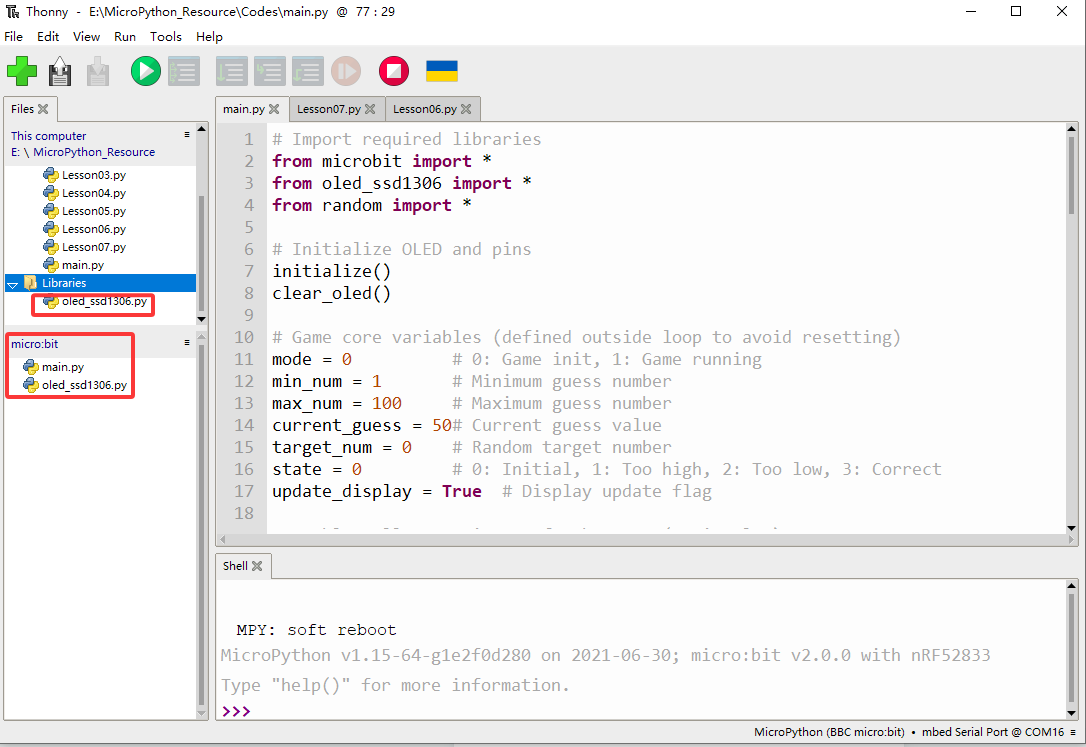
⚠️ Note that here OLED is used, so we need to import its library.
Complete code:
# Import required libraries
from microbit import *
from oled_ssd1306 import *
from random import *

# Initialize OLED and pins
initialize()
clear_oled()

# Game core variables (defined outside loop to avoid resetting)
mode = 0          # 0: Game init, 1: Game running
min_num = 1       # Minimum guess number
max_num = 100     # Maximum guess number
current_guess = 50# Current guess value
target_num = 0    # Random target number
state = 0         # 0: Initial, 1: Too high, 2: Too low, 3: Correct
update_display = True  # Display update flag

# Enable pull-up resistors for buttons (active low)
pin13.set_pull(pin13.PULL_UP)
pin15.set_pull(pin15.PULL_UP)
pin16.set_pull(pin16.PULL_UP)

while True:
    # 1. Game initialization: generate random number and reset state
    if mode == 0:
        min_num = 1
        max_num = 100
        current_guess = 50
        target_num = randint(min_num, max_num)  # Generate target number
        state = 0
        mode = 1  # Switch to running mode
        update_display = True

    # 2. Game running logic
    if mode == 1:
        # Check buttons (independent detection to avoid blocking)
        if pin15.read_digital() == 0:  # Pin15 pressed: increase number
            current_guess += 1
            if current_guess > max_num:
                current_guess = max_num
            update_display = True
            sleep(50)  # Debounce delay

        elif pin13.read_digital() == 0:  # Pin13 pressed: decrease number
            current_guess -= 1
            if current_guess < min_num:
                current_guess = min_num
            update_display = True
            sleep(50)  # Debounce delay

        elif pin16.read_digital() == 0:  # Pin16 pressed: confirm guess
            if current_guess > target_num:
                state = 1
                max_num = current_guess  # Narrow range: max = current
            elif current_guess < target_num:
                state = 2
                min_num = current_guess  # Narrow range: min = current
            else:
                state = 3  # Correct guess
                mode = 0   # Reset game
            update_display = True
            sleep(50)  # Debounce delay

        # 3. Update OLED display (only when needed)
        if update_display:
            clear_oled()  # Clear screen
            # Display number range
            add_text(0, 0, "num:" + str(min_num) + "~" + str(max_num))
            # Display current guess
            add_text(0, 2, str(current_guess))
            # Display status message
            if state == 1:
                add_text(0, 4, "TO High")
            elif state == 2:
                add_text(0, 4, "TO Low")
            elif state == 3:
                add_text(0, 4, "Great!!!")

            # Reset update flag
            update_display = False

    # 4. Delay after correct guess to show message
    if state == 3:
        sleep(1000)
        state = 0

Brief explanation:
① Import libraries, initialize OLED, define global variables, and configure button pins.
Three libraries are required: microbit(for accessing Micro:bit hardware), oled_ssd1306(for controlling the connected OLED display), random(for generating random numbers in the game).
initialize() and clear_oled() initializes and clears the OLED.
A series of global variables are defined to manage game state parameters, including game mode (mode), number range (min_num, max_num), the current guess value (current_guess), the target number (target_num), game feedback (state) and a flag controlling display updates (update_display).
pin13, pin15 and pin16 are configured in pull-up mode—maintaining high when button is not pressed and low when pressed.
# Import required libraries
from microbit import *
from oled_ssd1306 import *
from random import *

# Initialize OLED and pins
initialize()
clear_oled()

# Game core variables (defined outside loop to avoid resetting)
mode = 0          # 0: Game init, 1: Game running
min_num = 1       # Minimum guess number
max_num = 100     # Maximum guess number
current_guess = 50# Current guess value
target_num = 0    # Random target number
state = 0         # 0: Initial, 1: Too high, 2: Too low, 3: Correct
update_display = True  # Display update flag

# Enable pull-up resistors for buttons (active low)
pin13.set_pull(pin13.PULL_UP)
pin15.set_pull(pin15.PULL_UP)
pin16.set_pull(pin16.PULL_UP)
② Game initialization logic in the main loop.
It is the first logical block of the program’s main loop, specifically responsible for game initialization or restart.
mode = 0 : the game requires initialization. In this case, it resets the guess range to 1–100 and sets the current guess value to 50. It uses randint(min_num, max_num) to randomly generate an integer within 1 to 100 as the target number (target_num)
Then, state = 0 (initial state) and mode = 1 (running). And set update_display to True to ensure the OLED updates the latest game information immediately during running.
while True:
    # 1. Game initialization: generate random number and reset state
    if mode == 0:
        min_num = 1
        max_num = 100
        current_guess = 50
        target_num = randint(min_num, max_num)  # Generate target number
        state = 0
        mode = 1  # Switch to running mode
        update_display = True
③ Handle button inputs and decision-making based on guess.
When the game is in operation (mode == 1), it manages player interactions and game logic. It independently detects inputs from three external buttons:
pin15is pressed: (low level detected);current_guess+ 1. To prevent the value from exceeding the range, it checks and limitscurrent_guess< or =max_num.pin13is pressed:current_guess- 1. It also checkscurrent_guessno greater thanmin_num。pin16is pressed: Ifpin16is pressed,表示The player submitted the guess value. It will be compared withtarget_num:current_guess>target_num:state=1(too high) and set range maximummax_numtocurrent_guess.current_guess<target_num:state=2(too low) and set the minimummin_numtocurrent_guess.current_guess=target_num:state=3(Great) and setmodeto0to prepare for next round.
After each button press, update_display is set to True to update OLED, with a delay of 50ms for anti-jitter.
    # 2. Game running logic
    if mode == 1:
        # Check buttons (independent detection to avoid blocking)
        if pin15.read_digital() == 0:  # Pin15 pressed: increase number
            current_guess += 1
            if current_guess > max_num:
                current_guess = max_num
            update_display = True
            sleep(50)  # Debounce delay

        elif pin13.read_digital() == 0:  # Pin13 pressed: decrease number
            current_guess -= 1
            if current_guess < min_num:
                current_guess = min_num
            update_display = True
            sleep(50)  # Debounce delay

        elif pin16.read_digital() == 0:  # Pin16 pressed: confirm guess
            if current_guess > target_num:
                state = 1
                max_num = current_guess  # Narrow range: max = current
            elif current_guess < target_num:
                state = 2
                min_num = current_guess  # Narrow range: min = current
            else:
                state = 3  # Correct guess
                mode = 0   # Reset game
            update_display = True
            sleep(50)  # Debounce delay
④ OLED update logic.
It displays the game’s current status and information on the OLED. It executes only when update_display = True to avoid unnecessary refreshes.
Each execution first calls clear_oled() to clear the display. The current guess range (e.g., “num:1~100”) appears on the first line. The player’s current guess (current_guess) is displayed on the third line.
Based on state, the corresponding feedback message (“TO High,” “TO Low,” or “Great!!!”) appears on the fifth line.
After completing all displays, update_display is reset to False to ready to update the next game state change.
        # 3. Update OLED display (only when needed)
        if update_display:
            clear_oled()  # Clear screen
            # Display number range
            add_text(0, 0, "num:" + str(min_num) + "~" + str(max_num))
            # Display current guess
            add_text(0, 2, str(current_guess))
            # Display status message
            if state == 1:
                add_text(0, 4, "TO High")
            elif state == 2:
                add_text(0, 4, "TO Low")
            elif state == 3:
                add_text(0, 4, "Great!!!")

            # Reset update flag
            update_display = False
⑤ Handle delays after correct guesses.
It only executes when the player correctly guesses the target number (state == 3). Then, it pauses 1000ms(1s) for players to check the “Great!!!”.
Then, state is reset to 0. Since mode has already been reset to 0, upon correct guess, the game will restart from the initialization.
    # 4. Delay after correct guess to show message
    if state == 3:
        sleep(1000)
        state = 0
5.2.7.6 Test Result

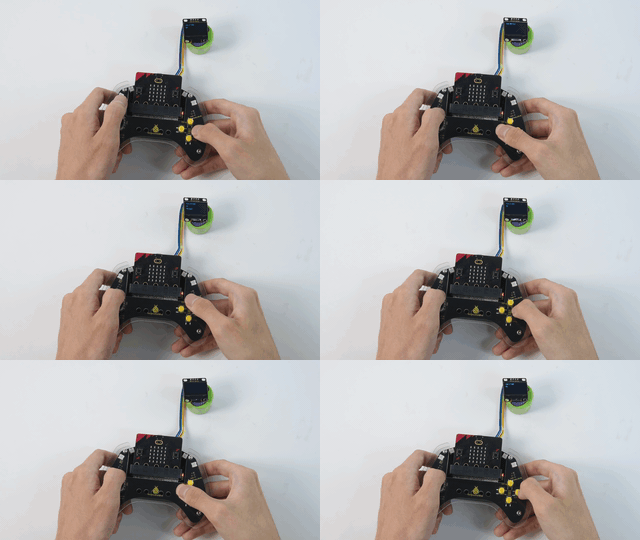
After burning the code, insert the micro:bit board into the slot of the gamepad (batteries installed), and toggle the switch on it to “ON”.
After uploading the code, the OLED initialize and shows the value range of “num: 1 ~ 100” and initial guess of 50. You can press C to temp+1(max of 100) or E to temp-1(min of 1) to change your guess value on the OLED.
Press D to submit your value, and temp will be compared with the random target value. If temp>value, show “To High!” and assign temp to max2; if temp<value, show “To Low!” and assign it to min2. If you are too lucky that temp=value, you will see “Great!!!” for 1s.
After that, the game will be reset and a new target value will be set. Let’s play another round!
⚠️ The building block in Test Result are not included in this product kit.
Tip: If there is no response on the board, please press the reset button on the back of the micro:bit board.
