2. Arduino Tutorial
2.1 Data download
Arduino information contains library files and project code ,please click to download for follow-up study.
Data download: Arduino
2.2 Software Download
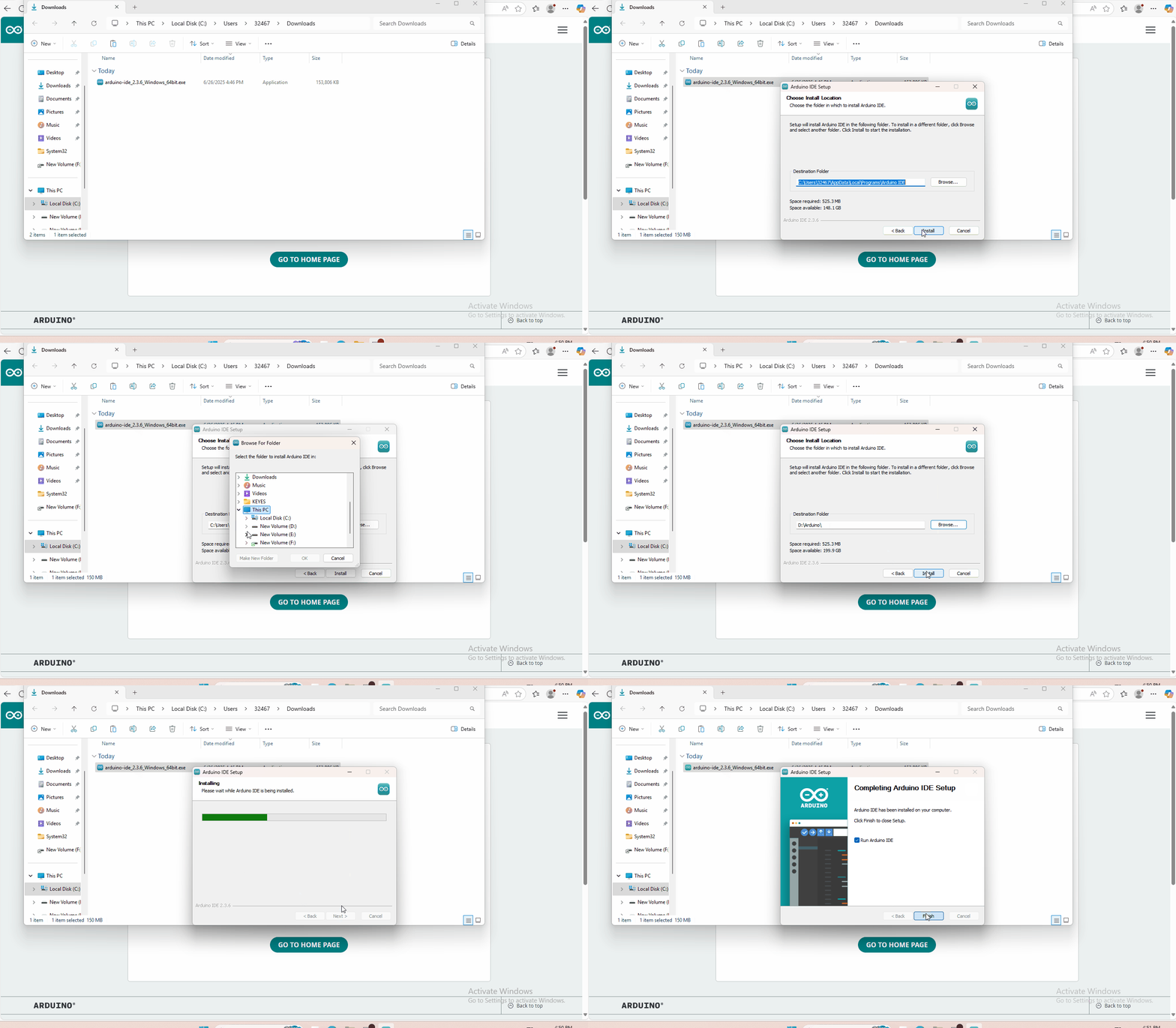
Open the browser and search: https://www.arduino.cc/en/software, we will take WINDOWS system as an example to show you how to download and install.

You just need to click JUSTDOWNLOAD,then click the downloaded file to install it.And when the ZIP file is downloaded,you can directly unzip and start it.
2.3 Set Arduino IDE
Connecting the board to the computer,and select the development board and port.

2.4 Add Library
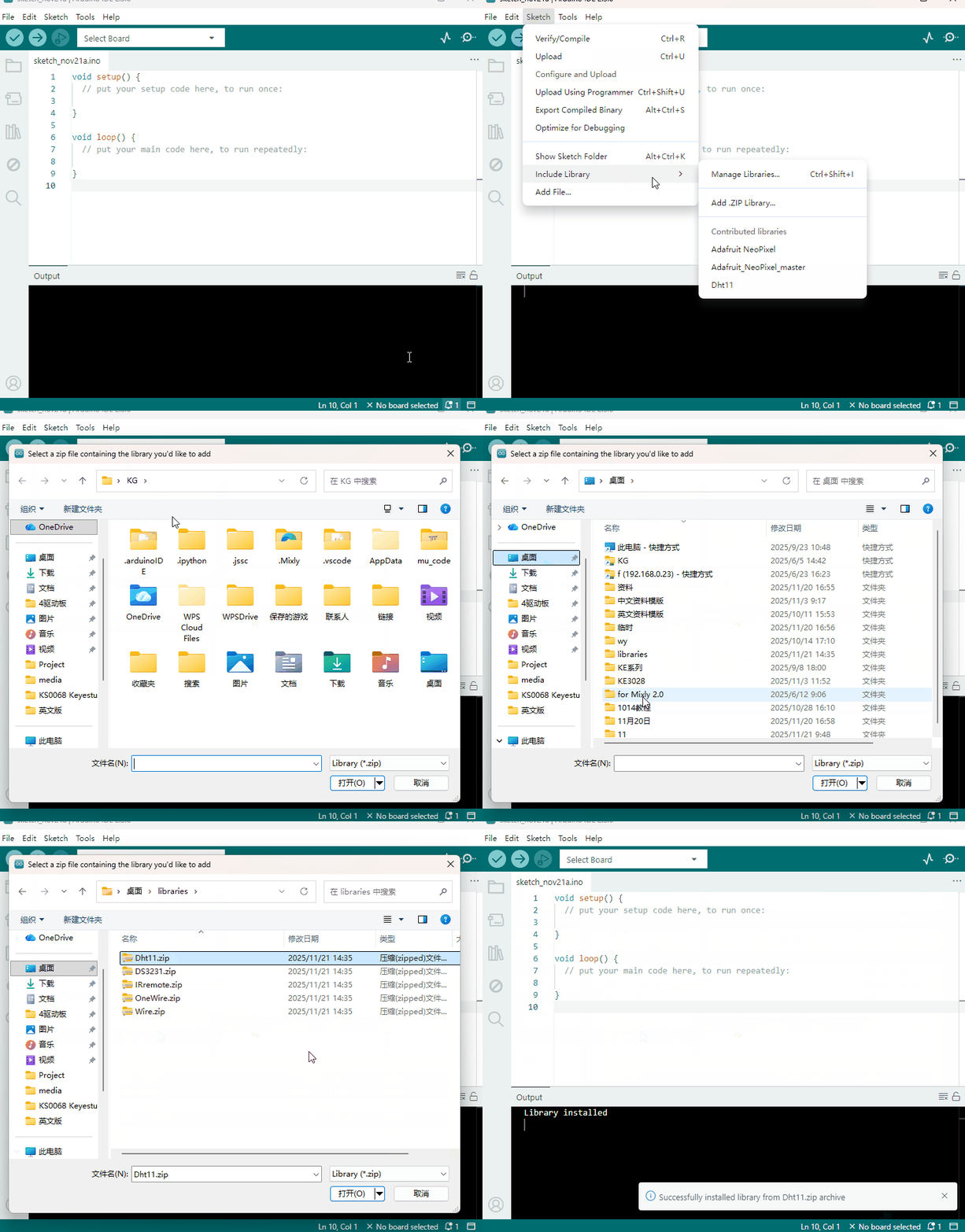
Open the Arduino IDE, follow [Sketch] → [Include Library] → [Add .zip Library]. This method can only import one library file at a time. If the product has multiple libraries, please import them one by one following this process!
2.5 Project
- Project 1 White LED Light
- Project 2 Red LED Light
- Project 3 3W LED Module
- Project 4 RGB LED
- Project 5 Analog Temperature
- Project 6 Photocell Sensor
- Project 7 Analog Sound
- Project 8 Analog Rotation Sensor
- Project 9 Passive Buzzer
- Project 10 Digital Buzzer
- Project 11 Digital Push Button
- Project 12 Digital Tilt Sensor
- Project 13 Photo Interrupter
- Project 14 Capacitive Touch
- Project 15 Knock Module
- Project 16: Hall Magnetic Sensor
- Project 17 Line Tracking Sensor
- Project 18 Infrared Obstacle Avoidance
- Project 19 PIR Motion Sensor
- Project 20 Flame Sensor
- Project 21 Vibration Sensor
- Project 22 Analog Gas Sensor
- Project 23: Analog Alcohol Sensor
- Project 24 Digital IR Transmitter
- Project 25 Digital IR Receiver
- Project 26 Rotary Encoder
- Project 27 LM35 Linear Temperature
- Project 28 18B20 Temperature Sensor
- Project 29 ADXL345 Three Axis Acceleration
- Project 30 DHT11 Temperature and Humidity Sensor
- Project 31 Bluetooth Module
- Project 32 TEMT6000 Ambient Light
- Project 33 SR01 Ultrasonic Sensor
- Project 34 Joystick Module
- Project 35: DS3231 Clock Module
- Project 36 5V Relay Module
- Project 37 Vapor Sensor