Project 33 SR01 Ultrasonic Sensor
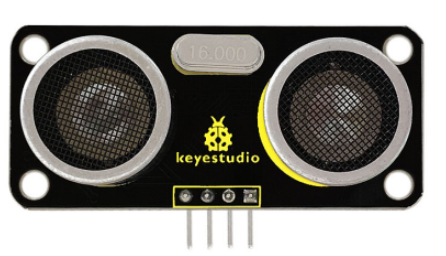
1. Introduction The Keyestudio SR01 Ultrasonic Sensor is a very affordable proximity/distance sensor that has been used mainly for object avoidance in various robotics projects.
It essentially gives your Arduino eyes/spacial awareness and can prevent your robot from crashing or falling off a table. It has also been used in turret applications, water level sensing, and even as a parking sensor.
This simple project will use the Keyestudio SR01 Ultrasonic Sensor with an Arduino and a Processing sketch to provide a neat little interactive display on your computer screen.
2. Specification
Working Voltage: DC 5V
Working Current: 15mA
Working Frequency: 40Hz
Max Range: 5m
Min Range: 2cm
Measuring Angle: 15 degree
Trigger Input Signal: 10µS TTL pulse
Echo Output Signal Input TTL lever signal and the range in proportion
3. Connection Diagram
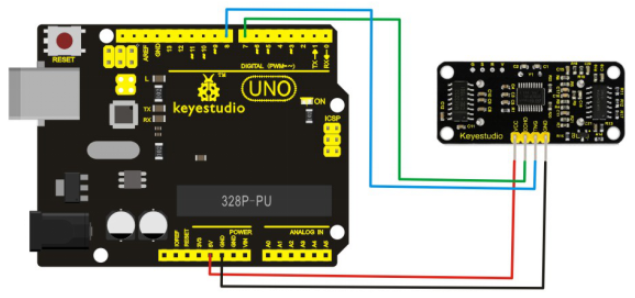
SR01 Ultrasonic Sensor |
UNO |
|---|---|
VCC |
5V |
GND |
GND |
Echo |
Digital Pin 7 |
Trig |
Digital Pin 8 |
4. Sample Code
VCC to arduino 5v
GND to arduino GND
Echo to Arduino pin 7
Trig to Arduino pin 8
#define echoPin 7 // Echo Pin
#define trigPin 8 // Trigger Pin
#define LEDPin 13 // Onboard LED

int maximumRange = 200; // Maximum range needed
int minimumRange = 0; // Minimum range needed
long duration, distance; // Duration used to calculate distance

void setup()
{
 Serial.begin (9600);
 pinMode(trigPin, OUTPUT);
 pinMode(echoPin, INPUT);
 pinMode(LEDPin, OUTPUT); // Use LED indicator (if required)
}

void loop()
{
  /* The following trigPin/echoPin cycle is used to determine the
  distance of the nearest object by bouncing soundwaves off of it. */
  digitalWrite(trigPin, LOW);
  delayMicroseconds(2);

  digitalWrite(trigPin, HIGH);
  delayMicroseconds(10);
  digitalWrite(trigPin, LOW);

  duration = pulseIn(echoPin, HIGH);

 //Calculate the distance (in cm) based on the speed of sound.
 distance = duration/58.2;

  if (distance >= maximumRange || distance <= minimumRange)
  {
      /* Send a negative number to computer and Turn LED ON
      to indicate "out of range" */
      Serial.println("-1");
      digitalWrite(LEDPin, HIGH);
  }
 else
 {
     /* Send the distance to the computer using Serial protocol, and
     turn LED OFF to indicate successful reading. */
     Serial.println(distance);
     digitalWrite(LEDPin, LOW);
 }
 //Delay 50ms before next reading.
 delay(50);
}
5. Result
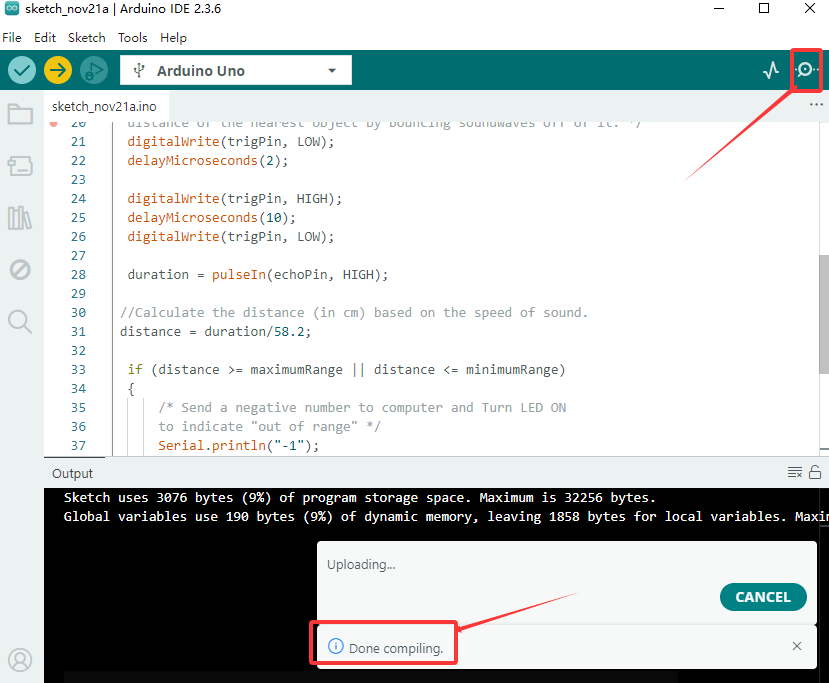
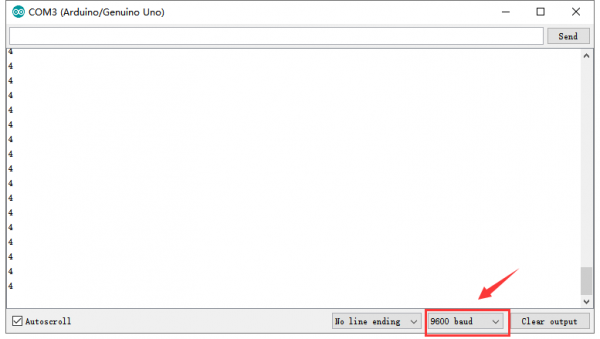
After upload the code to the board, open the serial monitor of Arduino IDE, you can see the distance value measured by ultrasonic sensor.