Project 18 Soil Humidity Sensor
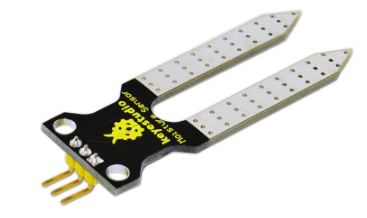
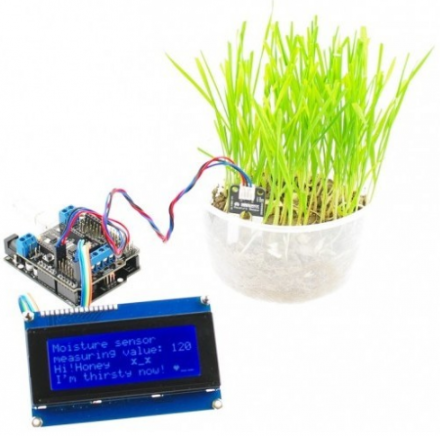
1.Introduction This is a simple soil humidity sensor aims to detect the soil humidity. If the soil is in lack of water, the analog value output by the sensor will decrease, otherwise, it will increase. If you use this sensor to make an automatic watering device, it can detect whether your botany is thirsty to prevent it from withering when you go out. Using the sensor with Arduino controller makes your plant more comfortable and your garden smarter.
The soil humidity sensor module is not as complicated as you might think, and if you need to detect the soil in your project , it will be your best choice.
The sensor is set with two probes inserted into the soil, then with the current go through the soil, the sensor will get resistance value by reading the current changes between the two probes and convert such resistance value into moisture content. The higher moisture (less resistance), the higher conductivity the soil has.
The surface of the sensor have undergone metallization process to prolong its service life. Insert it into the soil and then use the AD converter to read it. With the help of this sensor, the plant can remind you: I need water.
2.Specification
Power Supply Voltage: 3.3V or 5V
Working Current: ≤ 20mA
Output Voltage: 0-2.3V (When the sensor is totally immersed in water, the
voltage will be 2.3V) 5V power supply,the higher humidity, the higher the output voltage
Packaging : Electrostatic bag sealing
Sensor type: Analog output
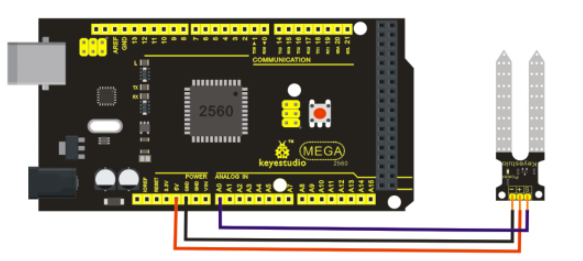
Interface definition: Pin1- signal, pin2- GND, pin3 - VCC
Service life: About one year (gold-plated surface for enhancing conductivity and corrosion resistance )
Module size: 20X60mm
3.Connection Diagram
4.Sample Code
/*
  # Example code for the moisture sensor
  # Connect the sensor to the A0(Analog 0) pin on the Arduino board
  # the sensor value description
  # 0  ~300     dry soil
  # 300~700     humid soil
  # 700~950     in water
*/
void setup()
{
  Serial.begin(57600);
}

void loop()
{
  Serial.print("Moisture Sensor Value:");
  Serial.println(analogRead(0));
  delay(100);
}