2. Arduino Tutorial
2.1 Data download
Arduino information contains library files and project code ,please click to download for follow-up study.
Data download: Arduino
2.2 Software Download
Open the browser and search: https://www.arduino.cc/en/software, we will take WINDOWS system as an example to show you how to download and install.

You just need to click JUSTDOWNLOAD,then click the downloaded file to install it.And when the ZIP file is downloaded,you can directly unzip and start it.
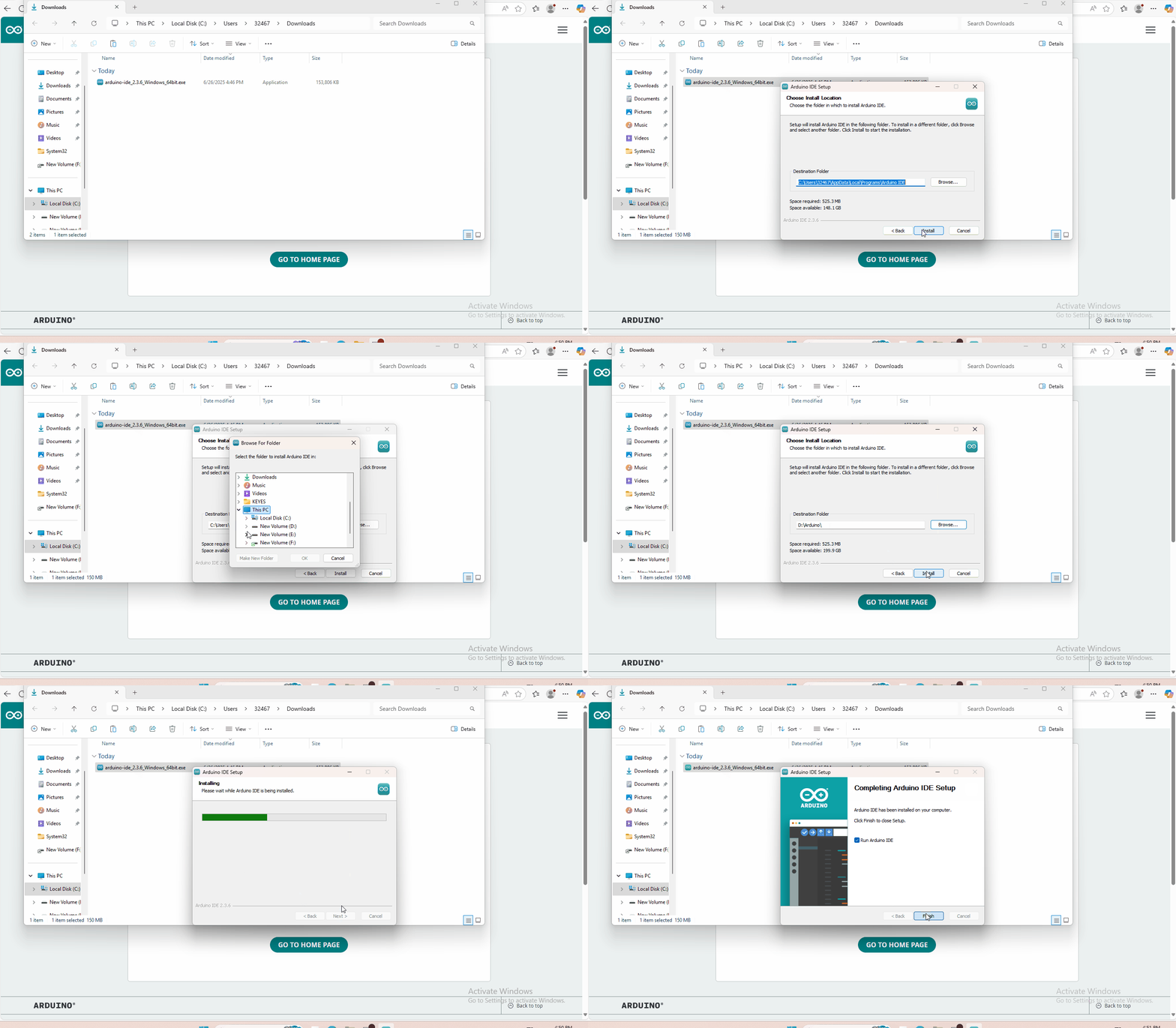
2.3 Set Arduino IDE
Connecting the board to the computer,and select the development board and port.

2.4 Add Library
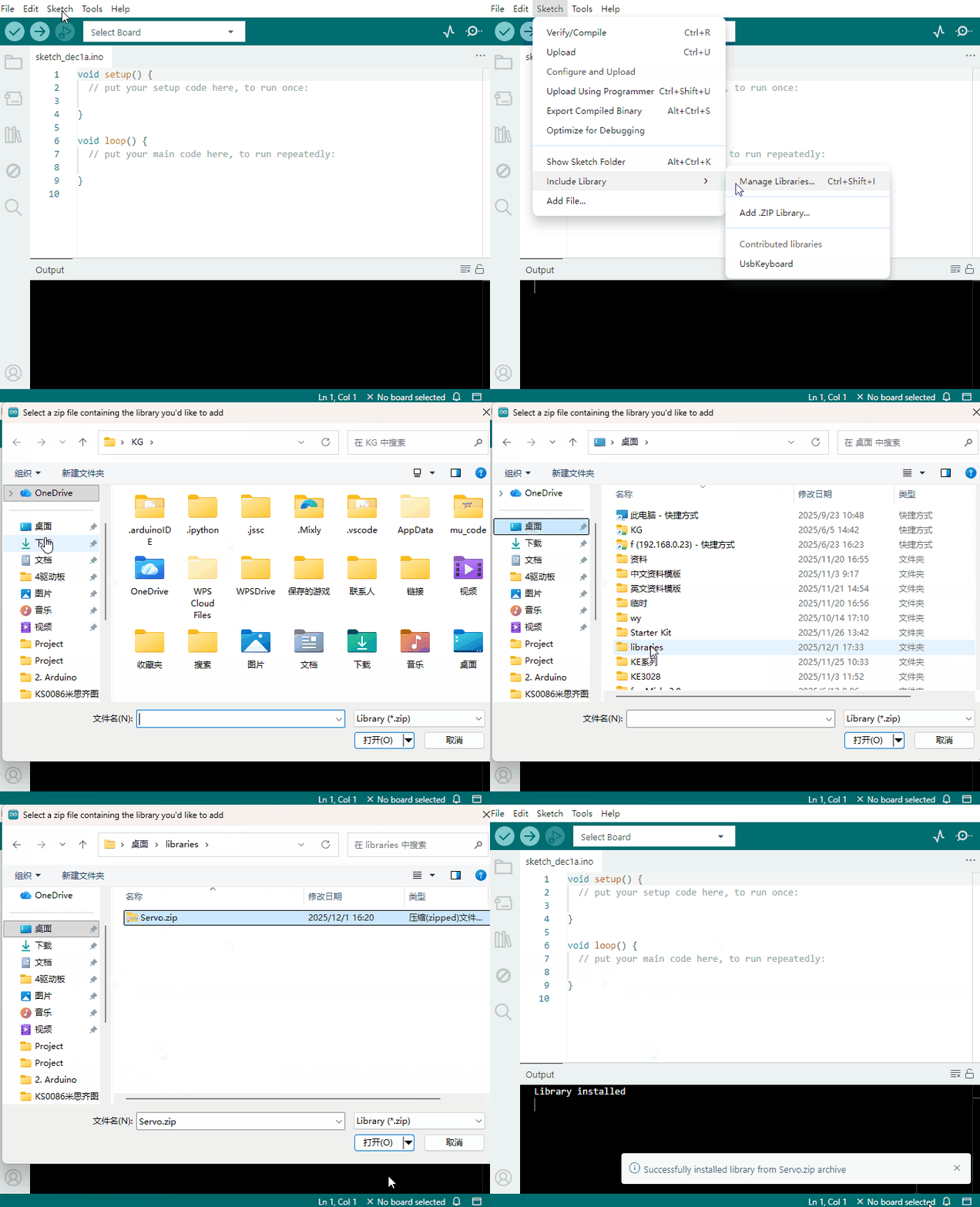
Open the Arduino IDE, follow [Sketch] → [Include Library] → [Add .zip Library]. This method can only import one library file at a time. If the product has multiple libraries, please import them one by one following this process!
2.5 Project Details
- Project 1 LED Blinking
- Project 2 PWM Regulating Light Brightness
- Project 3: Flowing Light
- Project 4 Button-controlled LED
- Project 5 Passive Buzzer Sound Production
- Project 6 Active Buzzer Sound Production
- Project 7 Reading-out Analog Value
- Project 8 Light-controlled Sound
- Project 9 Sound-controlled Light
- Project 10 Servo Motor Control
- Project 11 Ultrasonic Distance Measurement
- Project 12 PS2 Joystick Module
- Project 13 LM35 Temperature Sensor
- Project 14 5V Relay Module
- Project 15 Tilting Switch Module
- Project 16 Capacitive Touch Module Control LED
- Project 17 Flame Alarm Module
- Project 18 Reed Switch Module
- Project 19 Human Body IR Pyroelectricity
- Project 20: Line Tracking Sensor
- Project 21 MQ-2 Combustible Gas and Smoke Sensor
- Project 22 Soil Module