Project 11 IR Remote Control Smart Car
1.Description
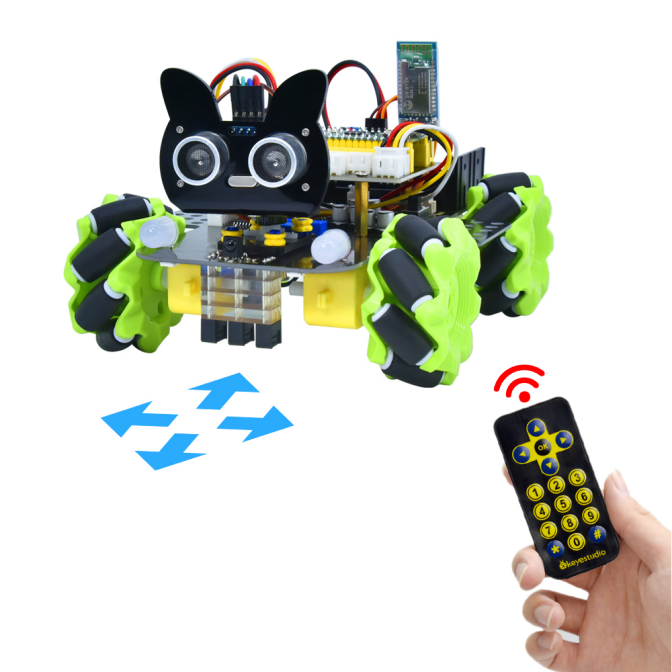
In this project, we will work to control the car using an IR remote control.
2.Flow Diagram
3.Test Code
#include "MecanumCar_v2.h"
mecanumCar mecanumCar(20, 21);  //sda-->20,scl-->21

#include "ir.h"
IR IRreceive(6);//IR receiver is connected to GP6

void setup()
{
  mecanumCar.Init(); //Initialize the seven-color LED and motor drive
}

void loop()
{
  int key = IRreceive.getKey();
  if (key != -1)
  {
    Serial.println(key);
    switch (key)
    {
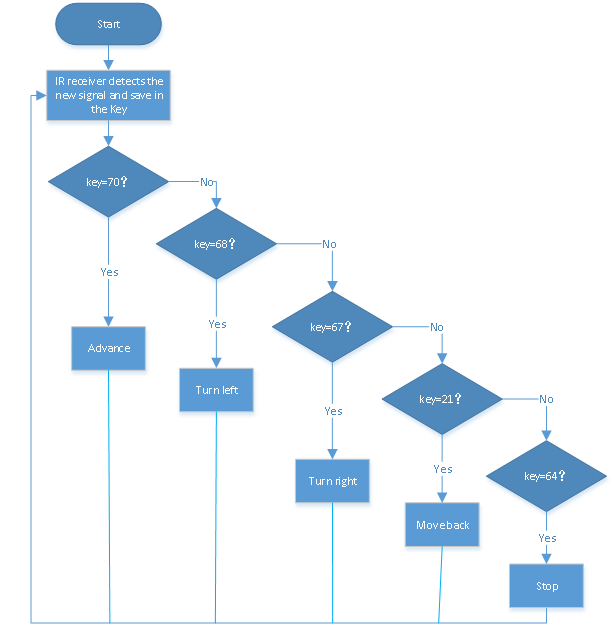
      case 64: mecanumCar.Stop();       break;  //Stop
      case 70: mecanumCar.Advance();    break;  //Advance
      case 21: mecanumCar.Back();       break;  //Move back
      case 68: mecanumCar.Turn_Left();  break;  //Turn left
      case 67: mecanumCar.Turn_Right(); break;  //Turn right
    }
  }
}
4.Test Result
Uploading the test code and powering up. When we press the button on the remote control, the car moves forward, then
  , the car turns left,
  ,the car moves back,
 , the car turns right,
 , the car stops.
5.Code Explanation
switch (key) |
The switch statement, used with case, executes the statement after case when the variable in parentheses is the value after case |
|---|---|
case 64: mecanumCar.Stop(); |
The car will stop |
case 70: mecanumCar.Advance(); |
The car will go forward |
case 21: mecanumCar.Back(); |
The car will move back |
case 68: mecanumCar.Turn_Left(); |
The car will turn left |
case 67: mecanumCar.Turn_Right(); |
The car will turn right |