4.3.5 Earthquake Detection Alarm
4.3.5.1 Overview

An earthquake detection alarm is a device that triggers an audible and visual alarm by detecting earthquake waves or mechanical vibrations. It is mainly used for early warning of earthquake risks.
In this project, the OLED display will show the values detected by the micro:bit accelerometer in real time. When tilting or slight shaking is detected, the speaker will sound, and the 5×5LED matrix will display an alarm pattern for warning and reminding.
These devices (specifically referring to earthquake early warning receiving terminals) are widely used in schools, families, public places, and geological disaster monitoring areas. Their core value lies in “racing against time”.

4.3.5.2 Component Knowledge

Microbit Accelerometer
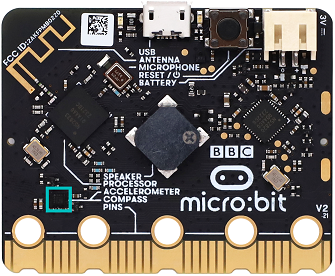
The LSM303AGR is an ultra-low power high-performance accelerometer integrated into the micro:bit board, and it is mainly used for three-dimensional (X-axis, Y-axis, Z-axis) motion detection. It integrates a digital linear accelerometer and magnetometer to achieve precise attitude measurement . The core features of this sensor include:
Communication interface: It supports I2C serial bus interface (compatible with standard, fast mode, fast mode plus and high-speed mode, with maximum rates up to 100kHz, 400kHz, 1MHz and 3.4MHz) and SPI serial standard interface, facilitating connection with microcontrollers or other peripherals.
Resolution: It can be configured as 8-bit, 10-bit or 12-bit output, depending on the working mode (for example: 8-bit in low-power mode and 12-bit in high-resolution mode) .
Range setting: The acceleration range can be programmed as ±2g, ±4g, ±8g or ±16g, meeting the sensitivity requirements of different application scenarios.
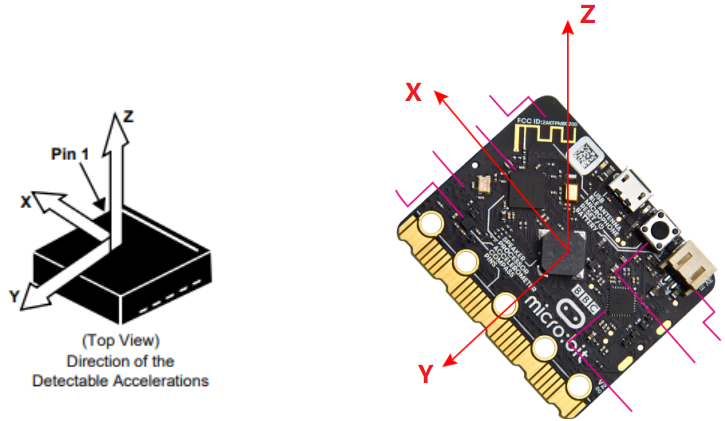
The X, Y, and Z directions corresponding to the accelerometer are shown below:

4.3.5.3 Required Components
|
|
|
|---|---|---|
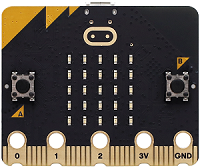
micro:bit V2 main board ×1 |
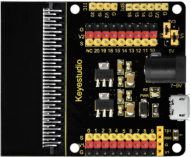
micro:bit shield ×1 |
OLED display ×1 |
|
|
|
micro USB cable ×1 |
4 pin wire ×1 |
battery holder ×1 |
|
||
AA battery(self-prepared) ×6 |
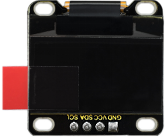
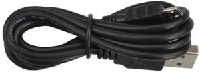
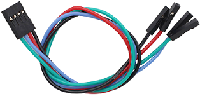
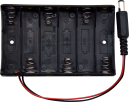

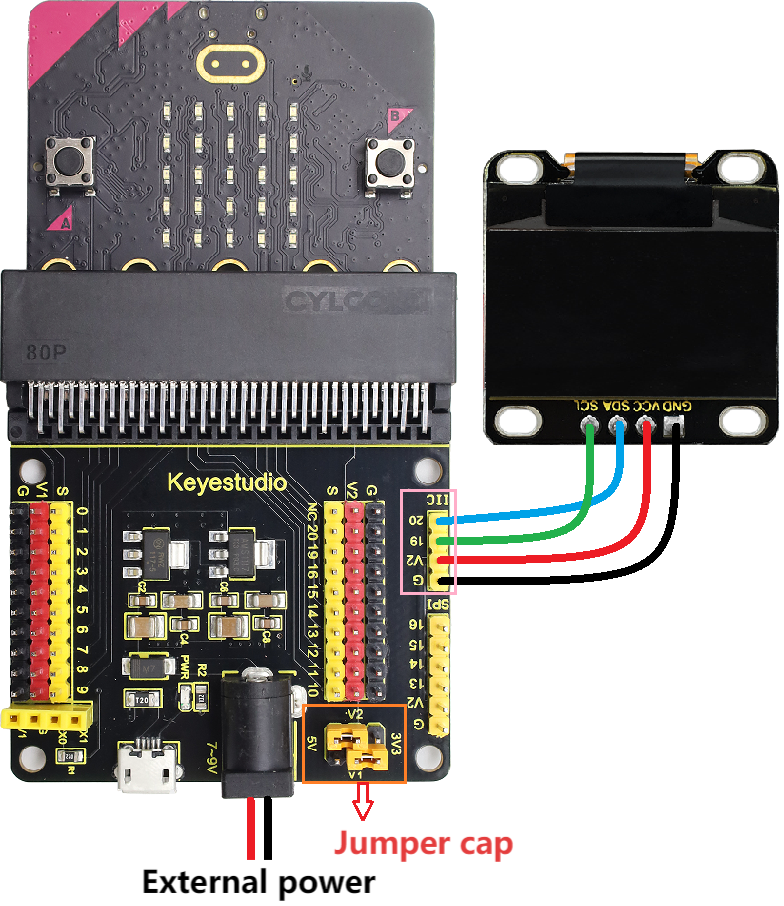
4.3.5.4 Wiring Diagram
⚠️ When wiring, please pay attention to the wire color.
OLED display |
wire color |
micro:bit shield pin |
micro:bit board pin |
|---|---|---|---|
GND |
black |
G |
G |
VCC |
red |
V2 |
V |
SDA |
blue |
20 |
P20 |
SCL |
green |
19 |
P19 |
4.3.5.5 Code Flow
4.3.5.6 Test Code
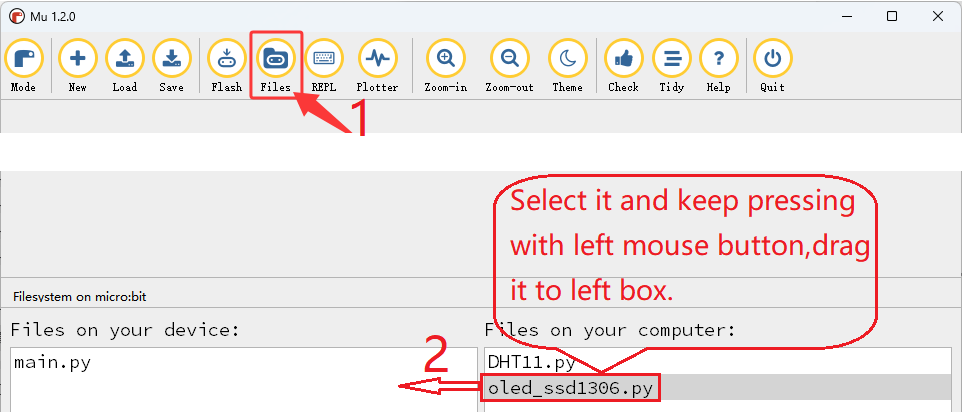
⚠️ Tip 1: Before downloading the code to the Microbit board, please import the library file “oled_ssd1306.py” refering to “Import Library on MU” .
⚠️ Tip 2: The threshold 900 and 1200 in the if() condition can be modified according to the actual situation.
Complete code:
'''
Theme: Earthquake detection alarm
Function: OLED displays information related to earthquake intensity and the microbit accelerometer controls a 5×5 dot matrix and speaker.
Compiling IDE: MU 1.2.0
Author: https://docs.keyestudio.com
'''
# import related libraries
from microbit import *
from oled_ssd1306 import *
import music

# initialize and clear oled
initialize()  # initialize oled
clear_oled()  # clear oled

def get_acceleration_strength():
    """
    Read the combined acceleration intensity of the accelerometer
    Return the magnitude of the total acceleration rate (unit: mg, milli-g)
    """
    # Read the three-axis acceleration values
    x = accelerometer.get_x()
    y = accelerometer.get_y()
    z = accelerometer.get_z()

    # Calculate the synthetic acceleration (vector modulus)
    strength = (x**2 + y**2 + z**2) ** 0.5

    return strength

while True:
    strenght = get_acceleration_strength()  # Read the intensity detected by the accelerometer on the microbit board
    if strenght < 900 or strenght > 1200:    # When the intensity detected by the accelerometer is less than 900 or greater than 1200
       clear_oled()   # clear OLED
       add_text(0, 0, 'Earthquake Warning')  # Display the character string in the corresponding position of OLED
       add_text(0, 2, 'Earthquake Level: ')  # Display the character string in the corresponding position of OLED
       add_text(0, 4, str(int(strenght)))  # Display the value of strength in the corresponding position of OLED
       music.play("C4:1")   # speaker plays C4 tone
       display.show(Image.GHOST) # LED matrix displays a ghost pattern
    else: # or
       clear_oled()  # clear OLED
       display.clear() # Set the brightness of all LEDs to 0 (off)
       music.reset()  # no tone
    sleep(500)

Brief explanation:
① Import libraries of microbit, oled_ssd1306 and music.
from microbit import *
from oled_ssd1306 import *
import music
② Initialize OLED pixels, clear the OLED.
initialize()  # initialize oled
clear_oled()  # clear oled
③ Define the sub-function of the acceleration value detected by the micro:bit accelerometer.
def get_acceleration_strength():
    """
    Read the combined acceleration intensity of the accelerometer
    Return the magnitude of the total acceleration rate (unit: mg, milli-g)
    """
    # Read the three-axis acceleration values
    x = accelerometer.get_x()
    y = accelerometer.get_y()
    z = accelerometer.get_z()

    # Calculate the synthetic acceleration (vector modulus)
    strength = (x**2 + y**2 + z**2) ** 0.5

    return strength
④ Assign the read acceleration value to the variable strength.
strenght = get_acceleration_strength() # Read the intensity detected by the accelerometer on the microbit board
⑤ Judgement statement: if()…else…
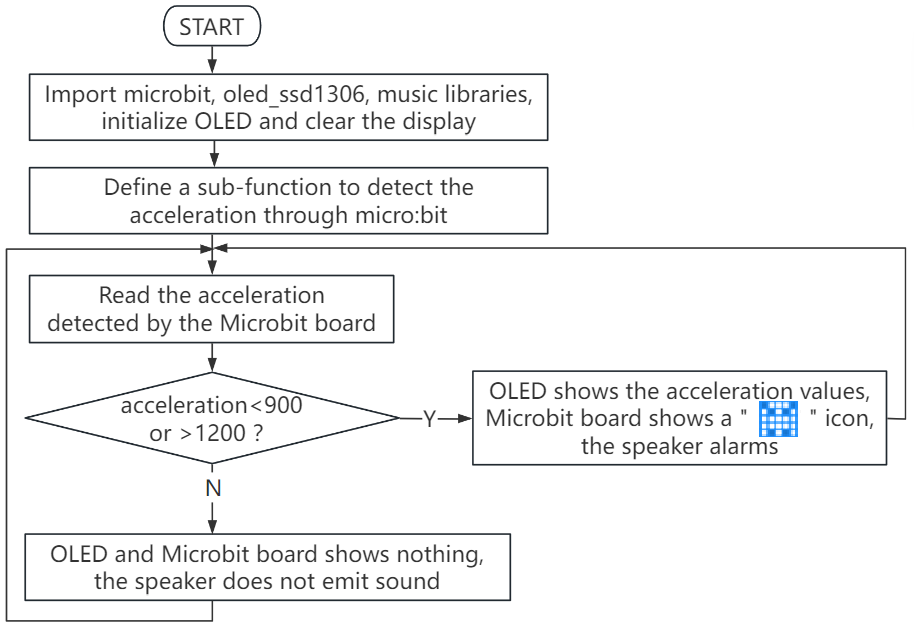
When the detected acceleration value is less than 900 or greater than 1200, the OLED displays the string and the acceleration value, and the 5×5LED matrix shows  , and the speaker alarms. Or else, the OLED and 5×5LED matrix shows nothing and the speaker does not sound.
if strenght < 900 or strenght > 1200:    # When the intensity detected by the accelerometer is less than 900 or greater than 1200
   clear_oled()   # clear OLED
   add_text(0, 0, 'Earthquake Warning')  # Display the character string in the corresponding position of OLED
   add_text(0, 2, 'Earthquake Level: ')  # Display the character string in the corresponding position of OLED
   add_text(0, 4, str(int(strenght)))  # Display the value of strength in the corresponding position of OLED
   music.play("C4:1")   # speaker plays C4 tone
   display.show(Image.GHOST) # LED matrix displays a ghost pattern
else: # or
   clear_oled()  # clear OLED
   display.clear() # Set the brightness of all LEDs to 0 (off)
   music.reset()  # no tone
4.3.5.7 Test Result

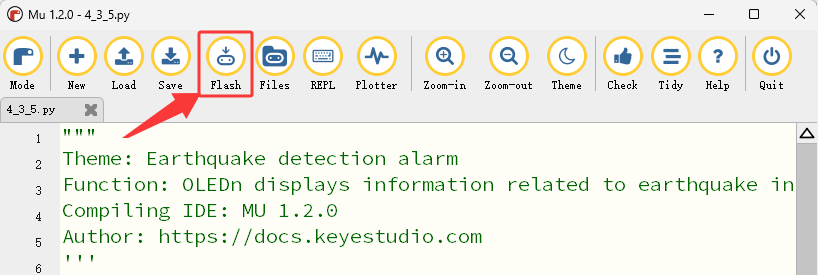
After wiring up and power on by micro USB cable, connect to external power(6 AA batteries) to ensure sufficient power supply, and click “Flash” to download the code to micro:bit board.
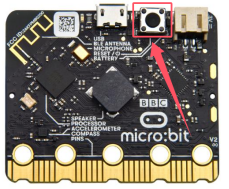
After uploading test code, press the reset button on the back of micro:bit.
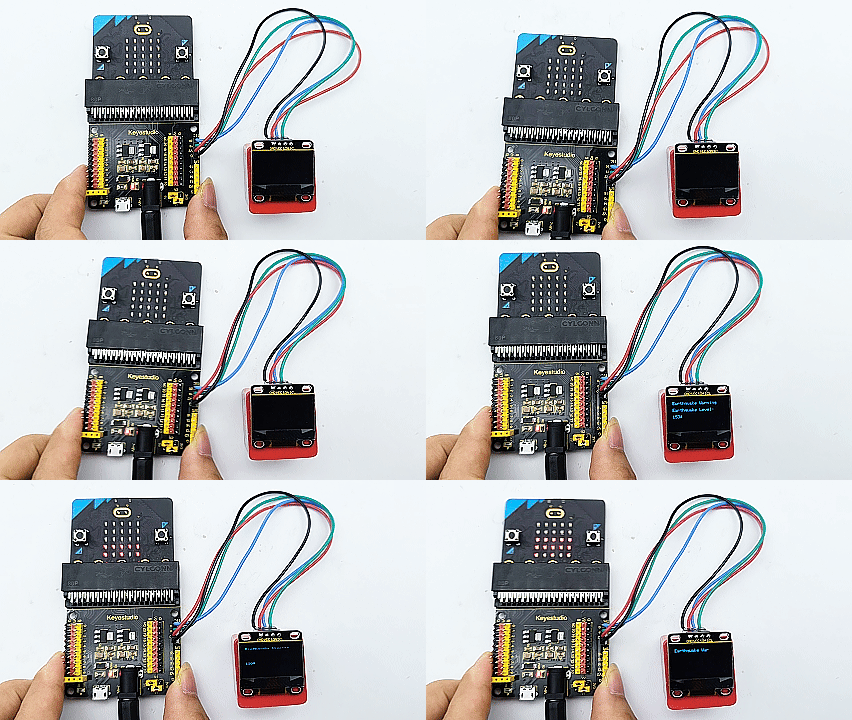
Tilt or slightly shake the micro:bit board. When the detected acceleration value is less than 900 or greater than 1200, the OLED displays the string and the value, and the 5×5 LED matrix shows , and the speaker alarms. Or else, the OLED and 5×5 LED matrix shows nothing and the speaker does not sound.
⚠️ Note: The building blocks in the experiment are not included in this kit.
(Tip: If no result is observed, please press the reset button of the micro:bit board.)
