Solar Tracking Kit

KS0530 DIY Solar Tracking Kit For Arduino

  • KS0530 Solar Tracking Kit For Arduino
  • Read Me First
  • 1.What’s in the package?
  • 2.Getting Started with Arduino
  • 3.Test Electronic Parts
    • Lesson 1.1: LED Blinks
    • Lesson 1.2: Changing the blinking frequency of the LED
    • Lesson 2.1: Adjust the Brightness of the LED
    • Lesson 2.2: Slow down the change of the brightness of the LED
    • Lesson 3.1: Read the Digital Signal of Button Module
    • Lesson 3.2: Control the LED by the Button Module
    • Lesson 4.1: Passive Buzzer
    • Lesson 4.2: Use Passive Buzzer to Play Music
    • Lesson 5: 1602 LCD Display Module
    • Lesson 6: Photosensitive Sensor
    • Lesson 7: DHT11 Temperature and Humidity Sensor
    • Lesson 8: BH1750 Digital Light Intensity Module
    • Lesson 9: Test the Servo Motor
    • Lesson 10: Charging Principle of the Solar Tracking Kit
  • 4.Assembling the Solar Tracking Kit
  • 5.Solar Panel Device with Multiply Functions
  • 6.Troubleshooting
Solar Tracking Kit
  • 3.Test Electronic Parts
  • Lesson 1.1: LED Blinks
  • View page source

Lesson 1.1: LED Blinks

(1).Description:

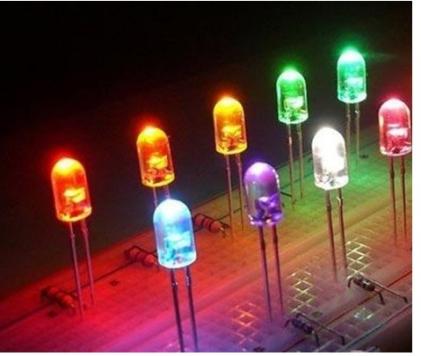
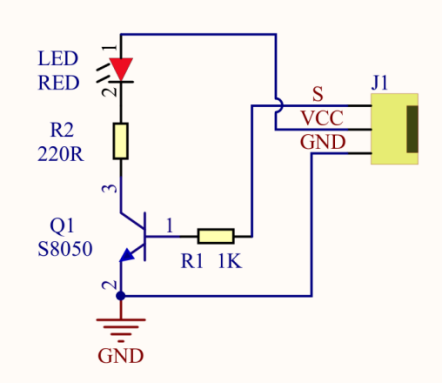
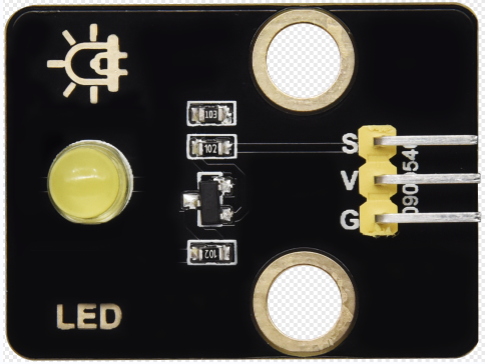
LED, the abbreviation of light emitting diodes consists of Ga, As, P, N chemical compounds, and so on. The LED can flash in diverse colors by altering the delay time in the test code. When in control, power on GND and VCC, the LED will be on if the S end is at a high level; nevertheless, it will go off.
(2).Parameters:

Control interface: digital port

Working voltage: DC 3.3-5V

Pin spacing: 2.54mm

LED display color: yellow

(3).You need to prepare:

Control Board*1

USB Cable*1

Yellow LED Module*1

3pin F-F 26AWG Wire

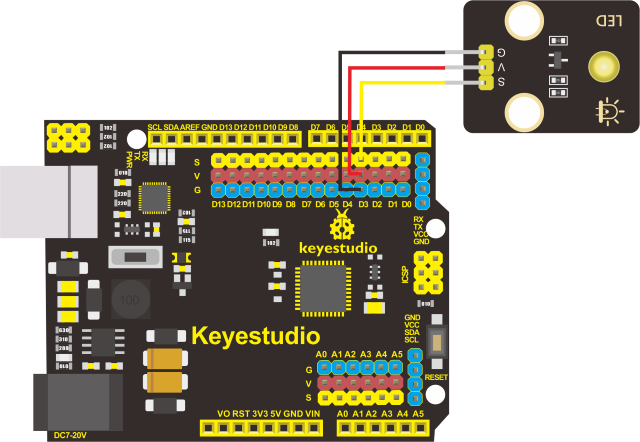
(4).Connection diagram of the led module:

The pin -, + and S of LED module are connected to the pin G, 5V and D3 port of the control board.

(5).Test Results: LED blinks at the interval of 1s

(6).Code Explanations:

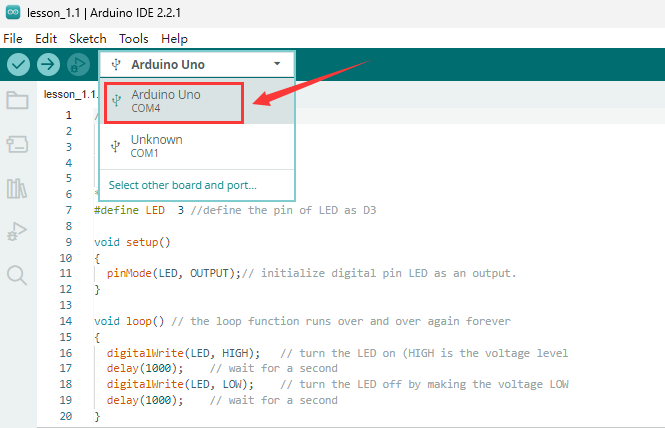
pinMode(LED,OUTPUT) - This function can denote that the pin is INPUT or OUTPUT

digitalWrite(LED,HIGH) - When pin is OUTPUT, we can set it to HIGH(output 5V) or LOW(output 0V)

Previous Next

© Copyright keyestudio WiKi.

Built with Sphinx using a theme provided by Read the Docs.