Microbit Robot Arm Tutorial(MakeCode)
General Guide on Importing Micro:bit Extensions
To use specific hardware components, you need to add the corresponding extension library first.
Step 1: Open Extensions Click on “Extensions” at the bottom of the toolbox (or click the Gear icon -> Extensions).

Method 1: Search by Name Type the keyword (e.g., pca9685) in the
search bar and press Enter. Click the extension card to add it.

Method 2: Import by URL (Recommended)
Copy the extension URL provided for the hardware.
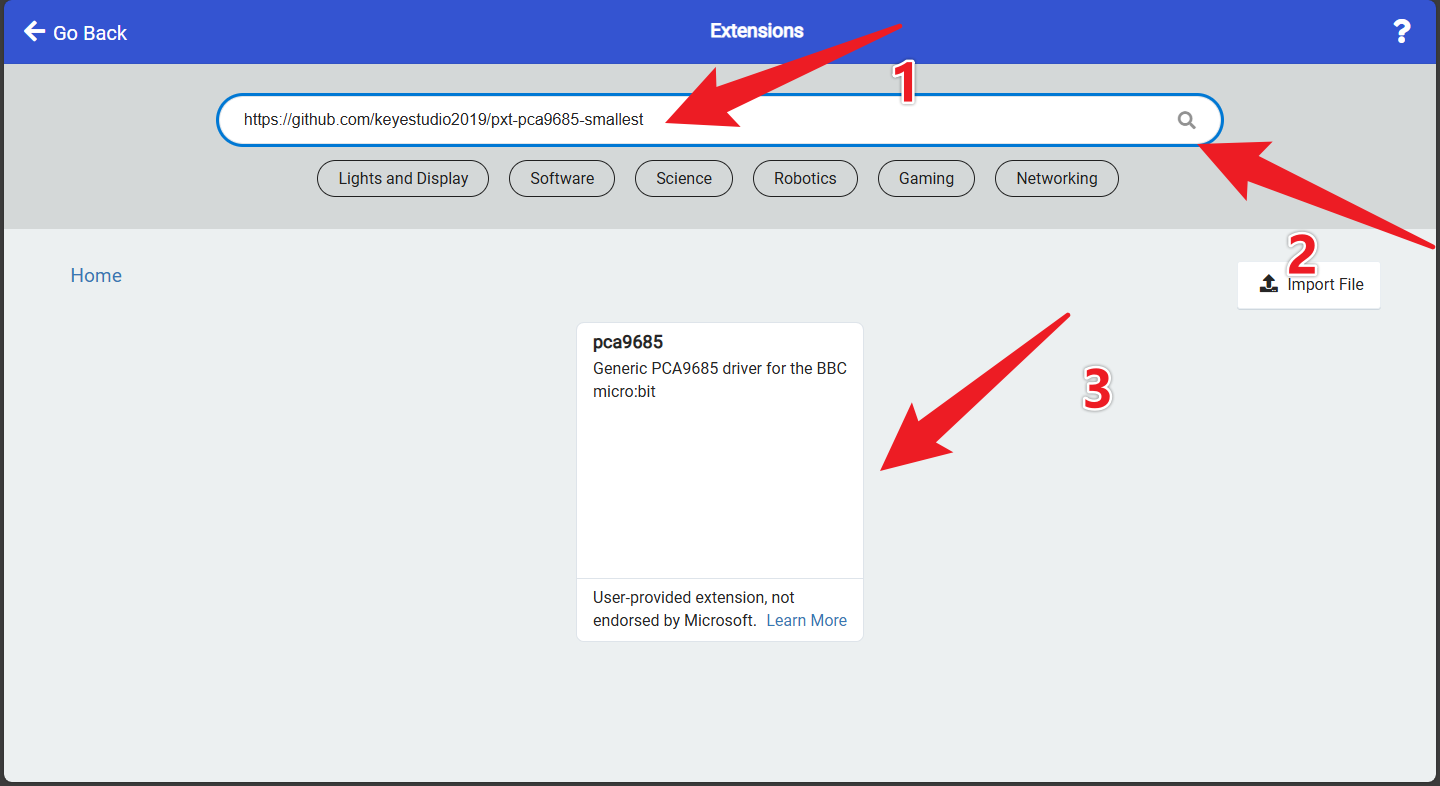
Extensions_URL: https://github.com/keyestudio2019/pxt-pca9685-smallest
Paste the URL into the search bar on the Extensions page.
Click the extension card that appears to download it.
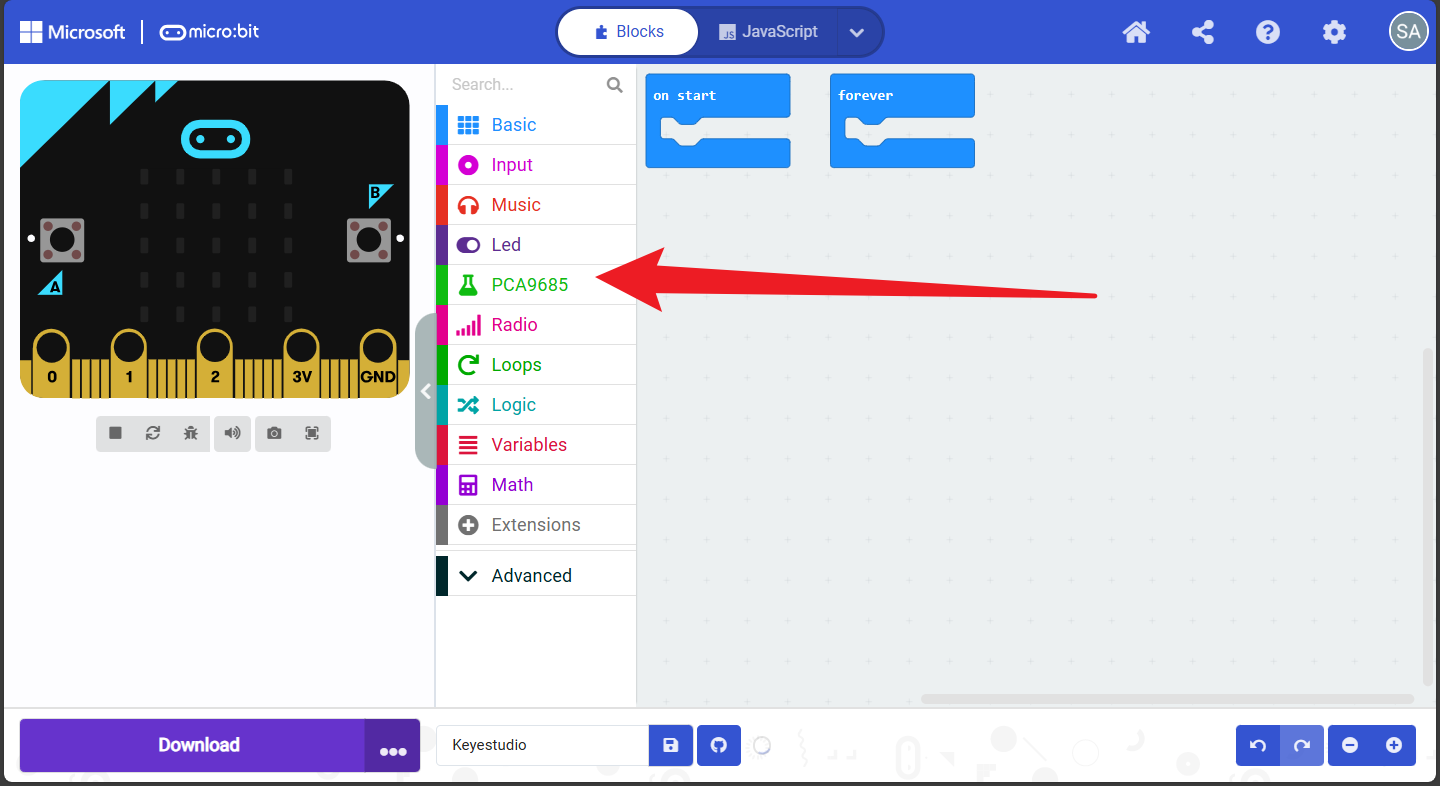
Success: Once loaded, a new category will appear in the toolbox on the left. You can now drag and drop the blocks to program.