Project 2: Adjust LED Brightness
(1)Description:
In previous lesson, we control LED on and off and make it blink.
In this project, we will control LED’s brightness through PWM simulating breathing effect. Similarly, you can change the step length and delay time in the code so as to demonstrate different breathing effects.
PWM is a means of controlling the analog output via digital means. Digital control is used to generate square waves with different duty cycles (a signal that constantly switches between high and low levels) to control the analog output.
In general, the input voltages of ports are 0V and 5V. What if the 3V is required? Or a switch among 1V, 3V and 3.5V? We cannot change resistors constantly. For this reason, we resort to PWM.
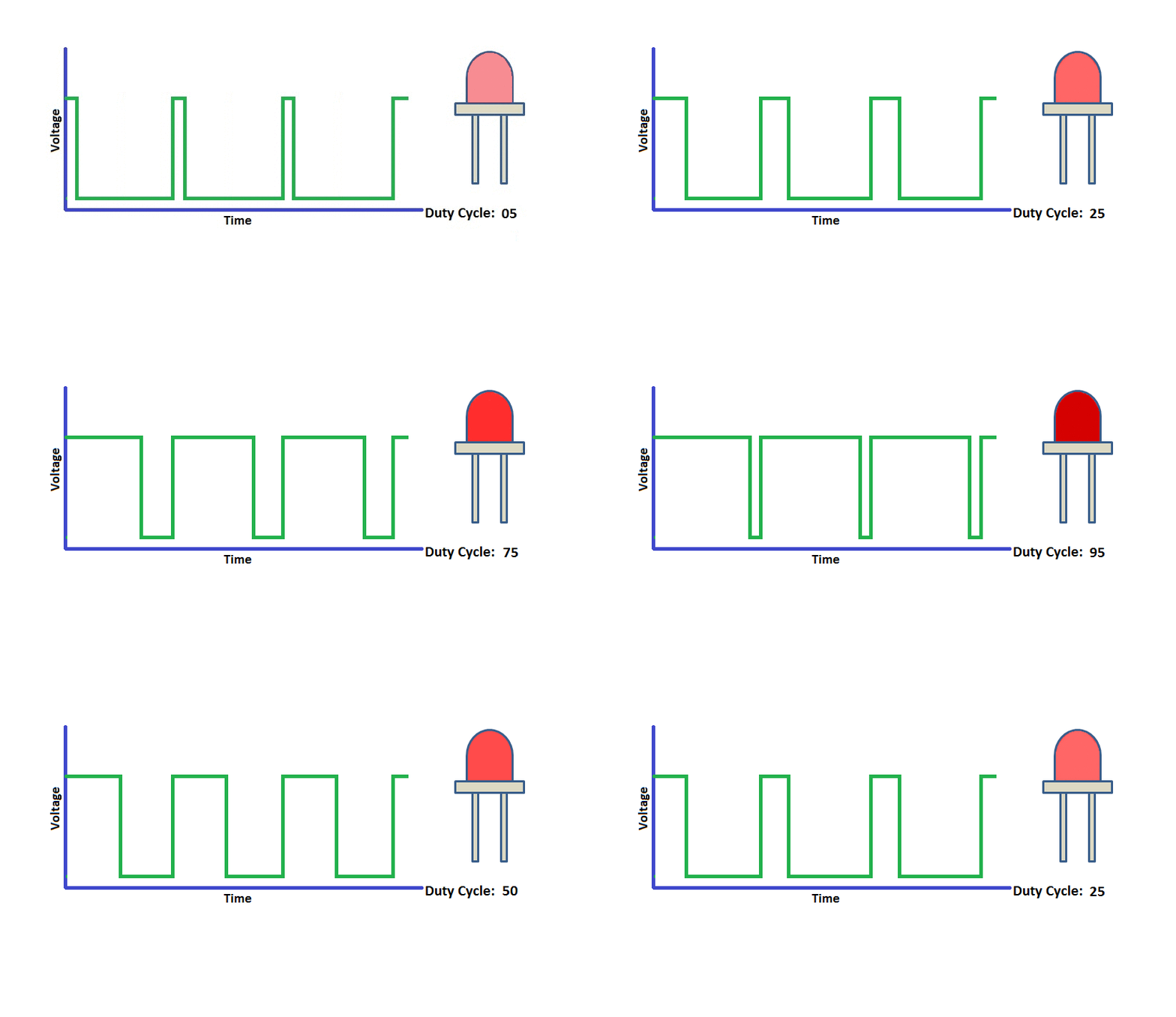
For Arduino digital port voltage outputs, there are only LOW and HIGH levels, which correspond to the voltage outputs of 0V and 5V respectively. You can define LOW as“0”and HIGH as“1’, and let the Arduino output five hundred‘0’or‘1’within 1 second. If output five hundred‘1’, that is 5V; if all of which is‘0’,that is 0V; if output 250 01 pattern, that is 2.5V.
This process can be likened to showing a movie. The movie we watch are not completely continuous. Actually, it generates 25 pictures per second, which cannot be told by human eyes. Therefore, we mistake it as a continuous process. PWM works in the same way. To output different voltages, we need to control the ratio of 0 and 1. The more‘0’or‘1’ output per unit time, the more accurate the control.
(2)Parameters:
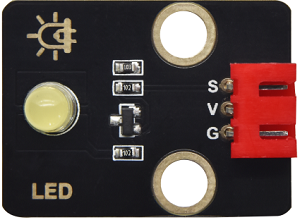
Control interface: Digital port 3
Working voltage: DC 3.3-5V
Pin spacing: 2.54mm
LED display color: yellow
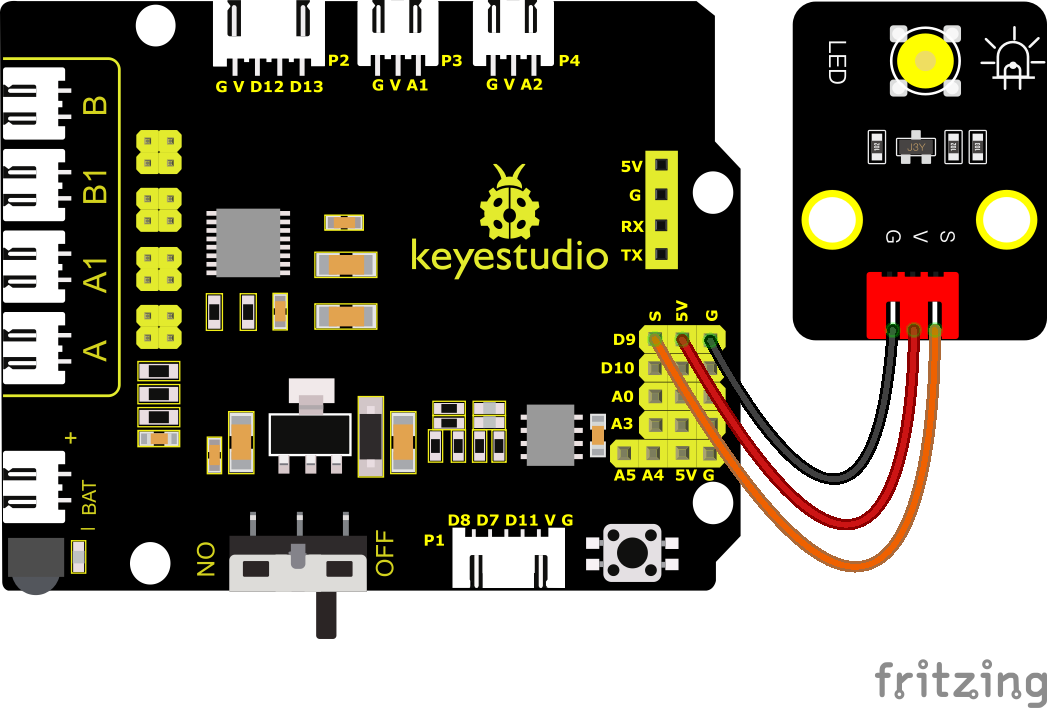
(3)Wiring Diagram
PWM pins of the Arduino are connected to 3, 5, 6, 9, 10 and 11.Keep the pin9 unchanged.
(4)Test Code:
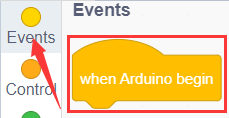
You can also drag blocks to edit your code, as shown below
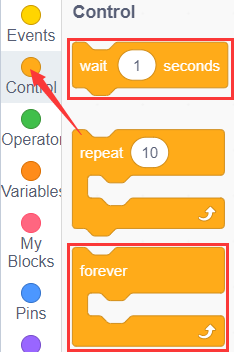
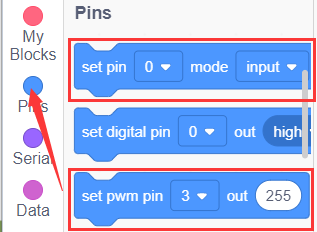
Complete Test Code
(Note: Do not connect the Bluetooth module before uploading the code, because uploading the code also uses serial communication, and there may be conflicts with the Bluetooth serial communication, which can cause the upload to fail.)
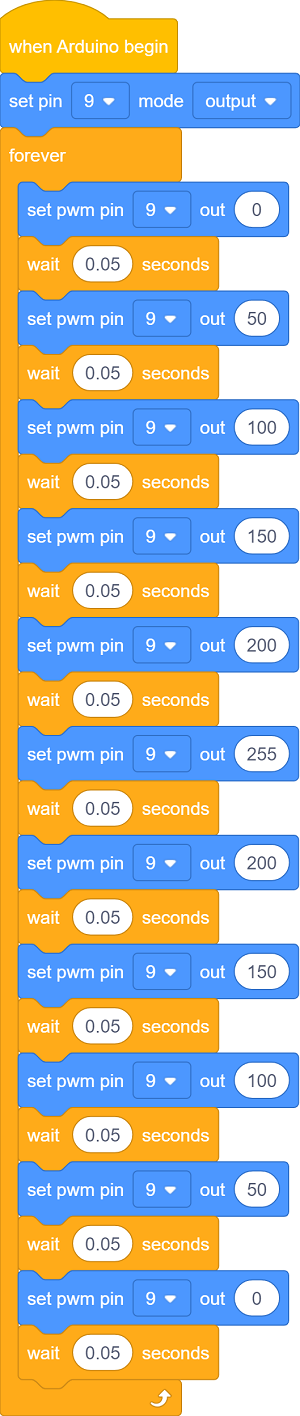
(5)Test Results
Upload test code successfully, LED gradually changes from bright to dark, like human’s breath, rather than turning on and off immediately.
(6)Extension Practice:
Let’s modify the value of delay and remain the pin unchanged, then observe how LED changes.
Complete Test Code
(Note: Do not connect the Bluetooth module before uploading the code, because uploading the code also uses serial communication, and there may be conflicts with the Bluetooth serial communication, which can cause the upload to fail.)
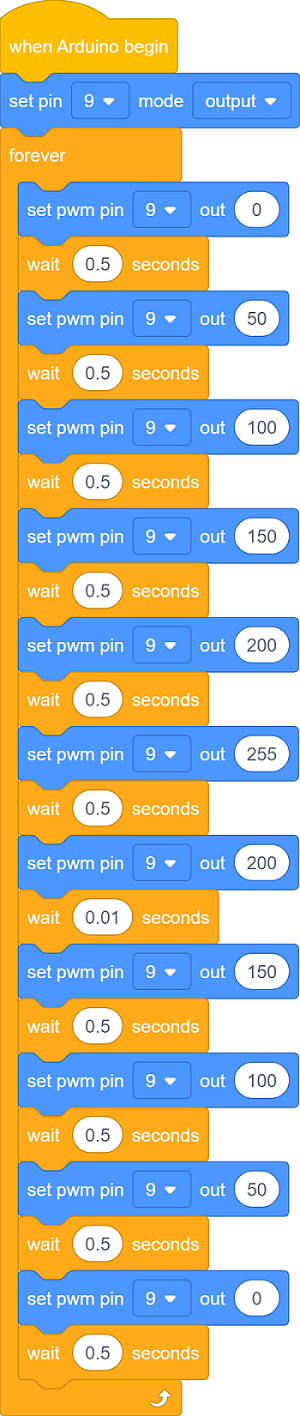
Upload the code to development board, LED flashes more slowly.