Project 3: LED Dot Matrix
Click to download the code 1 for this lesson
Click to download the code 2 for this lesson
(1)Project Description:
Dot matrices are very commonplace in daily life. They have found wild applications in LED advertisement screens, elevator floor display, bus stop announcement and so on.
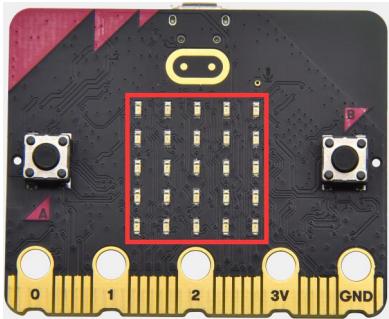
The LED dot matrix of Micro: Bit main board V2 contains 25 LEDs in a grid. Previously, we have succeeded in controlling a certain LED to light by integrating its position value into the test code. Supported by the same theory, we can turn on many LEDs at the same time to showcase patterns, digits and characters.
What’s more, we can also click” show icon “ to choose the pattern we like to display. Last but not the least, we can design our patterns by ourselves.
(2)Components Needed:
Micro:bit main board V2
Micro USB cable
(3)Test Code 1:
Link computer with micro:bit board by micro USB cable, and program in MakeCode editor.
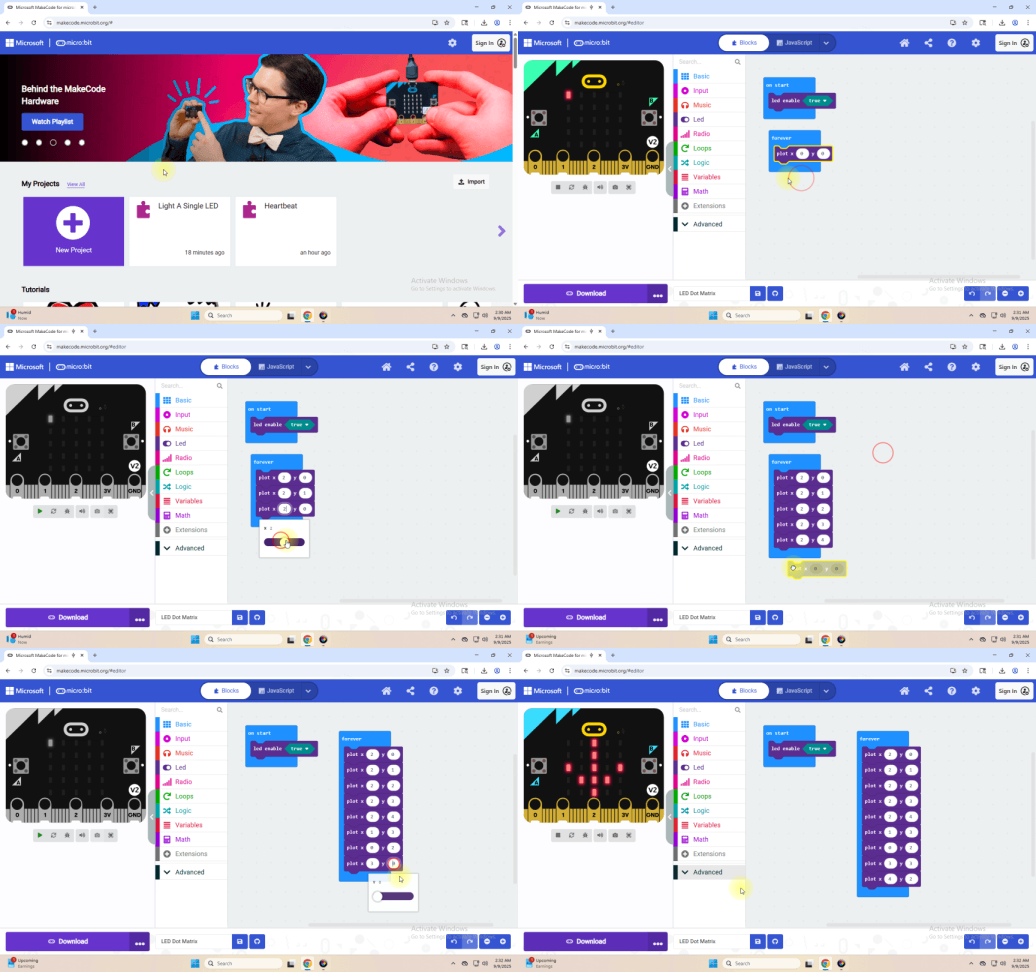
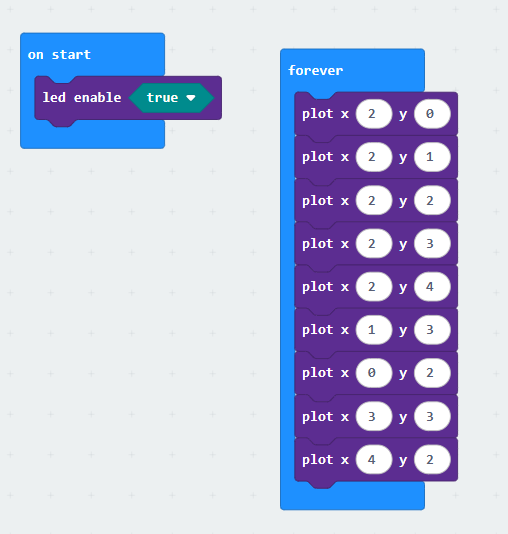
Complete Program :
(4) Test Results 1:
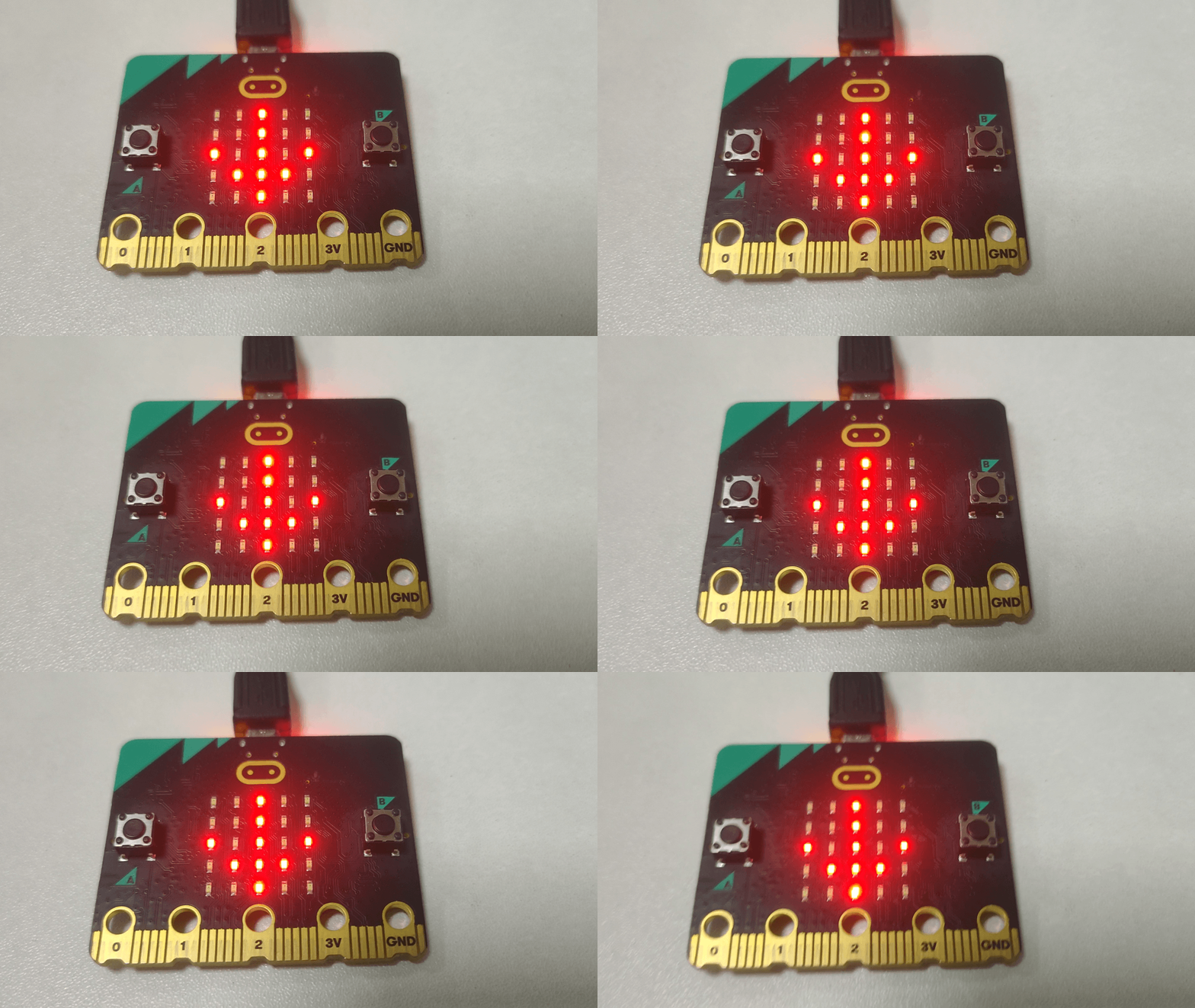
Upload code 1 and power the board, we will see the icon.
(5) Test Code 2:
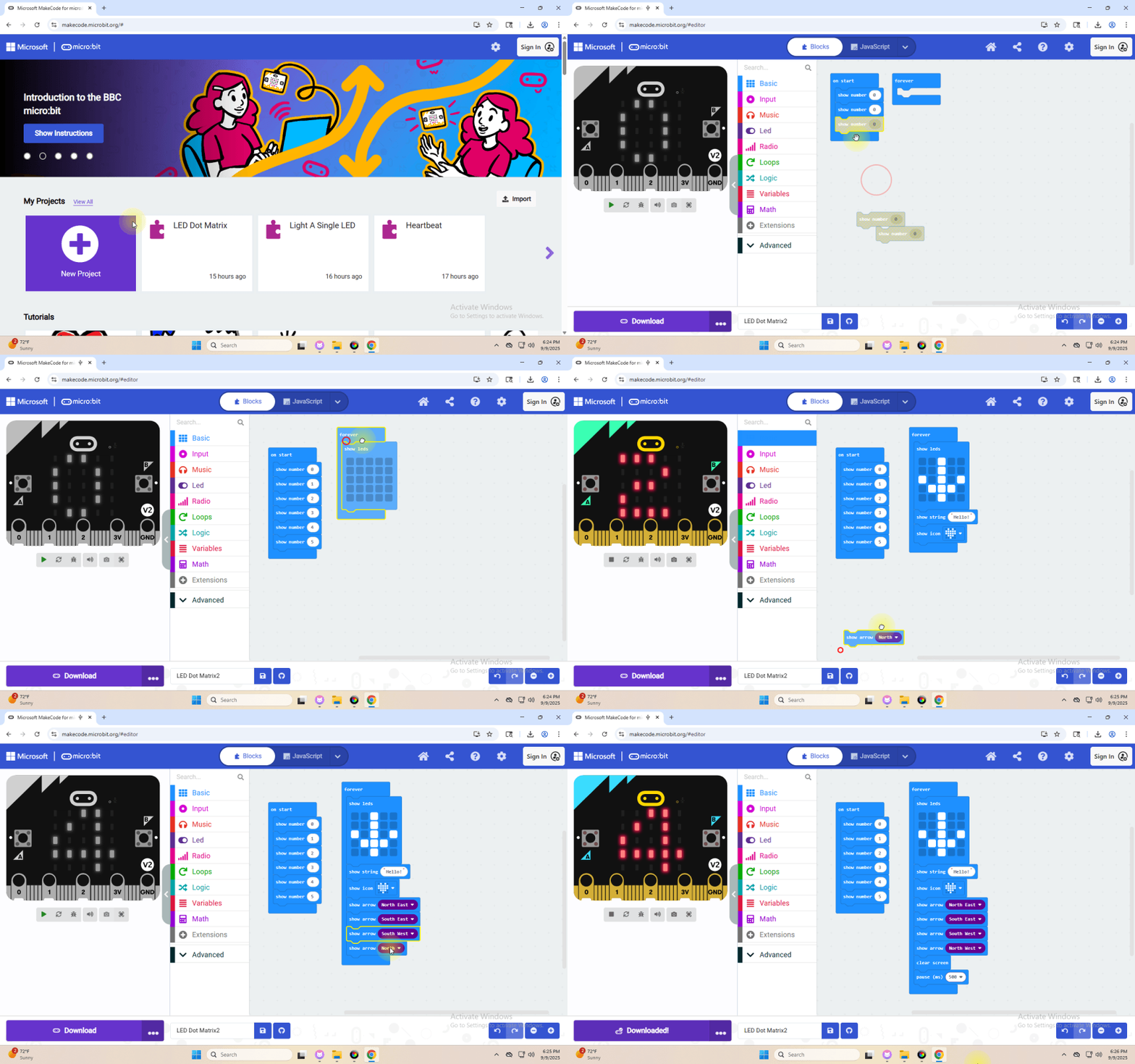
Link computer with micro:bit board by micro USB cable, and program in MakeCode editor.
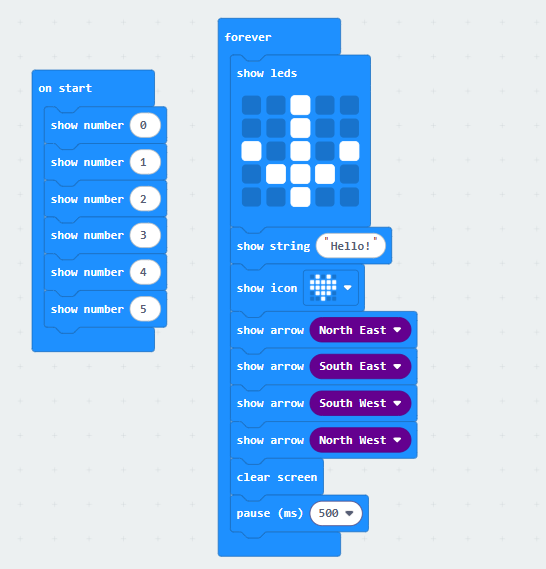
Complete Program :
(6)Test Results 2 :
After uploading the code to the Microbit, you can see the 5x5 dot matrix display cycling through the patterns and text specified in the code.(Note: the “on start” means that the code in this block only executes once, while “forever” implies that the code runs cyclically.)