Project 14:4 WS2812 RGB LEDs
1. Description
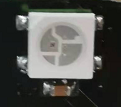
The driver shield cooperates 4 pcs WS2812 RGB LEDs, compatible with micro:bit board and controlled by P7. In this lesson, we will make the RGB LEDs display different colors by P7. In this lesson, 3 sets of test code are provided to make the 4 WS2812 RGB LEDs display different effects.
2. Preparation
Insert the micro:bit board into the slot of keyestudio 4WD Mecanum Robot Car V2.0
Place batteries into battery holder
Dial power switch to ON end
Connect the micro:bit to your computer via an USB cable
Open the Web version of Makecode.
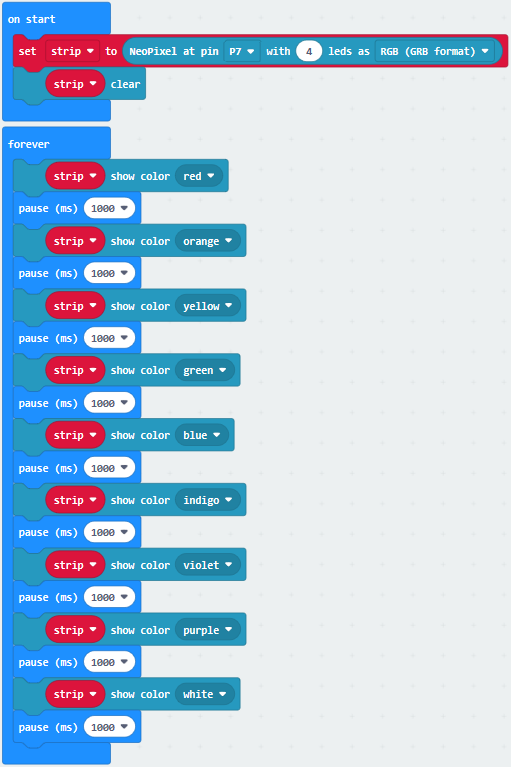
3. Test Code1
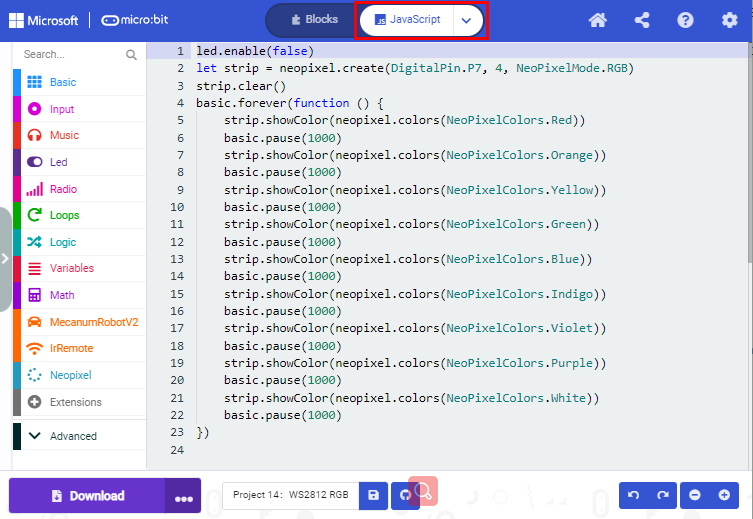
Click“JavaScript” to switch into the corresponding JavaScript code:
4. Test Result1
Download code 1 to micro:bit, and dial POWER to ON end. All four WS2812RGB LEDs light up a different color a time cyclically.
5. Test Code2
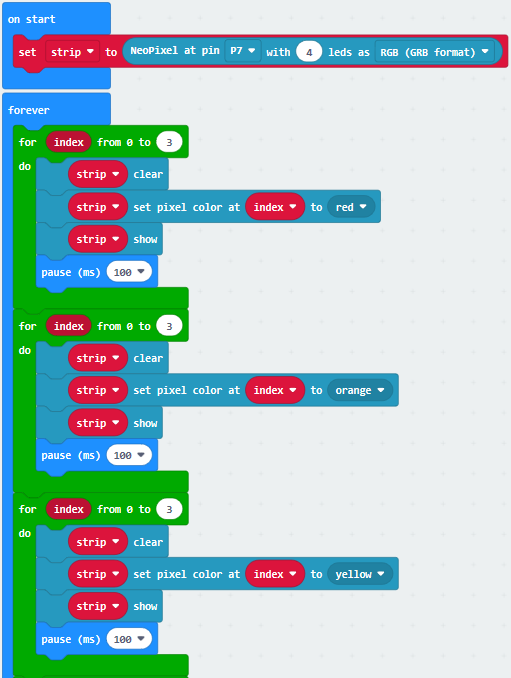
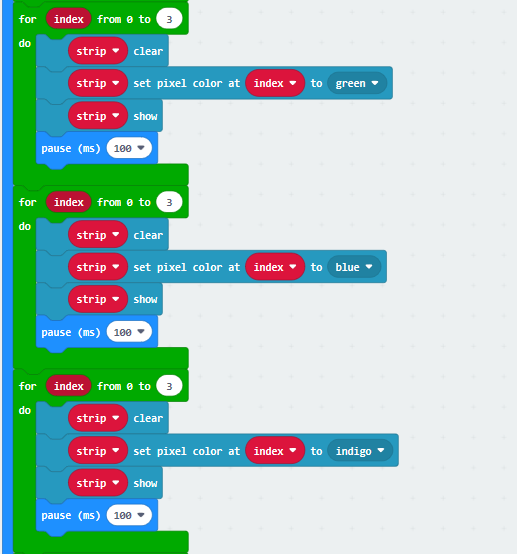
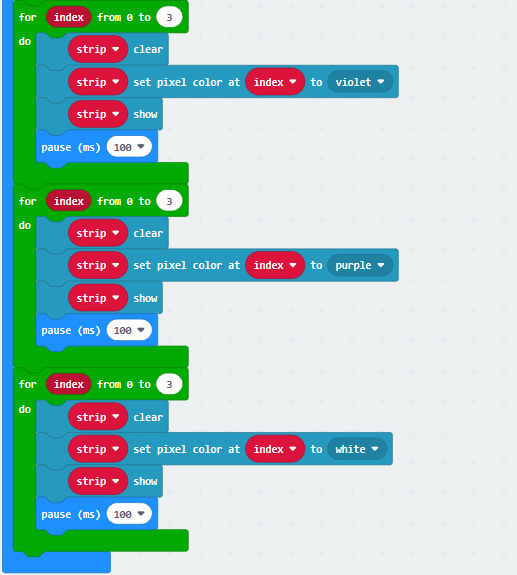
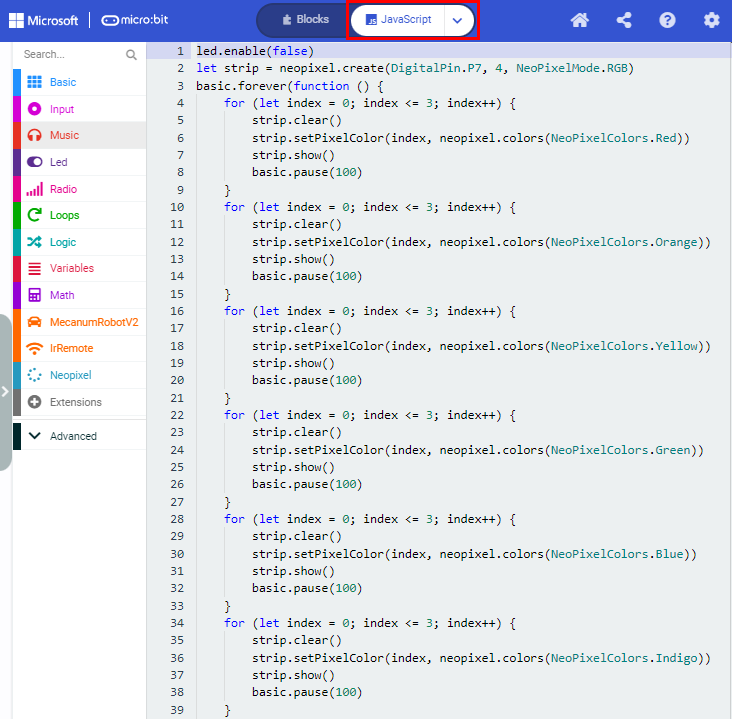
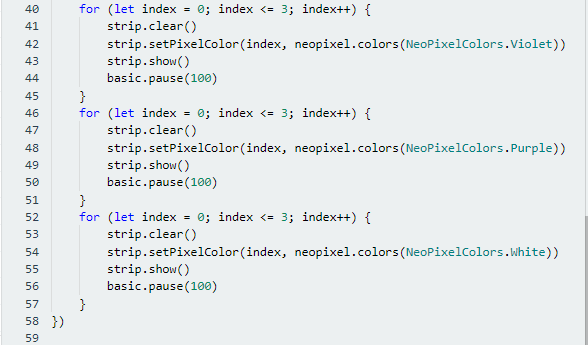
Click“JavaScript” to switch into the corresponding JavaScript code:
6. Test Result2
Download code 2 to micro:bit, WS2812RGB LEDs display like flow light.
7. Test Code3
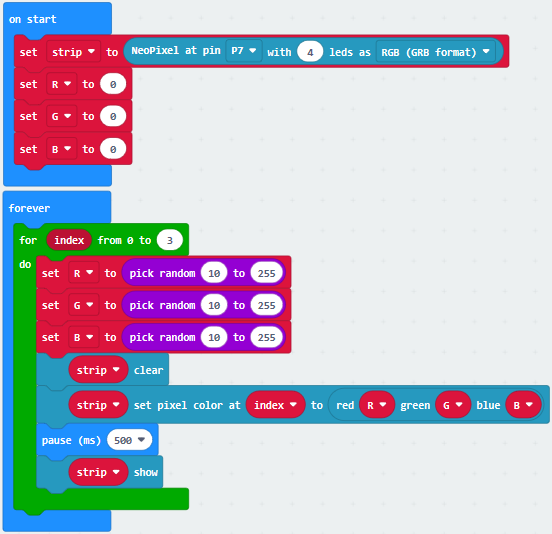
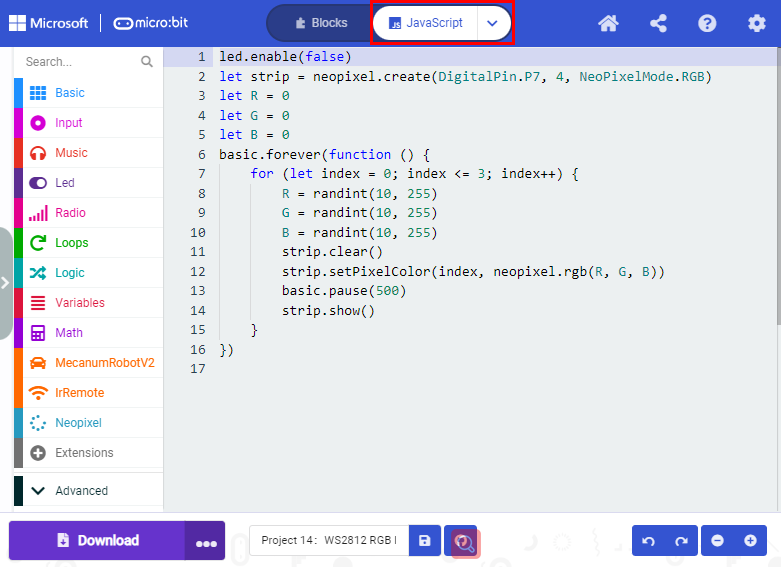
Click“JavaScript”to switch into the corresponding JavaScript code:
8. Test Result3
Download code 3 to micro:bit, every WS2812RGB light shows random color one by one.