Project 19:IR Remote Control
Project 19.1:Decode IR Remote Control
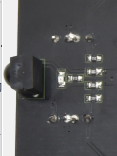
1. Description
There is no doubt that infrared remote control is ubiquitous in daily life. It is used to control various household appliances, such as TVs, stereos, video recorders and satellite signal receivers. Infrared remote control is composed of infrared transmitting and infrared receiving systems, that is, an infrared remote control, an infrared receiving module and a single-chip microcomputer capable of decoding.

The 38K infrared carrier signal emitted by remote controller is encoded by the encoding chip in the remote controller. It is composed of a section of pilot code, user code, user inverse code, data code, and data inverse code. The time interval of the pulse is used to distinguish whether it is a 0 or 1 signal and the encoding is made up of these 0, 1 signals.
The user code of the same remote control is unchanged. The data code can distinguish the key.
When the remote control button is pressed, the remote control sends out an infrared carrier signal. When the IR receiver receives the signal, the program will decode the carrier signal and determines which key is pressed. The MCU decodes the received 01 signal, thereby judging what key is pressed by the remote control.
Infrared receiver we use is an infrared receiver module. Mainly composed of an infrared receiver head, it is a device that integrates reception, amplification, and demodulation. Its internal IC has completed demodulation, and can achieve from infrared reception to output and be compatible with TTL signals. Additionally, it is suitable for infrared remote control and infrared data transmission. The infrared receiving module made by the receiver has only three pins, signal line, VCC and GND.
According to the picture above, the integrated port of the infrared receiver is connected to the P9 5V G port on the motor driver board and controlled by the the P9 of the micro:bit.
2. Parameters:
Operating Voltage: 3.3-5V(DC)
Interface: 3PIN
Output Signal: Digital signal
Receiving Angle: 90 degrees
Frequency: 38khz
Receiving Distance: about 5m
3. Preparation
Insert the micro:bit board into the slot of keyestudio 4WD Mecanum Robot Car V2.0
Place batteries into battery holder
Dial power switch to ON end
Connect the micro:bit to your computer via an USB cable
Open the Web version of Makecode
4. Test Code
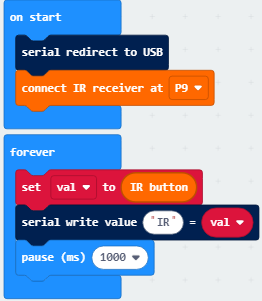
Click“JavaScript” to switch into the corresponding JavaScript code:
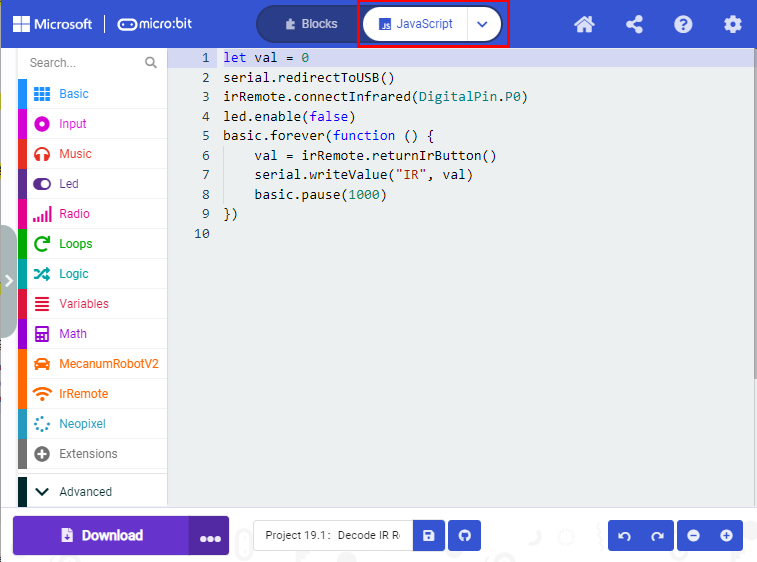
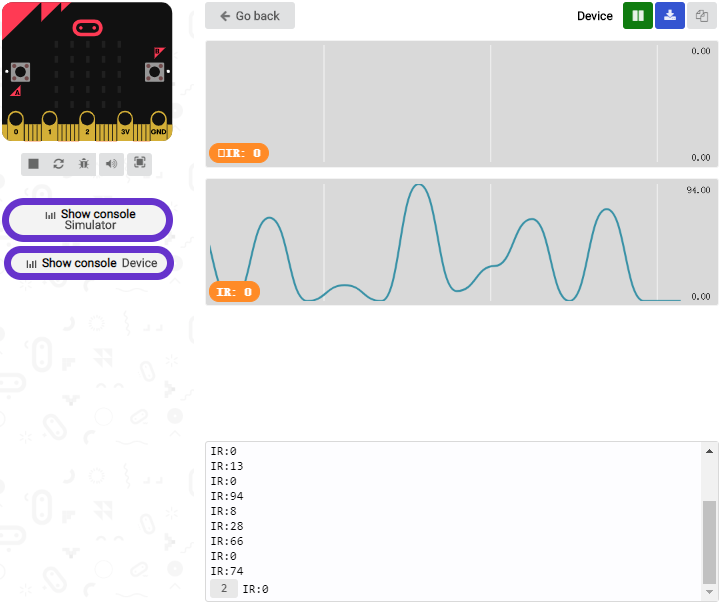
Code explanation: If the buttons are not pressed, the serial monitor constantly shows 0; when pressed, the corresponding key values are displayed.
Notes:
The remote control in this kit is not inclusive of batteries. We recommend you to purchase them online.(battery type:CR2025).
Make sure IR remote is good before test. There is a tip for you to check it.
Open the cellphone camera , make IR remote control point at camera and press button. The remote control is good if you see the purple flashing light in the camera.
5. Test Result
Download code to micro: bit board and don’t plug off USB cable Click
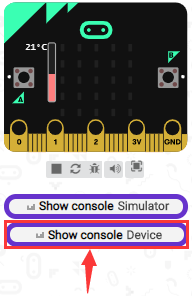
Make IR remote control point at IR receiver and press the button, the serial monitor will display the corresponding key values, as shown below:
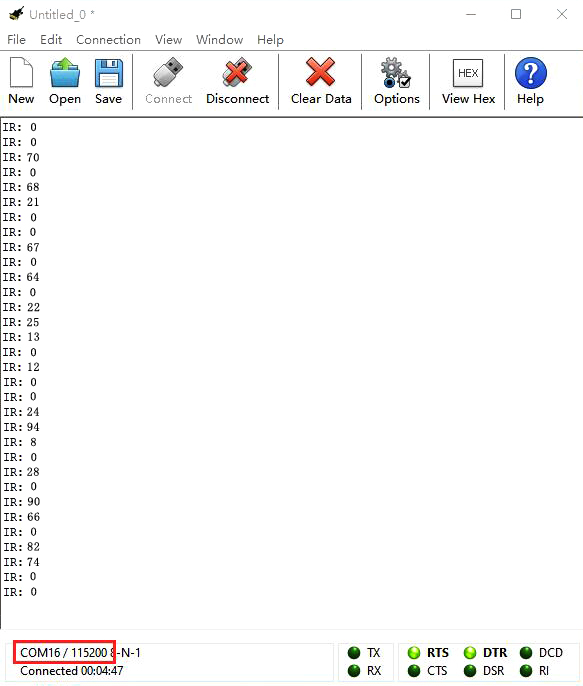
Open CoolTerm, click Options to select SerialPort. Set COM port and 115200 baud rate. Click“OK”and“Connect”.
CoolTerm serial monitor shows the key value as follows:
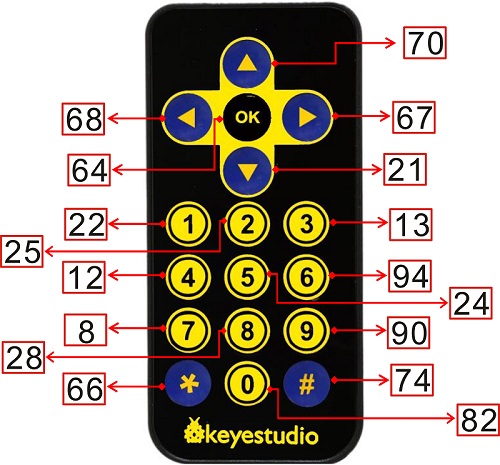
The key value is displayed as for your reference:
Project 19.2:IR Remote Control
1. Description
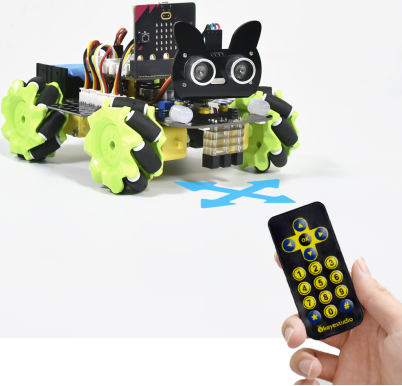
In this project, we combine IR remote control with car shield to make an IR remote smart car. Its principle is to control the motion of car by sending key signals from IR remote control to IR receiving module of car shield.
2. Preparation
Insert the micro:bit board into the slot of keyestudio 4WD Mecanum Robot Car V2.0
Place batteries into battery holder
Dial power switch to ON end
Connect the micro:bit to your computer via an USB cable
Open the Web version of Makecode
Note: The infrared sensor and infrared remote control should not be used in environments with infrared interference such as sunlight for it contains a lot of invisible lights, such as infrared and ultraviolet. In an environment with strong sunlight, they cannot work normally.
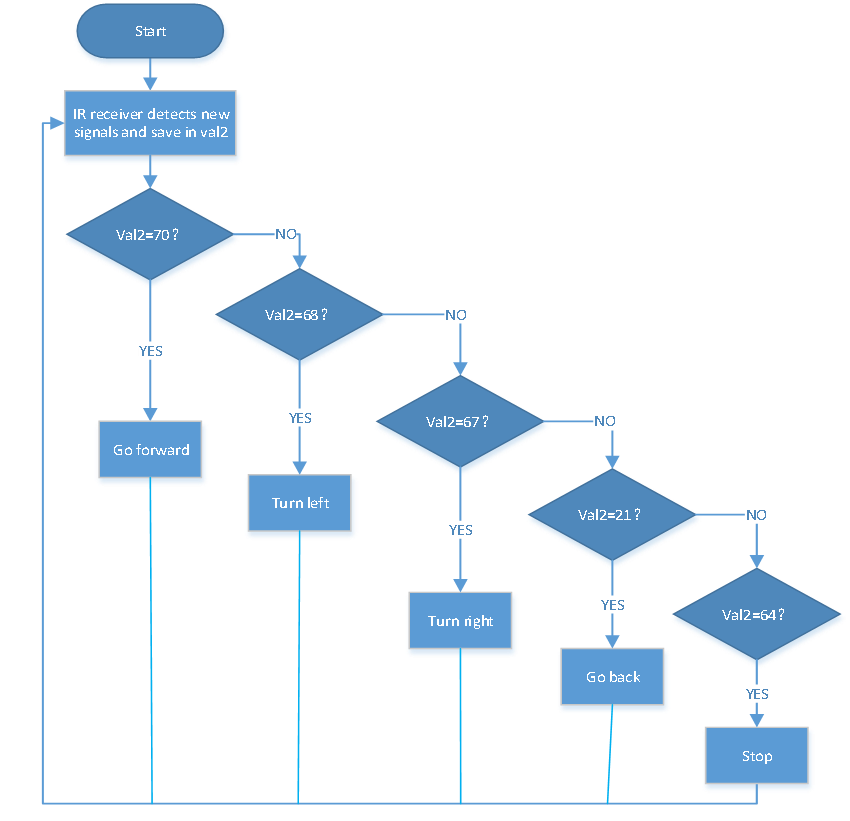
3. Flow Chart
4. Test Code
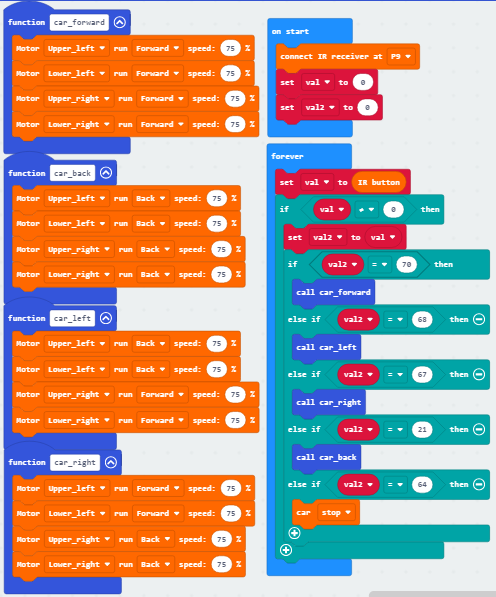
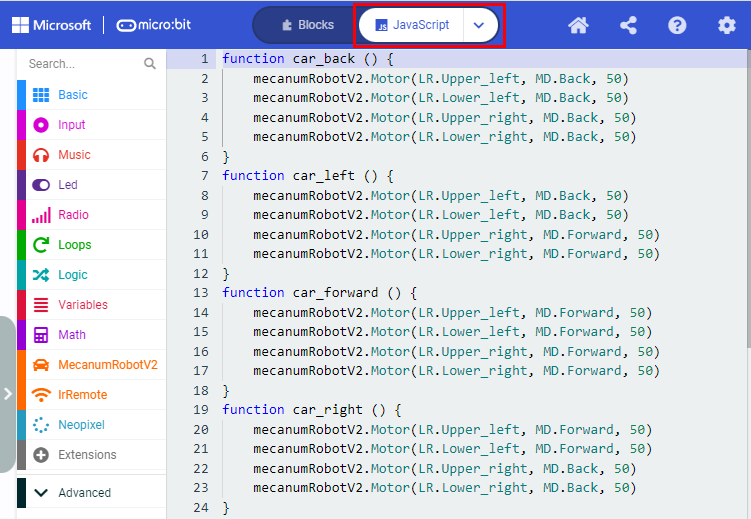
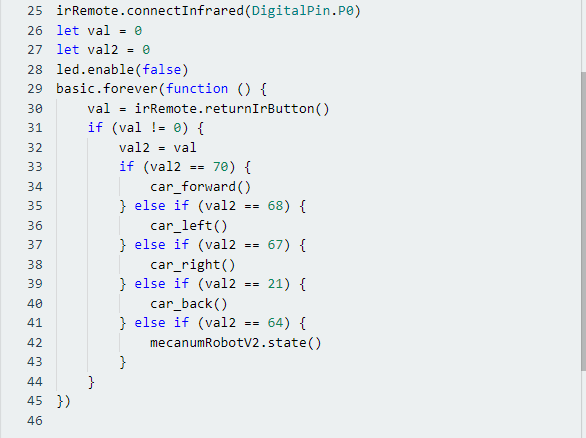
Click“JavaScript” to switch into the corresponding JavaScript code:
5. Test Result
Download code to micro:bit board, and dial POWER to ON end.
Make IR remote control point at micro:bit and press the button to control smart car to move.
 button makes smart car move forward,
 stands for turning left,
 implies rightward turning,
  indicates moving backward,
 stops car.
Note: The distance between IR remote control and IR receiving head of smart car are supposed less than 5m during the test.