Project 6: Geomagnetic Sensor
Click to download the code 1 for this lesson
Click to download the code 2 for this lesson
(1)Project Description:
(1) Project Description:This project aims to explain the use of the Micro: bit geomagnetic sensor, which can not only detect the strength of the geomagnetic field, but also be used as a compass to find bearings. It is also an important part of the Attitude and Heading Reference System (AHRS). Micro: Bit main board V2 uses LSM303AGR geomagnetic sensor, and the dynamic range of magnetic field is ± 50 gauss. In the board, the magnetometer module is used in both magnetic detection and compass. In this experiment, the compass will be introduced first, and then the original data of the magnetometer will be checked. The main component of a common compass is a magnetic needle, which can be rotated by the geomagnetic field and point toward the geomagnetic North Pole (which is near the geographic South Pole) to determine direction.
(2)Components Needed:
Micro:bit main board V2
Micro USB cable
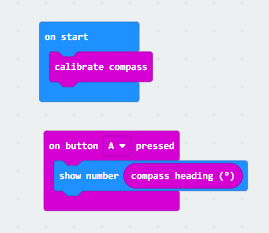
(3)Test Code 1 :
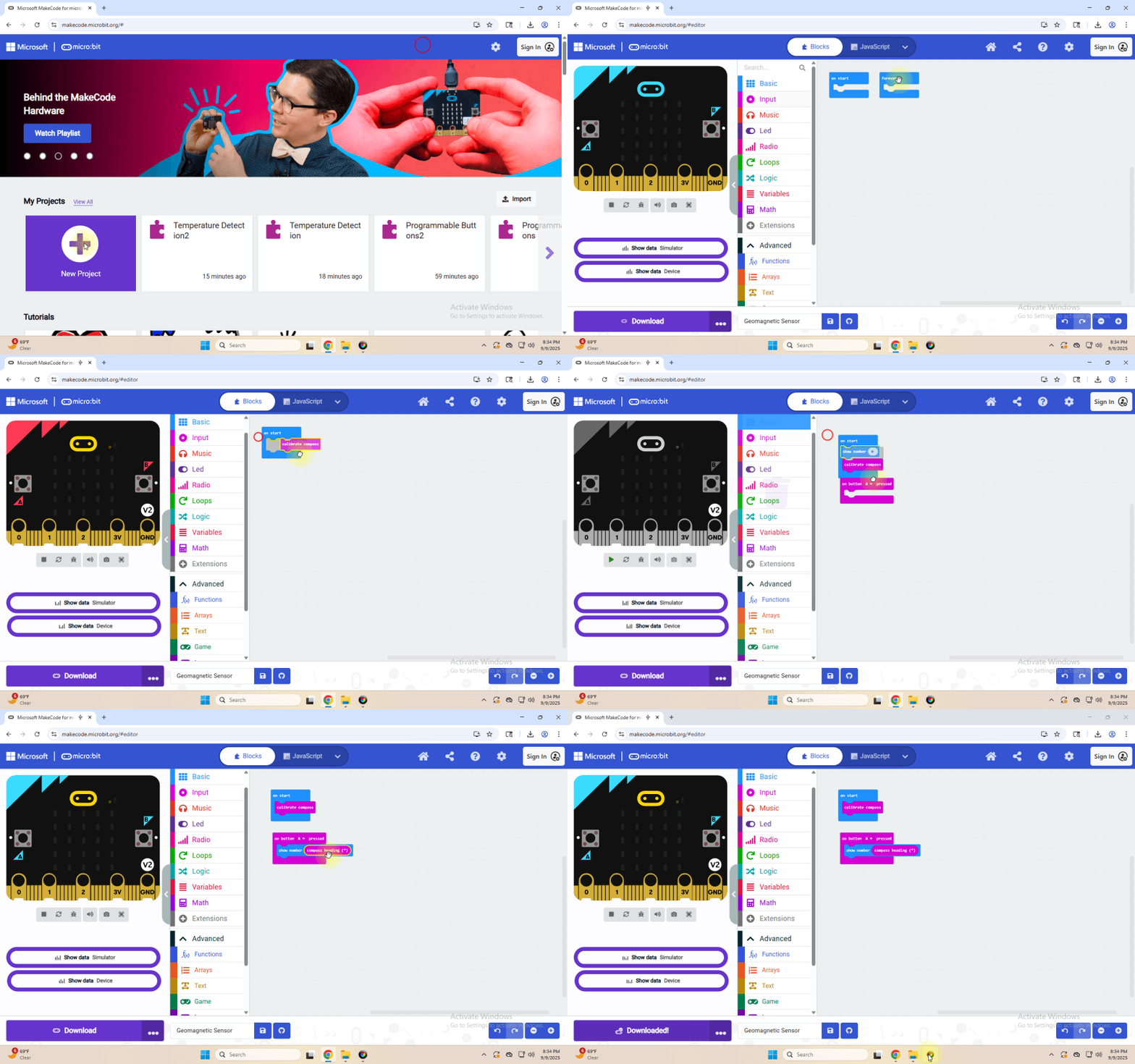
Link computer with micro:bit board by micro USB cable, and program in MakeCode editor.
Complete Program :
(4)Test Results 1 :
After uploading test code to micro:bit main board V2 and powering the board via the USB cable, and pressing the button A, the board asks us to calibrate compass and the LED dot matrix shows “TILT TO FILL SCREEN”. Then enter the calibration page. Rotate the board until all 25 LEDs are on red as shown below.
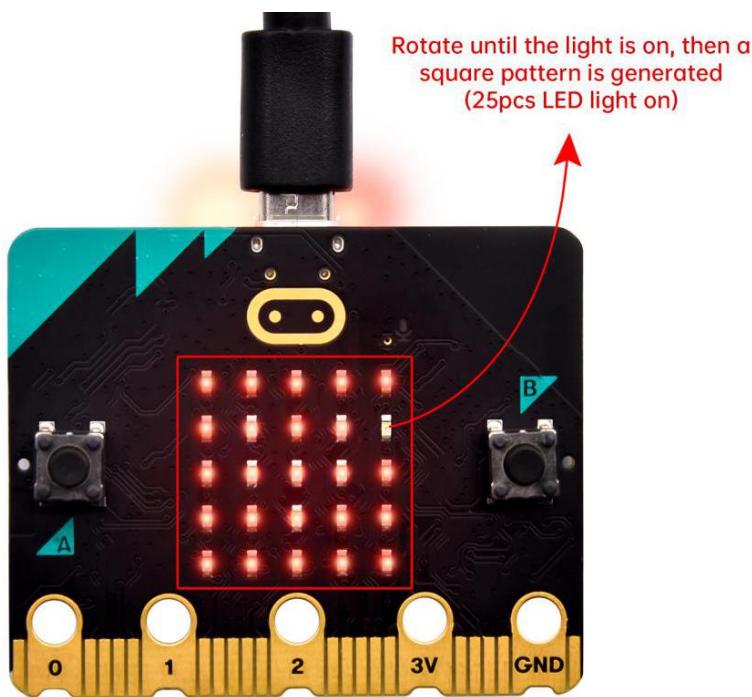
calibrate compass:
After that, a smile pattern  appears, which implies the calibration is done. When the calibration process is completed, pressing the button A will make the magnetometer reading display directly on the screen. And the direction north, east, south and west correspond to 0°, 90°, 180° and 270° respectively.
(5) Test Code 2:
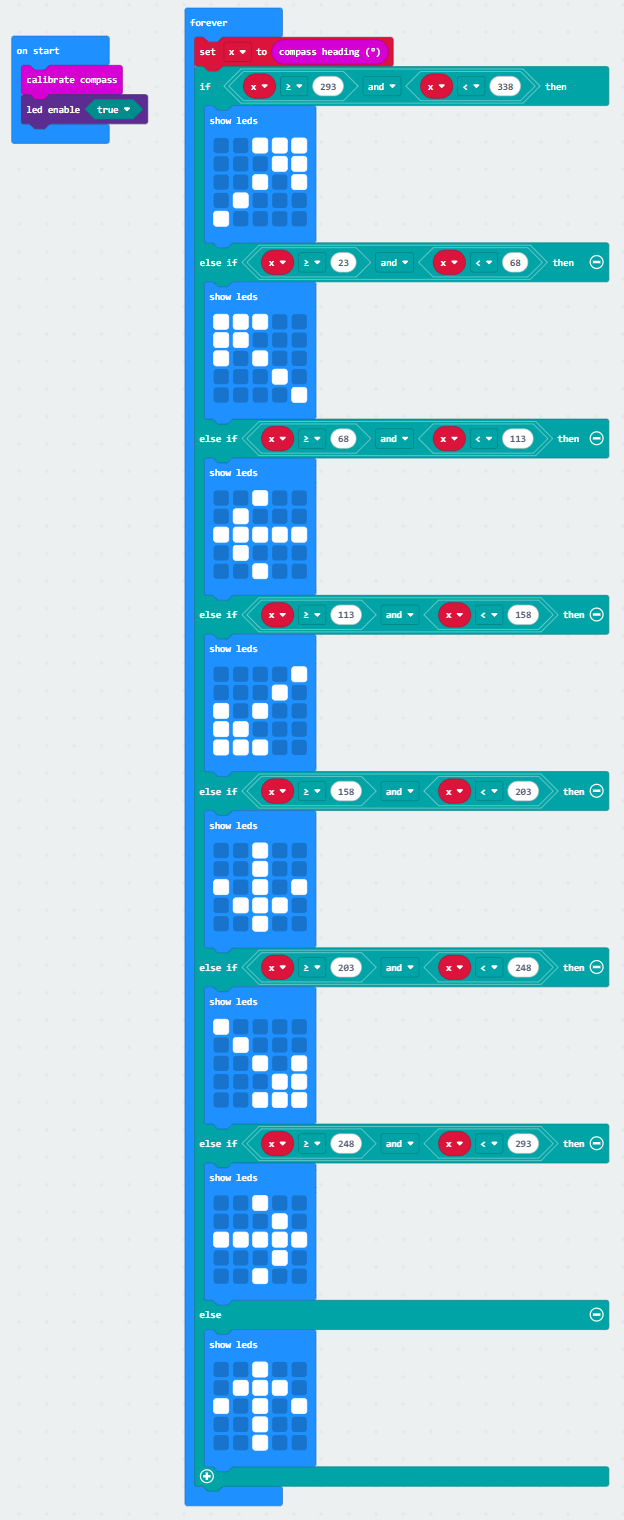
This module can keep reading data to determine direction, so does point to the current magnetic North Pole by arrow.
Link computer with micro:bit board by micro USB cable, and program in MakeCode editor,
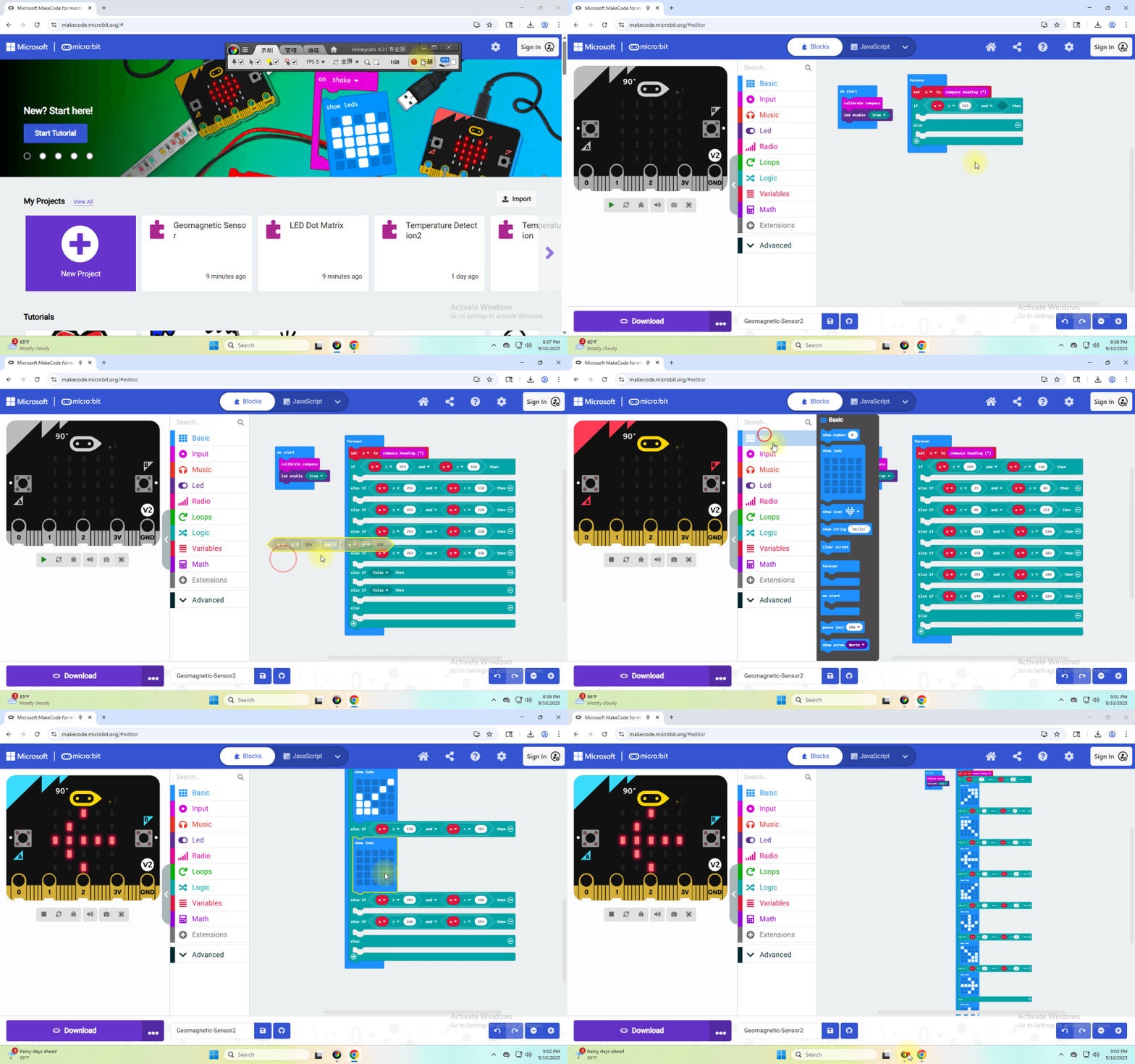
Complete Program :
(6) Test Results 2
Upload code 2. After calibration, tilt micro:bit board, and the LED dot matrix displays the direction signs.