2. Arduino Tutorial
2.1 Data download
Arduino information contains project code ,please click to download for follow-up study.
Data download: Arduino
2.2 Software Download
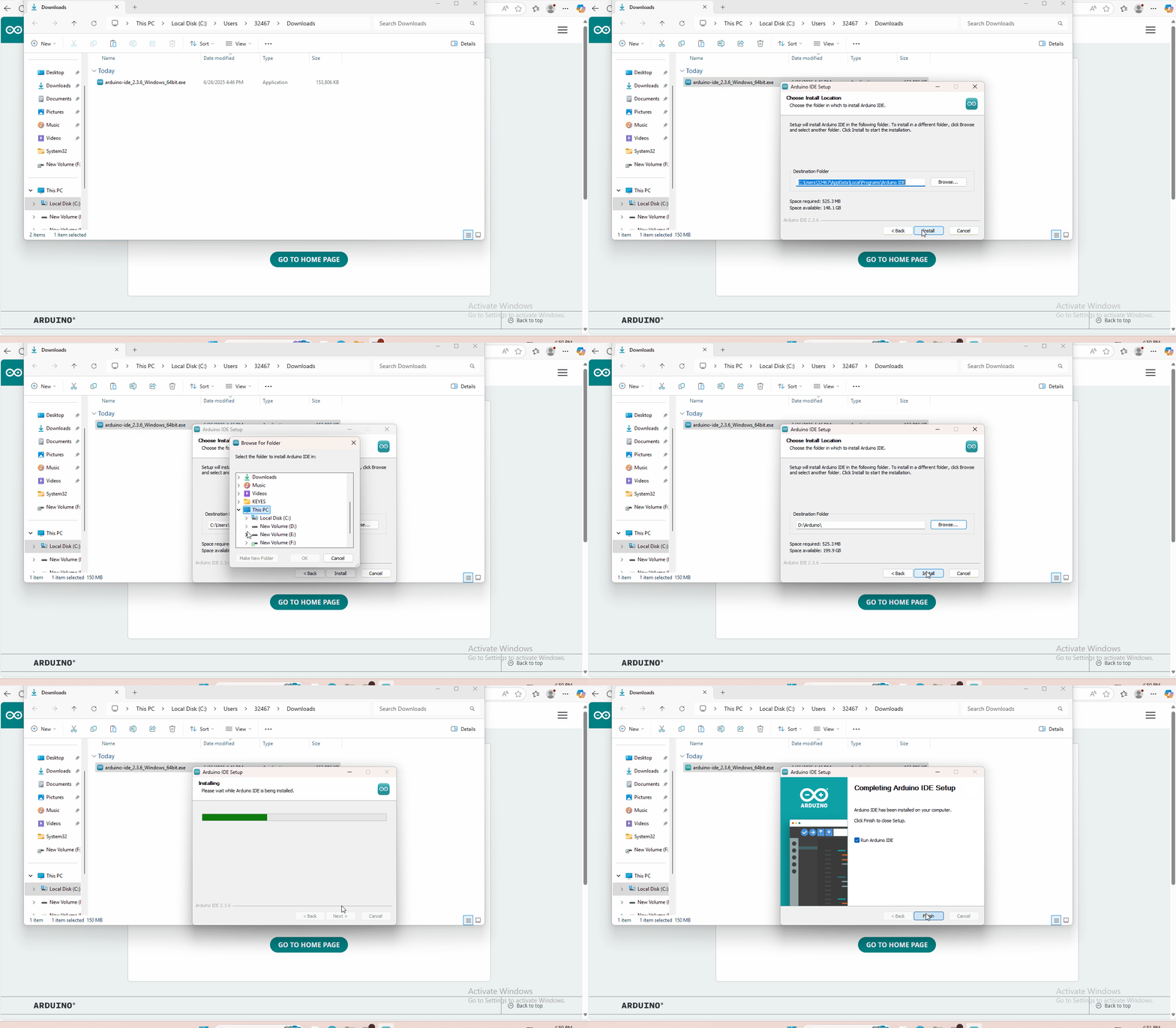
Open the browser and search: https://www.arduino.cc/en/software, we will take WINDOWS system as an example to show you how to download and install.
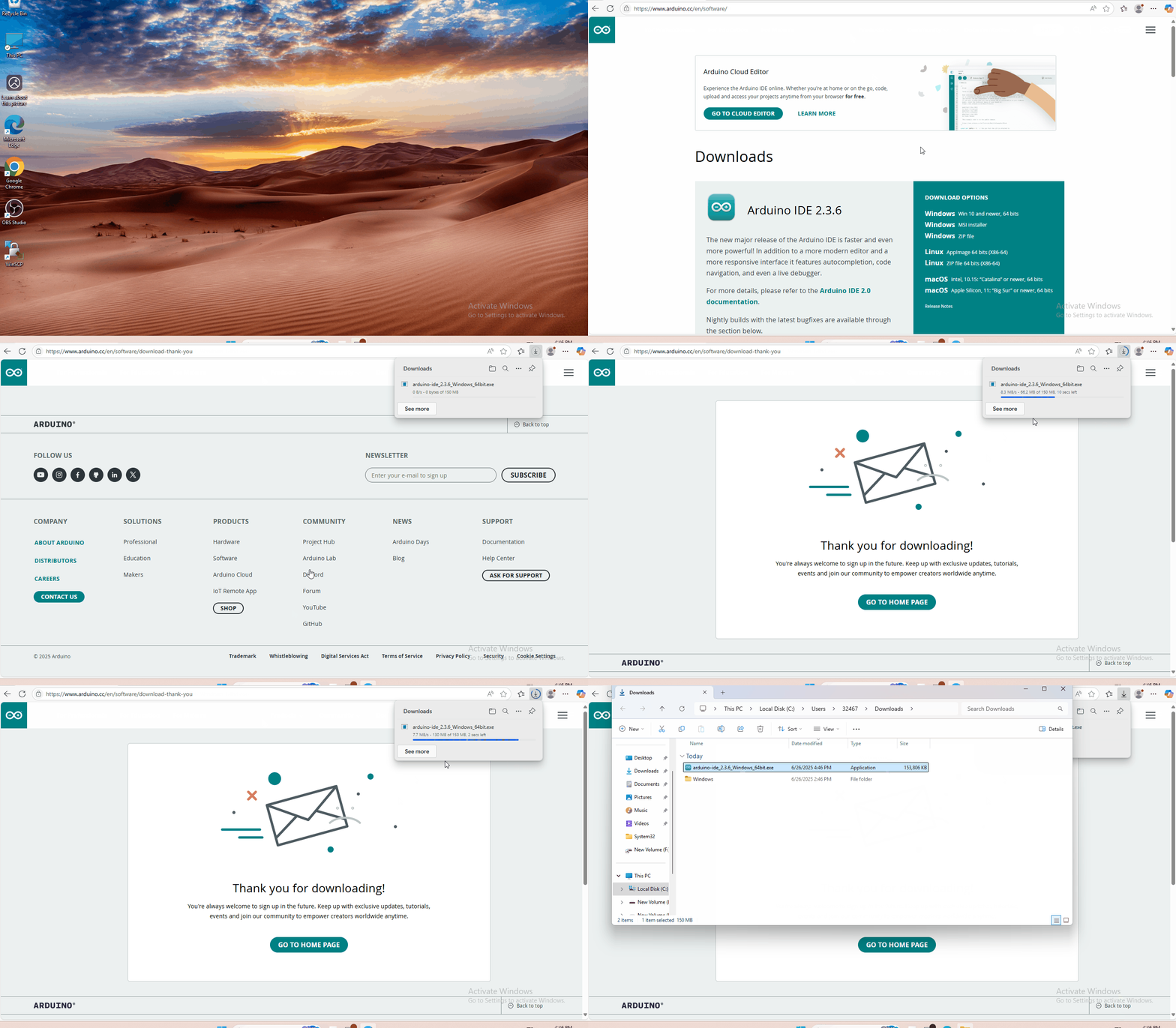
You just need to click JUSTDOWNLOAD,then click the downloaded file to install it.And when the ZIP file is downloaded,you can directly unzip and start it.
2.3 Set Arduino IDE
Connecting the board to the computer,and select the development board and port.

2.4 Project
- Project 1 Hello World
- Project 2 Who’s Blinking
- Project 3 Visible Breath
- Project 4 Flowing Light
- Project 5 Make A Sound
- Project 6 Who’s Singing
- Project 7 Temperature Measuring
- Project 8 Make A Sound-controlled Lamp
- Project 9 Make A Light-controlled Lamp
- Project 10 Water Level Alarm
- Project 11 I’m Thirsty
- Project 12 Visible Analog Value
- Project 13 Magnetic Field Detecting
- Project 14 Collision Detecting
- Project 15 Button-controlled Lamp
- Project 16 Touch Alarm
- Project 17 Knock Sensing
- Project 18 EASY plug Digital Tilt Sensor
- Project 19 Fire Alarm
- Project 20 Vibration Alarm
- Project 21 Magnetic Field Detector
- Project 22 Temperature Alarm