Project 12 Visible Analog Value
1.Introduction
In this lesson, we will make the mysterious analog value become less mysterious. We will use the analog rotation potentiometer sensor, a typical output component of analog value. Together with an LED, we can see clearly if the analog value is changing.
2.Components Needed
EASY plug Control Board V2.0 *1
EASY plug Cable *2
USB Cable *1
EASY plug Digital White LED Module *1
EASY plug Analog Rotation Potentiometer Sensor *1
Now, let’s meet this new EASY plug analog rotation potentiometer sensor.
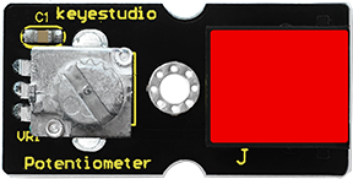
This analog rotation potentiometer sensor is compatible with Arduino . It is based on a potentiometer. Its voltage can be subdivided into 1024. By rotating it to a certain position, it can output corresponding voltage value. Below are its specifications:
Supply Voltage: 3.3V to 5V
Interface: Analog
Size: 39*20mm
Weight: 9g
3.Connection Diagram
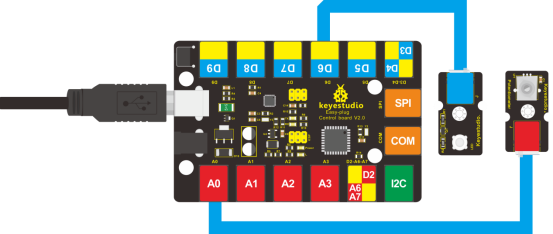
Now, connect the LED module to the D6 port of the controller board, and analog rotation sensor to A0 port using the EASY plug cables.
4.Test Code
Connect the board to your PC using the USB cable; copy below code into Arduino IDE, and click upload to upload it to your board.
int rotatepin=0;// set rotation sensor to A0
int ledpin=6;// set pin6 LED as PWM output to adjust the LED brightness
int val=0;// define variable val

void setup()
{
    pinMode(ledpin,OUTPUT);// set digital pin 11 as output
    Serial.begin(9600);// set baud rate to 9600
}

void loop()
{
    val=analogRead(rotatepin);// read the analog value of the sensor and assign it to val
    Serial.println(val);// display val value
    analogWrite(ledpin,val/4);// turn on LED and set to maximum brightness(PWM output is 255)
    delay(10);// wait 0.01S
}
5.Test Results
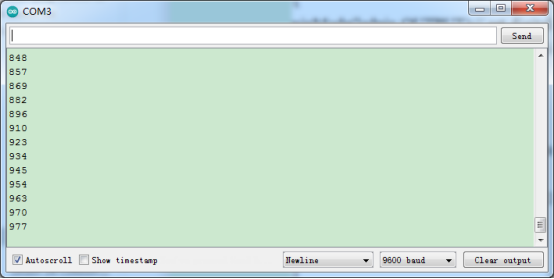
By rotating the knob on the module, you can adjust the LED brightness. Now you can see the change of analog value clearly.