Project 8:Light Detection
1. Description
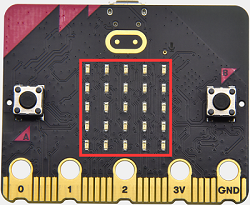
In this project, we will focus on the light detection function of the Micro: Bit main board. It is achieved by the LED dot matrix since the main board is not equipped with a photoresistor.
2. Preparation
A. Attach the micro:bit main board to your computer via the USB cable
B. Open the offline version of Mu.
3. Test Code
Enter Mu software and open the file“Detect Light Intensity by Microbit.py”to import the code. You can also input code in the edit window yourself.
(Note: All English words and symbols must be written in English.)
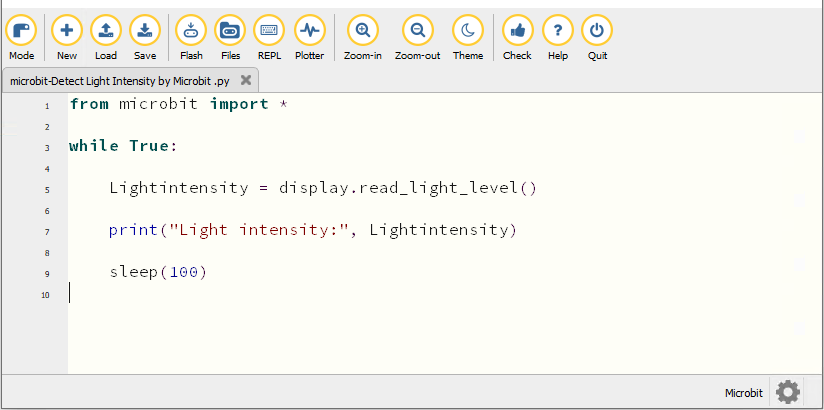
from microbit import *

while True:

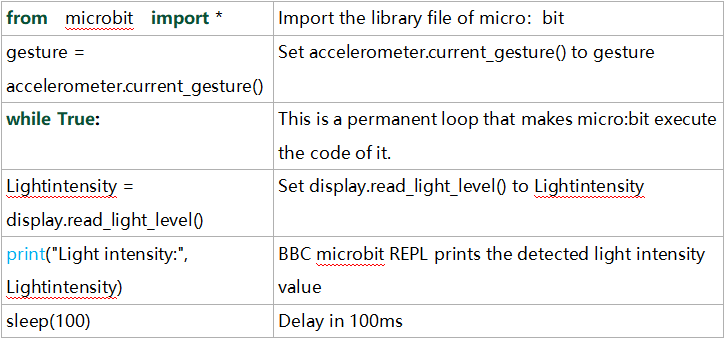
    Lightintensity = display.read_light_level()

    print("Light intensity:", Lightintensity)

    sleep(100)
Click“Check”to examine errors in the code. The program proves wrong if underlines and cursors are shown.
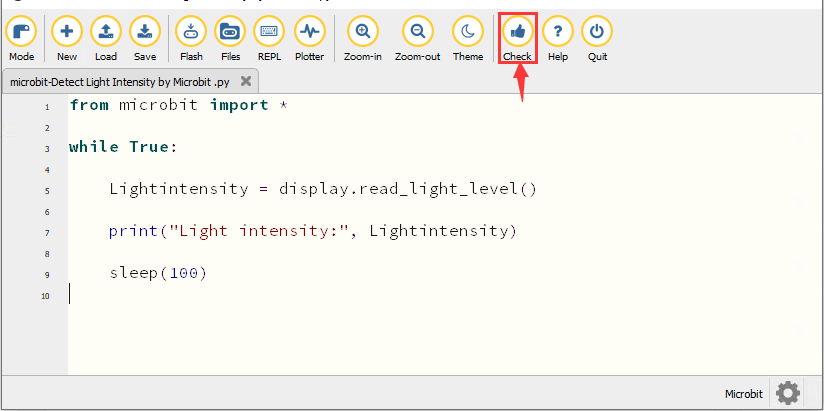
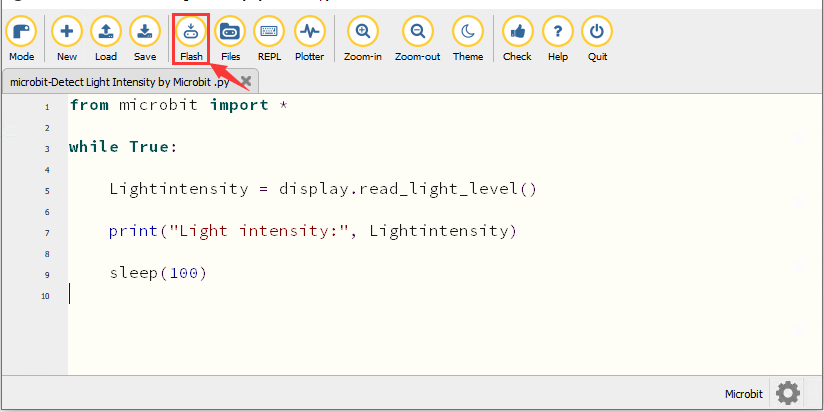
If the code is correct, connect the micro:bit to your computer and click“Flash”to download code to the micro:bit board.
4. Test Result
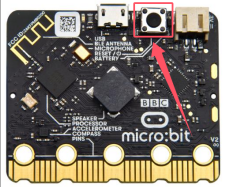
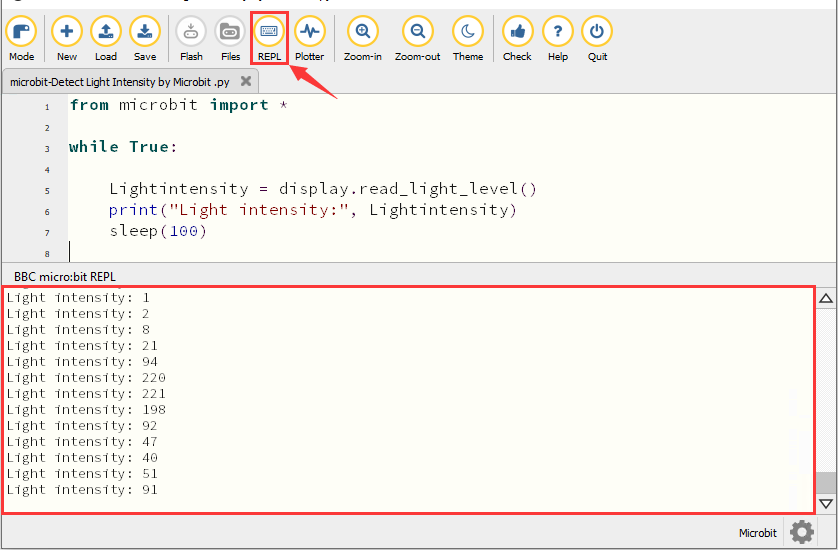
After downloading the code to the board successfully, power on via micro USB cable or external power supply(turn the DIP switch to ON). Click“REPL”and press the reset button on micro:bit.
Then REPL window will show the light intensity value, as shown below.
When the LED dot matrix is covered by hand, the light intensity showed is approximately 0; when the LED dot matrix is exposed to light, the light intensity displayed gets stronger with the light.
5. Code Explanation