3. Arduino Tutorial
3.1 Data download
Arduino information contains library files、project code and APP ,please click to download for follow-up study.
Data download: Arduino
3.2 Software Download
Open the browser and search: https://www.arduino.cc/en/software, we will take WINDOWS system as an example to show you how to download and install.

You just need to click JUSTDOWNLOAD,then click the downloaded file to install it.And when the ZIP file is downloaded,you can directly unzip and start it.
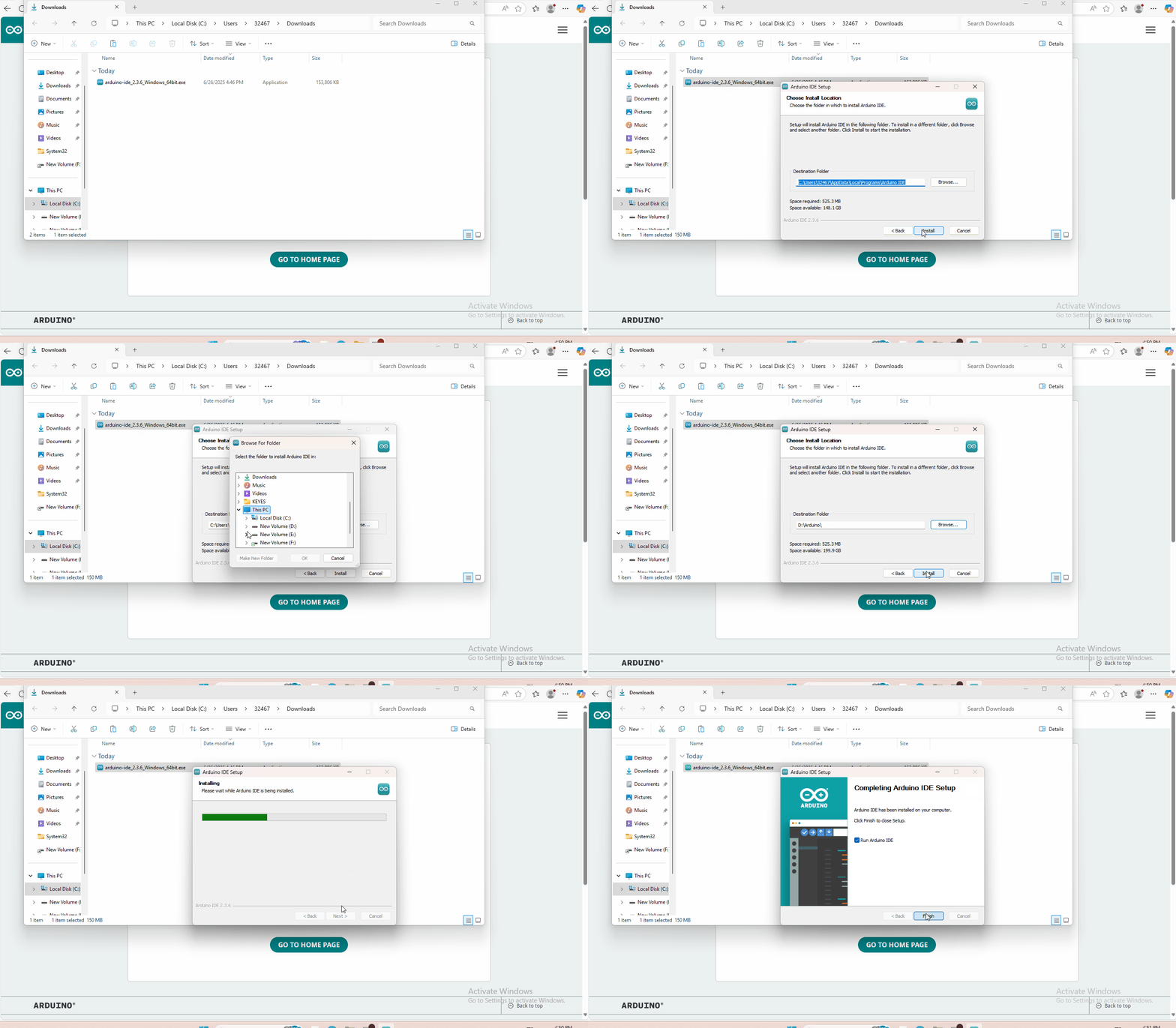
3.3 Set Arduino IDE
Connecting the board to the computer,and select the development board and port.

3.4 Add Library
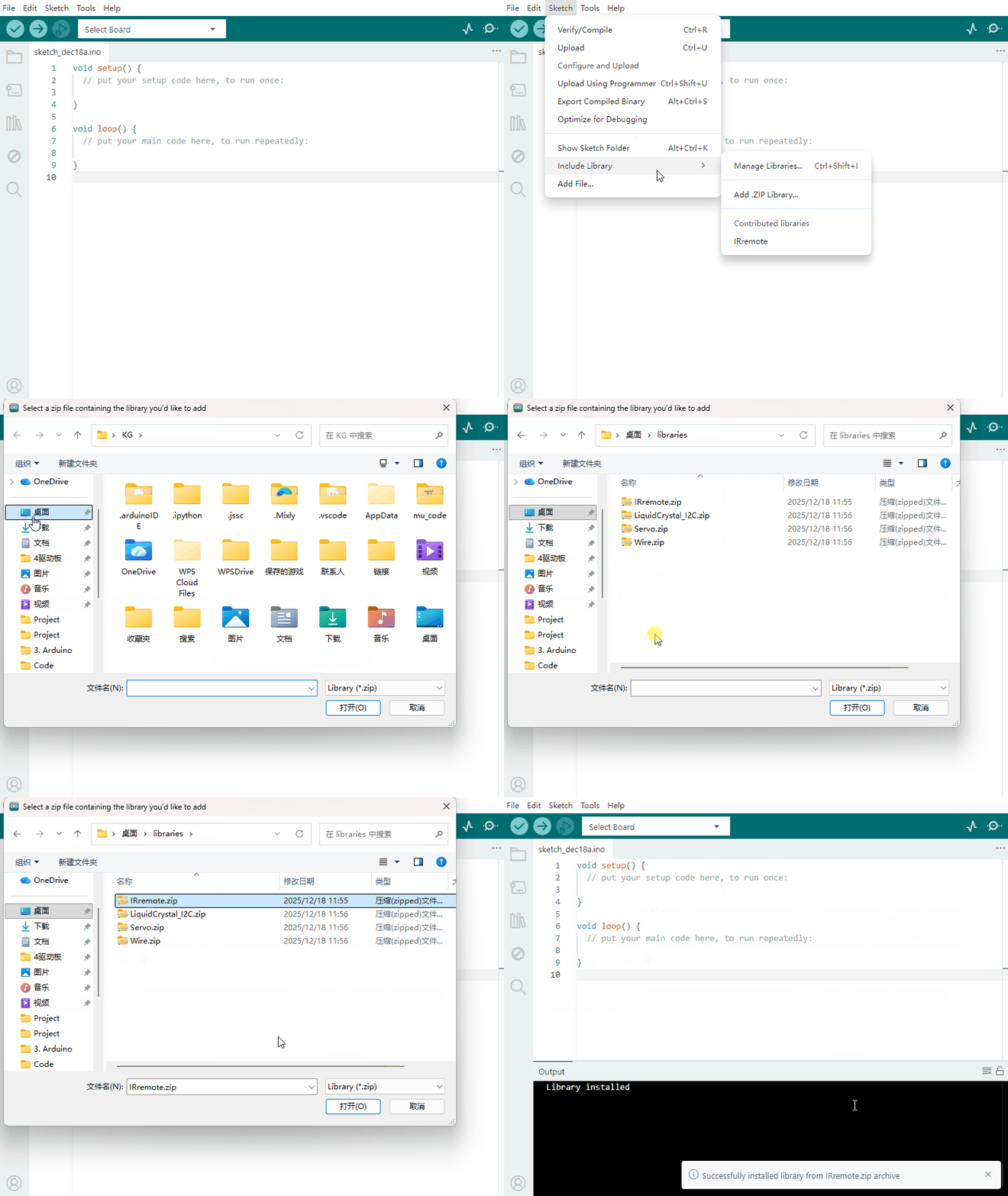
Open the Arduino IDE, follow [Sketch] → [Include Library] → [Add .zip Library]. This method can only import one library file at a time. If the product has multiple libraries, please import them one by one following this process!
3.5 Project
- Project 1 Line Tracking Sensor
- Project 2 Ultrasonic Sensor
- Project 3 Digital IR Receiver Module
- Project 4 Servo Motor
- Project 5 Bluetooth Module
- Project 6 L298N Motor Driver
- Project 7 keyestudio 1602 I2C Module
- Project 8 Line Tracking of Smart Car
- Project 9 Ultrasonic Obstacle Avoidance of Smart Car
- Project 10 IR Remote Control of Smart Car
- Project 11 Distance Detecting of Smart Car
- Project 12 Bluetooth Remote Control of Smar
- Project 13 5 in 1 Muilti-functional Car (Line Tracking, Obstacle Avoidance, Bluetooth and IR Remote Control, Distance Detecting)