Project 2 Ultrasonic Sensor
1.Introduction
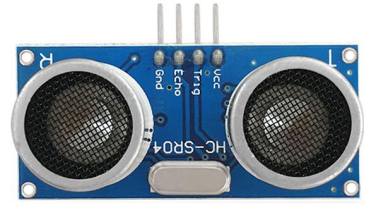
The HC-SR04 Ultrasonic Sensor is a very affordable proximity/distance sensor that has been used mainly for object avoidance in various robotics projects. It essentially gives your Arduino eyes / spacial awareness and can prevent your robot from crashing or falling off a table. It has also been used in turret applications, water level sensing, and even as a parking sensor. This simple project will use the HC-SR04 sensor with an Arduino and a Processing sketch to provide a neat little interactive display on your computer screen.
2.Specification
Working Voltage: DC 5V
Working Current: 15mA
Working Frequency: 40Hz
Max Range: 4m
Min Range: 2cm
Measuring Angle: 15 degree
Trigger Input Signal: 10µS TTL pulse
Echo Output Signal Input TTL lever signal and the range in proportion
Size: 46*20.4mm
Weight: 9g
3.Connection Diagram
4.Sample Code
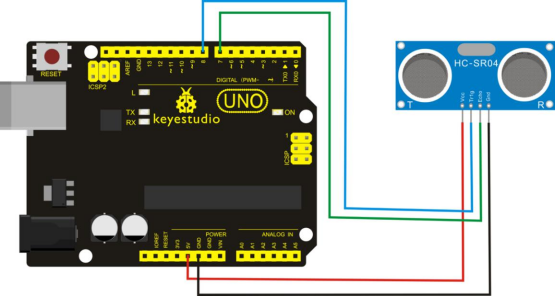
VCC to arduino 5v
GND to arduino GND
Echo to Arduino pin 7
Trig to Arduino pin 8
#define echoPin 7 // Echo Pin
#define trigPin 8 // Trigger Pin
#define LEDPin 13 // Onboard LED

int maximumRange = 200; // Maximum range needed
int minimumRange = 0; // Minimum range needed
long duration, distance; // Duration used to calculate distance

void setup()
{
   Serial.begin (9600);
   pinMode(trigPin, OUTPUT);
   pinMode(echoPin, INPUT);
   pinMode(LEDPin, OUTPUT); // Use LED indicator (if required)
}

void loop()
{
   /* The following trigPin/echoPin cycle is used to determine the
   distance of the nearest object by bouncing soundwaves off of it. */
   digitalWrite(trigPin, LOW);
   delayMicroseconds(2);

   digitalWrite(trigPin, HIGH);
   delayMicroseconds(10);
   digitalWrite(trigPin, LOW);
   duration = pulseIn(echoPin, HIGH);

   //Calculate the distance (in cm) based on the speed of sound.
   distance = duration/58.2;

   if (distance >= maximumRange || distance <= minimumRange)
   {
      /* Send a negative number to computer and Turn LED ON to indicate "out of range" */
      Serial.println("-1");
      digitalWrite(LEDPin, HIGH);
   }
   else
   {
      /* Send the distance to the computer using Serial protocol, and turn LED OFF to indicate successful reading. */
     Serial.println(distance);
     digitalWrite(LEDPin, LOW);
   }
   //Delay 50ms before next reading.
   delay(50);
}
5.Result
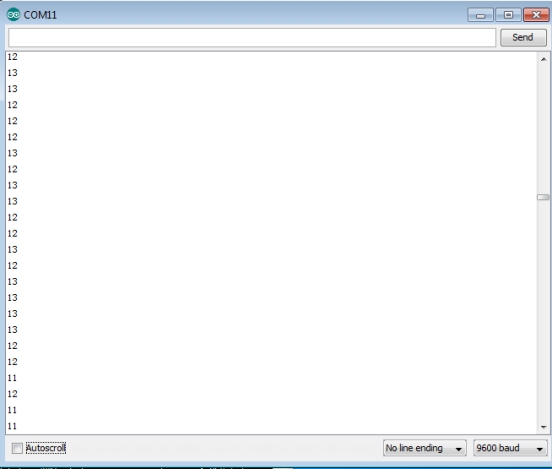
After connection and uploading, when ultrasonic sensor senses obstacle within sensing area, it is measuring the distance between itself and obstacle and the value of distance is displayed on serial monitor as shown in below figure.