Project 7 keyestudio 1602 I2C Module
1.Introduction
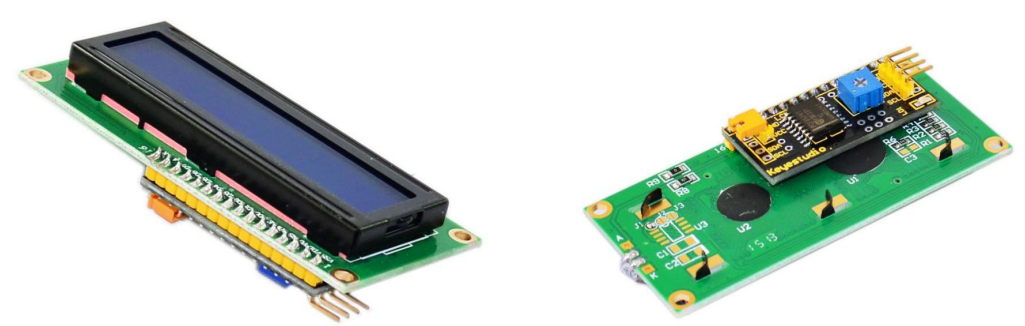
This is great LCD display compatible with arduino. With limited pin resources, your project will quickly run out of resources using normal LCDs. With this I2C interface LCD module, you only need 2 lines (I2C)to display the information. If you already have I2C devices in your project, this LCD module actually costs no more resources at all. The address can be set 0x27.
2.Specification
I2C Address: 0x27
Back Lit (Blue with white char color)
Supply Voltage: 5V
Interface:I2C/TWI x1,Gadgeteer interface x2
Adjustable Contrast
Size:82x35x18 mm
3.Connection Diagram
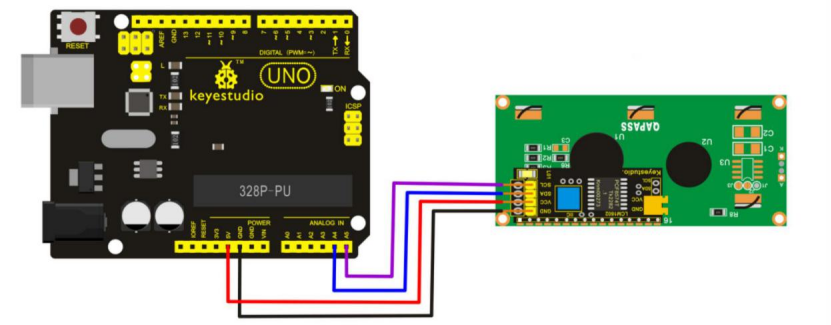
I602 is equipped with 4 pins in total. SCL should be connected to analog 5, SDA to analog 4, VCC to +5V and GND to ground.
4.Sample Code
//Compatible with the Arduino IDE 1.0
//Library version:1.1
#include <Wire.h>
#include <LiquidCrystal_I2C.h>
LiquidCrystal_I2C lcd(0x27,16,2); // set the LCD address to 0x27 for a 16 chars and 2 line display

void setup()
{
    lcd.init(); // initialize the lcd
    lcd.init();
    // Print a message to the LCD.
    lcd.backlight();
    lcd.setCursor(3,0);
    lcd.print("Hello, world!");
    lcd.setCursor(2,1);
    lcd.print("keyestudio!");
}

void loop()
{
}
5.Result
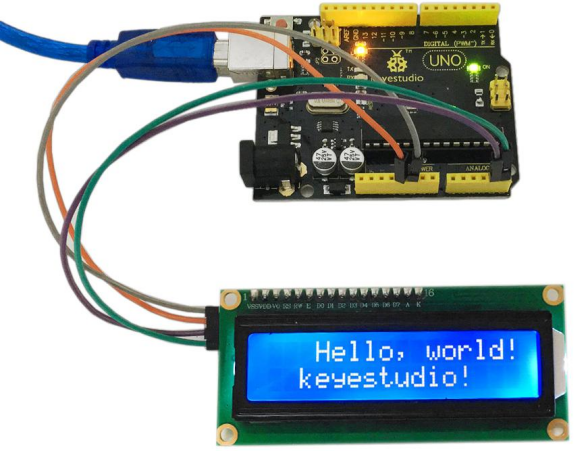
After connection and uploading codes, keyestudio 1602 I2C module will display as shown in below figure.