Project 10 Intelligent Doorbell
1.Description
Cat loves having his friends over, but he often doesn’t hear the doorbell ring when he’s in his room, and his friends have to leave. Today, we will use a PIR motion sensor and a LED light to make an intelligent doorbell, which can help the cat. Let’s take a look.
Task analysis
Sensor |
PIR Motion Sensor /LED Light |
|---|---|
ole |
Cat |
Background |
Background |
Result |
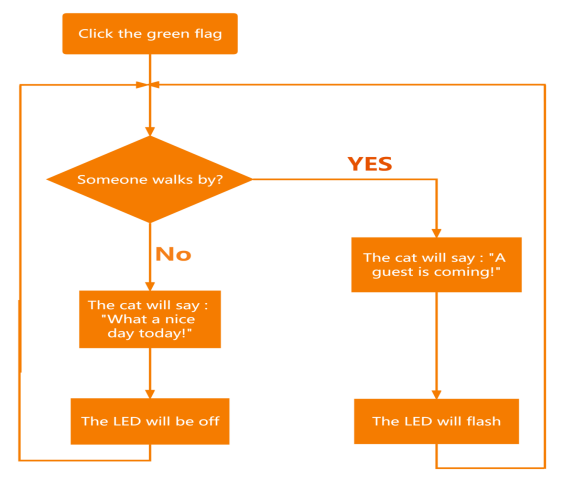
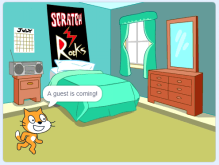
No one walks by, the light won’t work, and the cat will say: “It’s a beautiful day.” Someone walks by, the light will flash, and the cat says: “Guests are coming.” |
2.PIR Motion Sensor Introduction
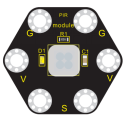
This keyestudio PIR motion module is mainly composed of a digital pyroelectric infrared sensor, which is a digital signal output device. This sensor has built-in filters, strong anti-interference, low voltage and micro power consumption.
The detection distance of the module is 3-5 meters. The detection angle in the horizontal direction is less than 80°; the detection angle in the vertical direction is less than 55° .
There are 6 ports on the module and those marked in the same name are connected. Once detecting someone moving nearby, the signal pin of the control board will input high level, and the LED on the module will be on, otherwise, it will be off.
Specifications
Working voltage: DC 3.3-5V
Working current:100mA
Maximum power:0.5W
Output signal: Digital signal
Detection distance: 3-5meters
Detection angle:less than 80°in the horizontal direction and less than 55° in the vertical direction
Operating temperature range:-30℃~+80℃
Dimension: 31mm27mm6mm
Weight: 2g
Environmental protection attributes: ROHS
3.Components Needed
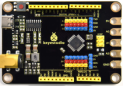
Control Board * 1 |
USB Cable*1 |
Connection Wires |
PIR Motion Sensor*1 |
LED Module*1 |
|---|---|---|---|---|
|
|
|
|
|




4.Connection Diagram
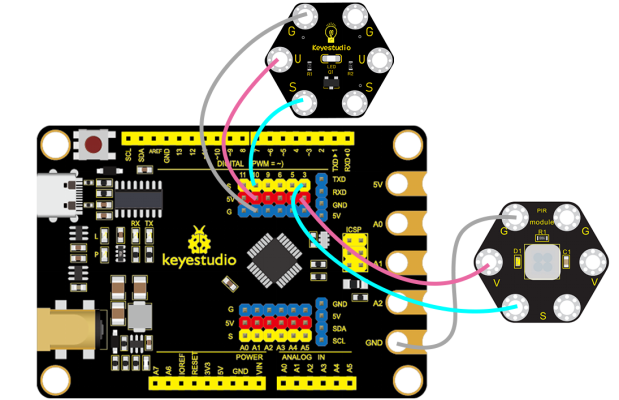
5.Test Program
1.Open“KidsBlock”software to create a new project.
2.Delete the beetle role.
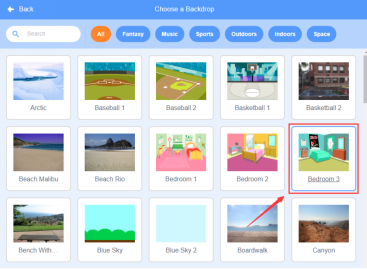
3.Select “Bedroom 3”:click the background library icon in the lower right corner to select Bedroom 3.
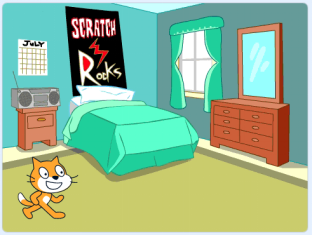
4.Select Cat, as shown below:
5.Flow Chart
6.Build the program
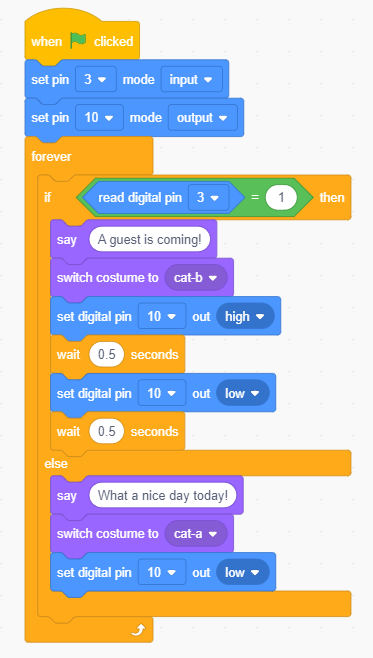
Select “Cat”and build the program, as shown below:
7.Test Result
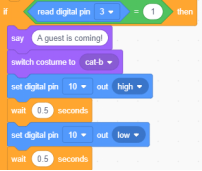
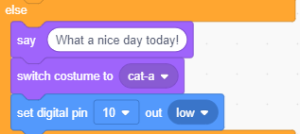
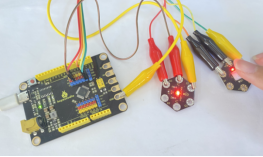
Connect the wirings and the device then select the port, then click .When the PIR motion sensor detects a person, the red LED will be on and the cat will say: A guest is coming! , otherwise the red LED will be off and the cat will say :What a nice day today!
8.Program Explanation
Instruction |
Function |
|---|---|
|
When the PIR motion sensor detects someone: execute the program under then, that is: Cat will change to b shape and say: A guest is coming! |
|
Otherwise execute: |